
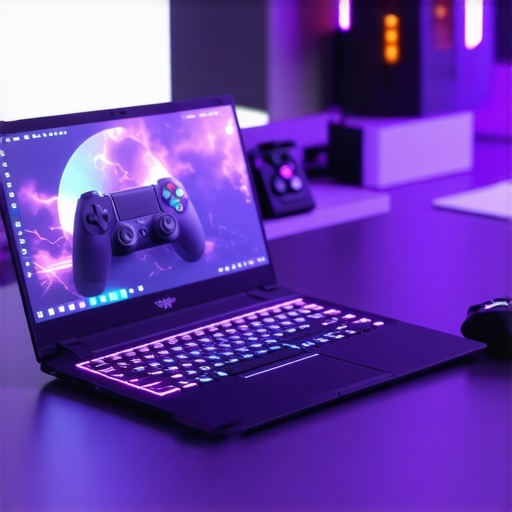
It was late one evening when I finally admitted defeat. My old gaming laptop had turned into a sluggish mess — lags, crashes, and the dreadfully slow load times that made me dread firing it up. I’d poured hundreds into upgrades, only to realize I was chasing shadows in a game I was never going to win. That lightbulb moment made me rethink: why was I struggling so much to find a laptop that balanced top-tier performance with a decent price tag? And more importantly, how could I stop wasting money on features I didn’t need?
Your Gaming laptop dilemma: Fast, Powerful, and Affordable — Can It Be Done?
This quest for the perfect gaming laptop isn’t just mine; it’s a challenge shared by countless enthusiasts, students, and even professionals who want a device capable of handling both work and play. With 2024 bringing a flood of new models, the choices can feel overwhelming. And let’s face it — do you ever wonder if the deal you’re eyeing really stacks up, or if you’re just paying for hype?
Is the Hype About Gaming Laptops Justified?
Back when I first started, I bought into every flashy ad, thinking high numbers meant the best. I learned the hard way that specs aren’t everything. For instance, I once spent extra on a laptop with a GPU promising 4K gaming, only to realize my experience was hampered by poor thermals and subpar build quality. That mistake taught me that chasing top specs without considering other factors like cooling, display quality, and battery life is a recipe for disappointment. Want to avoid falling into the same trap? Dive into reviews and real-world testing — I wish I had started there from the beginning. For more tips, check out our ultimate guide to gaming laptops in 2024.
So, what’s next? How to find a gaming laptop that offers the best bang for your buck, without compromising on performance? That’s what I’ll be sharing, based on my journey and what I’ve learned from experts and community insights. Ready to make your next purchase confident and informed? Let’s get started!
Set Clear Priorities Before You Shop
Start by listing your primary needs. Are you gaming, working remotely, studying, or all three? For gaming, prioritize GPU performance and display quality; for business use, focus on processor efficiency and battery life. I once walked into a store thinking more RAM would fix all issues, only to realize I needed a better GPU for smooth gameplay. Defining your main goals ensures you don’t get distracted by flashy but unnecessary features.
Compare Key Specifications with a Critical Eye
Think of specs like a car’s engine — more horsepower isn’t always better if the transmission or brakes can’t handle it. Focus on the core components: CPU, GPU, RAM, storage, and display. During my last purchase, I set a budget and used comparison sites to filter laptops with at least an Intel i7 or AMD Ryzen 7 processor, a GTX 1660 Ti or better, and SSD storage. This helped me avoid overpaying for minor upgrades that don’t impact real-world performance.
Read Real-World Reviews and Test Results
Don’t rely solely on manufacturer specs or flashy ads. Look for reviews that include gaming benchmarks, thermal performance, and battery endurance. I once bought a gaming laptop based on specs, only to find it overheating during extended play. After reading multiple reviews on [best gaming laptops in 2024](https://laptopbuyersclub.com/best-gaming-laptops-2024-top-deals-specs-for-enthusiasts-2), I discovered models with better cooling systems and longer battery life — crucial for my gaming marathons.
Assess Cooling and Build Quality
High performance demands effective cooling; otherwise, thermal throttling, noise, and hardware failure become risks. Think of cooling like a radiator in a car — without it, the engine overheats. I tested laptops in-store by checking fan noise and layout. When shopping online, look for reviews mentioning thermal management and build sturdiness. Remember, a well-built chassis with thoughtful internals prolongs your laptop’s lifespan and maintains performance.
Match Your Budget with Current Deals
Use deal aggregators and retailer discounts to maximize value. For example, I monitored [top laptop deals in 2025](https://laptopbuyersclub.com/top-laptop-deals-in-2025-unlock-incredible-savings-today) and waited for sales to snag a high-end gaming machine at nearly 20% off. Keep an eye on special promotions, student discounts, or bundle offers, which often include essential accessories like gaming mice or protective cases. Timing your purchase can save you hundreds.
Balance Portability and Power
Think of your laptop as a backpack — a heavier model packs more punch but is less convenient to carry. If you’re a student or professional on the go, prioritize lightweight designs with decent specs. For stationary gaming or intensive work, a bulkier but more powerful machine with better cooling might be ideal. I learned this when I took my heavy gaming laptop on a long trip and regretted the inconvenience.
Test Essential Accessories and Peripherals
A gaming mouse, mechanical keyboard, or external monitor can dramatically improve your experience. Consider [must-have accessories for seamless setups](https://laptopbuyersclub.com/must-have-laptop-accessories-for-a-seamless-setup). During a demo in a store, I tested different mouse ergonomics and keyboard responsiveness, ensuring I’d be comfortable during long sessions. Peripheral quality can often be more impactful than minor internal upgrades.
Stay Updated with the Latest Releases and Deals
Manufacturers release new models regularly, often with significant price reductions on older variants. Subscribe to newsletters or follow tech forums to catch flash sales. For example, I waited for the release of the 2024 lineups and scored a flagship gaming laptop during an exclusive promotion listed on [best gaming laptops 2024](https://laptopbuyersclub.com/best-gaming-laptops-2024-top-deals-specs-for-enthusiasts-2). Timing is key — patience can lead to big savings and better choices.
Consult Expert Opinions and Community Feedback
Leverage online communities, tech forums, and review sites for real experiences. I once posted on a gaming subreddit about my budget constraints, and several members recommended models I hadn’t considered. Joining discussions or reading comparative videos helps you avoid common pitfalls and identify models with proven reliability and performance. Use [contact us](https://laptopbuyersclub.com/contact-us) for specific advice if needed.
Test Before You Commit
If possible, try the laptop in-store or through a trusted retailer with good return policies. Hands-on testing reveals issues specs alone can’t show, like keyboard comfort, screen brightness, or fan noise. My mistake was purchasing a laptop based on online reviews, only to find the display wasn’t bright enough for my workspace. Always verify key features in person before finalizing your choice.
 Many enthusiasts and casual buyers alike fall into misconceptions that can seriously impact their investment in laptops. Starting with accessories, a prevalent myth is that expensive gaming peripherals automatically enhance performance. While high-end mice and keyboards can improve comfort, their impact on gameplay is often negligible compared to core hardware like GPU and CPU. Experts agree that prioritizing quality peripherals is beneficial, but they shouldn’t distract from essential internal specs. Another common misconception surrounds gaming laptops—many believe that the most powerful GPU will always deliver the best experience. However, thermal management and build quality play crucial roles; a high-end GPU paired with poor cooling can throttle performance and cause hardware issues over time. Thus, understanding the nuances of thermal design is key to making a smarter purchase. When hunting for laptop deals, many think that the biggest discounts are always the best ones. Yet, an overly aggressive price cut could indicate limited configuration options or outdated models. Use reputable deal aggregators and compare specifications to ensure you’re not sacrificing quality for savings. For business and student laptops, a frequent mistake is undervaluing build durability or battery life in favor of raw performance. A lightweight device may seem attractive, but it can come at the cost of overheating or insufficient power during long days. A study by TechInsights highlights that laptops with better thermal efficiency and robust construction tend to have longer lifespans, ultimately saving money and headaches. Advanced buyers often overlook the importance of matching hardware to actual usage requirements, risking over- or under-investing. For instance, selecting a premium gaming laptop for light office work is unnecessary—and vice versa. Assess your needs carefully to avoid misallocating funds. Consider consulting comprehensive guides like our ultimate guide to buying laptops in 2024 for tailored advice. Make sure to also keep an eye on upcoming deals, as timing can dramatically improve value. Following expert reviews and community feedback can reveal hidden issues or perks that specs alone won’t show. Sometimes, a well-reviewed mid-range model surpasses a flagship if it has better thermal design or user comfort features. By combining thorough research with an awareness of these common pitfalls, you can navigate the laptop market with confidence. Have you ever fallen into this trap? Let me know in the comments.
How do I maintain my laptop over time for optimal performance?
Keeping your laptop in top shape requires more than just occasional updates; it involves a set of proven practices and reliable tools that ensure longevity and peak performance. First, installing a quality system cleaning utility like CCleaner helps remove unnecessary files and cache, freeing up space and improving speed. I personally use it weekly to keep my business laptop running efficiently, especially after months of data transfer and updates.
Second, managing startup programs is crucial. I use Autoruns to identify and disable unnecessary auto-launch applications—this dramatically reduces boot times and resource drain. Regularly reviewing this list prevents background processes from bogging down performance, which is essential as you scale your setup for gaming or business tasks.
Third, hardware monitoring tools such as HWMonitor or SpeedFan provide real-time insights into CPU and GPU temperatures. I rely on these during intense gaming sessions, like when I play demanding titles on my gaming laptop from the [game-changing lineup](https://laptopbuyersclub.com/game-changing-gaming-laptops-for-2025-adventures). Proper thermal management is critical to prevent overheating that can throttle performance or cause long-term damage. Remember, cleaning your vents and fans periodically with compressed air complements these measures—clogged cooling systems are common culprits behind sudden slowdowns.
Fourth, keeping drivers up to date is vital. I set up Windows Update to notify me of critical updates and periodically check manufacturer websites for the latest graphics and chipset drivers. This enhances stability and performance, especially after upgrading hardware or software.
Looking ahead, I believe AI-based maintenance tools will become standard, proactively diagnosing issues before they affect your work or play. For now, combining these software strategies with physical upkeep—like cleaning and proper ventilation—will give you a reliable, long-term setup.
Want to take your maintenance routine further? Try automating some of these tasks with scheduled scripts or third-party apps like Macrium Reflect for backups. Regular backups are a safeguard against data loss, a tip many overlook but is invaluable, especially when scaling your setup for intensive workloads. If you’re ready to enhance your upgrade strategy, check out our guide to business and student laptop setups for detailed advice and tools tailored to your needs. Remember, staying proactive today saves you headaches tomorrow—so start incorporating routine diagnostics and maintenance now!
Lessons That Changed My Gaming Laptop Perspective
- Peripheral hype can distract from core performance: I used to believe that investing in expensive gaming mice and keyboards would dramatically improve my gameplay, but I realized that upgrading my GPU and CPU had a more significant impact. Quality peripherals enhance comfort, but they shouldn’t divert attention from essential internal hardware.
- Not all discounts are created equal: I learned that deep discounts on outdated models or configurations with compromises aren’t worth sacrificing quality. Trusted deal sites and a clear understanding of specs saved me from impulse buys that quickly became regrets.
- Build quality and thermal design outweigh flashy specs: A powerful GPU means little if the laptop overheats or feels flimsy. Investing in models with solid build and good cooling systems extends lifespan and maintains peak performance over time.
- Tailoring your setup to real needs saves money: Overpaying for top-tier specs when you only need casual gaming or basic productivity wastes resources. Clearly defining what I truly needed helped me choose models that balanced performance with budget.
- Hands-on testing can’t be replaced: Trying laptops in person revealed issues like keyboard comfort and screen brightness that specs alone couldn’t show. Always test before committing, especially during sales or in-store visits.
Tools and Resources that Guided My Choices
- Ultimate Guide to Buying Laptops in 2024: A comprehensive resource that helped clarify what features matter most for my needs, saving me from unnecessary upgrades.
- Deal Trackers and Discount Alerts: Using deal aggregators allowed me to wait for optimal pricing—sometimes saving hundreds—without sacrificing quality.
- In-Depth Reviews and Benchmarks: Paying attention to real-world tests revealed thermal and build quality issues that specs didn’t disclose, guiding me toward more reliable models.
- Accessory Insights: Learning which peripherals truly improve experience helped me avoid costly extras that offer little benefit.
Your Next Step in Laptop Mastery
Armed with lessons learned and trusted resources, you’re now better equipped to make decisions that truly match your needs. Remember, the right gaming or business laptop isn’t just about raw specs—it’s about the overall build, thermal design, and how well it fits your lifestyle. Take your time, test thoroughly, and don’t settle for hype. The perfect laptop is waiting, and with these insights, you’re closer than ever to finding it. Ready to dive into your next purchase? Share your thoughts or questions below—let’s improve our laptop game together!
Reading through this post really resonated with my own journey of trying to find a gaming laptop that balances performance and price. I used to buy into all the hype around the latest GPUs and high refresh rate displays, but over time I realized that thermal management and build quality are just as important, if not more so. For example, I once invested in a laptop with a top-tier GPU, only to experience constant overheating and throttling, which completely hampered my gaming experience. It’s clear now that doing thorough research on reviews and real-world tests is crucial before making a purchase.
One thing I’d like to add is the value of checking out user forums and community feedback. Sometimes, the reviews from actual users highlight issues or benefits that official specifications don’t mention. Has anyone found that participating in these communities has helped them avoid certain pitfalls? I’d love to hear how others use community insights in their decision-making process during such tech purchases.
This post really highlights some key points I’ve learned through my own experience. I used to focus heavily on the GPU and CPU specs without paying enough attention to cooling and build quality. I bought a gaming laptop with impressive specs, but overheating issues made it unbearable during long gaming sessions. Since then, I’ve found that reading reviews that mention thermal performance and build sturdiness has saved me from similar mistakes. It’s fascinating how much impact thermal design has on sustained performance and overall longevity of a laptop. Have others noticed that models with better cooling solutions tend to run quieter and last longer? I’m curious, how do you balance the desire for portability with maintaining good thermal management, especially if you need a laptop that’s both lightweight and powerful? It seems like finding that sweet spot depends a lot on individual use cases. Would love to hear everyone’s thoughts on how they approach this challenge.
I totally relate to the frustration of upgrading an old laptop only to find that thermal throttling and overheating become constant issues. It’s funny how we sometimes get caught up in the specs and forget the fundamental importance of good cooling and build quality. I’ve learned the hard way that a well-designed thermal system can largely extend a laptop’s lifespan and ensure consistent performance during long gaming or work sessions. I’m curious, has anyone here tried aftermarket cooling solutions or external cooling pads to improve their thermal performance? Do they really make a difference, or is it better to focus solely on choosing a device with a proven cooling system from the start? Also, how do you balance the need for portability with maintaining effective cooling? It seems like a tricky trade-off, especially for those of us who commute or travel often.