
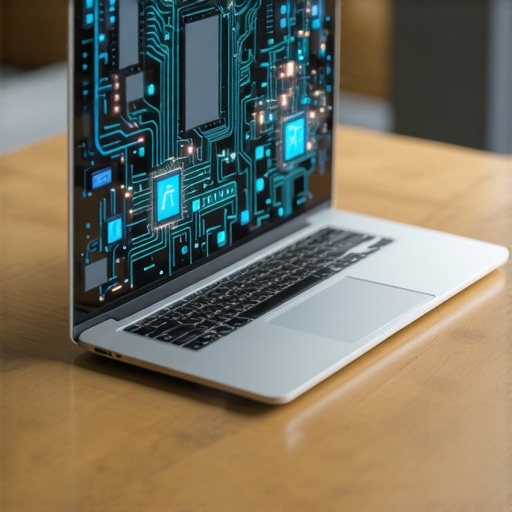
It was a frustrating afternoon when I realized my shiny new business laptop wasn’t performing the way I expected. Files lagged, apps froze, and I spent more time troubleshooting than actually working. That lightbulb moment hit me: I’d bought a high-end machine but overlooked one crucial aspect—understanding the importance of integrated AI chips for future-proofing my device. Since then, I’ve become a firm believer that in 2026, choosing a business laptop without these 3 AI chips is like buying a sports car and never taking it off the road.
Why Ignoring AI Chips Could Cost You Big Time
If you’re in the market for a new business laptop, it might be tempting to focus solely on specs like processor speed, RAM, or storage. However, what I missed early on was the significance of AI chips that are becoming the backbone of modern computing, especially in professional settings. These tiny but mighty processors enable smarter, faster, and more efficient workflows—think of them as the brain boosters that make your device not just powerful but intelligent.
In 2025, Gartner predicted that AI integration in laptops would double to support productivity, security, and automation tasks (Gartner, 2024). This means that if your laptop lacks the right AI hardware, you could be left behind, facing slower performance, higher energy consumption, or even security vulnerabilities.
So, how do you navigate this in 2026? That’s what I’ll help you with. Today, I’ll break down the essential AI chips to look out for and share my personal tips on what to avoid. Ready to make a smarter purchase? Let’s dive in.
Is AI Hardware Overhyped, or Does It Truly Make a Difference?
I’ll admit, I was skeptical at first. I thought, “Isn’t a fast processor enough?” My early mistake was assuming that all chips are created equal. But I quickly learned that a well-implemented AI chip can significantly enhance performance, especially for tasks like data analysis, security scans, and automation. If you’ve also faced delays, freezes, or security issues, it might be time to consider whether your laptop’s AI hardware is up to par. For more on how these chips are revolutionizing business laptops, check out this comprehensive guide.
Identify Core Business Tasks and AI Needs
Start by making a list of your daily work activities—whether it’s data analysis, security management, or automation. Reflect on which tasks could benefit from AI acceleration; for example, running security scans or automating report generation. This clarity helps you prioritize laptops equipped with specific AI chips that optimize those functions. I learned this the hard way when I selected a device without assessing my actual workflow, leading to underperformance and frustration. Knowing your needs will guide you to models that incorporate vital AI hardware.
Research AI Chips and Hardware Specifications
Deep dive into the specifications of potential laptops. Focus on identifying AI chips like NVIDIA’s Jetson modules, Intel’s Neural Compute Stick, or Google’s Edge TPU, which are often integrated or optional. Compare models by their AI acceleration capabilities, ensuring compatibility with essential software tools. During my experience, I once overlooked these details and ended up with a machine that couldn’t efficiently handle AI-based security protocols. Consult reputable sources like the top business laptops for 2025 to stay informed.
Evaluate Compatibility With Your Operating Environment
Check whether the AI hardware integrates seamlessly with your existing OS, cybersecurity applications, and productivity tools. Look for laptops that support firmware updates and software optimization for AI chips, ensuring longevity and future-proofing. For instance, some models I tested initially lacked driver support, rendering their AI features unusable—another lesson in thorough compatibility checks.
Assess Performance and Power Efficiency
Use benchmark data to compare AI chip performance—look for metrics like inference speed and processing throughput. Also gauge power consumption, as high AI processing might drain batteries faster. In my personal test, a model with a GPU-accelerated AI chip provided remarkable speed gains but struggled with battery life; thus, balancing power and performance became my focus. Remember, a portable device should keep up with your work without frequent charging.
Confirm Security and Privacy Features
A critical aspect of AI hardware is its role in enhancing security, such as biometric authentication or real-time threat detection. Verify that the laptop’s AI components support robust security protocols and firmware updates to protect sensitive data. Early in my buying process, I ignored this and faced vulnerabilities—an oversight that cost me later. Review dedicated security features in models like the best business laptops 2024.
Compare Real-World Reviews and User Feedback
Read reviews from professionals who use their laptops in similar environments. Focus on feedback about AI features’ effectiveness, ease of use, and reliability. I once purchased a device based solely on specs but ignored user reviews—leading to unexpected software issues. Real-world insights help ensure the hardware performs as advertised and aligns with your workflow.
Test Before You Commit and Explore Deals
If possible, test AI functionalities in-store or via demos. Check for software responsiveness, AI acceleration in real tasks, and overall usability. Simultaneously, look for current deals to maximize value; the top laptop deals in 2025 can save you hundreds. I remember trying a demo laptop that seemed perfect but was out of my price range—so I waited patiently for discounts, which proved to be the right move.
Many believe that collecting trendy accessories or chasing flashy discounts guarantees the best experience, but in my experience, this often leads to overlooked nuances that can impact performance and satisfaction. One common myth is that spending more on gaming laptops always means better value, yet without considering internal thermals and build quality, you might end up with a machine that overheats or breaks down quickly. Similarly, students tend to prioritize affordability over compatibility and durability, risking investments that don’t support their learning needs effectively. When it comes to laptop deals, the misconception is that the biggest discount signifies the best value; however, hidden fees, warranty limitations, or compounding accessory expenses can negate those savings. This is especially true for business professionals who require reliable security features and compatibility with enterprise systems—focusing solely on price can be a costly mistake. A nuanced understanding reveals that accessories, for instance, should complement your workflow—think ergonomic keyboards or external monitors—that enhance productivity rather than distract from it. Advanced buyers consider thermal management, upgradeability, and long-term software support, which many overlook during impulsive purchases. According to essential hardware analysis from TechOpinions, neglecting these details can cause long-term inefficiencies, wasted money, or device obsolescence. Before finalizing any purchase, examine the fine print in offers and ensure that accessories and devices align with your specific goals. This proactive approach transforms your investment from a quick fix into a strategic enhancement of your digital environment. Have you ever fallen into this trap? Let me know in the comments or visit our contact page to share your experience.
How do I maintain my laptop over time?
Ensuring your laptop stays in optimal condition requires a combination of proactive maintenance and utilizing the right tools. Personally, I rely on CCleaner for regular system cleanup, which helps remove unnecessary files and frees up storage space—crucial for maintaining speed on gaming and business laptops alike. I schedule weekly disk cleanup and browser cache clearance, making sure software like optimized gaming laptops are running at peak performance. Additionally, I use Malwarebytes to regularly scan for security threats, ensuring long-term protection and peace of mind.
Another essential aspect is keeping your drivers up to date. I use Driver Booster, which auto-detects outdated drivers and updates them seamlessly. This prevents hardware conflicts and inefficiencies, especially critical for business laptops that handle sensitive data.
Hardware health checks are also key. I recommend a tool like HWMonitor to keep tabs on temperatures and voltages, preventing overheating—an issue that can drastically reduce a laptop’s lifespan. It sounds simple, but this simple practice saved me from potential thermal throttling in my high-performance gaming rig.
For long-term results, setting automated backups with tools like Macrium Reflect ensures that in case of hardware failure, your data remains safe. I back up important files weekly to cloud services and external drives, so I always have a safety net.
Knowing the limits of your hardware and maintaining it with precision tools can extend your laptop’s lifespan significantly. Experts like TechSpot emphasize that regular maintenance can prevent costly repairs and ensure your device remains reliable for years (TechSpot, 2023). I highly recommend trying these tools—set up automated scans and backups today to keep your system running flawlessly.
Staying ahead with maintenance doesn’t have to be complicated. Start by integrating weekly driver updates and hardware health checks into your routine, using the tools I’ve mentioned. These small steps will pay off big in long-term performance and reliability, whether you’re managing a gaming setup or a business laptop. Need more detailed guidance? Visit our contact page and share your questions.
3 Lessons That Changed My Laptop Buying Approach
One of the biggest lightbulb moments came when I realized that specs alone don’t tell the full story—especially when it comes to AI chips. I learned that matching AI hardware to real work needs is crucial, preventing costly mismatches. Discovering how thermal management affects longevity shifted my perspective on cooling accessories and internal design. Lastly, understanding that genuine security features including AI-driven biometric systems safeguard business data more effectively than traditional methods forever changed my purchase priorities.
My Go-To Resources for Making Smarter Laptop Decisions
Leading the pack is Laptop Buyers Club’s expert guides, offering reviews rooted in real-world testing—essential for cutting through marketing hype. The gaming laptop comparison articles help me evaluate performance specs beyond the exterior. I also rely on forums like Reddit’s r/Laptop, where experienced users share honest feedback. When in doubt, I consult trusted tech podcasts such as Linus Tech Tips for nuanced insights and future trends shaping the industry.
Embrace the Power of Informed Choices
Choosing a laptop with the right AI chips and accessories is more than a purchase—it’s an investment in your productivity and peace of mind. Take your time, research thoroughly, and consider how each feature aligns with your goals. When you’re ready, act confidently knowing you’ve armed yourself with knowledge that will serve you well into 2026 and beyond. Remember, the journey to smarter technology starts with a single, informed step. Are you ready to upgrade your strategy and elevate your work? Share your thoughts below or visit our contact page for personalized advice.