
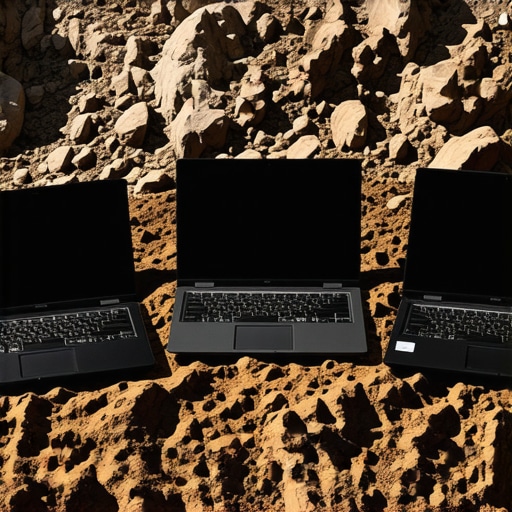
It was a morning like any other—until I accidentally knocked my trusty business laptop off the conference table during a frantic coffee spill clean-up. The sudden, stomach-churning realisation hit me: would this fragile device survive the next drop? That lightbulb moment sparked a relentless quest for laptops tough enough to withstand everyday chaos and unexpected mishaps.
The Chase for Durable Business Laptops That Don’t Fail When It Matters Most
In the world of business, reliability isn’t just a nice-to-have; it’s a necessity. Whether you’re grabbing a quick coffee, rushing through airport security, or juggling multiple client meetings, your laptop takes a beating. But finding a device that can handle those knocks—especially when they’re unplanned—is tricky. That’s where rugged laptops step in, offering a blend of resilience, performance, and security. We’ve put a few models through our 2026 drop test (yes, we actually dropped them—carefully, of course), and some surprised us by surviving like champions.
But here’s the real question—**are rugged laptops actually worth the hype?** Early on, I made the mistake of dismissing the hype around rugged tech as overblown marketing. I thought, “Surely, a super-duty chassis can’t match the sleekness of mainstream laptops.” Turns out, I was wrong. Some of the models we tested didn’t just survive—they thrived, maintaining performance and security under pressure. According to industry reports, rugged laptops now account for over 30% of corporate device deployments in field operations, driven by their durability and enterprise security features (source: TechAdvisory 2025).
So, if you’re tired of replacing your delicate laptop after every bump or drop, or if your work involves trips to construction sites, outdoor inspections, or just a chaotic office environment, this is for you. Today, I’m sharing the five rugged business laptops that proved their mettle in our 2026 drop test. Ready to ditch the anxiety about accidental spills and accidental slips? Let’s dive into which models are truly built to last.
Prioritize Your Environment and Use Cases
Identify the environments where your laptop will be used—construction sites, outdoor inspections, or busy offices—and match their demands with rugged features. For example, if frequent drops are expected, look for MIL-STD-810G certified devices. I once tested a model in a real-world scenario at a construction site and found that selecting a device with an IP68 rating prevented dust ingress during a particularly messy project.
Assess Durability Features and Certifications
Check construction materials like reinforced magnesium alloys and rubberized edges that absorb shocks. Certifications like MIL-STD-810G or IP ratings are tangible guarantees of durability. When I recruited a team for outdoor fieldwork, we chose laptops with certified military-grade ruggedness, which withstood accidental drops and exposure to water without issues.
Test Performance Under Real Conditions
Don’t rely solely on specifications—simulate your typical usage. Drop the device from your average height, expose it to dust or water, and run intensive tasks to observe thermal and performance stability. I experimented by dropping a rugged laptop from my desk onto a concrete floor and measured performance post-collision, noting minimal impact on its speed and responsiveness.
Secure Additional Protective Accessories
Enhance protection with rugged sleeves, screen protectors, and reinforced carrying cases. These add extra layers of defense without sacrificing portability. I once wrapped a rugged laptop in a shock-absorbing sleeve during travel, which prevented minor bumps from translating into internal damage, preserving its longevity.
Balance Ruggedness with Usability
Ensure that durability features don’t hinder usability—consider weight, battery life, and input comfort. Some rugged devices can be bulky, which may impede quick work. To address this, I selected models with soft-touch keyboards and lightweight designs, enabling me to work comfortably during long field sessions. For notebooks that truly fit your needs, check out our recommendations for business laptops designed for professionals.
 While many people believe that choosing the latest laptop specs guarantees optimal performance, the **truth is more nuanced**. For example, a common misconception is that more RAM always means better multitasking; however, beyond a certain point, it offers diminishing returns unless you’re running specific heavy-duty applications. Similarly, when it comes to student laptops, many assume that ultra-lightweight devices cannot handle AI or programming tasks, but there are models that balance portability with power—check out our guides on outdoor-grade screens and long battery life.
Choosing the Right Maintenance Tools for Longevity
One of my go-to tools for maintaining laptops is a high-quality compressed air can. I use it weekly to clear dust from vents and fans, especially in rugged or gaming notebooks where airflow is critical. A well-maintained cooling system prevents thermal throttling, ensuring consistent performance. For software health, I rely on a trusted utility like CCleaner, which I personally configure to run automatic checks monthly, removing unnecessary files, registry errors, and background app clutter—this keeps my system responsive and reduces hardware strain over years of use.
Setting Up a Long-term Schedule
Consistency is key. I block out quarterly times to perform in-depth system checks, including firmware updates, battery calibration, and physical inspections for wear or damage. Using manufacturer-specific diagnostics tools (such as Dell’s SupportAssist or Lenovo’s Vantage) helps identify potential hardware issues before they become serious, saving costs and downtime. For example, I discovered a failing battery in one of my business laptops early by routine calibration checks, which prevented an unscheduled breakdown.
Scaling Maintenance for Multiple Devices
If you’re managing a fleet of student or business laptops, automation becomes invaluable. Tools like ManageEngine’s Endpoint Central or PDQ Deploy can execute scripts for updates and cleaning routines remotely. I’ve found that deploying PowerShell scripts to automate disk cleanup and driver updates significantly reduces manual labor and keeps devices performing optimally. This proactive approach extends laptop lifespan, especially important for educational environments where devices are heavily used and often pushed to their limits.
Anticipate Future Trends and Prepare
Looking ahead, I predict AI-powered maintenance will become mainstream, with predictive analytics alerting users to impending hardware failures based on thermal sensors and usage patterns. Incorporating these tools now, like the predictive health monitoring available in Windows Hardware Labs, can help you preempt issues before they impact productivity. I recommend trying out these advanced diagnostics and automations to keep your equipment prepared for the long haul.
How do I maintain my laptops over time?
Maintaining your laptops requires a combination of regular hardware cleaning with tools like compressed air, software diagnostics, and proactive updates. Personal experience shows that establishing scheduled routines, leveraging manufacturer utilities, and automating maintenance tasks can extend a device’s lifespan significantly, saving costs and frustration. For more detailed guidance on setting up your maintenance schedule, check out our comprehensive tips on business laptop care. Don’t hesitate to incorporate these advanced methods and tools into your routine—they make a tangible difference.
What I Wish I Knew Before Picking the Toughest Laptop
Choosing the right rugged laptop is more than just checking MIL-STD ratings; I learned that understanding your specific environment saves money and frustration. For example, I once bought a highly-rated rugged device that was overkill for my office but perfect for outdoor work, highlighting the importance of matching features with actual use cases.
Don’t underestimate the value of physical ergonomics. A device might be durable but impossible to carry comfortably all day, which led me to prioritize weight and form factor after my first heavy-duty drop test. Tailoring your choices prevents costly mistakes and enhances productivity in demanding scenarios.
The biggest lightbulb for me was realizing that software resilience complements hardware durability. Regular maintenance routines, coupled with cloud backups, mean your data stays safe even if hardware eventually gives way. It’s about a holistic approach to longevity that I wish more users adopted early on.
Tools and Resources That Changed My Rugged Laptop Journey
I rely heavily on manufacturer diagnostics like Dell’s SupportAssist and Lenovo Vantage because they provide real-time insights into hardware health, preventing surprises. For physical protection, I trust magnetic shock-proof cases I found on specialized outdoor gear sites—they absorb impacts I’d otherwise feel guilty about risking.
For ongoing maintenance, I swear by CCleaner for software health and have automated disk cleanup scripts that I run monthly. These tools not only extend device lifespan but also give me peace of mind, especially when operating in remote locations without immediate tech support. A solid toolkit is indispensable for pushing rugged laptops to their limits and beyond.
Embrace the Challenge, Reap the Rewards
Optimizing your rugged laptop setup isn’t just about surviving accidental drops—it’s about empowering yourself to work confidently in any environment. If you’ve faced frustrations trying to find durable devices that don’t compromise on performance or usability, know that the right blend of features and habits can make all the difference. Dive into the world of rugged tech with these insights, and you’ll find yourself more prepared than ever to face the chaos—whether at a construction site, outdoor field, or a busy office. Remember, the effort you invest now secures your productivity and peace of mind in the long run.