

Ever stared at your old, sluggish laptop during a crucial assignment, only to realize it’s more of a hurdle than a helper? I’ve been there. One late night, desperately trying to submit a paper, my laptop froze right before the deadline. That lightbulb moment hit hard—my device’s performance was holding me back. I knew I needed a change, but the options felt overwhelming. Trust me, I’ve learned the hard way that choosing the right student laptop isn’t just about picking the latest model or the cheapest deal. It’s about understanding what truly boosts your productivity and learning experience.
Why Picking the Right Laptop Matters More Than Ever in 2024
As I’ve navigated the maze of tech specs and deals, I’ve realized that the right laptop can make or break your academic journey. With remote classes, digital notes, and project collaborations now the norm, your device needs to keep pace. The good news? There are some incredible deals and tools out there that can transform your learning experience without draining your wallet. The key is to know what to look for and avoid the common pitfalls I once fell into. If you’re tired of feeling overwhelmed and want to make a smart investment, you’re in the right place.
Is It Really Worth the Hype to Invest in a Top Student Laptop?
Early on, I made the mistake of choosing a laptop based solely on price, thinking I could upgrade later. Spoiler: I wasted months battling slow performance and compatibility issues. That’s why I emphasize the importance of understanding your specific needs. Whether you’re into coding, graphic design, or just need a reliable device for lectures, there’s a perfect fit out there. To avoid my mistake, I recommend checking out resources like our comprehensive guide to find the best deals and learn what specs truly matter for students in 2024. Making an informed choice saves you time, frustration, and money.
Assess Your Needs Clearly
Start by pinpointing what you require from your laptop. Are you into programming, graphic design, or just need it for online classes? For example, I once tried to use a lightweight Chromebook for coding, but it lacked the processing power I needed. I quickly realized that a mid-range Windows laptop with a dedicated GPU was necessary for my projects. Write down your must-have features such as battery life, weight, or specific software compatibility. This clarity prevents you from wasting money on unnecessary specs and helps narrow your options.
Set a Realistic Budget and Hunt for Deals
Determine your budget based on your needs, then scour reliable sources like top deals in 2025. Remember, a higher price doesn’t always mean better performance for students. I once snagged a refurbished Dell Inspiron with excellent specs for half the retail price during a Black Friday sale. Keep an eye out for discounts on reputable sites, and don’t forget to check for student discounts or bundles that include essential accessories.
Prioritize Essential Specs for Performance
Choose the Right Processor
Think of your processor as the engine of your car. For smooth multitasking, go for at least an Intel Core i5 or AMD Ryzen 5. I made the mistake of choosing a cheap i3 laptop, which slowed me down during exam week. Upgrading your processor makes a tangible difference in performance.
Focus on RAM and Storage
16GB of RAM is ideal for multitasking, especially if you run multiple apps or browser tabs. For storage, opt for SSDs over HDDs—they’re the equivalent of upgrading from a bicycle to a sports car. My old laptop’s SSD cut my boot times from minutes to seconds, transforming my daily workflow.
Choose the Right Screen and Battery Life
For long study sessions, a good battery is crucial. Aim for at least 8 hours of life. When I was on campus, my 6-hour battery would die mid-lecture, forcing me to find outlets or carry extra chargers. A 15- or 17-inch display enhances comfort, but if portability is key, a 13-inch model might suit you better. Balance size and battery life according to your daily routine.
Invest in Must-Have Accessories
Enhance your setup with accessories like a reliable mouse, keyboard, and external monitor for productivity. Check out must-have accessories to make your learning environment seamless. During my last upgrade, adding a wireless mouse and a portable charger significantly improved my study sessions, especially during library marathons.
Test Before You Commit
If possible, visit stores to physically test laptops. Feel the weight, check the keyboard comfort, and see the screen quality firsthand. I once ordered a laptop online without testing it and was disappointed with the keyboard feel. Always read reviews and watch unboxing videos to get a realistic idea of what to expect.
Many students approach selecting a laptop with misconceptions that can lead to costly mistakes. Let’s dig deeper into some of the most prevalent myths and uncover the hidden nuances you need to know to make an informed decision.
Why Bigger Isn’t Always Better for Academic Performance
A common belief is that a larger screen or a more powerful laptop automatically translates into better productivity. However, I’ve seen many students overspend on oversized devices with high-end specs they don’t need, only to struggle with portability and battery life. The truth? Your needs should dictate your choice. For instance, if you primarily take notes in class and browse the web, a lightweight 13-inch laptop with a decent processor will serve you better than a bulky gaming rig. The key is to match your device’s capabilities with your actual tasks, not the marketing hype.
Myth: Expensive Laptops Guarantee Better Learning
It’s tempting to think that shelling out more guarantees a superior learning experience. But studies, like those from the Journal of Educational Technology, show that the most important factor is how you use your device, not how much you spend. Sometimes, a budget-friendly laptop with solid specs and good reviews can outperform a high-priced model riddled with bloatware. I recommend checking trusted sources like our ultimate guide to find balanced options that deliver value without breaking the bank.
Beware of the Tech Overkill Trap
Many students fall into the trap of over-specifying their laptops, thinking they need the latest processors, massive RAM, or top-tier graphics. This often results in paying for features that won’t be utilized. For example, a student studying literature or social sciences rarely needs a dedicated GPU or 32GB of RAM. Instead, focusing on a reliable processor, at least 8GB of RAM, and a comfortable keyboard can significantly improve your learning experience. Remember, more power isn’t necessarily more productivity—sometimes, it’s just more cost and weight to carry around.
Are Ultrabooks the Ultimate for Students
Ultrabooks are praised for their sleekness and portability, but they often come with a hefty price tag. The advanced reader question here is: Do ultrabooks truly offer the best balance of performance, durability, and cost for students? According to expert reviews, while ultrabooks excel in portability and battery life, they sometimes sacrifice ports and upgradeability. If you’re a student who needs flexibility—like connecting multiple peripherals or upgrading components—you might find traditional laptops more practical. A balanced approach is to evaluate whether ultrabooks align with your specific needs or if a slightly heavier but more versatile device makes more sense.
Making smart choices in your laptop purchase involves understanding these nuances. Don’t fall for the myth that bigger, more expensive, or ultra-thin always means better. Focus on your actual requirements, read reviews thoroughly, and consider future-proof features wisely. If you want to explore top deals and avoid common pitfalls, visit our current deals. Have you ever fallen into this trap? Let me know in the comments!
How do I maintain my laptop over time?
One of the most effective ways to keep your student laptop performing at its best is by implementing regular maintenance routines. Personally, I swear by using CCleaner for cleaning temporary files and unnecessary registry entries. It’s simple to use and helps prevent slowdown over the semester. Additionally, I schedule weekly disk cleanup and defragmentation—though with SSDs, defragmentation is less critical, but it still helps keep things organized. For antivirus protection, I rely on a trusted security suite that automatically updates to guard against new threats. Regularly updating your operating system and drivers is also crucial; I set these to update automatically during off-hours to avoid interruptions. Staying on top of these small but vital tasks ensures your laptop remains reliable and fast, especially when deadlines are looming.
To optimize long-term performance, consider investing in must-have accessories like a portable external SSD for backups and additional storage. I back up my essential files daily using a dependable cloud service, which has saved me during unexpected crashes or hardware failures. This habit not only preserves my work but also minimizes stress. For software, I recommend tools like Malwarebytes for periodic scans—my go-to for catching any lurking malware that slips past my primary antivirus. Plus, I keep an eye on startup programs to disable unnecessary ones, which helps speed up boot times.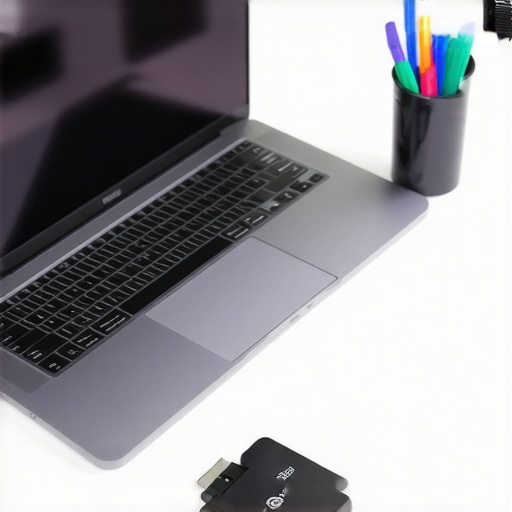
**Image description:** A clean, organized workspace with a student laptop, external SSD, and a cup of coffee, illustrating effective maintenance habits. Alt text: Student workspace with laptop and accessories for maintenance.
Lessons Learned From My Laptop Journey
- Always match your laptop specs with your actual needs. I once bought a high-end gaming laptop thinking it would serve all purposes, only to realize it was too bulky and overpowered for simple note-taking.
- Don’t underestimate the power of a good keyboard and screen quality. After spending hours studying, I found that a comfortable keyboard and clear display made a huge difference in reducing fatigue.
- Refurbished models can be a goldmine. I saved hundreds during a Black Friday sale and got a reliable device that lasted years, proving you don’t always need the newest model to get great performance.
My Go-To Resources for Smart Laptop Choices
- Our comprehensive guide to student laptops in 2024 is my first stop; it’s packed with expert advice and up-to-date deals. Find it at here.
- The reviews on TechCrunch and CNET help me understand real-world performance beyond specs. They’re trustworthy sources for honest opinions.
- For deals, I rely on deal aggregator sites that track discounts on reputable brands. They often highlight hidden sales or student discounts I might miss otherwise.
Take Action and Make Your Laptop Count
Choosing the right student laptop is more than just picking a device; it’s about setting yourself up for success. Don’t settle for less—invest wisely, and your future self will thank you. Remember, your learning journey is unique, so tailor your choice to fit your specific needs, and keep your focus on what truly enhances your study experience. Ready to find your perfect match? Dive into the resources, stay informed, and make that smart purchase today!
This post hits home for me, especially the part about the importance of matching your laptop specs to your actual needs. I used to fall into the trap of thinking that more powerful or flashy devices would automatically boost my productivity, but I quickly realized that a lightweight and reliable machine serves me better for daily note-taking and class assignments. I’ve found that solid battery life and a comfortable keyboard are game changers during long study sessions. One tip I’d add is to consider the build quality—spilling coffee on a sturdy laptop is less stressful! For students on a tight budget, I highly recommend checking out refurbished models; I saved a lot and still got excellent performance. How do others here decide between a laptop for portability versus power? Do you prioritize one over the other based on your classes or work style?
This post really hits the mark for me, especially when it emphasizes the importance of aligning your laptop specs with your actual needs. I’ve learned firsthand that over-investing in high-end features for tasks I rarely do is just unnecessary spending, and it can compromise portability and battery life, which are crucial for students constantly on the move. I also agree that a solid keyboard and good screen quality make a huge difference during long study sessions, something I didn’t realize initially. One aspect I’d add is the value of checking out lightweight, mid-range laptops that strike a balance between performance and portability. Have any other students here found certain brands or models that excel in this balance, especially within a student-friendly budget? I’d love to hear more about your experiences with managing performance versus portability in your own routines.