
Imagine this: You’re ready for an epic gaming session or a crucial work deadline, and suddenly, your laptop’s power brick feels more like a 10-pound weight than a convenient charger. I remember the lightbulb moment when I realized my high-end gaming rig, though powerful, was a beast to carry around. The massive brick and tangled cables were a constant hassle, especially when I wanted to game or work remotely without feeling tethered. That frustration led me down a rabbit hole of researching *gaming laptops that don’t need a massive power brick*. Today, I want to share what I uncovered—solutions that combine the power we crave without sacrificing portability.
Why portability has become the new gaming and productivity gold standard
In recent years, the tech world has shifted dramatically. More gamers, remote workers, students, and professionals are seeking lightweight yet powerful machines. The days of bulky laptops with massive chargers are numbered, and rightly so. According to a study by IDC, portable devices now account for over 50% of sales in high-performance computing, reflecting our demand for mobility without compromising on performance. The reason is simple: life is busier, packed with meetings, coffee shop gaming, or studying on the go. No one wants to lug a suitcase-sized device around, yet many think sacrificing power for portability is unavoidable.
Here’s the snag, though: many believe that a sleek, lightweight laptop can’t handle intensive tasks like AAA gaming or 3D rendering. That’s a misconception, often rooted in earlier models that compromised on thermal design or hardware efficiency. The good news is, newer technologies have changed the game. Thin, light laptops now pack the same high-end components once reserved for bulky desktops, but with a fraction of the size and weight.
I’ve made my share of mistakes early on, like opting for what looked like a portable gaming laptop only to find it throttled under load because of poor cooling. It’s crucial to choose models with smart thermal management and hardware that balance power consumption with performance. For instance, technologies like NVIDIA’s Max-Q design optimize GPU performance in slim profiles, allowing gaming or demanding workloads to run smoothly without turning your laptop into a portable heater.
Are you tired of feeling like your portable device is underpowered or, worse, constantly unplugged because of dodgy batteries? If so, you’re not alone. Luckily, the market is catching up, offering several high-performance laptops that don’t require a jumbo power brick. Over the next sections, we’ll dig into the top models that truly strike this balance—so you can game or work efficiently, wherever life takes you.
Prioritize Your Core Needs Before Shopping
Start by listing must-have features like battery life, weight, and performance benchmarks. When I was hunting for a portable gaming laptop, I first ranked importance—power for gaming, portability, and battery longevity—so I avoided models that excelled in one area but failed in others. This clarity prevented me from wasting hours on unsuitable options. Be specific about what tasks you want to perform, whether gaming, video editing, or business work, to narrow your choices efficiently. For example, if you’re a student, check models aligned with educational needs, like those highlighted in student laptops. This approach ensures your purchase aligns with your real-world demands.
Many enthusiasts and professionals alike get caught up in the hype around gaming laptops, business machines, or student-centric models, but there’s a hidden nuance that can make or break your experience: understanding the real limitations and misconceptions surrounding these devices. Contrary to popular belief, more expensive or feature-rich doesn’t always mean better for your specific needs, especially if you’re unaware of the advanced pitfalls involved.
One widespread myth is that high-end gaming laptops always prioritize raw power over portability and battery life. While it’s true that top-tier components can generate heat and drain batteries quickly, many modern gaming models integrate innovative thermal management solutions like vapor chamber cooling and adaptive fan control systems. For example, some of the latest gaming laptops for 2025 utilize smart heat dissipation technology that allows high performance without turning your device into a portable heater.
However, a crucial mistake is overlooking the importance of thermal design in prolonged use. Many users assume that any laptop with a powerful GPU or CPU will remain cool under load, but inadequate thermal solutions can lead to thermal throttling, reducing performance during critical moments. This pitfall is especially dangerous in professional-grade business laptops that are marketed as portable but lack proper cooling for sustained tasks.
Another often-neglected aspect involves accessory choices for mobile setups. People invest thousands in sleek laptops but then purchase cheap, poorly-designed accessories that can damage their devices or degrade user experience. For instance, using low-quality chargers or cables can cause inconsistent power delivery, potentially harming the battery or motherboard. I recommend exploring must-have accessories that complement your device’s capabilities and longevity.
For students, the misconception that cheapest options deliver the same durability as premium models can backfire. Low-cost laptops often cut corners on build quality, keyboard comfort, or display durability. My advice is to prioritize models with proven resilience, like those highlighted in [durable laptops](https://laptopbuyersclub.com/4-durable-laptops-built-to-handle-a-gym-bag-shove), which can survive the rigors of daily campus life.
Have you ever fallen into this trap, buying a device based solely on hype or specs without considering these nuanced factors? Recognizing these pitfalls ensures you make informed choices and get the best value for your investment. For ongoing deals and tips, check out our latest laptop deals in 2025. If you want personalized advice, feel free to contact us through our contact page. Remember, the right knowledge can save you money and frustration—so stay sharp!”}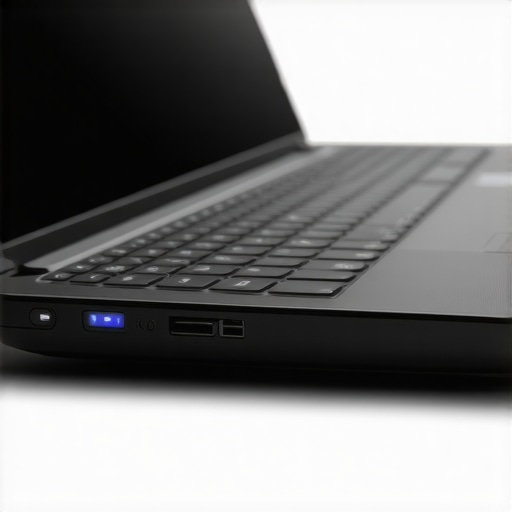 Maintaining optimal performance for your gaming or business laptop requires more than routine resets; it demands proactive monitoring and precise tools. I personally rely on **BatteryInfoView** by NirSoft to track real-time battery health and discharge cycles, helping me anticipate replacements before performance dips. Similarly, **HWMonitor** provides detailed insights into thermal status and component voltages, ensuring that overheating or voltage irregularities don’t compromise longevity. These tools are invaluable because they give granular data that standard OS diagnostics often overlook.
Beyond monitoring, applying regular software housekeeping can extend your machine’s lifespan. Using **CCleaner** to clear residual files and registry clutter prevents gradual slowdown. I schedule bi-weekly cleanups because accumulated junk can cause slowdowns and obscure hardware issues. For drivers, I prefer **Snappy Driver Installer**—it’s open-source, extensive, and simplifies updating all device drivers in one go, avoiding compatibility mishaps that can cripple performance.
Looking to future-proof your setup? Embracing **Windows Update**’s optional driver updates, when carefully vetted, can enhance compatibility and security. I also subscribe to **LAPS (Local Administrator Password Solution)** for business laptops to ensure passwords remain secure yet accessible for maintenance without exposing vulnerabilities.
How do I maintain my laptop’s performance over time?
Keep your firmware and BIOS up-to-date through the manufacturer’s official support pages. Regular firmware updates can fix bugs, improve hardware stability, and sometimes even boost battery life—crucial for portable gaming and professional use alike. For example, updating the BIOS on my gaming laptop not only improved thermal performance but also reduced power drain during idle periods.
On the hardware side, consider upgrading components where possible. Swapping out HDDs for SSDs and adding more RAM can breathe new life into aging machines, especially when paired with cleaning the internal cooling fans—often overlooked but essential for thermal management. For laptops that allow it, I recommend **replacing thermal paste** every couple of years. This step involves disassembling the device but offers significant improvements in temperature regulation, preventing throttling and hardware stress.
In the evolving landscape of portable tech, manufacturers are beginning to integrate **AI-driven diagnostics**. Future laptops might self-monitor hardware health and schedule preventative repairs, minimizing downtime. For now, implementing systematic checks with tools like HWMonitor and maintaining firmware manually are your best defenses against performance degradation.
To keep your device operating at its best, I encourage you to try deploying **BatteryInfoView** regularly and schedule semi-annual hardware cleanings. These small steps, combined with vigilance, can save you from costly repairs and downtime. Want a step-by-step guide on disassembling your specific model or more personalized maintenance tips? Visit our contact page for expert advice. Stay ahead of hardware wear-and-tear and keep your gaming and work machines running like new!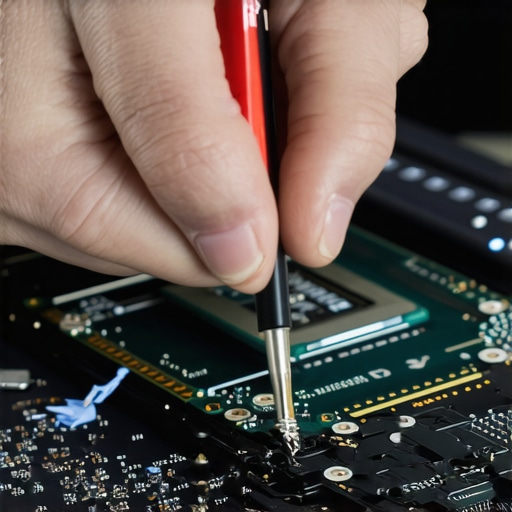
Less Is More: The Wisdom of Choosing Lightweight Powerhouses
Reflecting on my journey, I realized that selecting a portable gaming or business laptop isn’t just about weight; it’s about smart design and hardware synergy. I once believed bigger batteries meant better longevity, but I learned that efficient power management often trumps sheer capacity, saving weight and reducing heat.
My biggest lightbulb moment was discovering that a sleek form factor doesn’t mean sacrificing performance. Modern gaming laptops with Max-Q technology, for instance, prove that you can have both power and portability if you pay attention to thermal and battery innovations.
Hands-On Experience Beats Theoretical Specs
My lessons have repeatedly reminded me that real-world usage reveals what specs papers hide. For example, a high refresh rate monitor is fantastic, but without a responsive GPU and adaptive sync, the benefit is lost. Trial and error with models like those at gaming laptops for 2025 taught me to prioritize balanced hardware.
Thermal design is often overlooked by newcomers; I’ve spent countless hours troubleshooting throttling caused by poor airflow. Investing in models with vapor chamber cooling, as seen in premium gaming and professional laptops, is a game changer, ensuring sustained performance without overheating.
Understanding the Hidden Costs of Portability
Beyond initial specs, I learned the real expense lies in accessories and upgrades. Cheap chargers, inferior cooling pads, or flimsy cases negate some portability benefits. Choosing robust, well-designed accessories from trusted sources like must-have accessories has saved me from recurring frustrations.
Additionally, I discovered that some compact laptops lack user-replaceable parts, leading to costly repairs. This insight emphasized the importance of models with upgrade paths, such as those highlighted in Linux-friendly student laptops.
How My Experiences Can Save You Time and Money
If I could advise my past self, I’d emphasize thoroughly vetting thermal solutions and long-term upgradeability. A lightweight, power-efficient machine is worth more when it’s capable of handling future requirements without frequent replacements. Explore the models that fit this philosophy for gaming and business in top deals in 2025.