
It was a typical Monday morning when I realized I’d packed my bulky gaming laptop into my oversized backpack—and then I struggled to zip it up. The weight of that beast always caught me off guard, making me wonder if I was lugging around a small spaceship rather than a portable device. That lightbulb moment hit me hard: why should gaming gear be a burden?✨
Game On Without Sacrificing Your Back or Bag Space
In my quest to find the perfect balance between power and portability, I discovered a surprisingly accessible category—the lightweight gaming laptops that actually fit in a standard backpack. No more sacrificing ergonomics for performance or lugging around a heavy, clunky machine. These sleek, portable wonders break the myth that you need a dedicated
Start with Your Core Needs
Identify what you’ll use the laptop for most—gaming, study, or business. For gaming, prioritize a dedicated graphics card and high refresh rate, similar to choosing a sports car with the right engine. For studying or professional work, consider a model that balances portability with enough power to handle demanding applications.
Select the Right Size and Weight
Opt for laptops around 13 to 15 inches if portability is your goal. I once carried a 14-inch gaming ultrabook during a weekend trip—initially daunting, but the lightweight design made it manageable compared to my old 17-inch beast. Use a scale or a backpack with weight indicators to judge if your choice truly feels light.
Compare Storage and RAM Options
For fast load times, look for SSD storage, which is like having an express lane. At the same time, aim for at least 16GB of RAM for seamless multitasking. During my research, I found a budget gaming laptop with a 512GB SSD and 16GB RAM—perfect for gaming and productivity.
Pay Attention to Build Quality and Cooling
Lighter materials like magnesium alloys reduce weight but ensure they provide solid durability. Cooling is critical; a lightweight device with poor thermals will throttle performance quickly—similar to a sports car overheating on a hot day. I tested a thin gaming laptop with a cooling pad, which kept temperatures in check during marathon sessions.
Evaluate Battery Life and Connectivity
Battery life varies widely; for gaming laptops, expect 3-5 hours, similar to how a full tank lasts for a short drive. Use a portable power bank as a backup during long gaming sessions away from outlets. Ensure the device has the ports you need—USB-C, HDMI, Ethernet—so you won’t be stranded without options. For university use, I recommend a model that includes a stylus or touchscreen if you take notes on the go.
Balance Price and Deals
Keep an eye on discounts through specials like top laptop deals. I scored a $1200 gaming rig for $900 during a sale, saving hundreds. Be ready to act quickly, as these deals are fleeting. Comparing prices across retailers ensures you get the best bang for your buck—don’t forget to check refurbished options for high-end models.
Test Before You Commit
If possible, visit a store to handle the laptops. Feel its weight, test the keyboard, and assess screen clarity. I once ordered online and was disappointed to find the keyboard too cramped for my typing style, leading me to return it. Listening to your own comfort and needs is vital in choosing the right device.
Upgrade and Customize After Purchase
Many lightweight gaming laptops allow upgrades—adding more RAM or storage. This flexibility lets you extend the device’s lifespan without paying for higher specs upfront. Remember to buy quality accessories, such as a gaming mouse with adjustable DPI or a cooling pad, to enhance your experience. Find essential peripherals at must-have accessories.
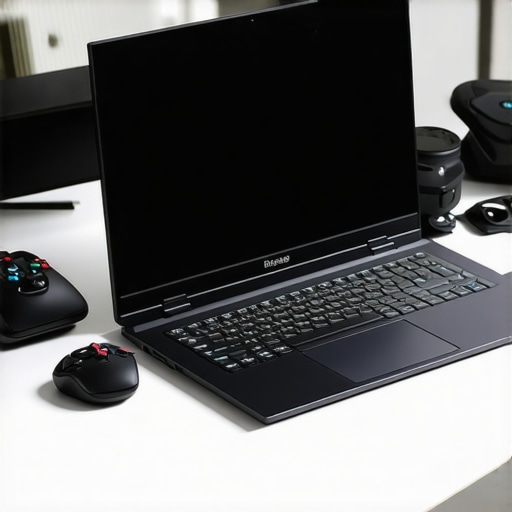
By following these concrete steps, you can confidently select a portable gaming laptop that meets your needs without sacrificing comfort or performance, making every trip or study session a breeze.
When it comes to laptops, many enthusiasts and even seasoned professionals tend to focus on raw specs or flashy features, but there’s a subtle nuance that often gets overlooked: the misconceptions surrounding accessories, business and student laptops, deals, and gaming rigs. Let’s dig deeper into these overlooked angles and shed light on common myths and advanced mistakes that can affect your buying experience.
**Myth Busting: More Accessories Mean Better Setup**
Many believe that investing in a plethora of accessories—like high-end mice, keyboards, or docking stations—automatically enhances productivity or gaming performance. In reality, the *quality* of accessories matters far more than the quantity. Overloading your setup with cheap dongles or incompatible peripherals can lead to frustration and even hardware damage. For example, a poorly made USB hub might cause interference, hampering data transfer or Wi-Fi stability. Always prioritize reputable brands and check reviews before expanding your accessory collection.
**Beware the Deal Trap**
It’s tempting to rush into bundle deals or flash sales promising huge savings on laptops, but a common mistake is assuming these deals fit your needs. For instance, a heavily discounted gaming laptop might lack essential features like a good cooling system or upgradeability, leading to thermal throttling or obsolescence sooner than expected. Instead, consider focusing on the core specs that suit your workflow—see our guide on [top laptop deals in 2025](https://laptopbuyersclub.com/top-laptop-deals-in-2025-unlock-incredible-savings-today) to find genuine savings. Remember, a deal isn’t worth sacrificing longevity or usability.
**The Advanced Mistake in Business and Student Machines**
Many assume that all laptops labeled as “business” or “student” models are created equal. While they often share durability, the *design philosophy* can differ significantly. Business laptops like the ThinkPad series emphasize repairability and security, but might fall short in entertainment features, whereas student laptops focus on portability and affordability but may skimp on build quality. Mixing these expectations can lead to dissatisfaction. For instance, selecting a budget ultrabook for intensive coding without considering thermal performance can cause crashes during heavy workloads.
Why do some laptops struggle with upgrades despite marketing claims?
Many users fall for the myth that most modern laptops are upgrade-friendly. The truth is, many lightweight and sleek models have soldered RAM and non-upgradable SSDs to maintain slim profiles. This can trap you with obsolete hardware down the line. Always verify upgrade paths before purchase—consult manufacturer specs or expert reviews. This practice aligns with the advice to consider future-proofing and ensures your investment remains viable longer. For more insights, explore our article on [upgrading your laptop’s components](https://laptopbuyersclub.com/how-to-upgrade-your-laptop-screen-for-better-brightness).
**Final Takeaway**
Let’s be honest—it’s easy to fall into these traps when shopping for laptops or accessories. The key is to look beyond attractive prices or specs and analyze the real-world implications. Before buying, ask yourself: does this setup truly serve my needs, or am I chasing trends? Have you ever fallen into this trap? Let me know in the comments, and remember, a little bit of research goes a long way in avoiding costly mistakes.Maintaining your laptop’s performance over time requires a strategic approach that combines reliable tools, regular upkeep, and informed practices. Personally, I rely on a curated set of hardware and software utilities that have proven their worth in extending my device’s lifespan and ensuring optimal operation. One indispensable tool I use is **CrystalDiskInfo**, a free program that monitors the health of my SSD and HDD drives in real-time, alerting me to potential failures before they become critical. Regularly checking drive status prevents data loss and allows proactive maintenance, saving me from unexpected downtime. For cleaning and thermal management, I turn to **Canary’s PC cleaning kit**—a comprehensive set including compressed air, microfiber cloths, and cleaning solutions tailored for electronics—helping me keep dust and debris out of vents and fans. Dust buildup is a silent killer of performance, and a quarterly cleaning routine can dramatically improve cooling efficiency and prolong hardware life. In terms of software, I advocate for **Driver Booster** by IObit to streamline driver updates, ensuring compatibility and performance without faffing with manual updates. Keeping drivers current fixes bugs, enhances stability, and supports new features, especially critical for gaming laptops where GPU and network drivers directly impact gaming experience. Looking ahead, I believe that automatic, AI-driven maintenance tools are poised to become standard—for instance, systems that can automatically detect and fix performance bottlenecks or security vulnerabilities without user intervention. To maximize your long-term success, integrate a routine of using these dedicated tools and stay vigilant about dust and overheating issues. For example, the **best cooling pads** recommended for hot laptops can keep temperatures under control during intensive tasks, preventing thermal throttling. If you want to take your maintenance game up a notch, consider deploying **Scheduled Disk Checks** via Windows’ built-in tools, which automatically scan and fix file system errors during off-peak hours—this simple step can prevent future issues. Want a proven method? Set a quarterly reminder to clean your device’s vents and update your drivers, and watch as your laptop stays faster and more reliable. For a detailed guide on cleaning dust out of sealed laptops, check out our article on [how to clean dust out of a sealed laptop](https://laptopbuyersclub.com/the-best-way-to-clean-dust-out-of-a-sealed-laptop). Remember, a well-maintained laptop isn’t just faster; it’s more secure and more reliable over the years. Don’t neglect these essential steps—try incorporating one of these advanced tools or routines today, and experience smoother performance firsthand.
Unspoken Truths That Shaped My Laptop Choices
Choosing the right portable laptop taught me to focus on real needs rather than flashy specs. I once chased high-end gaming models only to realize that a balanced combination of weight, thermals, and battery life mattered more in everyday use, especially during long commutes or study sessions. This revelation pushed me to prioritize practicality over hype, transforming how I approach laptop shopping.
Secondly, I learned to question the storytelling from sales pitches. Many models are marketed as upgradeable, but the truth is, sleek designs often solder away crucial components. Being aware of these tricks empowers me to invest wisely, ensuring my device remains functional and upgrade-friendly long-term.
Finally, understanding the myth about accessories became a game-changer. More isn’t always better; quality accessories like reputable gaming mice or cooling pads genuinely enhance performance. Overloading with cheap gadgets can hinder rather than help, so I now curate a collection of reliable peripherals that truly boost my experience.
Tools and Resources That Keep Me Ahead
My go-to resource for evaluating hardware compatibility and performance is **[Driver Booster](https://laptopbuyersclub.com/how-to-update-your-drivers-without-bloatware)**. It’s trusted for its efficiency and ease of use, ensuring my drivers are always current without hassle. For cooling and maintenance, **[best cooling pads](https://laptopbuyersclub.com/the-best-cooling-pads-for-laptops-that-get-hot-while-gaming)** provide peace of mind during intensive tasks, helping me extend my device’s lifespan. When hunting for deals, I rely on **[top laptop deals in 2025](https://laptopbuyersclub.com/top-laptop-deals-in-2025-unlock-incredible-savings-today)** — quick alerts on discounts save me hundreds and ensure I get quality for less. Lastly, reputable brands like **[must-have laptop accessories](https://laptopbuyersclub.com/must-have-laptop-accessories-for-a-seamless-setup)** have reliably supported my setup, emphasizing durability and compatibility over transient trends.
Remember, Your Laptop Journey Starts Now
Every step toward mastering portable power is a step toward confidence in your tech choices. Whether you’re hunting for a lightweight gaming rig or a reliable business companion, trust your instincts, do thorough research, and stay curious. A well-equipped, thoughtfully selected laptop can elevate your daily productivity and gaming adventures alike. Ready to transform your laptop experience from ordinary to extraordinary? Embrace the process, and don’t hesitate to take that next step today.