
The library was deathly silent, the kind of heavy quiet that makes every frantic mouse click sound like a gunshot. I was forty minutes into a deep-dive research session on my student laptop when I realized I couldn’t actually read the second paragraph of my essay. A massive, greasy thumbprint from my lunch break was smearing the text right over a crucial citation. I reached into my backpack—a behemoth I had stuffed with heavy textbooks and a half-eaten sandwich—and realized I didn’t have a single thing to clean it with. Not a cloth, not a spray, nothing. I ended up trying to use the hem of my polyester hoodie, which just moved the grease around and left a tiny, permanent-looking scratch on the glass. That was the moment I realized my mistake: I had spent all my money on the big hardware but ignored the tiny laptop accessories that actually keep a student’s day from grinding to a halt.
Why Your Overstuffed Bag is Still Missing the Basics
I used to be the person who carried every possible charging cable and a full-sized mechanical keyboard to every 101-level lecture. My back ached, and yet, I always seemed to be missing the one thing I actually needed. We focus so much on finding student laptops that balance power and portability that we forget the ecosystem surrounding them. I’ve learned the hard way that a fancy processor doesn’t matter if your screen is too filthy to see or your one USB-C port is occupied by a dead flash drive. Today, I’m promising to help you trim the fat and focus on the gadgets that fit inside a pencil case but punch way above their weight class. Have you ever had to pack up and leave a perfect study spot just because you were missing one tiny adapter?
Do These Tiny Trinkets Really Make a Difference?
You might be skeptical. It’s easy to think that carrying a dedicated microfiber cloth in our laptop bags is overkill when a t-shirt sleeve is always available. But here’s the cold, hard truth: a study by researchers at the University of California, Irvine, found that it takes an average of 23 minutes and 15 seconds to get back into deep focus after a minor interruption. Every time you have to get up to borrow a dongle or struggle with a tangled cord, you aren’t just losing a minute; you are killing your academic momentum. [image: student laptop bag essentials] By the time you finish this list, you’ll know exactly which seven items will turn your bag into a mobile command center without adding a single pound of unnecessary weight. Let’s look at the first item that saved my screen—and my sanity.
Stop Using Your Shirt to Clean Your Screen
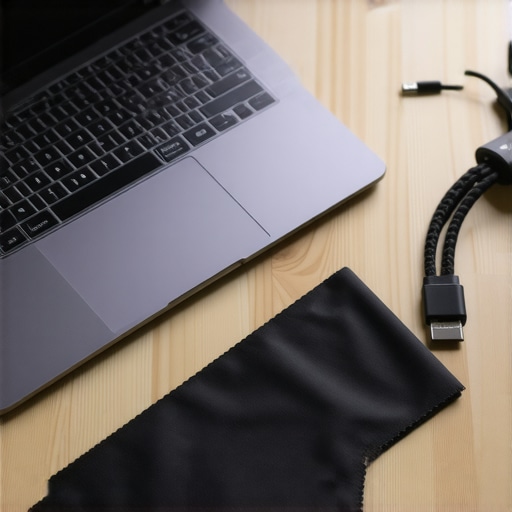
First, stop treating your screen like a chalkboard. I once tried to scrape a dried coffee drop off my display with a credit card edge because I didn’t have the right tools. It left a permanent horizontal gouge that stared at me every time I opened a spreadsheet for three years. Now, I follow the ‘Single Wipe Rule.’ Keep a dedicated microfiber cloth in our laptop bags at all times and use it before you even power on. Dust particles are tiny abrasive rocks; if you close your lid with dust on the keyboard, you are basically sanding your screen. If the smudge is stubborn, never spray liquid directly on the glass. Mist the cloth instead. This prevents liquid from seeping into the bezel, which is how most ‘mystery’ display failures actually start. Using your sleeve is just sandpaper for your pixels.
Why Your USB Ports Feel Loose Already
Most student laptops that balance power and portability have exactly two ports, which means they are under constant physical stress from heavy adapters and cables. You’re likely plugging and unplugging a hub five times a day. If you buy a bottom-barrel adapter, you’re playing a dangerous game with your logic board. I’ve seen cheap USB-C hubs literally melt the plastic around a port because they don’t manage heat correctly or lack proper surge protection. Think of a hub like a power strip; you wouldn’t plug a refrigerator into a two-dollar extension cord, so don’t plug your expensive machine into a no-name dongle. Over time, that constant wiggling is the real reason your laptop charge port feels loose. Invest in a dock with a braided cable that offers some strain relief rather than a stiff, heavy plastic one that pulls on the internal socket.
The Proper Way to Hunt for Power
Last semester, I lost my original power brick in a crowded lecture hall and panicked. I bought a generic replacement from a gas station that claimed it was ‘universal.’ Within an hour, my trackpad started glitching and the bottom of the chassis felt like a frying pan. Learning how to find a replacement charger that wont fry your board is a mandatory skill. You need to match the voltage exactly and ensure the amperage is equal to or higher than the original. Using a underpowered charger is like trying to run a marathon while breathing through a straw; it might work for a minute, but eventually, your hardware is going to throttle or the charger itself will burn out.
Keep Your Battery Healthy for the Long Haul
If you keep your laptop plugged in 24/7, you are essentially “overfeeding” the chemistry of your battery. You might notice the reason your laptop battery wont charge past eighty percent is actually a software feature designed to save you from yourself. Most modern machines have a ‘battery conservation mode.’ Use it. By capping the charge, you prevent the cells from sitting at a high-voltage state, which is the leading cause of premature battery death. While you’re at it, keep an eye on top laptop deals in 2025 just in case your current machine is already showing signs of swelling, but following these maintenance steps will usually double the lifespan of your student gear.
Let’s dig deeper into the ‘thinness trap.’ We are conditioned to believe that a slimmer chassis is a sign of superior engineering, but for most of us, it’s a design flaw masquerading as a feature. When you look at top business laptops for productivity in 2025, you’ll notice they aren’t always the thinnest on the shelf. There’s a reason for that. Cramming high-performance components into a tiny space leads to thermal throttling, which means your expensive processor purposefully slows down to keep from melting. I’ve seen students spend extra on ‘future-proof’ ultra-thins only to find they can’t even upgrade the RAM two years later because everything is soldered to the board. It’s a specialized form of planned obsolescence that looks great in a café but fails in the library.
Why Do Enterprise Laptops Outlast Consumer Models?
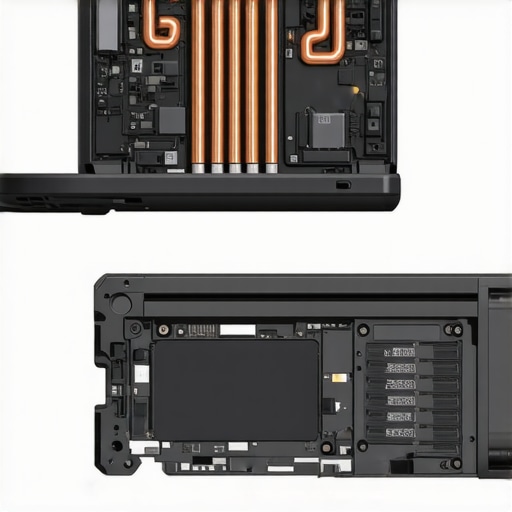
It comes down to serviceability and thermal headroom. According to a long-term study by the analyst firm Gartner, organizations that prioritize repairable hardware reduce their total cost of ownership by up to 30% over a five-year period. This is why your next business laptop needs a user replaceable battery. If the battery is glued in, your thousand-dollar machine has the lifespan of a smartphone. Consumer-grade laptops often prioritize aesthetics, but the only 3 brands that still make easily repairable laptops focus on internal accessibility. If you can’t pop the bottom panel off to blow out the dust, you’re basically waiting for a thermal failure to happen.
One ‘oops’ factor that catches even the pros is the charger trap. I’ve become vocal about why we avoid buying laptops with proprietary power bricks. If your laptop requires a special barrel plug that only the manufacturer sells, you are one lost cable away from a dead machine. In contrast, USB-C Power Delivery is a universal language. Another hidden trap is the hinge design. Because screens are getting thinner, the points where the metal hinge meets the plastic lid are getting smaller. This is exactly why your laptop hinge is destined to fail and how to prevent it. Don’t be fooled by a pretty face; look for a chassis that can handle being opened and closed 20 times a day.
Before you pull the trigger on those unbeatable laptop deals you see on Black Friday, check the warranty fine print. We’ve discovered the truth about modern laptop warranties and repair rights: many ‘deals’ come with limited coverage that doesn’t include the battery or the screen hinges. It’s also worth noting why most gaming laptops fail right after the warranty expires—it’s usually due to accumulated heat-stressed solder joints. Have you ever fallen into the trap of buying a laptop because it looked ‘cool’ only to have it break six months later? Let me know in the comments below, and let’s keep the conversation going.
I’ve reached a point where I treat my tech more like a high-performance vehicle than a disposable gadget. If you want your machine to survive the gauntlet of a four-year degree or a demanding corporate career, you have to look beyond the shiny exterior. I’ve started a Sunday morning ritual that saved my previous workstation from an early grave. It begins with software. Every week, I run a diagnostic check using CrystalDiskInfo. According to the official CrystalDiskInfo documentation, monitoring S.M.A.R.T. (Self-Monitoring, Analysis, and Reporting Technology) attributes is the only way to get a heads-up on hardware failure before it happens. This is precisely how to spot a dying ssd before your files vanish. If I see the ‘Health Status’ drop even by a few percentage points, I’m already backing up my drive and looking for a replacement.
The Software Tweak That Keeps Your OS Snappy
Beyond the hardware, the bloatware that accumulates on student laptops that boost productivity and learning can be a silent killer. I use a tool called BCUninstaller (Bulk Crap Uninstaller) to strip away the telemetry and ‘helper’ apps that manufacturers love to hide in the background. Most people don’t realize that their laptop is running twenty different update checkers at once. By cleaning these out, I’ve seen boot times drop by ten seconds and idle temperatures decrease by five degrees. When your system isn’t constantly fighting background tasks, it stays cooler, and heat is the primary enemy of lithium-ion batteries.
How do I keep my hardware from slowing down after two years?
The answer is physical maintenance that goes deeper than a screen wipe. Once every six months, I use a can of compressed air to clear the heatsinks. You’d be shocked at the felt-like layer of dust that can accumulate inside even the cleanest top business laptops for productivity in 2025. I stopped using those heavy, loud external cooling mats and instead focused on the best ways to cool your laptop without a bulky pad, which often involves simply elevating the rear of the machine by half an inch to let the intake fans breathe. 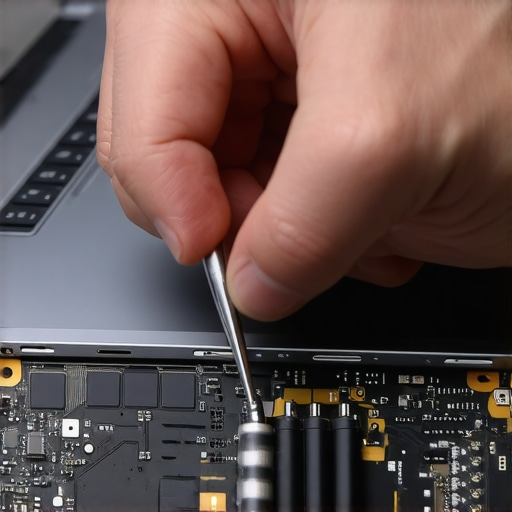
Modularity is Coming Back
Looking toward the future, I predict a massive shift away from ‘glued-together’ ultrabooks. We are seeing a resurgence of interest in modular designs. I’m personally keeping a close eye on brands that allow you to swap out the mainboard or the ports themselves. If you are currently shopping, you should definitely how to find out if your laptop can be upgraded before you swipe your card. In the next three years, I expect ‘Right to Repair’ legislation to force even the big players to provide official repair guides for your exact model. This will be a game-changer for the longevity of game-changing gaming laptops for serious players in 2025, which historically have had the shortest lifespans due to heat stress.
Your Fans Are Choking on Dust
If your laptop sounds like a jet engine during a simple Zoom call, it’s a cry for help. I’ve found that the best way to clean a sticky keyboard without breaking the keys or clearing out fan vents is to use a soft-bristled brush and low-moisture isopropyl alcohol. Never use a vacuum; the static discharge can fry your motherboard in a millisecond. When I travel, I make sure my gear is protected in the best laptop bags that dont scream steal me, ensuring that external pressure doesn’t crack the delicate LCD panel. Before you even think about selling your current rig for an upgrade, make sure you know how to secure your data before selling your old laptop. I highly recommend you download a S.M.A.R.T. monitoring tool today and check your drive’s health—it takes thirty seconds and could save your entire semester’s worth of work.
The Costly Lessons Most People Ignore Until It Is Too Late
It took me three broken hinges and one fried motherboard to realize that a laptop isn’t a toaster—you can’t just set it and forget it. I spent years chasing the thinnest frames and the highest clock speeds only to discover that the only 4 brands we trust for rugged build quality are the ones that actually survive a daily commute in a cramped backpack. One lightbulb moment for me was realizing that a $15 microfiber cloth and a gentle cleaning habit are worth more than a $200 processor upgrade if your screen becomes unreadable from scratches. I also learned that the ‘best deal’ isn’t the one with the lowest price tag, but the one that allows you to replace a battery or a fan without needing a degree in electrical engineering.
The Exact Gear I Use to Protect My Professional Investment
My daily toolkit has moved away from flashy gadgets toward utility. I now rely on a strict set of must-have laptop accessories to boost your work setup, focusing on ergonomics and thermal management rather than RGB lighting. To keep my costs down, I use the hidden price history tools every deal hunter needs before buying any replacement peripherals. I’ve also adopted the sunday morning strategy for finding hidden amazon coupons whenever I need to refresh my thermal paste or grab a new braided USB-C cable. These tools aren’t just about saving money; they are about maintaining a high-performance environment where the hardware never becomes a bottleneck for my creativity.
#IMAGE_PLACEHOLDER_E#
Make Your Current Machine Last Until the Next Decade
Your tech should empower your journey, not act as a source of constant anxiety or unexpected repair bills. Whether you are a student pulling all-nighters or a professional managing global teams, treating your gear with a little bit of respect goes a long way. By ignoring the marketing hype and focusing on maintenance, you ensure those unbeatable laptop deals stay a bargain for five years instead of just one. Take the time to clean your vents, check your drive health, and use the right chargers. Your future self—and your bank account—will thank you for the extra effort you put in today. What’s the one small maintenance step you’ve been putting off for your own machine? Let me know in the comments below!