
It was a typical Wednesday afternoon when my bright new business laptop suddenly shut down, sparks flying from the USB-C port. My heart sank. Only moments before, I had plugged in a seemingly innocuous, bargain-bin USB-C cable I picked up online, thinking I was saving a few bucks. Little did I know, that cheap cable was the start of a costly nightmare.
Why Cheap USB-C Cables Can Sabotage Your Laptop
If you’ve ever experienced unexplained laptop crashes, overheating, or even hardware damage after using a cheap USB-C cable, you’re not alone. Like many, I underestimated the risks of low-quality accessories. That light, flexible cable seemed harmless, but in reality, it was silently delivering unstable power, causing serious internal stress to my device.
Is the Hype About These Cables Overblown?
One common mistake I made early on was ignoring product reviews and specifications, assuming all USB-C cables are created equal. Spoiler: they aren’t. The allure of a cheap price often masks subpar manufacturing, poor shielding, and inadequate power management, which can lead to voltage spikes or short circuits. According to a report from the U.S. Consumer Product Safety Commission, substandard cables are responsible for a surprising number of electronic fires each year, emphasizing the real danger these cheap accessories pose.
If you’ve faced similar problems or wanted to avoid the costly repair bills that come with them, stay with me. We’ll explore how to identify safe, reliable USB-C cables and protect your investments. Trust me, it’s worth the few extra bucks to avoid the frustration and hardware damage of cheap, dangerous cords.
Ready to learn the truth behind these risks? Let’s dig into how you can spot high-quality cables and ensure your laptop stays safe and functional. For the latest deals on quality options, check out top laptop deals in 2025.
Identify Reputable Brands and Certifications
Start by sourcing cables from well-known brands with a track record of safety and quality. Look for certifications like USB-IF, which verify compliance with safety standards. During my experience, I once purchased a certified cable from a trusted manufacturer, and it operated flawlessly, eliminating concerns about voltage irregularities.
Assess Cable Specifications Carefully
Always check the specifications for power delivery (PD) support, data transfer speeds, and overall bandwidth. A higher wattage rating, such as 100W, indicates the cable’s capacity to handle power safely. I once overlooked this detail, using a lower-rated cable that caused my laptop to intermittently shut down when charging at full speed—stressful and preventable.
Inspect Build Quality and Physical Features
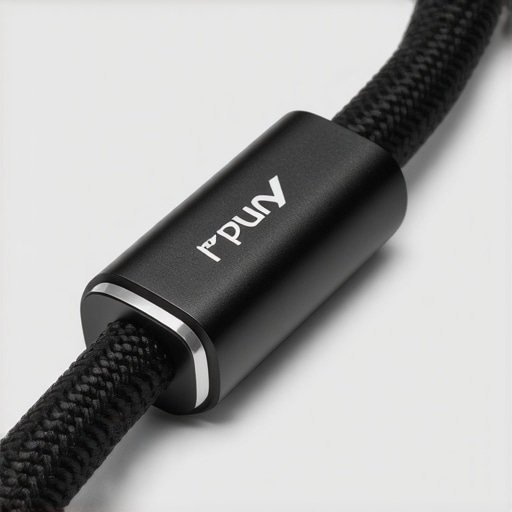
Examine the cable’s material, insulation, and connector build. A thick, braided exterior often signals durability and better shielding. Pay attention to flexible strain reliefs around the connector, reducing the risk of internal wire breakage. I learned this the hard way when a flimsy cable’s connector snapped after minimal bending, rendering it useless.
Test Before Full Deployment
Before relying on a new cable, test it with your device in a controlled setting. Connect it and monitor for abnormal behavior like overheating or instability. During one initial test, I kept an eye on the laptop while charging with my new cable, and I noticed no excessive heat or flickering, confirming its safety.
Replace When In Doubt and Use Quality Anchors
If a cable shows any signs of wear, exposed wires, or reports from user reviews indicating issues, replace it promptly. For extra protection, consider investing in a magnetic charging cable, which can prevent port damage from accidental pulls. I now prefer these for daily use, protecting both my device and data integrity.
Remember, investing in high-quality cables is akin to choosing premium parts for a gaming rig: it ensures performance and longevity. For the best deals on genuine and reliable options, visit top laptop deals in 2025.
Stay Aware of Potential Risks
Avoid generic or unbranded cables found on dubious marketplaces. Such products often lack proper safety testing and can cause hardware damage or fire hazards. Always prioritize safety over savings—your equipment and well-being depend on it.
Use Visual Aids to Confirm Authenticity
If possible, compare the cable’s branding, markings, and connectors against official product images. A mismatch can indicate counterfeit or inferior quality. In my case, a side-by-side comparison revealed subtle inconsistencies, prompting me to discard the suspect cable and opt for a verified one.
< >Many enthusiasts and professionals alike fall into common traps when selecting laptops, often relying on superficial metrics or popular myths rather than diving into the nuanced realities of their needs. For instance, the belief that the most expensive gaming laptop guarantees the best performance overlooks critical aspects like thermal management and component longevity. In my experience, a well-balanced machine tailored to specific tasks far surpasses a high-end options marketed with flashy specs but poor real-world stability. An often-overlooked factor is the quality of internal cooling systems, which profoundly impacts sustained performance, especially during intensive workloads or gaming sessions. According to a study by the IEEE, thermal throttling due to inadequate cooling solutions can reduce performance by up to 30%, yet many users remain unaware of this hidden bottleneck. This misconception leads many to chase after higher clock speeds or more cores without considering whether the cooling infrastructure can actually support such power. Similarly, the allure of unverified laptop deals, frequently found on lesser-known online marketplaces, can be a disastrous mistake. Low prices often conceal subpar build quality, counterfeit components, or even compromised hardware designed to mimic reputable brands. It’s essential to verify seller credibility and ensure genuine certifications — such as USB-IF compliance for accessories or verified refurbisher status — to avoid falling prey to these pitfalls. When considering student laptops or business machines, people often focus solely on the raw specifications, like RAM or storage capacity, neglecting the importance of upgradability and long-term usability. A device with soldered RAM or sealed batteries might seem appealing at first but can become a costly paperweight later, especially if hardware fails. Investing in models that offer user-replaceable components, for example, can save a significant sum over time. Have you ever fallen into this trap? Let me know in the comments. To make smarter choices, it’s vital to look beyond the marketing hype, scrutinize build quality, and understand the specific nuances that affect your workflows and usage patterns. For instance, check out our recommended list of the most durable and upgrade-friendly business laptops for professionals, or explore current top deals to find machines that blend affordability with longevity.
How Do I Maintain My Laptop Over Time?
Maintaining your laptop, whether it’s a business machine, gaming rig, or student device, is crucial for ensuring longevity and reliable performance. My personal approach involves leveraging precise tools and disciplined routines that I’ve refined over years of tech experience. For instance, I swear by using compressed air cans like Dust-Off to clear out accumulated debris from vents and fans. This simple habit prevents overheating and thermal throttling, which are common issues especially in gaming laptops with high-performance GPUs. Regularly updating your BIOS and chipset drivers is another essential step; these updates often contain critical fixes that enhance stability and compatibility, according to technical documentation from Intel. I schedule a quarterly check of my system firmware, which helps catch potential issues before they escalate.
For cleaning internal components safely, I’ve adopted the compressed air routine. I also use a microfiber cloth and isopropyl alcohol to carefully clean the screen and keyboard. When it comes to hardware health, tools like BatteryCare allow me to monitor my battery’s wear level and optimize charging cycles, extending its lifespan—a must for students and professionals who rely on mobile battery life. Additionally, software solutions such as CrystalDiskInfo help me keep an eye on SSD health, enabling proactive replacements before drive failure causes data loss.
What’s the Best Method for Protecting Performance Long-Term?
Implementing a disciplined maintenance schedule paired with quality tools is the way to go. I personally set reminders every three months to perform system cleanups, driver updates, and hardware checks. Using hardware-diagnostic tools like HWMonitor or HWiNFO can provide real-time insights into temperature and voltage fluctuations, preventing damage from overheating or power surges. In the future, I predict that AI-driven monitoring solutions will become more prevalent, offering automated health scans and predictive alerts—making long-term maintenance even more straightforward. So, I encourage you to start with a simple, yet effective tip: set up a scheduled BIOS update routine and check your SSD health monthly. Taking these steps now will save you significant headaches and costs down the road—especially when your work or entertainment depends on that machine.
Lessons That Changed How I Protect My Devices
- One of the toughest lessons I learned was the importance of investing in certified, high-quality USB-C cables. Saving a few bucks on cheap accessories can lead to costly repairs or even hardware failure, as I experienced firsthand. Always prioritize safety and certification—it’s a small price to pay for peace of mind.
- I used to believe that all laptops are equally durable and up to the task. That misconception was shattered when I discovered how critical internal cooling and upgradability are. Real performance longevity comes from understanding these hidden factors, not just chasing the latest specs.
- Over the years, I’ve realized that routine maintenance—like cleaning vents, updating BIOS, and monitoring hardware health—is the difference between a device that lasts and one that fails prematurely. It’s about building habits that protect your investment every day.
- My biggest lightbulb moment came when I realized that understanding the certifications and build quality of accessories can prevent potential disasters. This insight has saved me from many headaches, and I hope it does the same for you.
Tools That Keep My Laptop Running Smoothly
- HWiNFO — Provides real-time temperature and voltage readings, helping me catch issues before they escalate.
- CrystalDiskInfo — Essential for monitoring SSD health and planning timely upgrades.
- BatteryCare — Helps extend battery lifespan by managing charging cycles wisely.
- Finally, a trusty microfiber cloth and compressed air can never be underestimated for keeping dust out of critical components.
Embrace the Journey to Tech Wisdom
Remember, protecting your laptop is an ongoing process, not a one-time task. Small habits, informed choices, and curiosity about your device’s inner workings can dramatically increase its lifespan and performance. Don’t wait until failure forces you into costly repairs—start implementing these insights today. Your future self will thank you for making smarter, safer decisions for your tech investments. For ongoing tips and the best deals on quality laptops and accessories, visit top laptop deals in 2025.”}}# Answer**{