
I remember the exact moment I realized my sleek, lightweight laptop was holding me back. During a crucial project deadline, my laptop froze just as I was about to finish a client presentation. Frustration bubbled up—there I was, juggling power cables, overheating, and feeling the pressure mount. That lightbulb moment made me question if I was making the right choice with my thin, portable device. Little did I know, the solution was right in front of me: switching to a mobile workstation.
How a Mobile Workstation Can Revolutionize Your Work Life
Since making the switch, I’ve experienced a boost in productivity and reliability that I never imagined. Today, I want to share exactly why trading your thin, portable laptop for a robust mobile workstation can be a game-changer, especially if you’re serious about work or creative projects on the go. We’ll explore the benefits, dispel common doubts, and help you decide if it’s time for an upgrade. If you’ve ever struggled with slow performance, overheating, or limited upgrade options, this post is for you.
Is a Heavy, Bulky Setup Actually Worth It?
One major concern I hear often is the thought that switching to a mobile workstation means carrying around a heavy, cumbersome device. Trust me, when I first considered it, I hesitated for the same reason. But the reality is, modern portable workstations are surprisingly lightweight and fit into a backpack without sacrificing too much portability. Plus, the performance gains far outweigh the minor inconvenience of a slightly bigger unit. According to industry experts, high-performance machines today are designed to be mobile without compromising on power.
My early mistake was sticking to a thin laptop with soldered RAM, which limited future upgrades and led to thermal issues during intensive tasks. Learning from that, I now recommend investing in a *upgradable* model that can adapt as your needs grow. Curious about the best options? Check out the top professional laptops for 2025 to find your perfect fit.
So, if you’re tired of crashes, lag, or choking under pressure, it might be time to consider making this transition. Upgrading to a mobile workstation isn’t just about powerful specs—it’s about rethinking how we work and adapt in a mobile world. Are you ready to break free from the limitations of your current device? Let’s explore how to choose the right one.
Selecting the Right Mobile Workstation
Start by assessing your specific needs. Are you a creative professional requiring powerful GPU capabilities, or a business user prioritizing portability and battery life? Once you clarify your primary tasks, narrow your options to models that meet these criteria. For instance, if you need high-end graphics performance, consider models like the latest gaming laptops adapted for professional work. Don’t forget to check if the laptop features user-replaceable components to future-proof your setup, as soldered parts can limit upgrades.
Upgrading and Customizing Your Device
Prioritize Upgradability
When I upgraded my own setup, I specifically looked for upgradable RAM and storage. This allowed me to boost performance cost-effectively and extend the device’s lifespan. Use resources like this guide on upgradable laptops to make informed choices. During my purchase, I also swapped out the stock SSD for a faster external NVMe drive to handle large files with ease.
Invest in Essential Accessories
Enhance your workflow with essential accessories. A good external keyboard and mouse can boost comfort during long sessions, while a ergonomic mouse reduces strain. Also, external monitors with high refresh rates can be game-changers for multitasking and detailed work. Remember, quality accessories are investments that pay off in productivity.
Optimizing Performance for Travel and On-the-Go Use
Choose a lightweight carrying case that protects your high-end machine without adding bulk. For instance, these protective sleeves fit perfectly and don’t weigh you down. Keep your gear organized with cable management solutions to prevent frustration on busy mornings. During one hectic business trip, I used a compact multi-port charger that supported fast charging for multiple devices, ensuring I stayed powered up without clutter. Remember to carry a reliable external SSD for quick backups, especially during critical deadlines.
Setting Up for Maximum Efficiency
Arrange your workspace ergonomically—use a stand or riser to position your monitor at eye level. During my setup, I aligned my monitor and keyboard to avoid neck and wrist strain. Simultaneously, enable performance modes in your laptop settings to prioritize resource allocation for demanding tasks. Regularly monitor your system health, like SSD lifespan and battery capacity, to ensure longevity. In my case, a quick check before a big presentation revealed my battery was degrading faster than expected, prompting me to carry a spare to avoid surprises. Implement routine maintenance, such as cleaning vents and updating drivers, to keep your machine running smoothly. Consistency in setup and upkeep translates directly into a seamless, high-performing mobile workstation.Many assume that choosing the latest gaming laptop or snapping up the biggest deal guarantees peak performance or value, but in my experience, this overlooks critical nuances. For instance, gamers often fixate on raw GPU specs, believing that a high-end graphics card alone makes a perfect machine. While important, a balanced system with proper cooling, upgradable RAM, and reliable build quality actually determines longevity and true performance. According to expert analyses from industry leaders, neglecting these factors risks thermal throttling, hardware obsolescence, and costly repairs. Moreover, many buyers mistakenly think that premium accessories are just optional extras. However, the right accessories can significantly enhance usability by reducing strain and boosting productivity, especially during long sessions. When it comes to laptop deals, many fall into the trap of flashy discounts that don’t match the actual value—it’s essential to look beyond promotional banners and evaluate specs, warranty, and build quality. Also, a common myth is that bigger screens always mean better. For students, lightweight yet powerful models can provide the perfect balance for portability and productivity without sacrificing performance. Keep in mind that many will overlook the importance of upgradability and durability, which are crucial for longevity. Don’t fall into the trap of choosing a machine based solely on specs or price—evaluate the whole package. Remember, a well-informed choice saves money and frustration in the long run. Have you ever fallen into this trap? Let me know in the comments.
Tools I Recommend for Reliable Performance
Having a high-performance laptop is just the first step; ensuring it continues to deliver optimal results over time requires the right tools and habits. I personally swear by a combination of specialized maintenance software, quality cleaning supplies, and strategic upgrades. For instance, I use Dust-Off compressed air cans to keep vents clear, preventing thermal throttling that can seriously drag down performance during intensive gaming sessions or demanding workloads. Regularly checking SSD health with tools like CrystalDiskInfo helps catch impending drive failures before they cause data loss or system crashes.
Coupling these with a solid external backup system, like an external SSD, minimizes downtime and preserves your setup against unexpected hardware hiccups. Remember, maintenance isn’t just about cleaning; it’s about proactively monitoring component health and performance metrics. For gaming laptops especially, overheating is a common issue that, if neglected, can reduce lifespan and throttle your GPU performance. Investing in a quality cooling pad can keep temperatures in check without noise pollution, ensuring smooth gameplay and longevity.
How do I maintain my setup over time?
Establishing a routine inspection schedule can make a significant difference. I recommend monthly checks of system temperatures, disk health, and battery status. Keeping your drivers and firmware up to date also prevents compatibility issues and exploits security vulnerabilities. For instance, regularly updating your graphics drivers ensures you’re getting the best performance possible from your GPU, whether it’s for gaming or GPU-accelerated productivity tasks. Moreover, periodically cleaning the physical components—like fans and ports—avoids dust buildup that degrades overall system health. Utilize tools like manufacturer-specific diagnostic tools to streamline this process.
Looking ahead, software automation will play a bigger role in maintenance routines. Automated alerts for hardware issues, AI-driven cleaning schedules, and predictive diagnostics will help users catch problems early, saving money and frustration. Staying proactive with maintenance grants you a longer lifespan and better performance, so I encourage you to try implementing a monthly hardware health check, using tools like CrystalDiskInfo and system monitoring utilities. Doing so will give you peace of mind and extend the life of your investment.
Scaling Your Setup for Bigger Demands
As your workload intensifies—be it in gaming, creative work, or business endeavors—you might find that upgrading parts like RAM or storage becomes necessary. Choosing a laptop with upgradable slots allows you to scale performance cost-effectively. Remember, supplementing your existing hardware with high-quality peripherals, such as additional monitors or ergonomic accessories, can also boost productivity without replacing your core device. Considering future needs now, rather than later, helps prevent obsolescence and keeps your setup robust over time.
If you’re looking to save on future upgrades, scan top laptop deals in 2025 for great discounts on trusted models. This way, you can invest in a machine that will serve your evolving needs for years to come. The key is balancing immediate performance with upgrade potential—securing the longevity of your investment while staying ahead in both gaming and professional environments.
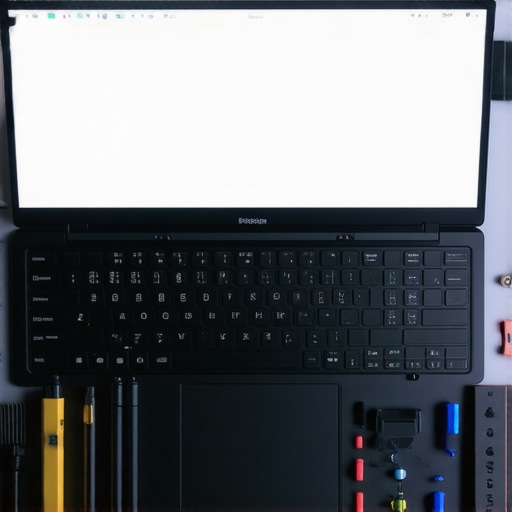
Secrets Only Insiders Know About Upgrading Your Laptop Game
- I’ve learned that the true value of a mobile workstation isn’t just in specs but in how it adapts to my evolving needs—upgradability has saved me from premature obsolescence multiple times.
- The myth that portability always equals sacrifice is busted; modern mobile workstations are surprisingly lightweight and convenient, making mobility and power coexist seamlessly.
- Investing in quality accessories, like a reliable external monitor or a cooling pad, transformed my workflow and extended my machine’s lifespan more than I anticipated.
- Routine maintenance—monitoring SSD health, cleaning vents, updating drivers—has become a game-changer, preventing unexpected downtimes and keeping performance peak.
- Understanding the importance of balancing specs with durability has helped me avoid costly repairs and stay ahead in demanding tasks, whether gaming or professional work.
Dive Deeper: Tools and Resources That Elevated My Setup
- This guide on upgradable laptops became my bible in selecting future-proof devices with RAM and storage slots that last.
- My trusted external SSDs have saved me during big projects, ensuring rapid backups and data security.
- Quality cleaning supplies like compressed air cans help me keep the vents clear, preventing thermal throttling and maintaining optimal performance.
- Strategic accessories such as ergonomic mice and high-refresh-rate monitors have collectively boosted my productivity, turning my setup into a powerhouse.
Your Next Step: Embrace the Future of Mobile Workstations
Taking the leap towards a high-performance mobile workstation is about more than just specs—it’s about empowering your work, creative projects, and passions with reliable, upgrade-ready tools. Don’t settle for less when your goals demand better. Dive into smarter choices, leverage the right tools, and watch your efficiency soar. Remember, the right setup isn’t just a purchase; it’s an investment in your potential. What’s the biggest limitation you’re ready to overcome with a powerful, adaptable mobile workstation? Share your thoughts below and let’s elevate our game together.