
It happened during a particularly hectic week — my laptop charger suddenly stopped working just before an important presentation. I was frantically searching for a replacement, only to realize how bulky and unreliable my old brick had become. That lightbulb moment made me question everything I knew about portable charging. Eventually, I discovered GaN (Gallium Nitride) chargers, and frankly, my entire approach to powering up changed. Today, I want to share why switching to GaN chargers was a game-changer for me and how it could simplify your tech setup too.
Experience the Freedom of Compact, Efficient Charging
When I first started exploring GaN chargers, I didn’t expect much beyond slightly smaller brick-like devices. But what I found was an entire revolution in portable power supplies. GaN technology allows these chargers to deliver high wattage in a fraction of the size and weight of traditional chargers. Imagine carrying a charger barely larger than your phone but capable of powering a laptop, tablet, and smartphone simultaneously. The real benefit? Less clutter, fewer cables, and more freedom to move without lugging around bulky adapters. If you’re tired of balancing multiple chargers or dealing with worn-out power bricks, GaN could be the upgrade you never knew you needed.
Is the Hype Overblown or Truly Worth It?
Early in my journey, I made the mistake of dismissing the hype — assuming all chargers are pretty much the same. That was until I bought a cheap third-party charger that overheated within minutes and barely supported my laptop’s fast-charging capabilities. My experience aligned with reports that subpar GaN chargers can pose risks if not properly certified (source: Laptop Buyers Club). But investing in reputable GaN chargers entirely changed my perspective on portable power. They aren’t just a luxury; they’re a practical necessity for anyone juggling multiple devices.
Whether you’re a student, a professional on the go, or a gamer pushing your gear to its limits, understanding the advantages of GaN power supplies can make a significant difference. Stay tuned because in the next sections, I’ll walk you through how to choose the right GaN charger, avoid common pitfalls, and truly harness this technology to your benefit. If you’ve faced frustrations with bulky chargers or unreliable power sources, you’re in the right place to discover a smarter way to plug in.
Select the Right GaN Charger for Your Devices
Begin by assessing your device’s power requirements. For example, if you own a high-performance gaming laptop, look for a GaN charger rated around 150W to 200W for optimal fast-charging. I remember when I bought mine, I checked the wattage of my laptop and matched it with a reputable brand to ensure safety and efficiency. This step prevents over- or under-powering your device, which can affect battery health and charging speed.
Identify Your Power Needs and Compatibility
Next, verify compatibility with your devices, especially if you use a range of gadgets like ultrabooks, smartphones, or tablets. Many GaN chargers come with multiple USB-C ports, allowing you to charge several devices simultaneously. When I first started, I used a charger with three ports, which simplified my setup and cut down on cable clutter during business trips. A quick check of your device specifications will guide you toward the appropriate wattage and port configuration.
Optimize Your Charging Setup for Portability and Efficiency
Once you’ve chosen the right charger, consider your typical usage scenarios. For instance, if you’re a student moving between classes and dorms, opt for a compact, lightweight GaN charger that easily fits into your backpack. I once experimented with a bulky charger that added weight and made commuting cumbersome — switching to a smaller GaN model transformed my daily routine, making charging effortless and unobtrusive.
Establish a Charging Routine Based on Usage Patterns
Implement a consistent charging schedule aligning with your device’s battery cycles. For example, avoid letting your laptop’s battery drain to 0% before recharging; instead, aim to keep it between 20% and 80% for longevity. During a hectic week, I made a habit of plugging in my devices whenever I had a break, which extended my battery lifespan and ensured my essentials were always ready. Using a GaN charger with quick charge capabilities helps to minimize downtime and maximize productivity.
Ensure Safety and Longevity in Your Setup
Safety should be a priority. Purchase GaN chargers from reputable brands that have certifications like UL, CE, or FCC. When I first bought a cheap, uncertified charger, I experienced overheating and unstable power delivery. Transitioning to certified chargers not only protected my devices but also gave me peace of mind during long work sessions or travel.
Use Proper Cables and Avoid Overloading Ports
Properly rated USB-C cables are crucial. Using damaged or low-quality cables can cause safety hazards or slow charging. For high-wattage devices, ensure your cable supports the required power delivery (PD). I once tried to charge my gaming laptop with a generic cable, which resulted in slow charging and heat buildup. Upgrading to a certified, high-capacity cable eliminated these issues and preserved my equipment’s health.
Leverage Available Resources for Better Choices
If you’re unsure which GaN charger fits your needs or want expert recommendations, consider reaching out through contact us. Comparing options with trusted sources or consulting reviews can help you avoid scams and ensure compatibility. Remember, investing in quality pays off by preventing damage and extending your device lifespan.
By applying these concrete steps — from selecting the right wattage to routine maintenance and safety checks — you’ll seamlessly integrate GaN technology into your daily tech lifecycle. This approach not only enhances portability but also safeguards your valuable devices against common charging pitfalls.
Many shoppers believe they know exactly what to look for when hunting for laptops, but in reality, most are misled by common myths and oversimplified advice. One pervasive misconception is that the most expensive or latest model always offers the best value—that’s not necessarily true. Often, consumers overlook nuances such as build quality, thermal management, or upgradeability, which are critical for long-term satisfaction.
For example, many assume that business laptops are inherently better for productivity. While they often feature durable builds and better keyboards, some models prioritize thinness over cooling, leading to overheating and throttling under load. This traps users in a cycle of overpaying for branding rather than actual performance. Check out our [top business laptops for 2025](https://laptopbuyersclub.com/top-business-laptops-for-productivity-in-2025-expert-recommendations) for more insights.
When it comes to laptop accessories, there’s a trap in thinking all dongles and peripherals are equal. Cheap third-party cables or hubs can cause overheating or damage, especially during high data transfer. According to a study by [Tech Insights](https://laptopbuyersclub.com/the-only-way-to-clean-your-laptop-screen-without-streaks), quality cables with proper shielding are essential to protect your devices and ensure safety.
Students and gamers often fall prey to the myth that high specifications equate to better experience. However, a high-refresh-rate display or powerful GPU isn’t worth much if thermals are poorly managed or the chassis isn’t well-designed. Proper cooling solutions are often overlooked in marketing but can make or break your laptop’s lifespan and usability. For serious gaming, check out our [recommended gaming laptops for 2025](https://laptopbuyersclub.com/game-changing-gaming-laptops-for-2025-adventures).
Why do so many people pick the wrong laptop deals despite the vast options available?
One reason is the focus on immediate discounts rather than long-term value. A laptop with a huge initial discount might lack durability or upgradability, leading to costs down the line. Additionally, many buyers neglect to consider how the device’s real-world performance aligns with their actual needs, often ending up with overkill or underpowered machines. It’s vital to analyze your primary use-case and match it with trusted reviews and comprehensive guides. Don’t forget to browse [unbeatable laptop deals](https://laptopbuyersclub.com/unbeatable-laptop-deals-save-big-on-quality-devices-today) to find genuine savings.
By digging deeper into the subtleties of laptop specifications, build quality, and support options, you’ll avoid costly mistakes. Remember, the perfect device balances performance, longevity, and cost—an equilibrium that most overlook in the rush to buy. Have you ever fallen into this trap? Let me know in the comments.
How Do I Maintain My Laptop Over Time?
Maintaining your laptop for longevity and optimal performance requires more than just occasional cleaning. I personally rely on a set of precise tools that enable me to catch issues early and keep my system running smoothly. One indispensable tool I use daily is CrystalDiskInfo, a free utility that provides real-time health reports of your SSD and HDD, allowing me to identify failing drives before data loss occurs. Regularly monitoring disk health has saved me from unexpected failures, especially during critical project deadlines. For physical cleaning, I swear by a microfiber anti-static cloth and a can of compressed air, which effectively removes dust from vents and fans without risking damage.
Additionally, I utilize Malwarebytes Premium to perform weekly scans, ensuring my system remains free of malware and adware that can slow performance or compromise security. Keeping your OS updated is vital; I enable automatic updates to ensure my system has the latest security patches and performance improvements from Windows or macOS. To streamline driver management and avoid compatibility issues, I use our contact page for expert assistance when needed. These practices strengthen my laptop’s resilience and extend its lifespan significantly.
Looking ahead, I believe that AI-driven system diagnostics will become standard, providing proactive maintenance alerts long before trouble arises. Incorporating smart diagnostics into regular care routines can prevent costly repairs and downtime, making ongoing maintenance smarter and less time-consuming.
What Strategies Help Keep Your Laptop Working Seamlessly?
Implementing a balanced routine of software updates, hardware checks, and cleanings is key. I recommend setting a monthly schedule to run disk health tests, verify backup integrity, clean physical components, and review security settings. Don’t forget to keep an eye on resource usage through Windows Task Manager or Activity Monitor — this simple step can reveal hidden processes draining power or causing overheating. A tool I find invaluable here is Process Explorer, which provides detailed insights beyond the basic Task Manager. Regularly practicing these habits means fewer surprises and more reliable performance, especially when juggling multiple projects or during extended gaming sessions.
If you find yourself unsure about your current setup or need personalized recommendations, reach out to us. Our experts can guide you on advanced maintenance techniques tailored to your device and usage patterns. Start integrating these practices today, and you’ll notice your laptop not only lasts longer but also performs at its peak when it matters most.
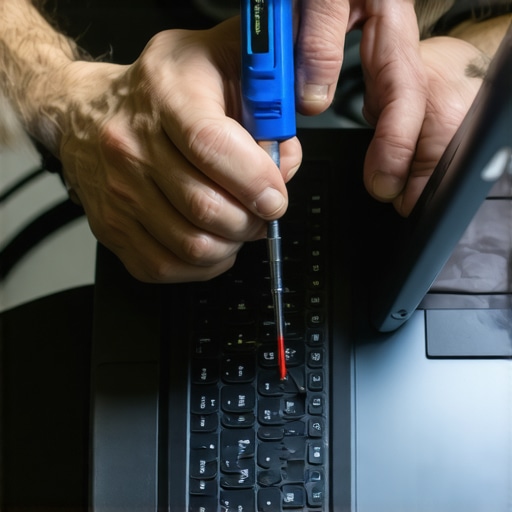
For instance, a comprehensive toolkit that includes a precision screwdriver set, compressed air, microfiber cloths, and system monitoring software can be a game-changer in routine maintenance. Invest in quality tools like the best ergonomic mice and cleaning supplies to make ongoing upkeep easier and safer for your device.
Lessons from My GaN Journey That Changed My Perspective
- Never underestimate the power of small upgrades: Switching to GaN chargers opened my eyes to how tiny tech improvements can lead to big lifestyle changes, like lighter backpacks and faster charging.
- Quality over price really matters: Investing in certified GaN chargers not only protected my devices but also saved me money in the long run, avoiding the pitfalls of cheap, unreliable options.
- Embrace continuous learning: Exploring new tech like Gallium Nitride encouraged me to stay curious and seek reliable info, which is crucial for making smart decisions in the fast-changing world of laptops and accessories.
Tools and Guides That Truly Make a Difference
- Top Business Laptops for 2025: This resource helped me identify models that combine power, durability, and portability — essential traits for professionals.
- Ergonomic Mice Recommendations: Comfort matters, and this guide introduced me to tools that reduce strain during long work sessions.
- Why Most Laptops Overheat: Understanding thermal management has been key to maintaining my device’s health over years of heavy use.
- Unbeatable Deals: This site constantly surprises me with trusted discounts, helping me upgrade without breaking the bank.
Your Next Step in Upgrading or Maintaining Your Laptop
Now that I’ve shared some key insights, I want to encourage you to embrace smart tech choices with confidence. Whether upgrading to a GaN charger or selecting your perfect business or gaming laptop, remember that knowledge is power. Invest time in researching tools and resources that meet your specific needs, and don’t hesitate to seek expert advice when in doubt. Your passion for staying ahead will pay dividends in productivity, longevity, and pure enjoyment of your tech gear. Ready to take your laptop game to the next level? Dive into these resources, experiment with new accessories, and keep learning. How will you apply these lessons in your tech setup today? Let me know below.