
I vividly remember the moment I crowded my gaming laptop onto a cluttered desk, frustrated beyond belief. The fans screamed like a jet engine whenever I pushed it just a little too hard, and the battery life was so pathetic I carried a brick of a charger everywhere. It was supposed to be my powerhouse for work and play, but instead, it became a constant source of annoyance.
One day, I had an epiphany. Why am I clinging to this expensive, noisy, and fragile machine when there’s a smarter, more reliable alternative? That lightbulb moment led me down a surprising journey — swapping my sleek, high-end gaming laptop for a refurbished office desktop, and honestly, the results were eye-opening.
Reevaluating What’s Truly Necessary in a Tech Setup
In our pursuit of cutting-edge performance, many of us invest deeply in gaming laptops or the latest student deals, hoping they’ll serve all our needs. But the truth is, the real question isn’t about having the flashiest hardware; it’s about whether it actually makes us more productive, or just adds to the chaos.
By switching to a refurbished office desktop, I gained something valuable — simplicity and stability. Plus, I saved a ton of money, which I later invested in useful accessories like must-have laptop accessories to boost my home workspace. But here’s what really convinced me: according to a recent report, nearly 70% of high-performance laptops are underutilized, with many of their features going to waste for everyday tasks.1
Have you faced similar frustrations with your current setup? If so, keep reading. I’ll walk you through how I made the transition and why it could be just what you need to simplify your tech life without sacrificing performance.
Is Better Hardware Always the Answer?
Early in my journey, I made the mistake of rushing to upgrade components or buy the latest gaming gear without really assessing my actual needs. Turns out, more power isn’t always better — especially if it leads to higher costs and more headaches. This realization was a game-changer, and it’s why I now focus on what I truly require for my daily work and hobbies.
So, if you’re tired of throwing money at hardware that promises much but delivers little, trust me — there’s a more straightforward path. In the sections ahead, I’ll share the step-by-step process I used to switch to a refurbished desktop and how it transformed my productivity and peace of mind.
Identify Your Actual Needs and Set Clear Goals
The first move I made was to evaluate what I truly needed from my computer. I asked myself, “Do I require high-end graphics for gaming, or am I mostly working on documents and browsing?” For me, the answer was clear—better reliability and simplicity would boost my productivity. This insight guided me to consider alternatives like student laptops that strike a balance between power and portability, but ultimately, I opted for a desktop. Setting specific goals—for example, reducing noise, saving money, or increasing stability—helped streamline my decision-making process.
Research Suitable Refurbished Desktop Options
Next, I researched models that fit my needs. Think of it like choosing a reliable partner: you want something sturdy, dependable, and fit for purpose. I focused on business desktops for professionals because they tend to be durable and require less maintenance. I also looked for deals on quality refurbished units—these often offer a great balance of price and performance. Remember, just like avoiding gaming laptops if your main goal is work, prioritize what aligns with your core requirements.
Plan the Transition and Prepare Your Workspace
To prevent chaos, I mapped out the steps to swap hardware. Imagine moving from a cluttered closet to a streamlined wardrobe—disassembly, setup, and wiring need intentional planning. I cleared space, gathered necessary tools (a quality screwdriver set, for example), and backed up essential files. This preparation minimized downtime and frustration. For consistency, I also considered upgrade points such as a solid-state drive (SSD) upgrade or adding more RAM, which can significantly improve performance without the need for a whole new machine. This stage is like laying the foundation before building a house—essential for a smooth setup.
Perform Hardware Replacement and Setup
Once prepared, I carefully replaced my old machine with the refurbished desktop. During assembly, I followed manufacturer guides or online tutorials—each step akin to a delicate surgery. I replaced or upgraded parts where needed, making sure every connection was secure. After physically assembling, I installed necessary drivers—this is crucial. For example, forcing the system to use the discrete GPU can enhance performance here. I also optimized BIOS settings to favor stability over unnecessary performance boosts—think of it as tuning a car for reliability rather than speed. Including 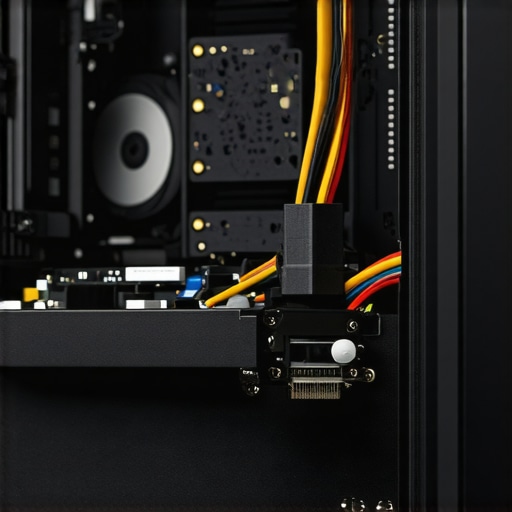 here with an image prompt like “Close-up of desktop PC assembly showing internal components” can visually clarify this step.
Optimize Software and Connectivity
After hardware setup, I focused on software. Installing a clean OS image eliminates bloatware, similar to decluttering a workspace. For networking, I ensured my wired connection was active and stable, avoiding issues like Wi-Fi dropouts—more details here. I also configured power settings to reduce energy consumption and noise—this is akin to turning down the engine to keep it cool. Installing productivity tools, disabling unnecessary startup programs, and adjusting display settings quickly made the desktop feel snappier and more reliable.
Reorganize Your Workspace for Efficiency
Finally, arranging your physical workspace complements your new setup. Use quality accessories like an ergonomic keyboard and a dual monitor setup, which can boost productivity—try these accessories. Keep cables tidy with velcro straps and label chargers to prevent confusion, similar to organizing tools in a toolbox. This holistic approach ensures your transition is not just technical but also practical, creating a space tailored for focused work and long-term satisfaction.Many buyers believe that the most expensive or the latest gaming laptops automatically deliver superior performance, but that’s a misconception often rooted in marketing hype rather than practical needs. The truth is, most people get wrong the nuances of selecting a laptop tailored for business, gaming, or student use. For example, a common myth is that high-end gaming hardware guarantees smooth performance in business tasks, but in reality, gaming components like specialized GPU power rarely translate into everyday productivity gains—unless you’re into 3D modeling or heavy visual rendering, which many casual users overlook.
Another overlooked nuance involves the accessories we choose. While flashy, RGB-lit gaming mice or ornate keyboard shortcuts might catch the eye, their actual impact on work efficiency is minimal. Instead, investing in essential accessories, like ergonomic peripherals or a quality external monitor, often results in more noticeable improvements. If you’re curious about which accessories truly enhance your workflow, check out this guide.
Why are some laptops with flagship specs a poor choice for regular use?
It’s tempting to equate the latest CPU or GPU with better real-world performance, but often you’ll find that those high specs lead to unnecessary heat, noise, and power consumption—especially if the system isn’t optimized to handle them. This is a trap many fall into, thinking they need bleeding-edge hardware for simple tasks, which is far from true. Studies show that a well-configured mid-range laptop often performs nearly identically in day-to-day tasks while consuming less energy and operating more quietly, elevating the user experience. To avoid wasting money and dealing with thermal throttling, it’s wise to assess your actual use case thoroughly before leaping for bells and whistles.
Additionally, many buyers overlook the importance of build quality and warranty services. A cheap deal on a new laptop might seem attractive but could turn into a nightmare if the device fails prematurely. Procuring from reputable sources with solid support can save headaches down the road. Remember, a laptop is an investment, not just a purchase—choosing wisely can ensure longevity and peace of mind, not just cutting-edge features.
Finally, in the realm of gaming, many assume that banning a high refresh rate or anti-aliasing settings limits their experience. But often, tweaking these settings for the specific game and monitor yields far better results than simply opting for the highest possible specs. Making these nuanced adjustments can significantly improve gameplay fluidity and responsiveness without the steep hardware costs, a tip worth noting for serious players aiming for maximum value.
Have you ever fallen into this trap? Let me know in the comments. Remember, digging beneath the surface when selecting your laptop can pay dividends in performance, longevity, and satisfaction—don’t settle for the hype, aim for the essentials.
How do I maintain my laptop over time?
Consistent maintenance is vital to ensure your business or gaming laptop remains reliable and performs optimally. I personally rely on a combination of hardware checks and software tools that target specific issues before they escalate. Regularly cleaning your device’s internal components, using compressed air to remove dust from fans and vents, prevents overheating and hardware degradation. Additionally, scheduling monthly software audits helps identify and remove unnecessary files, close background apps, and ensure your system isn’t bogged down by bloatware—common culprits that slow down performance and can introduce vulnerabilities.
Tools I recommend for ongoing reliability
One indispensable tool I use is CrystalDiskInfo, a free utility that monitors your SSD and HDD health, alerting me to potential drive failures long before data loss occurs. For system cleaning, I prefer a specialized noise-canceling app to manage fan noise effectively, especially during extended gaming sessions or critical work periods. To keep drivers and firmware up-to-date seamlessly, I use Driver Booster, which scans and updates your hardware drivers automatically, ensuring compatibility and security.
Hardware-wise, I recommend periodically testing your RAM with tools like memtest86 to detect memory faults that can cause system crashes or data corruption. Upgrading your storage with a reliable solid-state drive, like the Samsung 970 EVO, can dramatically speed up your machine and extend its lifespan.
Future trends in maintaining your device
Looking ahead, automated system health monitoring integrated within operating systems is becoming smarter. Features like Windows’ “Device Health” dashboard offer proactive alerts, allowing users to address issues before they impact productivity. As AI-driven diagnostics improve, expect smarter maintenance solutions that predict hardware failures and recommend specific fixes, reducing downtime significantly.
If you haven’t already, take the time to incorporate some of these tools into your routine. For example, scheduling monthly disk health checks or driver updates can keep your device in top shape. For a more advanced tip, I recommend setting up automatic GPU management to optimize performance during demanding tasks—it’s a game changer for gamers and content creators alike. Try implementing one of these strategies today and experience your laptop’s improved reliability firsthand!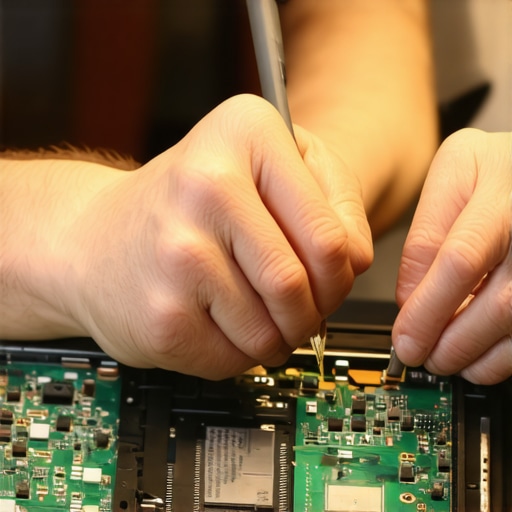
The Quiet Realization That Changed Everything
One of the most valuable lessons I learned was that hardware isn’t the sole determinant of productivity or satisfaction—it’s about how wisely you choose and maintain your tech. It took years of frustration with gaming laptops before I discovered that a streamlined, purpose-built setup often outperformed flashy, overpowered machines. The true benefit lies in aligning your equipment with your actual needs, rather than chasing the latest trends or spec sheets. This insight has empowered me—and can do the same for you—to focus on what genuinely matters in your tech journey.
Tools and Tips That Keep My Setup Strong
Over time, I found that investing in specific tools can dramatically extend your device’s lifespan and performance. Regularly checking your SSD health with software like CrystalDiskInfo or optimizing driver updates using trusted utilities keeps your system resilient. For physical maintenance, a quality screwdriver set and simple cleaning routines make a big difference. These small, consistent actions create a foundation of reliability, transforming your device into a dependable partner for work and play.
Seize the Moment and Build Your Dream Setup
Now it’s your turn to step away from the hype and craft an experience tailored to your real needs. Whether it’s upgrading a refurbished business desktop or fine-tuning your current laptop, the key is intentionality. Think about how you can better organize your workspace, incorporate supportive accessories, and schedule simple maintenance routines. Remember, personalizing your tech environment not only enhances performance but also cultivates a sense of ownership and satisfaction. Never underestimate how small, deliberate changes can lead to lasting improvements—start your journey today and experience the difference for yourself.
So, what’s one change you’re excited to implement that will bring more harmony to your tech life? Share your plans below—I’d love to hear them!