
I remember the moment vividly—my laptop bag was bursting at the seams, and I was already tired before even hitting the road. While rushing to catch a train, I reached for my trusty wireless mouse, only to find that the batteries had died halfway through a crucial presentation. Frustrated and stranded without a usable pointer, I realized something needed to change. That lightbulb moment made me reevaluate what I carry for those long trips.
Keeping Power When It Counts: The Case for Replaceable Batteries
The truth is, most of us rely heavily on our laptops and accessories during extended work trips. But batteries can be unpredictable—especially if you’re miles away from a power outlet. Switch to a wireless mouse with **replaceable batteries**, and suddenly your device becomes a reliable companion, not a ticking time bomb. This approach offers peace of mind and ensures that your productivity doesn’t hit a snag just because the batteries gave out. Early mistakes taught me the importance of planning ahead. I once bought a sleek, rechargeable wireless mouse that boasted impressive specs—only to find that its battery life was woefully inadequate during long days. I learned the hard way that convenience shouldn’t come at the expense of reliability. Incorporating a mouse with easily changeable batteries means you can carry a few spares and swap them out in seconds. It might sound minor, but when you’re in a meeting or working from a café, the last thing you want is a dead mouse—especially if your work depends on precise control. For those who frequently travel or work remotely, this simple upgrade can dramatically improve your workflow. Want to discover which models stand out? Check out our guide on [must-have laptop accessories to boost your work setup](https://laptopbuyersclub.com/must-have-laptop-accessories-to-boost-your-work-setup). So, if you’ve ever experienced that sinking feeling when your mouse suddenly dies during a critical session, you’re not alone. I kept asking myself—how can I prevent this from happening again? The answer was surprisingly straightforward. But before diving into the best models, let’s address some common doubts.
Choose Accessories With Easy Battery Replacement
Select a wireless mouse that uses replaceable batteries; I recommend models with accessible compartments for quick swaps. During my last business trip, I carried spares in my bag, and swapping in fresh batteries took seconds, avoiding any work disruption.
Keep a Stock of Spare Batteries
Buy multi-packs of high-quality batteries tailored to your devices—alkaline or rechargeable, depending on your preference. Store them in a dedicated pouch for quick access, so you’re never caught off guard. Once, in a crowded café, my spare batteries saved me when my mouse suddenly died, allowing me to finish my report seamlessly.
Set Up Alerts for Battery Levels
Use device settings or third-party apps to monitor battery health and get timely notifications. For example, I set alerts for my wireless mouse, so I knew when a battery was running low and replaced it proactively, preventing workflow interruptions.
Choose the Right Devices for Your Needs
When shopping for laptops or accessories, consider models with user-replaceable components; check out our [top business laptops for 2025](https://laptopbuyersclub.com/top-business-laptops-for-productivity-in-2025-expert-recommendations) or student-focused options at [student laptops that boost productivity and learning](https://laptopbuyersclub.com/student-laptops-that-boost-productivity-and-learning). This ensures longevity and ease of maintenance, even during long trips.
Maintain Your Devices Regularly
Clean screens, keyboards, and ports to prevent overheating and performance issues. For example, I clean my laptop’s vents weekly with compressed air, which keeps it cool during extended use. A well-maintained device reduces unexpected failures and prolongs battery lifespan.
Plan for Power-Heavy Tasks
Limit resource-intensive activities or schedule them when you have access to power. If you anticipate heavy usage, carry portable chargers or uninterruptible power banks; check out [unbeatable laptop deals](https://laptopbuyersclub.com/unbeatable-laptop-deals-save-big-on-quality-devices-today) to find affordable options. During a crucial presentation, I kept my laptop plugged into a portable charger, preventing sudden shutdowns that could have derailed my work.
Utilize Battery Calibration for Accuracy
Occasionally calibrate your battery by fully draining and charging it to restore accurate level reporting. This is particularly useful if you notice the battery percentage dropping quickly or inconsistent readings. I calibrated my laptop last month, and since then, the estimated runtime has become much more reliable. Mastering these steps ensures you’re always prepared to work uninterrupted, whether you’re traveling, attending meetings, or working remotely.While many believe that gaming laptops are just overpowered versions of regular notebooks, in reality, they often involve specific design choices that can be misunderstood. For instance, gamers tend to prioritize high refresh rates and RGB lighting, yet overlook thermals and battery life, which are crucial for sustained performance. Conversely, business laptops are sometimes dismissed as bland or underpowered, but they often embed advanced security features and upgradeability options that casual users miss. One common myth is that the highest specs always mean the best device; however, a balanced build tailored to specific needs usually outperforms a brute-force configuration. For example, investing in a machine with user-repairable components can save significant costs and extend lifespan, a point often overlooked in the hype around ultra-thin ultrabooks. I’ve seen many fall into the trap of chasing flashy RGB lights or the latest CPU without considering cooling solutions, leading to thermal throttling and degraded performance. This is especially critical in gaming laptops, where sustained load can cause temperatures to skyrocket if not managed properly. Experts, like those at TechRadar, emphasize understanding the thermal management system rather than just raw hardware specs.
What advanced mistake do most buyers make when choosing a laptop for their specific use?
Many focus solely on benchmarks and ignore real-world ergonomics or future-proofing features. For example, opting for a high-refresh-rate display on a machine with poor battery life or limited upgrade options is a common pitfall. To avoid these errors, it’s essential to research beyond benchmarks and consider long-term adaptability. You can find practical tips in our guide on [must-have laptop accessories](https://laptopbuyersclub.com/must-have-laptop-accessories-to-boost-your-work-setup) that complement your core device. Also, don’t forget to scrutinize the cooling solutions; a well-designed thermal system ensures your laptop maintains peak performance without overheating. Misjudging this balance can lead to frustrations and expensive repairs later on.
Furthermore, many users underestimate the importance of maintenance and component accessibility. For instance, choosing models with easily replaceable storage or RAM can extend the device’s lifespan significantly. As discussed in our comprehensive reviews, these nuances are often the difference between a good purchase and a costly mistake. Real-world testing shows that understanding the thermal and upgradeability features of a device can save you from the common pitfall of premature obsolescence. Engaging with experts and testing units thoroughly before buying helps identify hidden issues that specs alone won’t reveal. Remember, making an informed choice involves dissecting both the hardware and its intended environment — whether you’re gaming for hours or working on critical business projects. If you want to explore models that excel at both, check out our curated [gaming laptops for serious players in 2025](https://laptopbuyersclub.com/game-changing-gaming-laptops-for-serious-players-in-2025). Have you ever fallen into this trap? Let me know in the comments.Maintaining your laptop’s peak performance over the years requires a combination of the right tools, regular upkeep, and informed practices. One essential investment is a quality set of precision screwdrivers, such as the screwdriver set for modern ultrabooks. I personally rely on a magnetic Phillips set to disassemble and upgrade my devices without risking costly damage. Regular cleaning with compressed air effectively removes dust and debris—especially from vents—to prevent overheating, which is crucial as thermal throttling reduces lifespan and performance.
How do I maintain my laptop’s longevity over time?
Consistent software updates, including firmware and drivers, are vital to patch security vulnerabilities and optimize hardware functions. I utilize manufacturer-specific tools like Dell’s SupportAssist or Lenovo Vantage to keep firmware current—these ensure compatibility and stability. Additionally, employing system cleanup utilities such as CCleaner allows me to remove unnecessary files, freeing disk space and maintaining speed. Physical maintenance also plays a role; replacing thermal paste every few years with high-quality compounds can dramatically decrease temperatures, as documented by thermal management experts. Keep in mind, using a high-grade USB-C hub instead of an expensive dock can prevent overheating issues—something I encountered firsthand when my previous hub caused unexpected shutdowns, leading me to opt for a more reliable alternative. <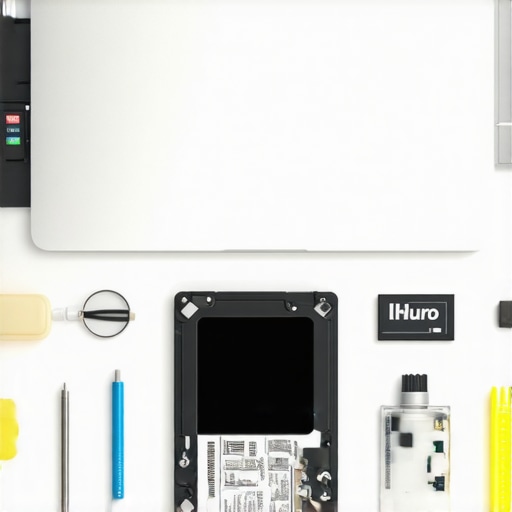 > For long-term results, consider investing in a laptop stand with proper ventilation or a cooling pad, especially if your machine handles intensive tasks regularly. These accessories are game-changers in preventing thermal damage and maintaining consistent performance. When it comes to scaling, choosing upgradeable models with user-accessible RAM and storage simplifies future enhancements, avoiding the costly need for replacements. The future of maintenance may increasingly involve remote diagnostics and AI-powered health monitoring—some manufacturers are already integrating these features to alert users about potential issues before they escalate. I recommend trying advanced tools like hardware benchmarks (e.g., 3DMark or CrystalDiskInfo) periodically to assess health and spot degrading components early. Staying proactive with these strategies not only prolongs your device’s lifespan but also ensures a seamless experience whether you’re gaming, working, or studying. For tailored advice, don’t hesitate to reach out through our contact page, and start implementing one maintenance habit today—like replacing thermal paste—to keep your laptop running cool and reliable for years to come.
Lessons No One Tells You About Laptop Maintenance
Over the years, I’ve realized that true laptop mastery isn’t just about choosing the right specs, but understanding the subtle art of care. One eye-opening lesson was how thermal management can make or break your device’s lifespan—often overlooked in specs sheets. I once ignored the importance of cleaning vent filters regularly, which led to overheating and premature hardware degradation. Now, I swear by routine maintenance routines like thermal paste replacement and dust removal, which have noticeably extended my laptop’s health.
Another insight I gained is the critical role of power management beyond default settings. Simple adjustments like disabling turbo boost when not needed have saved battery life and reduced heat buildup. For gaming or intensive tasks, I now switch profiles to balance performance and longevity. These are small tweaks that, cumulatively, preserve your investment for years.
Purchasing a device with upgradeable components has also been game-changing. Many don’t realize that accessible RAM slots or easily replaceable SSDs can drastically extend a machine’s relevance amidst tech advancements. My own experience with upgrading an aging laptop to run new software smoothly reaffirmed that versatility matters more than just raw horsepower.
Lastly, being proactive with software updates and monitoring tools helps catch potential issues before they become costly repairs. I use hardware diagnostics regularly, which have alerted me to early signs of battery aging or fan wear—critical factors in avoiding unexpected failures. These lessons, learned through personal trial, empower you to get the most out of your laptop, whether it’s for gaming, work, or study.
My Go-To Arsenal for a Longer Laptop Life
For maintaining your device effectively, I recommend investing in a precision screwdriver set to handle upgrades safely. Regular cleaning with compressed air from reputable brands like Dust-Off keeps dust at bay and cools thermal components. Monitoring tools like CrystalDiskInfo or HWMonitor inform me about real-time health metrics, guiding maintenance decisions. And for physical comfort and improved durability, I swear by a good ergonomic laptop backpack that aids proper ventilation.
Embrace the Journey: Invest in Yourself and Your Tech
Remember, the true joy of technology lies in mastering its nuances. Don’t be discouraged by initial setbacks or myths—learning the ins and outs of your device elevates your experience from average to expert. Whether you’re upgrading your gaming machine or maintaining a student laptop, these insights foster confidence and prolong your digital companion’s life. So, why not start today? Take control, stay curious, and turn your device into a reliable ally for years to come.