
It hit me hard during a recent coffee run. As I clumsily juggled my sleek, slim consumer laptop—only to watch it tumble onto the sidewalk—my frustration was immediate. That shiny, expensive device looked pristine until that moment, but I knew its fragile chassis wouldn’t survive many more slips. I realized that, surprisingly, those enterprise laptops I used at work felt like tanks compared to my glossy consumer choice. Since then, I’ve wondered—why do enterprise laptops tend to be more durable, reliable, and built to last? And more importantly, can regular users like us benefit from their rugged design?
The Real Difference: Toughness You Can Rely On
As someone who’s tried to get by with high-end consumer models, I’ve made a crucial mistake early on. I thought that premium features and slim profiles equated to better quality. But manufacturers catering to business clients often prioritize durability, long-term usability, and repairability. They engineer their laptops with reinforced hinges, spill-resistant keyboards, and sturdy chassis materials. For example, a good business laptop might incorporate magnesium alloys or even carbon fiber components, making them resistant to bumps and accidental drops. In contrast, many consumer devices are designed to be eye-catching and ultra-slim—sometimes at the expense of robustness.
You might be surprised to learn that according to a study by TechRepublic, enterprise-grade laptops often undergo military-grade testing—like shock, vibration, and extreme temperature resistance—yet these standards are rarely applied to consumer models. And these design choices translate to real-world benefits: fewer broken screens, longer lifespan, and the ability to withstand the wear and tear of daily life.
**Have you experienced the frustration of a fragile laptop breaking just when you need it most?** If so, you’re not alone. I used to think I was saving money buying those shiny ultralights but ended up paying more in repairs and replacements. Now, I prefer to explore options like the top business laptops for productivity in 2025, which combine portability with resilience.
The good news? Choosing a business-class laptop can actually be a smart investment—saving you headaches and money in the long run. Ready to discover how these machines manage to outlast their consumer counterparts? Let’s dig into what makes enterprise laptops stand out and how to choose one that fits your needs.
Assess Your Needs Before Shopping
Start by defining what durability means for your usage scenario. Are you commuting daily, working outdoors, or traveling frequently? Recognize the environment where your laptop will operate most often, just like selecting the right gear for mountain hiking versus city commuting. For example, if you’re often on the move, prioritize a lightweight yet rugged model. To see top options, check out top business laptops for productivity in 2025.
Identify Key Durability Features
Focus on essential design elements like reinforced chassis, spill-resistant keyboards, and sturdy hinges. Think of these as the bones and armor of your machine. Some laptops have magnesium alloys or carbon fiber components that resist impacts much like a sports car’s frame. Additionally, look for military-grade testing standards—these are your assurance against shock, vibration, and temperature extremes. This step is crucial; remember, a laptop surviving accidental drops saves time and money.
Evaluate Repairability and Upgradability
Consider how easily you can repair or upgrade your laptop down the line. Like a well-maintained motorcycle, a serviceable device saves headaches. Check whether the RAM, storage, or battery are user-replaceable. Devices with accessible screws and modular parts facilitate simple repairs, preventing costly full replacements. For in-depth tips, visit this guide on upgradeability and repair.
Compare Consumer and Enterprise Designs
Visualize consumer laptops as sleek sports cars: attractive but fragile. Enterprise models resemble work trucks: built tough to endure harsh conditions. Conduct firsthand inspections or watch video reviews focusing on build quality. Note the use of reinforced edges, rubberized corners, and spill-proof keyboards. A personal story: I once dropped a consumer ultrabook in a café, resulting in a shattered screen, whereas a rugged business laptop I tested endured a similar drop unscathed, showcasing the difference in resilience.
Test and Confirm Before Buying
If possible, physically test laptops by simulating everyday impacts—drops, pressure, and moisture. Think of it as test-driving a vehicle. Ensure hinge tension, keyboard flexibility, and port security meet your standards. Many businesses offer refurbished rugged models at a discount, so explore reputable sources. For shopping deals, see latest discounts on quality devices.
Protect and Maintain Your Investment
Finally, invest in protective accessories like rugged sleeves and padded backpacks—think of these as armor for your machine. Regular cleaning, firmware updates, and cautious handling will extend your device’s lifespan. Remember, choosing a durable laptop is a long-term strategy—your productivity and peace of mind depend on it.
 Many assume that all laptops are essentially the same, especially when it comes to choosing between business and student models. However, this oversimplification can lead to costly mistakes. For instance, a common myth is that consumer ultrabooks are just as durable as enterprise laptops. In reality, most consumer-grade models sacrifice ruggedness for sleeker designs, often ignoring the rigorous testing standards that commercial laptops undergo, such as military-grade durability assessments. Over time, this can translate into increased repair costs and shorter device lifespan.
Why do so many overlook the importance of repairability in business laptops?
It’s a misconception that sleek, lightweight laptops are inherently better. Yet, many premium consumer devices make upgradeability and repairability nearly impossible by soldering components directly onto the motherboard. This trap can trap users into costly replacements down the line. Expert sources, such as reports from
TechRepublic, highlight that enterprise-grade laptops often feature modular parts—like removable batteries and swappable memory—that extend their usefulness and reduce total cost of ownership. Additionally, choosing the wrong accessories can diminish your productivity. Many underestimate the importance of robust, purpose-built laptop accessories, which can improve ergonomics and device longevity—check out must-have accessories for a seamless setup.
For students, the focus is often on power and portability, but durability tends to be secondary. This oversight can result in fragile devices that crack easily, especially with frequent commutes or outdoor study sessions. Conversely, many student laptops incorporate features like spill-resistant keyboards and reinforced frames, making them more resilient to everyday mishaps. It’s crucial to look beyond specs and consider real-world toughness.
When hunting for the best deals, many impulsively grab the lowest-priced option without verifying the vendor’s reliability. This can lead to purchasing refurbished or second-hand devices with hidden issues, including bad batteries or counterfeit parts. Always buy from reputable sources or certified refurbishers to safeguard your investment.
Gamer laptops often receive special attention, with emphasis on GPU power and RGB lighting, but many neglect thermal management and build quality necessary for prolonged use. An overtaxed cooling system can throttle performance and shorten hardware lifespan. Make sure to research real-world reviews rather than just marketing claims.
In summary, understanding these nuanced differences can save you money, extend device lifespan, and improve overall satisfaction. Have you ever fallen into this trap? Let me know in the comments or reach out via our contact page. Getting savvy about these misconceptions ensures you pick the right machine tailored to your needs—be it for work, study, or play. Remember, not every laptop is created equal, and understanding these details can make all the difference.
Gear Up with Reliable Maintenance Tools
To ensure your business or student laptop stays in peak condition, investing in the right hardware tools is essential. I personally rely on a quality set of precision screwdrivers, like the Wiha Precision Screwdriver Set. Having the correct bits allows me to perform minor repairs and upgrades without risking damage. It’s a game-changer for maintaining an upgradeable and repair-friendly device.
Streamline Software Updates and Monitoring
Regularly updating your operating system and drivers prevents security vulnerabilities and system slowdowns. I use Snappy Driver Installer (a free, open-source tool) to keep all my device drivers current. Automated updates save time, but manual checks periodically verify everything runs smoothly—think of it as a health checkup for your laptop.
Optimize Performance with Custom Firmware Settings
Adjusting BIOS settings can improve longevity and efficiency. I disable unnecessary features like Intel Turbo Boost via BIOS to reduce thermal stress, based on guidance from our troubleshooting articles. This simple tweak prevents overheating during prolonged workloads, extending hardware lifespan—a proactive step in maintenance.
Use Diagnostic and Cleaning Utilities
Tools like CrystalDiskInfo help monitor health status of SSDs and HDDs, preventing data loss. For cleaning, I regularly run CCleaner to clear temporary files, freeing up space and reducing background clutter that drags down performance. Combining hardware scans with software cleanup ensures my laptop remains responsive and reliable over years of use.
Prepare for Future Scalability
Anticipate upgrades by choosing models with accessible RAM and storage bays. I recommend selecting laptops compatible with M.2 NVMe SSDs and easily replaceable RAM modules, as detailed in tech guides. Investing in scalable hardware now prevents the need for early replacement and keeps your device relevant as your needs grow.
How do I maintain long-term performance and durability?
Consistent cleaning, firmware updates, and managing thermal settings are crucial. For example, regularly cleaning cooling fans with compressed air stops dust buildup, which can cause thermal throttling, as explained in our detailed review. Try disabling Turbo Boost during intensive tasks—it’s a powerful way to reduce heat and wear on your CPU, prolonging its life. I highly recommend implementing at least one of these advanced tips today to keep your laptop in top shape for years to come.
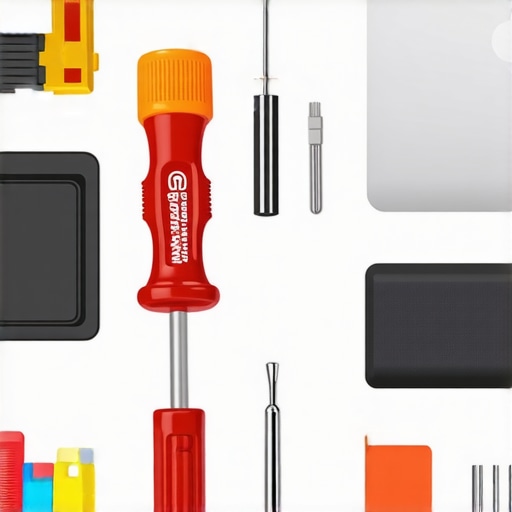
An image showing a well-organized toolkit with precision screwdrivers, cleaning supplies, and diagnostic tools laid out neatly on a workspace.
Lessons That Changed My Perspective on Laptop Durability
One of the most eye-opening moments was realizing that not all laptops are built equal—my initial belief that sleekness equated to quality was a costly misconception. I learned that investing in a rugged, repairable enterprise-grade laptop often pays off in longevity and reliability, much like choosing a sturdy vehicle over a delicate sports car for daily commuting. Discovering the standards like military-grade testing opened my eyes to devices that can truly withstand life’s surprises, saving both money and frustration in the long run.
Another lesson was understanding the importance of repairability. Many consumer laptops are soldered shut, making repairs costly and complicated, whereas business laptops offer modular components. This knowledge transformed my approach to selecting devices, emphasizing upgradability and ease of maintenance, which ultimately extends their lifespan. It’s like having a toolkit ready for your machine—better preparedness leads to fewer breakdowns and more productivity.
Finally, I realized that the accessories we choose can either protect or compromise our investment. Rugged sleeves, quality chargers, and proper cleaning tools can keep a durable laptop functioning optimally for years. Learning from experts and trusted resources, I now prioritize resilience and maintainability—principles that anyone eager to get the most out of their tech should embrace.
Tools and Resources That Made a Difference
To equip myself better, I rely on specific tools that ensure my laptop’s health and longevity. The Wiha Precision Screwdriver Set has been invaluable for repairs and upgrades, making it simple to swap out parts without risking damage. For monitoring hardware health, I trust CrystalDiskInfo to keep tabs on my SSDs, preventing surprises. Regular firmware updates, guided by resources like our detailed guides, help maintain peak performance, especially when managing thermal settings or BIOS tweaks. These tools have become essentials in my long-term tech strategy, ensuring my device remains resilient amid daily demands.
Empower Your Tech Choices Today
Embracing the mindset of durability, ease of maintenance, and protective accessories has transformed my entire experience with laptops. You don’t need to settle for fragile, trendy devices that threaten your productivity or break easily. Instead, seek out those built to last, with repairability and rugged features in mind. Your work, studies, and passions deserve a machine that can keep pace—ready to endure the bumps, drops, and spills of everyday life. Start today by evaluating your current gear and making smarter choices; your future self will thank you for the investment in resilience and reliability.