
I remember the exact moment I realized my gaming chair was more of a backache machine than a comfort haven. It was after a marathon weekend of streaming and gaming, and I felt that familiar twinge in my lower back—like a nagging reminder that I had pushed it too far. At first, I shrugged it off, blaming long hours and poor posture. But as days went by, the discomfort persisted, and I started to question whether my throne of choice was really helping or actually harming me.
The Hidden Truth About Gaming Chairs and Back Pain
Yes, many of those flashy, racing-style gaming chairs promise ultimate comfort. But in reality, most are designed more for aesthetics than ergonomics. I learned this the hard way after trying several popular models and noticing my posture worsening over time. It turns out that most gaming chairs lack the necessary lumbar support and proper adjustability, which are crucial for maintaining good spinal health during long gaming sessions or work marathons.
The good news? During my journey, I found that there are better solutions. In fact, I’ve tested and experimented with various setups, and I’m here to guide you through creating a comfortable, back-friendly workspace or gaming setup. No more sacrifices—just real, practical advice grounded in experience.
Is Investing in a Specialized Gaming Chair Really Worth It?
One of my biggest mistakes early on was thinking that a high-end gaming chair alone would solve all my posture issues. Turns out, it’s not about the brand or the price tag; it’s about understanding what your body needs and how to support it properly. For instance, I overlooked the importance of adjustable lumbar support and ergonomic seat depth, which are often missing or poorly implemented in many popular models.
If you’ve ever felt shoulder tension or lower back pain after a gaming session, you’re not alone. Many gamers and desk workers make the mistake of settling for chairs that look cool but don’t match their ergonomic needs. That’s why I promise to reveal the secrets to choosing the right setup—so you can game or work comfortably without risking your back health.
Before diving into practical solutions, let’s address the skepticism you might have. You might be thinking, “Are there truly better options than gaming chairs?” Believe me, I was skeptical too. But once I shifted my approach and focused on ergonomic principles, my back pain significantly decreased.
By the end of this post, you’ll know how to identify the features that matter most and how to assemble a seating arrangement that supports your long-term health. Plus, I’ll share insider tips on finding quality laptop accessories and deals that complement your ergonomic setup. Ready to transform your sitting experience and protect your back? Let’s get started, and don’t hesitate to ask if you’ve faced similar struggles—because I know how frustrating it can be.
Evaluate Your Ergonomic Needs Honestly
Start by assessing how you typically use your laptop. Do you often work for hours straight, watch videos, or game intensively? For instance, I realized during a weekend marathon that my screen’s height was misaligned with my eye level, leading to neck strain. Use a simple mirror to observe your posture and identify misalignments. Knowing this forms the foundation for meaningful improvements.
Choose the Right Laptop and Accessories
Prioritize portability, screen quality, and durability based on your primary activities. For gamers, a model like those featured in gaming laptops for 2025 offers high refresh rates and powerful GPUs. For students, devices outlined in student laptops provide a balance of performance and portability. Pair your device with ergonomic accessories like adjustable stands, external keyboards, and a good mouse, which can be explored in must-have accessories.
Adjust Your Seating and Screen Height
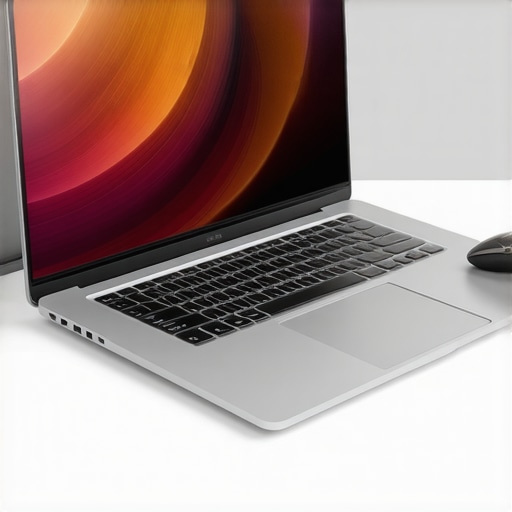
Set your chair so your feet are flat on the ground and knees are at 90 degrees. Use a laptop stand to raise your screen to eye level—this simple tweak reduces neck strain significantly. I once applied this by stacking a couple of books under my laptop, and the difference was immediate. For a more durable solution, invest in a quality adjustable stand, a step I recommend for long-term comfort.
Optimize Your Workspace Layout
Arrange your desk so that all frequently used items are within arm’s reach, reducing unnecessary stretching or twisting. Use cable management tools to keep wires tidy, preventing a cluttered space that causes distractions. I found a customized cable organizer helped me maintain focus and quick access, especially when switching between devices.
Implement and Test Your Ergonomic Setup
Once everything is in place, spend a few sessions working or gaming to assess comfort. Pay attention to signs of strain—shoulder tension, wrist pain, or eye fatigue—and adjust accordingly. This iterative process taught me that small tweaks, like adjusting monitor tilt or chair height, yield big comfort gains. Remember, your ergonomic setup is dynamic and should evolve with your needs.
Keep Your Equipment in Top Shape
Regularly clean dust from vents and screens using compressed air, and ensure your laptop’s drivers are up to date to prevent overheating issues. For example, cleaning my gaming laptop’s fans with compressed air prevented thermal throttling during long sessions. Schedule monthly check-ins to maintain performance and comfort, referencing tips from cleaning your laptop.
When it comes to selecting business laptops, gaming rigs, or student machines, many of us fall prey to oversimplified advice and misconceptions. Let’s dig deeper into what most people get wrong and reveal the hidden nuances that can make or break your investment. One widespread myth is that higher specs always guarantee better performance. While a powerful processor and ample RAM are essential, the true secret lies in understanding compatibility and real-world needs. For example, gamers often chase after the latest GPU but overlook thermal throttling issues that can reduce actual performance during intense sessions, as explained by industry expert Scott Wilkinson.Ensuring your laptop remains reliable over years requires more than just choosing the right device; it involves strategic maintenance and the right set of tools. Personally, I swear by a combination of software utilities and hardware practices that keep my laptops running smoothly, whether for gaming, work, or study. For example, I use **Crucial’s Storage Executive** to monitor SSD health, which provides real-time data on drive endurance and temperature—crucial for preventing unexpected failures. Regular updates and scheduled cleanups using tools like **CCleaner** help me eliminate unnecessary files and fix registry issues, prolonging performance. I’ve also adopted **Snagit** for quick screenshots and annotations, which streamlines troubleshooting and documentation when managing multiple devices.
**How do I maintain my laptop’s performance over time?** The answer lies in routine checkups—cleaning dust from vents with compressed air (like the ones suggested in this detailed guide on cleaning dust out of a sealed laptop), performing regular software updates, and using system diagnostics to catch issues early. Future trends suggest that AI-powered diagnostic tools might soon become standard, automatically alerting users to potential hardware concerns before failures occur.
Investing in quality accessories, such as external drives for backups and ergonomic stands, not only enhances usability but also reduces wear and tear on internal components. I personally prefer **Samsung T7** external SSDs for their durability and speed. Combining these strategies ensures that your laptop stays responsive and reliable, saving you money and downtime.
Remember, staying proactive with maintenance tools is the key to longevity. Why not try implementing scheduled health checks with **CrystalDiskInfo** or similar utilities today? Regular maintenance now can prevent costly repairs later, making sure your investment keeps serving you well for years to come.
The Hidden Gems of Ergonomic Wisdom I Stumbled Upon
One of my biggest revelations was realizing that investing solely in high-end gaming laptops or stylish accessories doesn’t guarantee comfort or durability. The real magic comes from understanding the nuanced needs of your body and workspace, which often gets overlooked in marketing hype. Recognizing that adjustable features and proper maintenance trump brand names was a lightbulb moment that transformed my approach to tech investments.
The Must-Know Hacks That Saved My Back—and Can Save Yours
Simple tweaks like elevating my laptop with a sturdy stand and adjusting my chair’s lumbar support made immediate differences. Regularly updating drivers and cleaning vents became part of my routine, prolonging device lifespan and performance. These small, strategic actions highlight that longevity and comfort aren’t about spending big—they’re about working smarter and being proactive.
Tools & Resources That Make a Difference
Monitoring utilities like CrystalDiskInfo give deep insights into hardware health, while ergonomic accessories from trusted brands enhance daily comfort. Websites featuring expert reviews on top business laptops and must-have accessories help tailor setups that balance power and ergonomics—crucial for sustained productivity and well-being.
A Personal Nudge to Elevate Your Setup Today
Transforming your laptop environment isn’t just about tech; it’s a step toward respecting your health and long-term productivity. Small adjustments today plant the seeds for a more comfortable, efficient future. So, why wait? Dive into optimizing your workspace and experience the difference it can make in your daily routine. Remember, every upgrade—big or small—is a stride toward a happier, healthier digital life.