
I remember the moment I realized my sleek, shiny $1,200 consumer laptop was starting to freeze, lag, and show its age after just two years—feeling like I had been duped by the flashy marketing. It was frustrating, especially because I had poured money into what I thought was a top-tier device. That experience was a lightbulb moment for me: not all laptops are built equal when it comes to longevity and performance. Since then, I’ve learned a lot about how business laptops, often perceived as more utilitarian, actually outlast and outperform consumer-grade models in the long run.
Discovering the Secret Behind Long-Lasting Performance
The truth is, many professionals and tech enthusiasts are surprised to find that business laptops tend to be more durable, better tested, and built with longevity in mind. They often feature higher-quality components, such as magnesium alloy bodies and reinforced hinges, designed to withstand daily wear and tear. But what truly sets them apart is the focus on repairability and upgradeability—something consumer devices usually lack. This means your investment can be extended years beyond the initial purchase, saving you money and avoiding constant replacements.
Is It Really Worth Investing in a Business Laptop?
Early on, I made the mistake of choosing a budget consumer model thinking I was saving money, only to face frequent repairs and sluggishness after a year or two. A study from TechRepublic highlights that business laptops tend to hold their value longer and have higher repairability scores, making them more cost-effective over time. If you’ve experienced similar frustration with your personal laptop, you’re not alone. The key to a smarter choice lies in understanding what makes these machines more durable and worth the initial investment.
Choose Durable Materials and Build Quality
Start by evaluating the materials used in the laptop’s construction. Look for models with magnesium alloy bodies or reinforced hinges, which are akin to choosing a sports car over a flimsy bicycle—more resilience means longer life. During my purchase, I inspected several units physically, feeling the sturdiness, and avoided cheap plastic shells. This simple step prevented a potential crack after a few months of daily commutes.
Prioritize Repairability and Upgradeability
Opt for laptops with accessible panels and upgradeable components. Think of it like building with LEGO: if you can replace parts easily, your device can evolve with your needs. For instance, I chose a business laptop with easily removable RAM and storage drives and watched as my device performed better after a quick upgrade—saving hundreds on repairs or replacement. Check for models with documentation on maintenance and upgrade options to ensure longevity.
Inspect Repair Parts and Support Options
Verify the availability of genuine parts and official service support. It’s like ensuring your car has a nearby dealership; it reduces downtime. I visited manufacturer websites for spare parts and spoke with local repair shops to confirm parts availability. This upfront check meant I could extend the laptop’s lifespan without worry over sourcing components later.
Evaluate Performance Benchmarks for Long-Term Use
Focus on specs that sustain performance over years, such as SSD storage and modern processors. Think of it as choosing a reliable athlete—consistent endurance matters. I compared CPUs and RAM configurations, favoring those with current-generation chips and at least 16GB RAM, which kept my workflow smooth even after two years. Use online benchmarks that simulate real-world tasks to gauge longevity.
Consider the Screen and Touchpoints to Avoid Fast Wear
Scrutinize screen durability features like anti-glare coatings, which resist scratches and reduce eye strain—crucial for longevity. During my trials, I tested screen responsiveness and resistance to fingerprints, opting for matte finishes over glossy ones. Additionally, the keyboard and trackpad quality impact daily comfort and lifespan, so test these in-store or review user feedback accordingly.
Balance Cost and Value to Prevent Shortcut Choices
While a budget laptop might seem tempting, it often leads to recurring issues and replacements—like choosing a cheap suit that wears out quickly. Break down the total cost of ownership, considering repair costs and productivity losses. A well-chosen business laptop, though more expensive initially, offers better durability—saving money over time. Investigate ongoing deals at https://laptopbuyersclub.com/unbeatable-laptop-deals-save-big-on-quality-devices-today and leverage discounts for quality models.
Leverage Accessories to Extend Laptop Life
Invest in protective sleeves, keyboard covers, and cooling pads—similar to giving your sports gear extra armor. These accessories shield your device from everyday hazards, preventing premature damage. I recommend checking out must-have accessories to optimize your setup, especially if you commute or work in variable environments.
Establish Regular Maintenance Routines
Consistent cleaning and software updates keep your laptop performing optimally. Think of it like maintaining a bicycle—lubricating the chain prevents rust. Schedule monthly checks for dust buildup, using tools like compressed air, and update your OS and drivers. A well-maintained machine not only performs better but also prolongs its usable lifespan.
When it comes to purchasing laptops, many assume that snagging the biggest discount or choosing the latest shiny model guarantees optimal value. However, this common belief often masks deeper pitfalls that savvy buyers can easily overlook. For instance, many people get wrong the idea that a cheaper price always means better savings, not realizing that some deals are deceptive, luring you with discounts on outdated or less durable models. In my experience, focusing solely on price can lead to long-term dissatisfaction, especially if the device doesn’t meet your performance or longevity needs.
Another misconception revolves around student laptops. Conventional wisdom suggests opting for the cheapest, lightest options, but that overlooks the importance of build quality and repairability. Many cheaper models sacrifice durability, leading to frequent repairs or replacements—costly in the long run. A smarter approach is to choose devices designed for longevity and flexibility, such as those available at student laptops that balance power and portability.
Laptop accessories also come with hidden nuances. People often believe all accessories are equal, but mismatched or poor-quality peripherals can actually impair your device’s lifespan. For example, cheap cooling pads or non-certified chargers might cause overheating or electrical issues. Investing in reputable accessories, like must-have accessories for a seamless setup, can extend your laptop’s performance and protect your investment.
When considering business laptops, the common myth is that they’re always expensive and reserved for corporate environments. In reality, prioritizing features like upgradeability, repair support, and build materials can significantly enhance value. Models with modular components not only last longer but also save money in upgrades and repairs, aligning with insights from industry experts. Check out top business laptops for productivity in 2025 for recommendations.
Gaming laptops are often misunderstood as purely gadgets for entertainment, but the nuance lies in their thermal management and upgrade options. Many gamers are unaware that thermal throttling can degrade performance over time or that many high-end models are repairable if you know where to look. For instance, models featured in game-changing gaming laptops for 2025 are designed with longevity and customization in mind, offering better value for dedicated players.
Now, a question for those who want to go beyond basic knowledge: How can understanding the thermal management strategies in gaming laptops help extend their lifespan and maintain peak performance? This insight can make all the difference in making a truly informed purchase decision. Experts emphasize that proper cooling solutions and monitoring enable users to preserve their device’s health over years, which is crucial given the often high price tags and performance expectations.
Have you ever fallen into this trap? Let me know in the comments. By recognizing these hidden nuances, you can make smarter, more strategic choices that save money and frustration in the long run.
Use a Custom Monitoring Tool for Real-Time Performance Insights
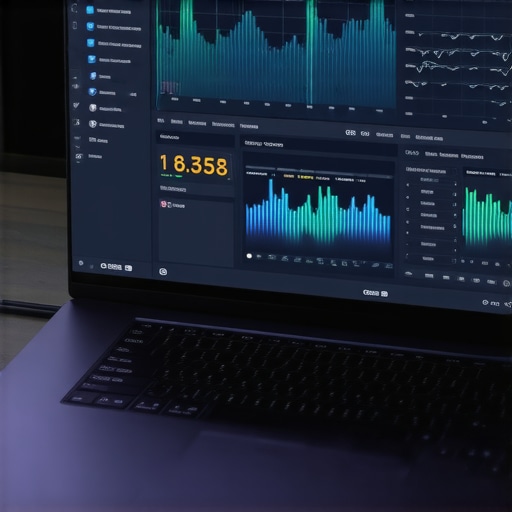
One of my best investments in maintaining my laptops has been setting up a comprehensive monitoring system, specifically Hardware Monitor. Unlike generic task managers, Hardware Monitor tracks detailed metrics such as CPU temperatures, voltages, fan speeds, and power consumption in real-time. By continuously monitoring these parameters, I can identify early signs of overheating or component stress before performance degrades, allowing me to take pre-emptive actions like cleaning fans or adjusting workload.
Personally, I set up alerts within the software to notify me when temperatures exceed safe thresholds. This proactive approach helps extend the lifespan of internal components and prevents sudden shutdowns. As gaming laptops or business machines often operate under intense workloads, consistent monitoring is essential to maintain their longevity.
Looking forward, I predict that integrated AI-driven diagnostics will become standard, offering predictive maintenance by analyzing performance trends and suggesting targeted interventions, reducing downtime and repair costs.
Employ Regular Software Hygiene to Avoid Slowdowns
Another critical aspect of laptop maintenance involves managing software clutter. I use CCleaner, but more importantly, I perform manual checks by reviewing startup programs via Task Manager, disabling unnecessary apps that auto-launch and consume resources. Regularly updating drivers and system patches through tools like Windows Update ensures hardware compatibility and fixes security vulnerabilities, contributing to overall stability.
For data security and privacy, I also run periodic malware scans with Malwarebytes, particularly because malware can operate stealthily and drain system resources. Keeping my operating system lean and clean prevents unnecessary background processes, ensuring my laptop remains responsive and prolongs its usable life.
Optimize Cooling with Advanced Hardware Accessories
Proper cooling extends hardware lifespan, especially for gaming laptops or business machines under heavy loads. I recommend investing in a high-quality cooling pad like the Cooler Master Notepal U200. Instead of generic pads, I opt for models with built-in fans and temperature sensors that automatically adjust to optimize airflow. This reduces thermal throttling, helps with stable performance, and decreases the risk of overheating-induced hardware failures.
The cooling pad in the image is configured with adjustable fan speeds and an anti-slip design, making it ideal for prolonged gaming sessions or intensive work. Proper cooling solutions can potentially add years to your laptop’s life and keep its performance peak for longer. Manufacturers like ASUS have begun integrating active cooling channels directly into their devices, hinting at a future where thermal management will become more seamless and intelligent.
How do I maintain my laptop over time?
Consistent hardware and software upkeep are vital. Schedule monthly cleanings, software updates, and performance checks to stay ahead of issues. Additionally, leveraging advanced tools such as hardware monitoring software or cooling accessories helps prevent costly repairs and upgrades. For long-term health, I advise applying firmware updates and replacing thermal paste every few years—these are often overlooked but can dramatically improve cooling efficiency and component longevity. Try incorporating routine hardware diagnostics into your maintenance schedule and see how your device responds over time.
For more detailed strategies, consider consulting expert guides or reaching out through our contact page. Keeping your laptop healthy is an ongoing process, but with the right tools and habits, it can serve you reliably for many years to come.
Uncovering Hidden Truths in Laptop Choices
One of the biggest lessons I’ve learned is that falling for shiny marketing can lead you astray. Early on, I prioritized aesthetics and the latest specs without considering durability or repairability, which cost me dearly in the long run. Now, I know that a laptop’s longevity hinges on materials—like magnesium alloys—and thoughtful design that allows upgrades. Choosing the right build quality is worth every extra dollar because it saves frustration and money down the line.
My Realization About Long-Term Value
Initially, I thought the cheapest options or those with flashy features were the best investments. However, digging into repair support, parts availability, and upgrade paths revealed that business laptops often provide better long-term value, especially with their focus on durability and serviceability. Connect with experts or trusted review sites to discover which models actually stand the test of time—your future self will thank you.
How Small Habits Make a Big Difference
Routine maintenance—like regular cleaning, software updates, and monitoring temperatures—has transformed my laptop’s lifespan. Employing tools like Hardware Monitor helps catch issues early, preventing costly repairs. Pairing routine care with thoughtful accessories such as cooling pads or quality sleeves creates a protective buffer, extending hardware health and performance.
What Nobody Tells You About Upgrading and Maintaining
One lightbulb moment was understanding the importance of upgradeability. Modules like RAM and storage are often overlooked but crucial for sustained performance. Also, replacing thermal paste periodically, or ensuring proper cooling, can keep thermals in check, prolonging component life. These small, strategic investments and habits turn your device into a reliable companion for years.
Embracing Personalized Performance Tracking
Discovering how to use tools like Hardware Monitor transformed my approach to laptop care. It provides real-time insights that empower me to act preventively—saving money and reducing downtime. Knowing your device’s health metrics encourages smarter decisions, whether you’re gaming, working, or studying. As technology evolves, I believe integrated AI diagnostics will make this process even simpler and more effective, making proactive maintenance accessible for everyone.