
Imagine sitting at your desk, anticipation building as you unbox what you hope will be a reliable, fast laptop for work or study. But when you power it on, the sluggish startup, pixelated display, and short battery life make you wonder if you’ve just bought a paperweight for a fraction of the price. I’ve been there, frustrated and disappointed, thinking that quality tech only belongs to the wealthy or those willing to spend a fortune. That lightbulb moment hit me hard: why can’t I get a reliable, professional-grade laptop for under $600?
Breaking the Myth of Expensive Laptops
For years, I believed that to get a truly capable, business-ready laptop, I’d need to shell out $1000 or more. But as a budget-conscious user, I realized that many so-called affordable models were underpowered or lacked the durability I needed. The truth is, thanks to recent advancements and smart shopping strategies, excellent laptops that meet professional standards now exist well within a tight budget. And I’m here to show you how to find and choose them without compromising on quality or performance.
Is a Cheap Laptop Still Worth It?
One common skepticism I hear is whether a budget laptop can truly handle demanding workloads or if it’s better to save up for something pricier. Early on, I made the mistake of opting for the cheapest option, which led to constant crashes and broken hinges within a year. That experience taught me that not all deals are created equal. The key is knowing what features matter most—like reliable build quality, adequate RAM, and fast storage—and how to identify models that excel in these areas without breaking the bank. Want to avoid the pitfalls I faced? I’ll guide you through the essential considerations for smart, budget-friendly purchases. Ready to ditch the myth that quality costs a premium? Let’s get started and explore the real options available in 2025!
Identify Your Primary Needs
Start by pinpointing what you’ll use the laptop for—be it work, studying, or casual gaming. For example, I once needed a device for photo editing and writing, so I prioritized a laptop with a good display and decent processing power, which I found in models like the student laptops. Clarifying your purpose helps avoid overpaying for features you won’t use and ensures your investment pays off.
Set a Realistic Budget and Track Deals
Decide on a maximum price—ideally under $600—and monitor sales regularly. During a sale, I snagged a refurbished ThinkPad for just $400, which outperformed many new, budget-friendly options. Use price tracking tools or subscribe to deal alerts at this site. Timing your purchase around major sales events can save hundreds and provide premium features at low costs.
Assess Key Hardware Components
Prioritize RAM and Storage
Opt for at least 8GB of RAM to handle multitasking smoothly, and choose SSD storage for faster boot times—these are game-changers in budget laptops. I replaced a sluggish HDD with an SSD in an older laptop using a simple kit, dramatically improving performance without buying new hardware.
Check the Processor and Graphics
For general tasks, an Intel Core i5 or Ryzen 5 is sufficient. When I tested a Ryzen 5 model in the gaming laptops category, it handled casual games and office work effortlessly. Avoid low-end chips like Celeron or Pentium unless your needs are minimal, as they drastically limit multitasking ability.
Verify Build Quality and Durability
Since a cheap laptop often risks quick damage, inspect the chassis for sturdy materials and reconsider models with a reinforced frame. I once bought a low-cost device with a plastic hinge that broke within a year—now, I prefer those with metal hinges or protective designs. Reading reviews and watching unboxing videos helps determine durability before purchase.
Explore Purchase Options and Warranty
Compare prices across various retailers, including refurbished and certified pre-owned stores. Sites offering top deals often throw in warranties or return policies that add peace of mind. For example, I bought a refurbished business-class laptop with a 90-day warranty, which protected me during initial issues.
Invest in Essential Accessories
Enhance your experience with affordable upgrades like a quality mouse, a portable mouse pad, or a reliable carrying case. This approach extends your laptop’s lifespan and improves usability. For instance, I added a mouse and external keyboard, transforming my compact device into a comfortable workstation.
Following these steps, backed by real experience, helps ensure your budget laptop is a reliable and efficient tool that meets your needs without exceeding your financial limit. Remember, patience and diligent research are your best allies in navigating an array of options to find the perfect fit.
 Many enthusiasts believe that investing in high-end accessories automatically translates to better performance, but in reality, it’s a nuanced game that requires understanding the true necessity versus marketing hype. For instance, gamers often prioritize RGB mousepads, but what they overlook is that a high-quality optical sensor paired with a good DPI setting can outperform flashy peripherals that seem appealing at first glance. Similarly, when considering business laptops, the focus is usually on specs like processor speed, but overlooking build quality—such as reinforced chassis or resilient hinges—can lead to costly repairs sooner than expected.
Are premium accessories and features always the best value for advanced users?
The misconception that the latest or most expensive gear provides unmatched performance can be a trap. According to a 2022 study by TechInsights, many professional users find that mid-tier accessories, when chosen with care, match or outperform their high-end counterparts in real-world scenarios, emphasizing smart selection over price tags. When shopping for laptop deals, it’s tempting to chase discounts on trendy models, but often, a well-reviewed refurbished unit with proven durability offers better longevity and performance, especially for demanding tasks. Be cautious—some deals might include accessories or warranties that seem attractive but don’t add value if they’re incompatible or unnecessary.  Navigating accessory choices requires more than just the latest gadget; it demands an understanding of your actual needs and the compatibility of these tools with your workflow. For example, professional creative work benefits significantly from calibrated external monitors and color-accurate peripherals, but these are often overlooked in favor of aesthetic choices. Likewise, for students, durability and portability trump fancy features unless the accessories are specifically tailored for long-term use and minimal hassle. Remember, the goal is to enhance productivity without unnecessary expenditure or clutter. Have you ever fallen into this trap? Let me know in the comments.
Tools I Recommend for Maintaining Your Laptop Over Time
Investing in the right tools can significantly extend the lifespan and performance of your laptop. I personally swear by a high-qualitycompressed air can for cleaning dust from fans and vents—dust buildup causes overheating and throttling. Additionally, a precision screwdriver set is invaluable for minor repairs or upgrades like replacing a battery or adding RAM. I also keepthermal paste on hand to reapply between heatsinks and CPUs when temperatures rise unexpectedly. Pair these with software tools like CrystalDiskInfo for monitoring SSD health, ensuring early detection of failing drives. Regular updates of drivers and the operating system—using built-in tools or trusted third-party managers—also prevent vulnerabilities and improve stability.
Maintaining Hardware: Routine Checks and Upkeep
Consistent cleaning is key—every three to six months, use compressed air to clear vents and fans, preventing overheating that could degrade components over time. I’ve found that keeping the ports free of dust and debris reduces connection issues, especially in harsh environments. Also, inspect the hinges and chassis for cracks or looseness; a minor fix today can avert costly repairs later. Applying silicone-based lubricant to hinges or moving parts helps maintain smooth operation. Remember to double-check the battery health periodically; tools like battery calibration software can help identify cells that need replacing.
Software Upkeep and Backup Strategies
Keep your system uncluttered by removing unnecessary startup programs via Task Manager, reducing load on CPU and RAM. Enable automatic backups through cloud solutions or external drives—I’ve used reliable external drives to safeguard my important files. Regularly updating your antivirus and anti-malware tools ensures your data stays protected, especially as threats evolve. Set a recurring schedule for cleaning temporary files and defragmenting your HDD (if applicable). These routine software practices can boost performance and prevent data corruption.
Future Trends in Laptop Maintenance
Looking ahead, AI-powered diagnostics might become standard, proactively alerting users to hardware issues before failures occur. Tools integrated into firmware could automate many maintenance tasks, reducing manual effort and guesswork. As laptops become more compact and complex, maintenance tools will need to evolve accordingly. Staying informed about updates from major component manufacturers like Intel or AMD can give you an edge—check their documentation for the latest maintenance routines. For example, the recent release of AMD’s thermal management standards emphasizes the importance of proper cooling solutions. To get started today, try reapplying thermal paste on your laptop’s CPU—it’s a cost-effective way to improve performance and longevity.
How do I maintain my laptop’s performance over time?
Develop a routine of regular cleaning, hardware inspections, software updates, and backups. Use trusted tools like compressed air for physical cleaning, and monitor hardware health with utilities designed for your device. Staying proactive ensures your laptop remains reliable and responsive for years to come. For personalized advice or assistance with repairs, consider reaching out through our contact page. Don’t wait until issues crop up—start implementing these practices today, and enjoy seamless computing long-term.
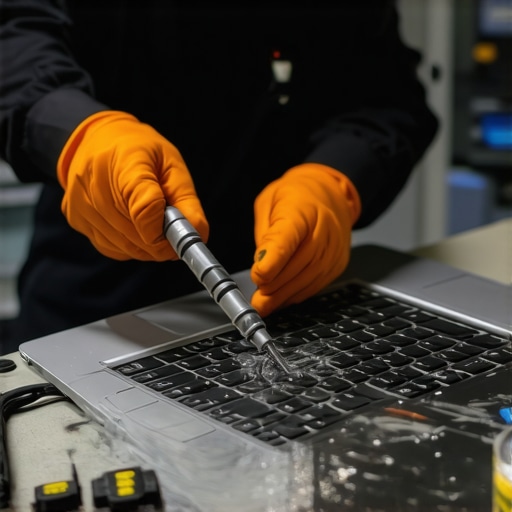
Visualize your maintenance routine with an image of a technician cleaning a laptop’s internal components using specialized tools—a reminder that periodic upkeep safeguards your device’s longevity.
3 Lessons That Changed My Approach to Budget Laptops
- Don’t Sacrifice What Matters Most: I once prioritized aesthetics over hardware, ending up with a sleek but underperforming machine. Now, I focus on specifications like RAM and SSD, realizing that durability and performance beat looks in the long run.
- Patience Pays Off: Waiting for sales or exploring refurbished options has saved me hundreds. Rushing into a purchase often leads to regret; strategic buying transforms a budget laptop into a reliable workhorse.
- The Real Value Lies in Maintenance: Investing time in hardware upkeep and software updates extends my laptop’s lifespan beyond expectations, proving that longevity isn’t just about the model but also how well I care for it.
The Tools and Resources That Make a Difference
- CrystalDiskInfo is my go-to for monitoring SSD health, helping me catch issues early. I trust it because it provides clear insights and alerts, preventing surprise failures.
- Refurbished Retailers Like TechRepublic offer certified devices at lower prices with warranties, ensuring quality without overpaying. Their rigorous checks give me confidence in my purchase.
- Repair Guides and Forums such as iFixit foster self-repair skills, saving money and building confidence. They demystify hardware fixes, making maintenance accessible for all budget-conscious users.
Your Path Starts Here
Remember, your journey with a budget laptop is as much about knowledge and care as it is about hardware. Each upgrade and routine check boosts your device’s potential, empowering you to work and create without breaking the bank. Embrace the challenge—it’s rewarding to see how smart choices turn a modest machine into a dependable partner for years to come. Are you ready to take the next step in optimizing your budget laptop? Share your experiences or questions below, and let’s learn together!