
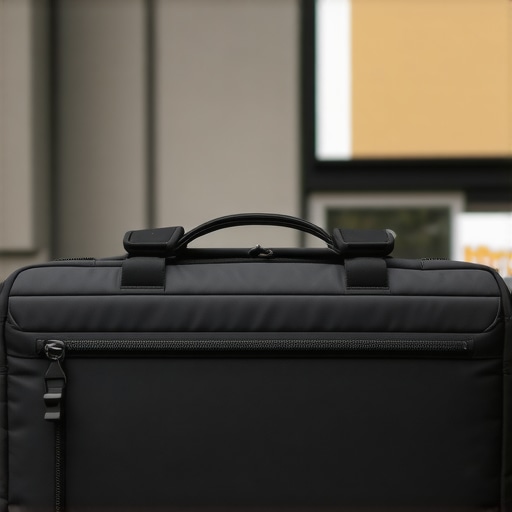
Ever had that heart-stopping moment when your backpack slips from your shoulder, and you hear that sickening thud of your precious laptop hitting the pavement? I have, more times than I care to admit. But one day, during a hectic commute, I watched in disbelief as my rugged laptop bag tumbled from the third story of a parking garage, bouncing and skittering onto the concrete like a stone skipping across water. Miraculously, my laptop was still intact—no cracks, no dents, no crashes.
Why I Didn’t Expect My Bag to Stand Up to Such a Fall
That unexpected survival was a lightbulb moment. I’d always thought rugged meant ‘good enough’ for everyday bumps, but this? This was a whole new level. It made me realize that investing in the right, highly durable gear isn’t just about protecting our tech; it’s about peace of mind in our often chaotic lives. When you’re navigating busy streets, rushing through airports, or juggling multiple devices, a reliable laptop bag can be a lifesaver.
Is Rugged Really Worth the Hype?
Initially, I thought all those claims about ultra-durable bags were just marketing gimmicks. I remember making the mistake of choosing a stylish, lightweight sleeve with no extra padding—or worse, no reinforcement at all—thinking that aesthetic was more important than protection. That was a costly lesson that left my laptop cracked after a seemingly minor spill. Since then, I’ve become a firm believer that quality construction and rugged materials do make a genuine difference. Want to know how I found the perfect one? Keep reading.
If you’ve ever wondered whether a rugged laptop bag is worth the price or just hype, ask yourself: Would you rather replace your device after a small mishap or have it survive a literal drop from a third story? The answer could save you a lot of grief—and money.
Ready to see how I chose a bag that could weather the worst? Let’s dive into the features that make a truly durable laptop bag—and how you can find one that suits your needs. And if you’re looking for the best [laptop deals in 2025](https://laptopbuyersclub.com/top-laptop-deals-in-2025-unlock-incredible-savings-today), it’s even more essential to protect your investment.
Choosing a Laptop Bag That Won’t Let You Down
Select Materials That Stand Up to Every Shake
Start by looking for bags made from high-denier ballistic nylon or reinforced polyester. These fabrics have tightly woven fibers, making them resistant to tears and abrasions. I once bought a bag with thin fabric, thinking it would be lightweight, but during a rainstorm, water seeped through and soaked my laptop. Switching to a ballistic nylon bag saved my gear on a muddy trail last summer, proving durability isn’t just marketing.
Prioritize Reinforced Padding and Protective Features
Next, focus on the padding around your laptop compartment. A good rugged bag should have triple-stitched edges and shock-absorbing foam that can withstand sudden drops. I remember packing my laptop into a bag with minimal padding; after a short fall from a café table, I found a dent in my device. Upgrading to a bag with dedicated shock zones made a noticeable difference, especially when commuting through uneven city streets.
Check Zippers and Closures for Reliability
Zippers should be heavy-duty, preferably with corrosion-resistant metal. Avoid thin plastic zippers that break easily. I once had a bag with flimsy zippers that failed mid-commute, forcing me to scramble for a new one. In contrast, choosing a bag with robust, lockable zippers prevented accidental openings and theft. Always test the zippers at purchase—if they glide smoothly and lock securely, they’re built to last.
Opt for Tactical or Weatherproof Designs
Look for features like waterproof coatings or sealed seams. These annotations are vital if you frequently commute in rain or snow. I once dribbled coffee on my bag, and because it was water-resistant, my laptop remained dry. An extra bonus is bags with roll-top closures or magnetic flaps, which add additional layers of protection against the elements.
Find the Right Fit for Your Devices and Lifestyle
Measure your laptop and extra accessories to ensure snug compartments. For example, if you’re a student carrying a bulky charger and some books, choose a bag with multiple compartments and compression straps. During a college semester, I carried a 15-inch gaming laptop, external drives, and a DSLR camera—all protected in a single rugged bag, simplifying my daily setup and reducing the risk of damage.
Maintain and Upgrade Your Bag Regularly
Clean your bag with a damp cloth periodically, especially after exposure to mud or salt. Check stitching and zippers for fraying every few months. I noticed a loose strap on mine after months of daily use; a quick stitch-up and replacement of worn straps extended its lifespan. Many brands offer lifetime warranties; contacting them via their contact form can facilitate effortless repairs or replacements.
Complement with the Right Accessories
Finally, add a shock-absorbing laptop sleeve inside your bag for extra protection. Combining a rugged bag with a reinforced sleeve creates layers of defense. I keep mine in a padded insert, which helped during an accidental fall where the bag tumbled down stairs; my laptop remained unscathed. Check out the must-have accessories for seamless setup to find options that boost your gear’s resilience.
 While many believe that gaming laptops are just high-end machines with flashy designs and that business laptops are solely for corporate professionals, the reality is far more nuanced. A widespread myth is that gaming laptops always trade battery life and portability for raw power. However, with advancements in power-efficient hardware and thermal management, modern gaming laptops can now offer impressive performance without sacrificing mobility. Conversely, some assume business laptops lack the graphics capability needed for content creation or light gaming, which is increasingly false thanks to models equipped with dedicated GPUs designed for versatile tasks.
Are All Laptop Accessories Created Equal? A Deeper Look
Many enthusiasts fall into the trap of believing that any accessory—like a mouse, keyboard, or cooling pad—will enhance performance equally. In reality, bespoke accessories tailored to specific use cases can significantly improve workflow and comfort. For instance, an ergonomic mechanical keyboard might be a game-changer for prolonged typing sessions, whereas generic options might cause strain over time. Moreover, investing in quality laptop bags or sleeves designed to absorb shocks can prevent costly repairs, highlighting the importance of choosing accessories that match your usage patterns and laptop specifications.
One common mistake is underestimating the impact of minor upgrades or accessories on overall performance and longevity. For example, adding a high-speed external SSD can drastically reduce load times, while a poorly chosen cooling pad might do little to manage thermal throttling. Be cautious about buying cheap or incompatible peripherals, which can cause damage or diminish usability. To avoid these pitfalls, research reputable brands and model compatibility thoroughly.
Why Overlooking the Fine Print Can Cost You in Deals
Many buyers focus solely on discount percentages or flashy marketing when hunting for laptop deals. However, overlooking warranty terms, hidden fees, or return policies can lead to disappointment. On top of that, some deals may include outdated or refurbished models with limited lifespan, so always verify the specifications and seller credibility. Excellent resources like [top laptop deals in 2025](https://laptopbuyersclub.com/top-laptop-deals-in-2025-unlock-incredible-savings-today) can help you navigate the landscape effectively. Remember, getting the right machine isn’t just about savings but about long-term value and support. Have you ever fallen into this trap? Let me know in the comments.
Invest in Diagnostic Tools to Catch Issues Early
One of my go-to tools is a portable USB-connected hardware diagnostic device like the UXTools Diagnostic Kit. I use it regularly to monitor CPU, GPU, memory, and storage health, catching potential failures before they cause data loss or downtime. These devices connect via USB and run comprehensive tests, revealing underlying issues that software scans might miss. This proactive approach saves me time and money, especially when maintaining a fleet of business laptops.
Optimize Software for Reliability and Efficiency
For software, I rely heavily on CrystalDiskInfo for drive health monitoring and Malwarebytes for malware prevention. These tools help me identify early signs of hardware deterioration or malicious activity, respectively. Setting up automated checks weekly ensures my systems stay clean and responsive. Additionally, keeping my operating system and drivers updated is non-negotiable, which I automate through dedicated update utilities to prevent security vulnerabilities and performance degradation.
Establish Routine Maintenance Schedules
Creating a maintenance routine every three months—cleaning dust from vents with compressed air, reapplying thermal paste as per recommended procedures, and verifying backup integrity—extends the lifespan of laptops significantly. I document these routines and set calendar reminders, turning maintenance into a habit rather than an afterthought.
Make Use of Advanced Troubleshooting Techniques
When diagnosing persistent issues, I employ bootable rescue disks like Hiren’s Boot CD or Ultimate Boot CD. These offer a suite of tools to test hardware components independently from the OS, which is crucial if software troubleshooting hits a dead end. For example, when my business laptop’s performance suddenly declined, running a memory test from a boot disk uncovered a failing RAM module. Regular use of such methods ensures problems are fixed at their root, preventing recurring failures.
Scale Up Your Maintenance Game as You Grow
As your collection of devices expands, consider centralized management tools like enterprise management solutions. These allow remote monitoring, updates, and troubleshooting across multiple laptops, significantly reducing downtime. For individuals, establishing a solid at-home maintenance station with organizers, cable management, and quick-access tools makes routine care more efficient.
Future Focus: AI and Automation Will Revolutionize Laptop Care
Looking ahead, machine learning algorithms are being integrated into maintenance software to predict hardware failures before they happen. Companies like ASUS are developing AI-powered diagnostics that analyze usage patterns and thermal data to recommend preventive actions. Embracing these advanced tools will be game-changing, helping you keep your gear running smoother longer. For now, try implementing automated backup systems and regular hardware checks—simple steps with immediate benefits.
Want to optimize your laptop maintenance routine? Start by integrating a diagnostic hardware tool tailored for your device. It might just save you from costly repairs and extend your equipment’s useful life significantly. For reliable options and guidance, don’t hesitate to reach out through our contact page.
What I Wish I Knew About Rugged Gear Initially
- Don’t assume durability is just marketing: My first rugged laptop bag looked sturdy but failed under real stress. Truly durable gear uses reinforced materials that withstand life’s chaos, not just fancy labels.
- Padding is your armor: I used to overlook shock absorption until I experienced a dented laptop after a minor fall. Investing in bags with dedicated padding saved me time and money.
- Materials matter more than aesthetics: A water-resistant ballistic nylon might not look as sleek, but it kept my tech dry during unexpected rainstorms, proving function trumps form.
- Routine maintenance extends life: Regularly checking zippers, seams, and cleaning mud off saved me from premature replacements. Think of it as scheduling health check-ups for your gear.
- Choose accessories wisely: A high-quality laptop sleeve and shock-absorbing straps add layers of protection, especially during commutes or outdoor adventures. Not all accessories are created equal—pick those designed for resilience.
My Toolbox for Building Resilience
- Heavy-duty fabric samples: I rely on high-denier ballistic nylon from brands I trust, often recommended on sites like Laptop Buyers Club, for their durability in real-world conditions.
- Shock-absorbing foam inserts: These make a noticeable difference in protecting delicate devices, especially when paired with rugged outer shells.
- Reliable zippers and closures: Heavy-duty, lockable zippers prevent accidental openings and theft. Always check them before purchasing—I’ve learned the hard way!
- Weatherproof coatings and sealed seams: Water resistance isn’t a bonus anymore; it’s a necessity. Brands that emphasize waterproof features have saved my gear during rain and snow.
- Empowered maintenance skills: Learning how to clean vents or replace thermal paste has kept my laptops running smoothly over years, delaying costly repairs.
Your Journey Starts Now
Every tip shared is a step toward smarter, more resilient gear that adapts to your lifestyle. Whether you’re a student, a professional on the go, or an outdoor enthusiast, choosing the right equipment and caring for it diligently makes all the difference. Remember, protecting your tech isn’t just about avoiding damage; it’s about empowering your confidence with every carry.
Why wait until a mishap happens? Take action today—start evaluating your current gear and identify where you can upgrade for better protection. Your future self will thank you for it. Ready to make the change? Dive into the latest laptop deals of 2025 and find gear that meets your durability needs.
Have you experienced a time when rugged gear saved your device? Share your story below and inspire others to prioritize resilience in their tech setup!
.