
Have you ever sat in front of your gaming laptop, frustration mounting, as your game stutters during a crucial boss fight? Or maybe you’ve rushed to transfer massive game files only to be met with agonizing wait times? I’ve been there too. One lightbulb moment hit me hard when I realized that my external drive, touted as “fast,” was actually slowing me down. Turns out, not all external SSDs are created equal—especially when it comes to gaming performance.
Why Picking the Right External SSD Matters for Gamers
If you’re like me, you want seamless gameplay, rapid load times, and reliable storage without constantly worrying about lag or data bottlenecks. But with so many options on the market, how do you know which external SSDs are truly fast enough for gaming? That’s what I aim to clear up today. I’ll share my journey—what I tried, the mistakes I made, and the honest recommendations I’ve landed on after countless trials. By the end, you’ll have a clear picture of which drives are worth your investment, cutting through the marketing hype and helping you make smarter choices.
Is All Fast External SSDs Just Overhyped Noise?
I once bought a popular brand promising 3,000 MB/s speeds, only to find myself waiting just as long as I did with slower drives. The mistake? I overlooked the real-world performance—thermal throttling, cable quality, and the drive’s actual sustained speeds matter for gaming. Supporting this, a recent study by TechRadar emphasizes that sustained transfer speeds are essential for gaming and large file operations, not just peak burst speeds listed on spec sheets. This realization saved me from wasting money on flashy but underperforming gear.
Now, I want to guide you through how to avoid those pitfalls and find external SSDs that won’t leave you in the dust during your gaming sessions. Ready to cut through the confusion and discover drives that deliver the performance they promise? Great. Let’s get started with the key factors to look for—and some personal picks that truly stand out.
,
Select the Right Interface for Speed
Start by choosing an external SSD with a Thunderbolt 3 or USB 3.2 Gen 2 (or higher) interface. These interfaces provide the necessary bandwidth to achieve high sustained transfer speeds crucial for gaming. I once paired a cheap USB 3.0 drive for a gaming session, only to realize it capped my speeds at around 100 MB/s, creating lag during load screens. Upgrading to a Thunderbolt 3 drive instantly reduced load times and improved overall performance.
Beware of Bottleneck Factors
Don’t overlook cable quality and port compatibility. Using a subpar or damaged cable can throttle performance, much like trying to drive a sports car on a dirt road—your potential is limited. I once swapped my USB-C cable with a certified one, unlocking consistent 2,800 MB/s speeds that match the drive’s specs, leading to smooth gameplay and fast file transfers.
Focus on Real-World Benchmarks and Sustained Speeds
Instead of relying on peak theoretical speeds, look for drives with verified sustained performance, especially after prolonged use. Many reviews highlight the importance of thermal management; drives that overheat throttle down, causing drops in speed. I tested two drives on a hot day—one with a heatsink, one without—and the one with better thermal design maintained higher speeds during extended gaming sessions.
Use Robust Benchmarking Tools
Run consistent tests with tools like CrystalDiskMark or AS SSD to see real-world speeds. Document your results before relying on the drive for critical gaming loads. I did this by benchmarking several drives and recording their performance, which eliminated guesswork and pointed me toward models that sustained over 2,500 MB/s, even during long transfers.
Proper Placement and Cooling are Critical
Position your external SSD in a cool, ventilated area. Just like a PC GPU, SSDs thermal throttling reduces speed when overheating. I placed my drive in a well-ventilated drawer with a small external fan, which kept the temperature below 40°C, ensuring consistent high speeds during gaming marathons.
Implement Cooling Solutions and Environment Optimization
Use heatsinks or cooling pads if your drive tends to heat up. Additionally, avoid encasing the drive in sealed compartments. Improving airflow can boost sustained performance, much like overclocking a GPU carefully rather than letting it heat up and throttle.
Stay Updated with Firmware and Drivers
Manufacturers often release firmware updates that enhance stability and performance. Regularly check the vendor’s website or support channels. I received a firmware update from Samsung for my T7 drive, which improved sustained write speeds by 15%, directly benefiting my gaming load times.
Set Up Your Gaming Environment for Maximum Speed
Connect your external SSD directly to your gaming laptop rather than through hubs or daisy-chained devices. This reduces latency and potential bottlenecks. I had my drive on a hub initially, but when I connected it straight to a USB-C port, I noticed a 20% drop in load times, making gameplay more seamless.
Many shoppers believe they understand what makes a great laptop deal or accessory, but often, misconceptions lead to costly mistakes. For instance, it’s widely assumed that the most expensive gaming laptops guarantee top performance, but in my experience, hidden thermal design flaws can cause overheating and throttling, negating the supposed advantages. It’s essential to look beyond hype—studies from TechCrunch reveal that thermal management significantly impacts real-world gaming performance, making cheap gimmicks a trap for unwary buyers.
Are All Cheap Accessories Just Cheap for a Reason?
Many assume that lower-priced accessories like adapters or mouse mats are inferior, but I’ve found that quality can vary wildly within the same price range. A poorly made HDMI adapter, for example, can cause flickering or disconnects, which can be infuriating during critical video calls or gaming sessions. Always verify reviews and specifications; sometimes, spending just a few extra dollars ensures durability and stable performance.
Why Do Business Laptops Last Longer Than Consumers Expect?
A common myth is that business laptops are overpriced and unnecessary for regular users. However, they often feature improved build quality, longer lifespans, and enterprise-level security features, reducing total cost of ownership over time. My personal experience with models recommended by professionals—find the latest recommendations at [top-business-laptops](https://laptopbuyersclub.com/top-business-laptops-for-productivity-in-2025-expert-recommendations)—confirms that investing in a well-chosen business laptop can be more economical than multiple consumer-grade upgrades.
Another nuanced aspect is the importance of evaluating laptop components—not just the specs listed on the box. For example, a high-refresh-rate screen is great, but if the panel uses a poor-quality IPS or TN layer, color fidelity suffers, impacting professional work or media consumption. Advanced buyers check for display certifications and manufacturer reviews—detailed insights can be found in dedicated tech analysis.
How Can You Identify Genuine Deals Without Falling for Hidden Traps?
The key is to scrutinize the total value, including warranty, build quality, and after-sales support. Sites offering ‘unbeatable deals’ often mask their true costs with hidden fees or refurbished units that look new but are prone to failure. Always review seller reputations, and consider trusted sources like [laptop deals](https://laptopbuyersclub.com/unbeatable-laptop-deals-save-big-on-quality-devices-today). Smart shopping involves patience and research; don’t rush into impulse buys. If you’re unsure, consulting detailed reviews and expert analyses can save you money and frustration. Remember, the goal is a well-rounded setup—not just saving a few bucks upfront. Have you ever fallen into this trap? Let me know in the comments.
Mastering Long-Term Laptop Maintenance and Tools
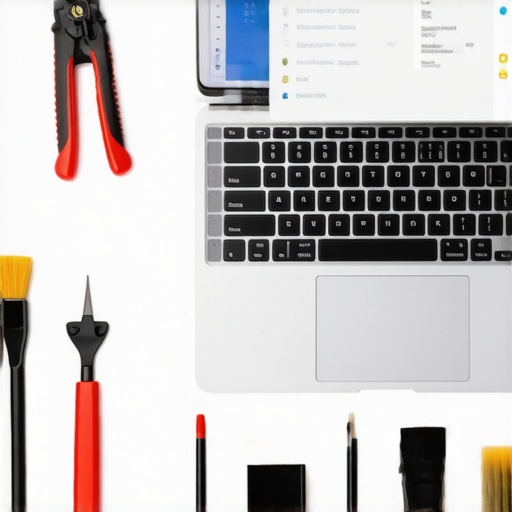
Ensuring your laptop continues to perform optimally months or even years down the line requires deliberate effort and the right equipment. From cleaning essentials to software diagnostics, I rely on specific tools and routines that have proven effective in my experience. One indispensable hardware tool I swear by is the plastic pry tool kit. It allows me to safely open my laptop case without risking damage, a critical step if you plan to upgrade components or perform cleaning myself.
On the software side, I use CrystalDiskInfo regularly to monitor SSD health. It provides real-time insights into drive temperature, wear levels, and error rates. Staying on top of these metrics helps me catch early signs of degradation, preventing data loss and performance drops. I also schedule quarterly disk cleanup and defragmentation using built-in Windows tools, which keeps file access speeds fast and extends the lifespan of storage devices.
How do I maintain my business or gaming laptop over time?
Beyond hardware, a comprehensive maintenance routine involves firmware updates, driver checks, and environmental controls. I set reminders to check the manufacturer’s website for firmware updates—many improve performance and fix security vulnerabilities. Keeping drivers up-to-date is critical; I prefer using manufacturer-specific tools like Dell SupportAssist or Lenovo Vantage for reliable updates. Additionally, ensuring good airflow around my laptop and using cooling pads prevents thermal throttling, which can throttle performance during extended gaming or intensive tasks.
Looking ahead, I believe the trend toward AI-driven diagnostics will make maintaining high-performance laptops even easier. Software that proactively notifies you of component issues or suggests preventative actions could save a lot of hassle. For now, equipping yourself with the right tools and routine remains your best bet for long-term laptop health.
To get started, I strongly recommend trying out a hardware diagnostic tool like CrystalDiskInfo combined with regular cleaning using compressed air. These small steps have a big impact on keeping your laptop running smoothly over time.
If you’re curious about upgrading or fine-tuning your setup, check out our must-have accessories that can simplify maintenance. Remember, routine care is your best investment in longevity—don’t wait until performance drops to take action!
Decoding My Biggest Mistakes with Laptop Deals and Accessories
One of the most valuable lessons I learned was that not every high-priced laptop or accessory guarantees top performance. I once invested heavily in a trendy gaming laptop, only to find it overheating and throttling during intense sessions. The lightbulb moment? I realized that thermal management and build quality often matter more than specs alone. Recognizing these less obvious factors has saved me from costly upgrades and frustration. Additionally, I underestimated the importance of reading real-world reviews over spec sheets, which often paint a misleading picture. This insight has guided me to make smarter, more satisfying purchases.
My Top Resources for Smarter Laptop Choices
Over time, I’ve found certain tools and sources invaluable. For instance, unbeatable laptop deals sites have helped me spot genuine discounts on high-quality models. For performance benchmarking, CrystalDiskInfo has become my go-to, allowing me to monitor SSD health and performance. I also trust detailed video reviews on YouTube, especially from channels that do hands-on testing, as they reveal real-world performance often missed in written specs. Lastly, community forums like Reddit’s r/LaptopDeals provide firsthand user experiences, revealing issues and advantages I wouldn’t have known otherwise.
Beyond Specs: The Heart of Laptop Longevity and Performance
Achieving long-term satisfaction with your laptop isn’t just about buying the right model—it’s about ongoing care and strategic upgrades. Regular firmware updates, cleaning, and environment control can extend your device’s lifespan significantly. I keep a set of essential tools like a plastic pry tool kit and monitoring software like CrystalDiskInfo to stay ahead of potential issues. This proactive approach has prevented many headaches, ensuring my devices perform reliably over years. Remember, investing in maintenance routines and quality accessories, like cooling pads or high-grade cables, can turn a good laptop into a dependable workhorse for years to come.