
I was halfway through a high-stakes presentation when it happened. I reached up to nudge the volume—just a hair—and instead, my pinky grazed the ‘Siri’ icon on that glowing OLED strip. Suddenly, a digital assistant was asking how she could help, right over my boss’s closing remarks. I froze. My face turned a shade of red that matched the ‘End Call’ button I couldn’t find because the bar had shifted its layout again. That was the moment I realized that for all its ‘wow’ factor, the touch bar was a solution looking for a problem that didn’t exist. We have been sold this idea that ‘dynamic’ is better than ‘static,’ but when it comes to the tools we use for eight hours a day, predictability is king. Today, I want to walk you through why returning to those clicky, reliable F-keys is the best move you can make for your workflow and why even the sleekest [top business laptops for productivity in 2025](https://laptopbuyersclub.com/top-business-laptops-for-productivity-in-2025-expert-recommendations) are finally moving back to basics.
My Expensive Lesson in Glass versus Plastic
[IMAGE_PLACEHOLDER]
I fell for the hype early on. I thought having a context-aware strip of glass would turn me into a productivity wizard. I spent extra on a premium machine, convinced I was living in the future. But months into the experiment, I found myself hesitating before every keystroke. I had to look down. Every. Single. Time. That is the fundamental flaw of touch-based inputs on a device meant for blind-typing. I made the mistake of prioritizing aesthetics over ergonomics, a trap many of us fall into when browsing [unbeatable laptop deals](https://laptopbuyersclub.com/unbeatable-laptop-deals-save-big-on-quality-devices-today). The reality is that your brain loves tactile feedback. According to research by the Nielsen Norman Group, physical affordances—like the edges of a key—are crucial because they allow users to rely on muscle memory rather than constant visual confirmation. When you take that away, you increase your cognitive load. You aren’t just typing; you’re managing a mini-screen with your fingers.
Is Muscle Memory Really Worth Fighting For?
You might be thinking, ‘Is it really that hard to just look down?’ For a casual browser, maybe not. But for those of us looking for [3 student laptops with keyboards that actually feel good to type on](https://laptopbuyersclub.com/3-student-laptops-with-keyboards-that-actually-feel-good-to-type-on) or a machine that handles heavy coding, that split-second distraction adds up. It’s the difference between staying in a flow state and being jerked out of it because you accidentally hit ‘Mute’ while trying to reach for the ‘F11’ key. I even started looking for [why we prefer physical volume dials on our laptop accessories](https://laptopbuyersclub.com/why-we-prefer-physical-volume-dials-on-our-laptop-accessories) just to reclaim some of that lost control. We’re going to look at the specific reasons why the industry is pivoting back and how you can ensure your next purchase doesn’t leave you fumbling in the dark. Have you ever found yourself shouting at a touch-sensitive button that refused to register your tap during a meeting? Tell me I’m not the only one.
How to Reclaim Your Workflow with Tactile Tools
The first step to fixing a broken workflow isn’t just buying a new machine; it’s about auditing your current shortcuts. Most of us use the function row for basic tasks like volume and brightness, but for power users, those keys are the gatekeepers to complex macros and system commands. If you are looking for the best keyboard layouts for coding and high-speed typing, you’ll notice they all prioritize a physical F-row over dynamic strips. I once spent three hours trying to debug a script using a touch-based ‘Escape’ key that simply wouldn’t register because my hands were slightly damp from a cold soda. It was infuriating. I eventually swapped to a dedicated machine where every press resulted in a satisfying click, and my error rate dropped overnight because I no longer had to second-guess if the input ‘took.’
Choose Laptops That Prioritize Durability
When scouting for business laptops for professionals essential picks 2025, look specifically for “island-style” or “Chiclet” keyboards with at least 1.5mm of travel. Travel distance is the physical space the key moves down before it hits the base. Anything less feels like tapping on a granite tabletop and can lead to joint fatigue. I learned this the hard way when I bought a super-slim model that looked great in marketing photos but left my fingertips aching after a thousand words. Now, I lean toward models where I can find why we only buy business laptops with spill-resistant keyboards 2 to ensure a morning coffee mishap doesn’t end my career during a deadline crunch.

Mechanical Switches Are Not Just for Gamers
Don’t dismiss the loud, clicky world of mechanical switches as a hobby for teenagers. While they originated in the gaming sphere, why mechanical keyboards are better for reducing typing fatigue is a topic every office worker should study. The actuation point—the moment the computer registers the press—happens before the key hits the bottom. This means you don’t have to mash the keys with excessive force. I added a compact mechanical board to my desk setup, and the difference in my wrist health was immediate. If you’re worried about noise in a quiet office, you can how to find quiet laptop keyboards for late night study that use “silent” red or brown switches. It’s about building a toolkit that works for your environment, not against it.
Customize Your Function Keys Early
Once you have the hardware, dive into your BIOS or system settings to lock the ‘Fn’ key. You want those F-keys to perform their primary roles (like F5 for refresh or F2 for rename) without needing a two-finger combo. This is how you build true speed. I remember setting up my first the case for mechanical keyboards in a home office setup and spent the first hour just remapping my most-used Excel macros to the F1 through F4 keys. It felt clunky for exactly one day, but by day three, I was flying through spreadsheets without looking at my hands once. That’s the true flow state that touch-based inputs promised but never actually delivered.
Moving back to tactile keys is only half the battle for a professional workflow. If you really want to optimize your setup, you have to look past the surface-level marketing. When you’re scouring the web for unbeatable laptop deals, it’s incredibly tempting to look at the spec sheet and stop there. Most people assume that if two laptops have the same processor and 16GB of RAM, they’ll perform identically. This is the biggest myth in the industry. In my experience, a consumer-grade ‘Home’ edition laptop with an i7 processor will almost always be outperformed by a professional-grade i5 machine during a sustained eight-hour workday. Why? Because of thermal headroom. Consumer laptops are often designed for ‘burst’ performance—opening a web page or a quick photo edit. Business machines are built for the marathon.
Does a Military-Grade Rating Actually Guarantee Survival?
You’ll see ‘MIL-STD-810H’ plastered all over marketing materials for business laptops for professionals essential picks 2025. But here is the nuance: that rating doesn’t mean the laptop is indestructible; it means it passed a specific set of tests, often chosen by the manufacturer themselves. A study by SquareTrade highlighted that nearly 31% of laptops fail within the first three years, and accidental damage is the primary culprit. The trap here is thinking you don’t need a warranty because the box says ‘rugged.’ Always look into the truth about modern laptop warranties and repair rights before you commit.
Why Your Next Laptop Needs to be User-Serviceable
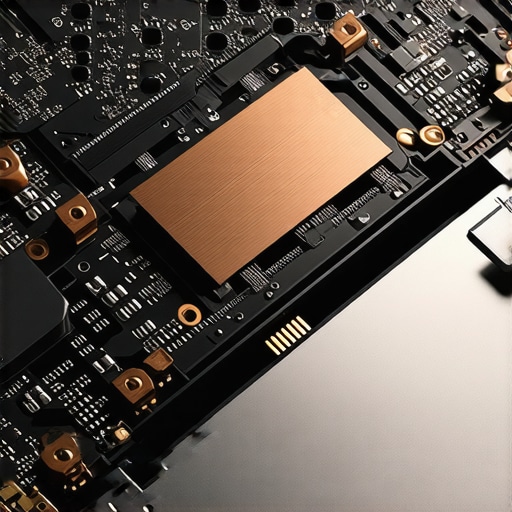
One of the most expensive mistakes I ever made was buying a sleek, ultra-thin machine that looked like a piece of jewelry. Two years later, the battery started to swell. I opened it up only to find that the battery, RAM, and even the SSD were soldered or glued in place. I ended up with a $2,000 paperweight. This is why why we avoid laptops with soldered ram at all costs is a hill I will die on. If you can’t swap out a failing component for $50, you’re essentially renting your hardware from the manufacturer until they decide it’s obsolete.
When looking for top business laptops for productivity in 2025, I prioritize chassis rigidity over thinness. A thin laptop might look great in a coffee shop, but if the frame flexes when you pick it up with one hand, those internal solder joints are under constant stress. This leads to the ‘mysterious’ blue screens that plague cheaper builds after a year of commuting. I’ve even seen why your laptop hinge is destined to fail and how to prevent it become a major talking point because manufacturers are prioritizing aesthetics over basic mechanical integrity.
Spot a Bad Deal Disguised as a Discount
Be wary of ‘doorbuster’ sales on top laptop deals in 2025 that feature older ‘U-series’ processors disguised as high-performance chips. Why business laptops use different CPUs than consumer models often comes down to vPro support and stability. If a deal looks too good to be true, check the screen brightness (nits) and the color gamut. A laptop that’s too dim to use near a window is a bad deal at any price. Have you ever fallen into the trap of buying a laptop based solely on its sleek design, only to regret it six months later? Let me know in the comments.
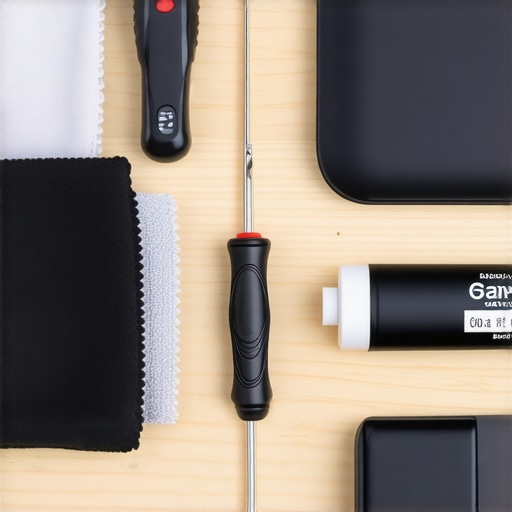
Maintaining a laptop isn’t just about blowing dust off the screen. I’ve seen enough ‘dead’ machines to know that neglect is the number one killer of productivity tools. I personally keep a specialized kit in my desk drawer. It’s not fancy, but it includes the $10 tool every laptop owner should keep in their desk—a simple JIS screwdriver set. Most people use standard Philips drivers, but Japanese Industrial Standard heads prevent stripping those tiny, shallow screws found on precision business machines. One slip with the wrong bit can turn a simple upgrade into a permanent hardware failure.
For the exterior, I’m religious about the keys. Every Sunday, I use the best keyboard cleaning slime we actually tested to pull out the grit that compressed air simply misses. If you’ve ever felt a key get ‘mushy,’ that’s usually skin oils and dust creating a sticky paste underneath the mechanism. I also why we still carry a microfiber cloth in our laptop bags to place between the keyboard and the screen when the lid is closed. This prevents the oil from your fingers from permanently etching a keyboard-shaped outline into your expensive display coating—a common issue even on the most durable machines.
Internal health is where the real ‘pro’ maintenance happens. You need to know how to spot a dying SSD before your files vanish by checking S.M.A.R.T. data once a month. I use CrystalDiskInfo for this religiously; it tells you exactly how many ‘spare blocks’ the drive has left. If you’re hunting for top laptop deals in 2025 and buying used to save money, you must how to verify the battery health of a used laptop purchase before the return window closes. A battery at 70% capacity isn’t a deal; it’s a future repair bill.
How Can I Keep This Hardware Humming for Five Years?
The secret to longevity isn’t just software updates; it’s heat management. I’ve started using the best laptop stands for maintaining perfect posture not just for my neck, but for the airflow. When a laptop sits flat on a desk, the intake fans struggle to pull in cool air. Elevating the rear by just two inches can drop internal temperatures by 5-10 degrees Celsius during heavy tasks. Also, consider swapping your bulky, generic power brick for something modern. I why we only use GaN chargers for traveling now 3 because they run significantly cooler and deliver more stable voltage. According to technical analysis by the experts at ChargerLAB, Gallium Nitride components have a much higher breakdown voltage and thermal conductivity compared to traditional silicon, which translates to less electrical stress on your laptop’s internal charging circuit over thousands of cycles.
I predict the ‘sealed’ laptop era is finally peaking. We’re already seeing innovative brands influence the industry giants, and I expect top business laptops for productivity in 2025 to start re-introducing modular components as a primary selling point for corporate fleets. My advice? Go download a hardware monitor today and check your CPU temps under load—if you’re hitting 95C just opening a few browser tabs, it’s time to how to find official repair guides for your exact model and look into a thermal repaste before the heat kills your motherboard.
Lessons from the Trenches: Why I Will Never Buy a Sleek Laptop Again
[IMAGE_PLACE_HOLDER_E]
After burning through three different ultra-thin models in five years, the most expensive lesson I learned was that aesthetics are the enemy of longevity. When you prioritize a wafer-thin chassis, you are trading away the thermal headroom that keeps your processor from melting and the physical space that allows for a reliable keyboard. I now steer people toward top business laptops for productivity in 2025 because they are designed for the person who actually works, not just the person who wants to look cool in a boardroom. Physical keys do not just feel better; they provide the spatial awareness your brain needs to maintain a flow state without constant visual checks.
I have also realized that all-in-one designs are a trap. If your RAM is soldered and your battery is glued, your laptop has a pre-determined expiration date. This is why we avoid laptops with soldered ram at all costs in our professional recommendations. A machine you cannot open is a machine you do not truly own. Real value comes from a device that stays out of your way and lets you fix it when things go wrong, rather than forcing you to look for unbeatable laptop deals every time a single component fails.
Assemble a Toolkit That Extends Your Laptops Life by Years
You do not need a degree in computer engineering to keep your hardware running like new. My personal setup involves three non-negotiables that I recommend to everyone who asks. First, stop using your laptop flat on a table; use the best laptop stands for maintaining perfect posture to improve both your neck health and your fans intake efficiency. Second, keep the $10 tool every laptop owner should keep in their desk—a simple JIS driver—so you can safely blow out dust once every six months without stripping screws.
Finally, trust the data over your gut. I always tell my friends how to verify the battery health of a used laptop purchase before they hand over any cash. Tools like HWiNFO or built-in system reports reveal the truth that a shiny exterior hides. If you combine this with the best keyboard cleaning slime we actually tested, you can keep even a mid-range machine feeling premium for half a decade or more.
Reclaim Your Productivity One Clicky Key at a Time
The transition back to tactile, reliable hardware is not about being a luddite; it is about respecting your own time and cognitive energy. When you stop fighting your tools, your work improves, and your frustration levels drop. Whether you are hunting for business laptops for professionals essential picks 2025 or just trying to revive an old favorite, prioritize the physical experience. You deserve a keyboard that responds with a click, a screen that stays where you hinge it, and a machine that does not overheat when you open more than ten tabs. The era of the touch-bar gimmick is over—welcome back to the world of tools that actually work for you.
Have you ever had a laptop feature like a touch bar or a glossy screen drive you absolutely crazy during a high-stakes workday? Let me know your biggest hardware regrets in the comments below.