
The screen flickered once, then went dark. I was sitting in a crowded terminal at O’Hare, just moments away from hitting send on a proposal that literally paid my mortgage. I looked at my sleek, ultra-thin machine and felt a surge of pure betrayal. The battery, which had been degrading for months, finally gave up the ghost. Because it was glued deep inside the chassis, I could not just swap it for a spare. I spent the next hour hunting for a floor outlet like a desert nomad looking for water. It was a humiliating, preventable disaster that changed how I look at business laptops for professionals forever. Today, I want to show you why ditching the sealed-chassis trend is the smartest move you can make for your career and your wallet.
The Thin and Light Trend is Killing Your Productivity
We have been sold a lie that thin is always better. Manufacturers want us to believe that a sealed chassis is the pinnacle of modern engineering, but for those of us on the ground, it is often a ticking time bomb. I made the mistake of prioritizing aesthetics over utility once, and I paid for it in lost hours and expensive repair bills. When your battery eventually wears down—and it absolutely will—being able to pop a fresh one in yourself saves you from the service center nightmare. If you are currently shopping, you should verify the battery health of a used laptop purchase before committing, especially if that battery is buried under layers of adhesive.
Is a removable battery actually worth the extra bulk?
The biggest skepticism I hear from my neighbors and colleagues is about the size. They ask if it will make the laptop heavy or clunky. Honestly, the difference is negligible compared to the massive peace of mind you get. According to data from the iFixit team, glued-in batteries are not just harder to replace; they are significantly more dangerous to service if they begin to fail. You should definitely learn how to tell if your laptop battery is swelling early on, a risk that is much higher with sealed units that trap heat. When you choose from the top business laptops for productivity, you are looking for a tool that works for you, not a device that dictates your schedule based on the nearest wall outlet. Have you ever been stranded mid-work because your battery decided to retire early? I would love to hear your horror stories.
Stop Browsing Consumer Aisles for Professional Tools
To find a machine with a removable battery, you have to look where the big corporations look. Consumer-grade student laptops that boost productivity are often built for a short three-year lifecycle, but enterprise machines are engineered to be serviced by IT departments in minutes. Think of it like this: a consumer laptop is a disposable razor, while a business machine is a safety razor with replaceable blades. When you hunt for unbeatable laptop deals, ignore the shiny ultrabooks in the front window of the big-box stores. Instead, search specifically for “enterprise-grade” models. These are designed with modularity in mind, meaning a technician—or even a total amateur—can swap a keyboard or a battery without a heat gun and a prayer.
How to Snag a Professional Machine for Pennies
One of my favorite tricks is scouring the used market for off-lease units. This is exactly how to snag a refurbished enterprise machine for under 300 dollars that can handle a full day of heavy workloads. I once bought a “broken” ThinkPad T-series for $90 because the previous owner thought the charging port was dead. In reality, the modular power jack had just wiggled loose from the motherboard. I used the 10 dollar tool every laptop owner should keep in their desk—a simple precision screwdriver and a plastic spudger—to open it up. I spent $12 on a replacement part and ten minutes of my time. That machine lasted me another four years, while my friends were replacing their $800 “thin-and-light” laptops twice in that same period. 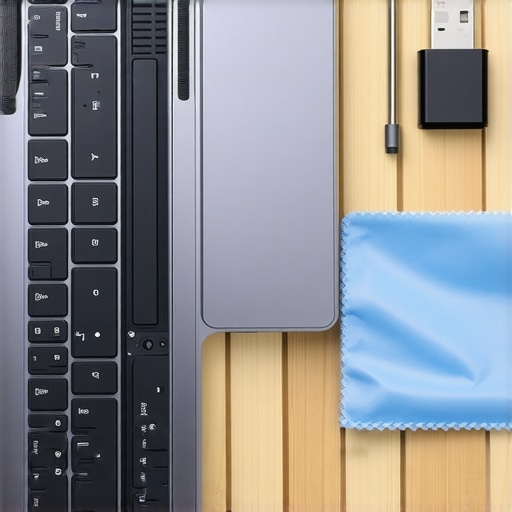
Dodge the Soldered RAM Trap Before It Locks You In
It is not just the battery that ruins a laptop’s lifespan; it is the lack of upgradeability. Manufacturers are increasingly soldering memory directly to the motherboard to save a fraction of a millimeter in thickness. We should avoid laptops with soldered RAM at all costs because it kills your ability to evolve as software requirements grow. If you buy 8GB today and find your browser tabs are lagging next year, a sealed laptop forces you to buy a whole new computer. On a repairable business machine, you just pop the back cover and click in a fresh stick of RAM. It is the difference between a minor $40 maintenance cost and a $1,000 replacement bill.
Finding Spare Parts That Actually Work
Once you have a machine that can be opened, you need to know how to find the parts without getting scammed. I rely heavily on the secret to finding cheap laptop replacement parts on eBay, which involves searching for the specific FRU (Field Replacement Unit) or CRU (Customer Replaceable Unit) number found directly on the component. To keep things running smoothly while you wait for parts, you should also know how to keep your laptop from overheating on your lap. A simple cleaning of the internal fans, which is trivial on an accessible chassis, can drop your operating temperatures by 10 degrees instantly. To round out your mobile workstation, look into must-have laptop accessories to boost your work setup, such as a compact GaN charger that can power both your laptop and your phone, reducing the clutter in your bag.People often think a higher price tag or flashier specs automatically mean a better experience, but I have found that the opposite is often true in the professional world. One of the biggest myths is that a 4K resolution is a ‘must-have’ for productivity. In reality, on a 13 or 14-inch screen, you are just trading away 30% of your battery life for pixels your eyes can barely distinguish. This is why I always tell my readers that students should prioritize screen brightness over resolution. A bright matte screen you can actually see in a coffee shop is worth ten times more than a glossy 4K panel that turns into a mirror the second the sun comes out. If you are a student looking for that perfect middle ground, check out student laptops that balance power and portability perfectly to avoid the weight of unnecessary tech.
Why your shiny new gaming laptop might be a workplace disaster
The most common ‘oops’ I see is the professional who buys a high-end gaming rig thinking it will be a powerhouse for their spreadsheets. While those game-changing gaming laptops for serious players in 2025 are incredible for rendering and play, they are often a nightmare in a boardroom. They are heavy, the fans sound like a jet engine during a simple Zoom call, and the battery life is usually abysmal. According to a long-term reliability study by SquareTrade, high-performance consumer laptops often have higher failure rates than enterprise models because they are pushed to thermal extremes in chassis that are too thin to dissipate heat. This is exactly why you should avoid slim gaming laptops for heavy rendering if you need a machine that survives more than two years of daily grind. 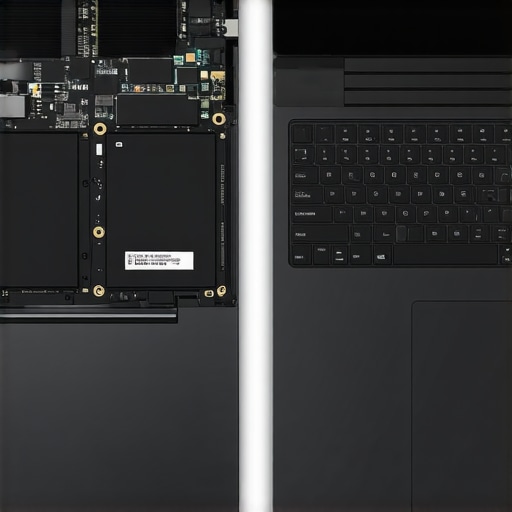
Does more RAM always solve the slowdown problem?
If you find your machine lagging, do not just throw more memory at the problem without checking the architecture. If your laptop is one of those modern sealed units, you might be out of luck anyway. This is why we avoid laptops with soldered RAM at all costs. However, for those with upgradeable slots, jumping from 16GB to 32GB can be life-changing for heavy multitasking, though your gaming laptop needs more than 16gb of ram now more than a basic office machine does. The nuance lies in the CPU; you must understand that business laptops use different CPUs than consumer models, specifically tuned for security and long-term stability rather than just raw burst speed. To round out your setup, focus on utility over flash. For example, you should not use a gaming mouse for serious office work if you value ergonomics and a professional aesthetic. Instead, look for must-have laptop accessories for a seamless setup that prioritize comfort and connectivity. Have you ever fallen into the trap of buying a laptop that looked great on paper but failed you in the real world? Let me know in the comments.I have spent years refining my own ‘mobile hospital’—a small pouch I keep in my bag that has saved me more money than any extended warranty ever could. Most people wait for a blue screen to care about their hardware, but I prefer to be proactive because waiting for failure is a luxury I cannot afford. If you really want to protect your investment, you need the 10 dollar tool every laptop owner should keep in their desk. It is a simple kit with a Pentalobe and Torx bit set that allows you to bypass those annoying ‘no user-serviceable parts’ warnings that manufacturers use to scare you away. Before you dive in, make sure you know how to properly ground yourself before opening your laptop to avoid frying the very motherboard you are trying to save. Taking that first step into the chassis is where the real ownership of your technology begins.#IMAGE_PLACE_HOLDER_D#
How do I maintain my laptop’s peak speed without an engineering degree?
Physical hygiene is often overlooked in favor of software cleaners, but dust is the silent killer of performance. Every six months, I perform a ‘deep clean’ that keeps my fans quiet and my CPU cool. This involves using the best way to clean a sticky keyboard without breaking the keys and carefully clearing the air intakes with a soft-bristled brush. According to technical documentation from Noctua, micro-voids in aging thermal paste can cause ‘hot spots’ that lead to thermal throttling long before the average user even realizes there is a problem. That is why learning how to choose the right thermal paste for your machine is the single best skill for any long-term laptop owner. If you hear a grinding noise coming from your chassis, do not wait for the smoke; learning how to replace your own laptop fan in under 20 minutes is a straightforward task that can save you from a catastrophic CPU failure.
The ten-minute surgery that adds years to your hardware
It sounds intimidating to open a $1,500 machine, but the tide is turning. Manufacturers are finally feeling the pressure from the Right to Repair movement, and I predict that in the next few years, we will see a massive return to modularity, similar to what we are seeing with the Framework project and certain enterprise ThinkPads. Until that becomes the industry standard, you have to be your own first line of defense. Always keep an eye on your storage health so you can spot a dying ssd before your files vanish forever. I also recommend that you find official repair guides for your exact model and keep them offline. Storing a PDF of the service manual on your phone or a tablet can be a literal lifesaver when your screen goes black and you no longer have internet access to troubleshoot. Little habits matter too, like why we still carry a microfiber cloth in our laptop bags to prevent key-oils from etching into the delicate screen coating over time. You should also understand why your laptop hinge is destined to fail and how to prevent it by always opening the lid from the center rather than the corners, which distributes the mechanical stress evenly across the frame. My challenge to you is simple: this weekend, grab a can of compressed air and a precision screwdriver. Open that back panel, blow out the dust, and take ownership of your workstation. You will be surprised at how much faster your machine feels when it can finally breathe properly.
The Hard Truth About My Decade in the Laptop Trenches
After years of fixing my own machines and helping colleagues, I have realized that the most expensive laptop is actually the one you cannot open. Here are a few lightbulb moments that changed my approach to hardware forever. First, professional reviews often lie about longevity because they only test devices for a week or two. They do not see the battery swell at month eighteen or the soldered SSD fail at year three. This is why I have learned to value the truth about modern laptop warranties and repair rights over a sleek, thin chassis. Second, the student label is often a marketing trap. Many student laptops that boost productivity are built to last exactly four semesters. If you want a machine to survive grad school too, look for the spill-resistant keyboards and magnesium roll cages found in enterprise lines. Finally, hinges are the silent killers of mobile tech. I have seen more screens destroyed by failing mechanical joints than by software viruses. You absolutely must know how to spot a failing laptop hinge before it breaks the screen because by the time you hear the first crack, it is often too late to save the panel.
My Essential Toolkit for Hardware Survival
You do not need an engineering degree to keep your tech running at peak performance. I trust these specific resources and tools to keep my workstation alive. I rely heavily on the Official Service Manual; I never buy a laptop until I have downloaded its PDF. If the manufacturer hides the repair steps, I hide my credit card. For physical maintenance, the 10 dollar tool every laptop owner should keep in their desk—a simple precision driver set—is my most used piece of gear. When things actually break, I use the secret to finding cheap laptop replacement parts on eBay to source genuine components rather than generic knock-offs. Even simple habits like keeping a microfiber cloth in our laptop bags can prevent oils from etching into the screen, saving you a 300-dollar replacement bill down the road.
#IMAGE_PLACEHOLDER_E#
Stop Being a Passenger in Your Own Digital Life
It is time to stop letting manufacturers dictate when your computer is obsolete. Whether you are hunting for top laptop deals in 2025 or looking for game-changing gaming laptops for serious players in 2025, prioritize the ability to maintain it yourself. You deserve a tool that respects your investment and your time. When you choose high-quality business laptops for professionals, you are buying a machine that works for you, not a device that demands a total replacement just because a single fan stopped spinning. Take control of your hardware, and it will serve you for years to come. Have you ever had a laptop die on you just because of one small, unreplaceable part? Let me know your story in the comments below.