
I remember sitting at my favorite window-side coffee shop table last summer, ready to crush a deadline. I had my brand-new machine open, but instead of seeing my spreadsheet, I was staring directly at a very clear, very annoying reflection of my own frustrated face. It was like trying to work through a funhouse mirror. I tilted the screen back. Nothing. I moved to a darker corner. Still, the overhead lights danced across the glass. I realized then that I had spent thousands on tech but hadn’t spent a dime on visibility. We buy these powerful machines, often hunting for the best unbeatable laptop deals, only to find ourselves squinting like we’re trying to read a secret code. Today, I am going to show you exactly how to stop that reflection from ruining your productivity, whether you are in a bright office or a sunny park.
The Day My Glossy Screen Turned Into a Mirror
I’ll be honest: I made a massive rookie mistake early on. I prioritized raw resolution and color depth over the actual finish of the panel. I thought a glossy screen would make my photos pop, but I forgot that light is a greedy thing—it wants to bounce off everything. I quickly learned why we prefer matte screens over glossy for outdoor work the hard way. According to research from the Society for Information Display, screen legibility depends heavily on the ‘contrast-to-ambient-light’ ratio, meaning if your surroundings are brighter than your backlight, you’re essentially working on a dark mirror. I was tired of moving my desk every time the sun shifted an inch. It was time to look into must-have laptop accessories that could actually save my eyes. Have you ever found yourself physically leaning in and squinting just to read an email because of a stray light bulb? It’s a literal headache.
Is an Anti-Glare Filter Actually Going to Ruin Your Image Quality?
This is the biggest fear I hear from my fellow tech enthusiasts. We worry that adding a layer to the screen will make everything look fuzzy or ‘grainy.’ While early filters were definitely a bit rough, modern solutions have come a long way. You don’t have to sacrifice that crisp 4K look just to see what you’re doing. In fact, many top business laptops now come with these coatings pre-applied because manufacturers know professionals can’t work in a cave.
Why Your Fancy Screen Brightness Might Not Be Saving You
I used to think I could just crank the brightness to 100% and overpower the sun. Bad move. Not only does this drain your battery faster than a gaming session, but it also washes out your colors. I found out that why students should prioritize screen brightness over resolution is a real thing, but only if you have the right screen finish to back it up. If you’re constantly fighting the light, you aren’t just losing focus; you’re actively straining your eyes. We’re going to dive into the practical hardware tweaks and the simple environmental shifts you can make right now to get your clarity back without buying a whole new laptop.
Fix the Reflection with a High-Quality Anti-Glare Filter
The first thing I did after that disastrous coffee shop afternoon was buy a magnetic anti-glare filter. I’m not talking about those cheap, flimsy sheets of plastic that bubble up the moment you touch them. I looked for something specialized. Applying a proper filter is like putting polarized sunglasses on your computer. It breaks up the direct light paths before they hit your retina. When you are scouting for must-have laptop accessories for a seamless setup, this should be at the top of your list. I remember trying to install a permanent adhesive one on my old machine and getting a massive dust spec right in the center. It drove me crazy for months. Now, I suggest the magnetic versions; they snap on when you’re near a window and come off when you want that full, glossy color depth for a movie night. It’s the easiest way to bridge the gap in the truth about anti-glare vs glossy screens for office lighting without needing a degree in optics.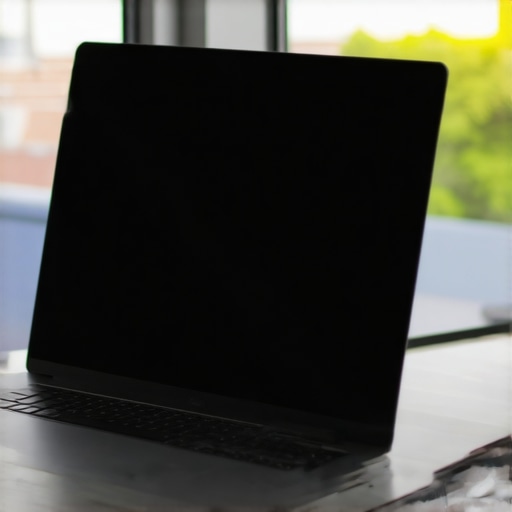
Position Your Screen Like a Pro to Dodge the Sun
It sounds simple, but most people get their seating geometry completely wrong. I used to sit with my back to the window because I liked the view. Terrible mistake. That’s just inviting the sun to use your screen as a bounce-board. Now, I follow the 90-degree rule: your screen should be perpendicular to any major light source. If the window is on your left or right, the light grazes the screen rather than hitting it head-on. This is especially vital for student laptops that boost productivity and learning because library lighting is notoriously harsh and unpredictable. I once spent three hours in a university lounge with my laptop angled so awkwardly to avoid a skylight that I ended up with a stiff neck for a week. Don’t be me. Adjust your environment before you adjust your posture.
Calibrate for Contrast Instead of Cranking the Nits
We often fall into the trap of thinking more brightness equals more clarity. In reality, blowing out your backlight just kills your battery and makes the black levels look like muddy grey. Instead, you need to learn how to calibrate your laptop monitor for better color accuracy and focus on contrast. High contrast helps text stand out against the background, even if the environment is bright. On a particularly sunny day in a park, I found that switching my OS to ‘High Contrast Mode’ was a literal lifesaver. It wasn’t pretty, but I could actually see my code. If you’re working on top business laptops, check your display driver settings; many have an ‘outdoor’ or ‘enhanced sunlight’ mode that shifts the gamma specifically to fight glare.
Keep Your Panel Clean to Reduce Light Scatter
This is the ‘low-tech’ secret no one talks about. Every fingerprint, every smudge of oil from your skin, and every speck of dust acts as a tiny prism that catches light and creates a hazy glow. If your screen is dirty, the glare is amplified tenfold because the light isn’t just reflecting off the glass; it’s bouncing off the grime. This is why we still carry a microfiber cloth in our laptop bags at all times. I’ve seen people complain about poor screen quality on expensive machines, only to realize they haven’t wiped the display since they unboxed it. A ten-second wipe-down can do more for your visibility than a 20% brightness boost ever could.People often tell me that if you want the best outdoor experience, you just need to find the highest nit count available. I completely disagree. In my experience, chasing raw brightness without looking at the panel’s reflectance is like trying to put a bigger engine in a car with flat tires. You’re getting more power, but you aren’t going anywhere. According to Dr. Raymond Soneira of DisplayMate Technologies, the efficiency of a screen in ambient light depends significantly on its ‘Reflectance Score.’ If you buy a high-brightness glossy panel, you’re still fighting your own reflection; you’re just doing it with a brighter background. This is a common pitfall when hunting for top laptop deals in 2025—don’t let a high brightness spec blind you to a poor finish. 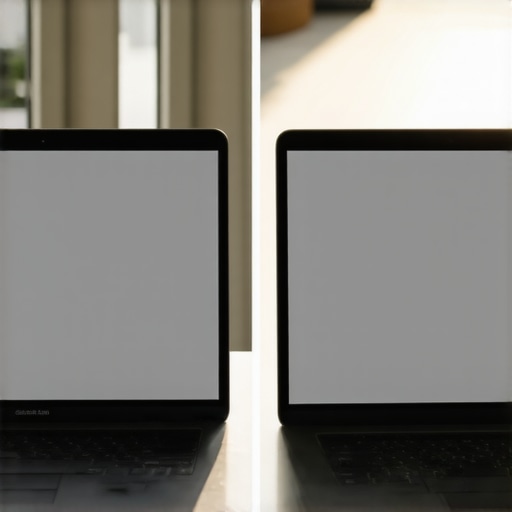
High Nit Counts Can Often Be a Trap
I’ve seen so many users get swayed by marketing numbers. They see 500 nits and think they’ve won the visibility war. But if that screen has a 5% reflectance rate, it’s effectively useless in a park compared to a 300-nit matte screen with a 1% reflectance rate. I’ve tested game-changing gaming laptops for serious players in 2025 that look stunning indoors but turn into expensive mirrors the moment you step onto a balcony. The ‘Oops’ factor here is assuming ‘Premium’ always equals ‘Readable.’ If you are working on color-sensitive projects, look for the ‘Anti-Reflective’ (AR) label specifically, rather than just ‘Anti-Glare.’ AR coatings use destructive interference to cancel out reflections without the fuzziness of traditional matte finishes.
Is Your OLED Screen Actually Working Against You?
This is a sophisticated question that many high-end buyers ignore. OLED panels are praised for their ‘infinite’ contrast, but because they lack a traditional backlight, their peak full-field brightness is often lower than high-end IPS or Mini-LED displays. If you’re a pro looking at top business laptops, you might find that an OLED screen washes out faster in a glass-walled office than a cheaper IPS panel would. I once bought a flagship OLED machine thinking it would be the ultimate travel companion, only to realize I couldn’t see my spreadsheets on the train. Have you ever fallen into this trap? Let me know in the comments.
The Pro Secret to Identifying a Dressed-Up Used Machine
Another mistake involves the secondary market. When looking at how to tell if that refurbished deal is actually just used, you have to check for ‘backlight bruising’—those faint white spots that only show up on bright white backgrounds. This often happens because the screen was pressed against a keyboard in a tight backpack. It’s an advanced mistake to assume a ‘Grade A’ refurb has a perfect panel. Even student laptops that balance power and portability perfectly can suffer from this if the previous owner wasn’t careful. Finally, please check your resolution before you click buy. I have seen too many ‘deals’ where the price is low because they stuck a 720p panel in the chassis. I’ve written an entire guide on why you should never buy a laptop with a 720p screen, mostly because the lack of pixel density makes text look like a blurry mess regardless of how bright the screen is.
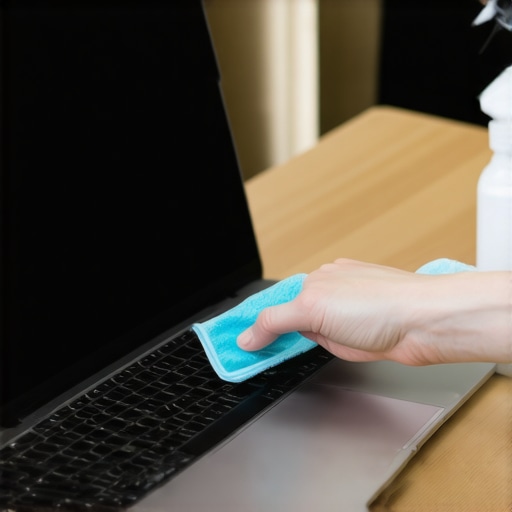
I’ve realized over the years that buying the right machine is only half the battle. If you don’t have a plan for maintenance, even the most expensive panel will eventually look like a dusty relic. I keep a very specific kit in my desk drawer at all times. It isn’t a complex chemical solution or a high-priced sonic cleaner. In fact, the 10 tool every laptop owner should keep in their desk is actually just a high-quality, high-gsm microfiber cloth paired with a simple distilled water spritzer. I’ve seen people use window cleaner or harsh alcohols on their screens, which is a tragedy. Most modern displays have an oleophobic coating designed to repel finger oils; harsh chemicals strip that coating away, leaving your screen more prone to permanent smudges and increased glare. If you are serious about your setup, you need to treat that glass with a bit of reverence.
Use This Ten Dollar Tool to Save Your Display
Beyond just cleaning, I’ve found that the hardware itself needs a ‘physical’ checkup every few months. I always tell my friends who are hunting for student laptops that balance power and portability perfectly to watch their hinge tension. If your hinges are too tight, they put immense pressure on the bottom edge of the display every time you open the lid. This is exactly why your laptop hinge is destined to fail and how to prevent it before it cracks the LCD. I personally use a small torque driver once a year to ensure everything is moving smoothly without flexing the screen. It sounds overkill, but when you’re using business laptops for professionals essential picks 2025 models, you want that investment to last five years, not eighteen months.
How do I keep my laptop display looking brand new for years?
Maintenance is a game of consistency. Aside from the physical cleaning, you should be checking for software-based wear. If you have an OLED panel, you need to hide your taskbar and use a rotating wallpaper to prevent burn-in. For those with high-brightness IPS panels, avoid keeping the brightness at 100% when plugged in for long periods, as this can lead to ‘light bleed’ over time. I also highly recommend looking for how to find official repair guides for your exact model. Knowing how to safely open your chassis to blow dust out of the cooling fans can actually keep your screen healthier, as internal heat is one of the leading causes of panel discoloration. Even the game-changing gaming laptops for serious players in 2025 will suffer if the internal thermals are baking the screen connectors from the inside out.
The Coming Era of Zero-Glare Displays
Looking ahead, I am genuinely excited about where screen technology is going. We are moving toward ‘Tandem OLED’ and ‘Moth-Eye’ structures. According to technical documentation from the ISO 9241-307 standards committee, which regulates visual ergonomics, the next generation of displays will focus heavily on reducing specular reflection to under 0.5% without using thick matte coatings. This means we will finally get that deep, glossy color without the mirror effect. I predict that within three years, the struggle I had in that coffee shop will be a thing of the past. If you’re currently looking for unbeatable laptop deals, keep an eye out for ‘Low-Reflection’ branding—it’s the bridge to this future tech. My advice? Go grab a proper microfiber cloth right now and give your screen the five-minute deep clean it deserves. You’ll be amazed at how much better your work looks when you aren’t fighting through a layer of dust.
What Most Spec Sheets Forget to Tell You About Real-World Use
After years of testing everything from high-end workstations to budget-friendly machines, I’ve realized that visibility is a holistic game. Here are the lightbulb moments that changed my setup forever:
- Contrast Beats Nits: A screen that can produce deep blacks often handles glare better than a washed-out panel with high peak brightness. This is why I always check how to calibrate your laptop monitor for better color accuracy to ensure my text is popping against the background.
- The Matte Conversion: You don’t need a new laptop to fix a bad screen. Adding a high-quality filter is the single most effective way to turn a mirror into a workstation.
- Cleanliness is Visibility: Even the best anti-reflective coatings fail when covered in skin oils. I never leave home without the 10 tool every laptop owner should keep in their desk, which is my trusty high-gsm microfiber cloth.
My Private Arsenal for Perfect Visual Clarity
I do not rely on luck to keep my screens pristine. I trust a few specific resources and tools that have never let me down. First, I always keep a bookmark for how to find official repair guides for your exact model because sometimes the best way to fix a scratched or failing anti-glare layer is a professional panel replacement. For hardware, I stick to high-density cloths and distilled water—avoiding the blue window cleaners that eat through delicate coatings. When I am hunting for unbeatable laptop deals, I specifically look for machines with TUV Rheinland certification for low blue light and flicker-free performance, which significantly reduces the eye strain often confused with glare.
Reclaiming Your View and Your Focus
At the end of the day, your laptop is a window into your work, your creativity, and your connections. You shouldn’t have to fight to see through it. By making a few small adjustments—angling your desk, using a filter, or just keeping the glass clean—you can transform your daily experience. Don’t let a poorly placed window or a glossy finish dictate where and when you can be productive. Take control of your environment, optimize your setup with the right laptop accessories, and enjoy the clarity you deserve. Have you ever bought a laptop that looked great in the store but turned into a mirror at home? Let me know your worst glare stories below!