
I’ll never forget the smell of hot plastic wafting from my backpack after a quick grocery run. I’d left my brand-new machine in the trunk, thinking the shade would protect it. I was dead wrong. When I finally pressed the power button, nothing happened. Not even a whir. That’s the moment I realized that ‘out of sight’ does not mean ‘out of the heat.’ Since then, I’ve spent way too much time obsessing over thermal limits and cooling tricks so you don’t have to experience that same heart-stopping panic. Today, I’m going to show you exactly how to navigate those unavoidable moments when your tech has to stay in the vehicle, ensuring your battery doesn’t swell and your motherboard doesn’t fry.
Your Car Is Basically an Oven and Your Laptop Is the Roast
We’ve all been there. You’re commuting between meetings or headed to a study session, and you need to leave your gear behind for a second. My biggest mistake early on was trusting the glovebox. It feels protected, right? In reality, it’s a small, unventilated box that traps heat like a kiln. If you’ve ever wondered why your gaming laptop starts thermal throttling even after you’ve brought it back into the AC, it’s because the internal components are still radiating that stored car heat. It’s not just about the immediate damage; it’s about the long-term degradation of your hardware. I used to think the cabin stayed cool enough if I cracked a window, but that’s a myth that nearly cost me a month’s salary.
Is heat damage really as bad as everyone says?
You might be thinking that modern tech is built to handle a little warmth. While it’s true that chips have high operating temperatures, those ratings are for when the machine is actually running and moving air. A powered-down laptop sitting in a 130-degree cabin is a different beast entirely. According to research from the National Highway Traffic Safety Administration (NHTSA), a car’s interior can jump 20 degrees in just ten minutes. That kind of rapid spike can lead to screen delamination or, worse, a battery that decides to expand. If you’ve noticed your case looking a bit warped lately, you might want to check if your laptop battery is swelling before it becomes a real hazard.
I’ve learned the hard way that picking the right laptop accessories, like insulated sleeves, makes a world of difference. Even certain laptop bags that don’t scream steal me often provide enough padding to act as a temporary thermal barrier. But there is a limit to what foam and fabric can do. Have you ever returned to your car only to find your electronics too hot to touch? I’d love to hear your horror stories—or your wins—in the comments below. Let’s get into the nitty-gritty of how to actually beat the sun at its own game.
Put the Trunk to Work Instead of the Backseat
The first rule of survival for your electronics is location, location, location. Most people toss their bags into the backseat, right under that massive greenhouse we call a rear window. This is a recipe for a disaster. The trunk is generally the coolest part of the vehicle because it is shielded from direct sunlight and separated from the main cabin air by heavy insulation. Think of your trunk like a basement; even when the attic is roasting, the basement stays ten degrees cooler. When I’m traveling with high-end game-changing gaming laptops for serious players in 2025, they never see the light of day inside the cabin. I slide them right against the back seat inside the trunk where the thermal mass of the car provides the most protection.
Use Insulation as a Tactical Heat Shield
Passive cooling is your best friend when you’re away from a power outlet. I’ve found that even the highest-quality laptop bags that don’t scream steal me have limits. To really beat the heat, you need a secondary layer. I once spent a whole afternoon at a sunny trailhead with my laptop locked in a black car. Instead of just leaving it in my bag, I wrapped the entire laptop sleeve in a thick, emergency Mylar blanket—the kind that costs two dollars at a camping store. When I got back, the car felt like a sauna, but the laptop was barely warm to the touch. It’s about reflecting radiation before it ever hits the chassis. If you don’t have Mylar, a thick wool coat or even a heavy towel can buy you an extra hour of safety by slowing down the heat transfer. This is especially vital for why 14-inch screens are the gold standard for commuters, as their smaller frames often have less internal space to dissipate heat once it gets trapped inside.
Shutdown is Better Than Sleep Every Single Time
We are all guilty of just closing the lid and walking away. In a cool office, that’s fine. In a hot car, it’s a death sentence. Sleep mode still draws a tiny amount of power, and where there is power, there is heat. If your machine is in a bag, in a hot trunk, and it decides to wake up for a background update, it will cook itself from the inside out. I learned this the hard way with an old workstation that tried to sync my files while buried under a pile of gym clothes. The fans went into overdrive, but with nowhere to push the air, the internal sensors eventually tripped and forced a hard shutdown, but the damage to the battery was already done. Now, I make it a habit to perform a full shutdown. It takes ten extra seconds but saves you from a $200 battery replacement later. If you’re looking for must-have laptop accessories for a seamless setup, consider a hardshell case that prevents the power button from being accidentally pressed while in transit.
Give Your Tech a Buffer Before Powering On
When you finally get your gear out of the car and into a cool environment, the temptation is to jump right back into work. Resist that urge. Moving a device from 110 degrees to 70 degrees causes rapid contraction of the metal and plastic parts. More importantly, it can cause internal condensation. I always give my machine at least fifteen minutes to acclimate. This is just as important as knowing how to stop your gaming laptop from thermal throttling in summer. If you feel the bottom of the case and it still feels like a fresh cup of coffee, wait. Your motherboard will thank you for the patience.
We often think that buying our way out of thermal issues is as simple as grabbing the most expensive gear on the shelf. In reality, a $150 designer sleeve won’t save a machine that’s already struggling with dried-out internals. I see this all the time with people hunting for unbeatable laptop deals; they find a great price on a powerhouse but ignore the fact that it was a floor model running at max brightness for six months. That constant heat exposure degrades the internal thermal interface material. If you’re buying used or even high-end game-changing gaming laptops for serious players in 2025, you have to look past the spec sheet and consider the thermal health of the board.
Can Using a Cooling Pad Actually Do More Harm Than Good?
Everyone says you need a cooling pad the moment you hear your fans kick in. However, in my experience, most cheap cooling pads actually interfere with the pressure-optimized airflow your manufacturer spent millions of dollars engineering. If the fans on the pad don’t align perfectly with your laptop’s intake vents, they can create turbulence that actually traps hot air inside the chassis. Research published in the Journal of Thermal Science and Engineering Applications suggests that for many modern thin-and-light designs, simply elevating the rear of the device provides nearly the same thermal benefit as an active pad without the extra bulk or noise. That’s why I often recommend the best ways to cool your laptop without a bulky pad to my clients.
Your Thermal Paste Is Probably Drying Out Right Now
If you’ve left your tech in a hot car even once, the cycle of extreme heat and cooling can accelerate the ‘pump-out’ effect, where thermal paste literally squeezes out from between the CPU and the heatsink. This is the hidden reason why your top business laptops for productivity start feeling sluggish during simple Zoom calls. Most people think their computer is just ‘getting old,’ but it’s often just a five-dollar fix away from peak performance. Learning how to choose the right thermal paste for your machine is a rite of passage for any power user.
The Trap of the ‘Rugged’ Student Laptop
Students are the most frequent victims of the ‘rugged’ marketing trap. You see a machine wrapped in thick plastic and think it can handle a hot dorm room or a sunny car ride. But thick plastic is an insulator—it keeps heat in. I’ve found that student laptops that balance power and portability perfectly are usually those with magnesium or aluminum frames that act as a giant heatsink. If you’re looking for longevity, prioritize a chassis that can breathe. And remember, heat doesn’t just affect the speed; it kills the battery’s chemical health. That’s why your next business laptop needs a user-replaceable battery if you plan on keeping it more than two years. Have you ever fallen into the trap of thinking a fancy accessory would fix a hardware problem? Let me know in the comments.
The Software Tools That Saved My Motherboard
I stopped relying on the basic Windows battery icon years ago. If you really want to know what’s going on under the hood, you need granular data. I personally use HWInfo64 to monitor my voltage rails and individual core temperatures. It’s how I caught a failing VRM on my workstation before it could pop a capacitor. For those hunting for unbeatable laptop deals, running a portable version of this software from a USB stick is the best way to see if a seller is hiding a machine that’s been cooked to death. If you’re looking at game-changing gaming laptops for serious players in 2025, you need to be tracking your ‘0.1% lows’ in frame rates—often a direct indicator of thermal throttling that doesn’t show up in average FPS counters.
The $15 Toolkit You Need in Your Desk
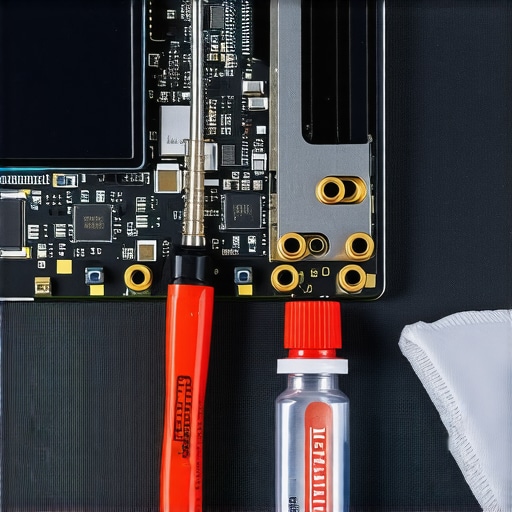
You don’t need a professional lab, but you do need more than a kitchen knife and a prayer. I keep a dedicated set of precision drivers—specifically P5 pentalobes and T5 torx bits—just to clear out the dust bunnies every six months. I’ve seen so many top business laptops for productivity lose their edge simply because the owner was afraid to pop the bottom cover. If you aren’t comfortable doing that, at least keep the 10 tool every laptop owner should keep in their desk nearby to handle the basics. It’s the difference between a machine that lasts three years and one that lasts seven.
How do I maintain my laptop performance over time?
Consistency is more important than deep-cleaning once a year. I recommend a ‘monthly health check’ where you verify your battery wear levels. According to Isidor Buchmann, the founder of Cadex Electronics and a leading expert on battery tech, keeping a lithium-ion battery at a constant 100% charge while exposed to high ambient heat is the fastest way to induce ‘capacity fade.’ I use software to cap my charge at 80% when I’m docked. This simple trick can double the lifespan of your cell. If you’re buying pre-owned, always how to verify the battery health of a used laptop purchase before the return window closes. It’s one of those must-have laptop accessories for a seamless setup that most people forget: a high-quality, certified power delivery cable that doesn’t negotiate the wrong voltage.
The Future of Portable Cooling is Getting Smarter
We are moving away from the era of ‘just blow more air at it.’ I’m already seeing a trend toward AI-managed thermal profiles that predict your workload and pre-chill the chassis. Future student laptops that balance power and portability perfectly will likely feature solid-state active cooling (like Frore Systems’ AirJet), which uses ultrasonic vibrations instead of traditional fans. This means no more moving parts to fail and no more dust clogging your fins. Until then, you have to be your own thermal manager. Grab a simple utility like ThrottleStop and try undervolting your CPU by just -50mV today; it’s a free way to drop your temps by 5 degrees without losing a single frame of performance.
The Brutal Truth About Keeping Your Tech Alive in the Sun
Over the years, I’ve realized that heat is a silent killer because it doesn’t always break things instantly. Instead, it’s a slow erosion of your hardware’s potential. One thing most people miss is that humidity trapped in a hot car can actually cause micro-corrosion on the motherboard when it cools down rapidly. I’ve also learned that even the most expensive laptop accessories are useless if you don’t master the habit of a full shutdown. Another lightbulb moment? High-altitude sun is way more damaging than sea-level heat due to UV penetration—so if you’re in the mountains, your trunk isn’t just a suggestion; it’s a requirement. Finally, remember that dust acts like a winter coat for your CPU; if you haven’t cleaned your vents, you’re starting the heat battle with a massive disadvantage.
My Personal Gear for Fighting the Heat
I don’t just rely on luck; I use a specific set of tools to ensure my machines stay frosty. For monitoring, I swear by HWInfo64 because it catches thermal spikes that standard task managers ignore. When it comes to physical protection, I always opt for laptop bags that don’t scream steal me because they usually have better-hidden insulation layers. I also keep a small tube of high-end paste handy because knowing how to choose the right thermal paste for your machine can lower your idle temps by ten degrees. Lastly, I keep a simple Mylar emergency blanket in my glovebox—it’s the ultimate low-tech shield for any expensive electronics trapped in a vehicle.
Step Away from the Car and Into the Shade
Your tech is an investment in your future, whether you’re hunting for unbeatable laptop deals or rocking the latest game-changing gaming laptops for serious players in 2025. Taking those few extra seconds to move your bag to the trunk or perform a hard shutdown might feel like a chore, but it’s the difference between a machine that dies in two years and one that serves you for five. You’ve got the knowledge now, so don’t let a sunny day ruin your workflow. Treat your hardware with respect, and it will return the favor with peak performance and a healthy battery for years to come. Have you ever had a piece of tech fail because of the weather, or did you catch a potential disaster just in time? Let me know your experiences in the comments below!