
It was a humid Tuesday evening when I heard the pop. It wasn’t loud, just a sharp, metallic snap from behind my desk, followed immediately by the smell of scorched plastic. My heart sank. My brand-new machine—one of those top-tier gaming laptops I had saved up for months to buy—went completely dark. A sudden lightning strike down the street sent a massive voltage spike right through my cheap, five-dollar power strip. That tiny, plastic strip did absolutely nothing to save my motherboard. It was a brutal, expensive lesson that taught me a fundamental truth about tech: you can buy all the premium laptop accessories in the world, but if you plug them into a garbage power strip, you are playing Russian roulette with your gear.
Your Cheap Power Strip Is Actually Just an Extension Cord
Most people do not realize that those cheap, multi-outlet strips we buy at grocery stores or pharmacy checkout lanes offer zero actual defense against electrical fluctuations. They are glorified extension cords. When you plug high-end business laptops or delicate creative workstations directly into them, you are exposing sensitive microprocessors to a constant barrage of dirty power. It does not even take a massive lightning strike to ruin your day. Daily grid switching and minor voltage fluctuations slowly degrade your internal components over time. Before you buy your next device, you need to learn how to tell if your laptop charger is actually safe to use and combine it with proper suppression.
Are premium surge protectors actually worth the extra cash?
I get the skepticism. Spending forty or fifty dollars on a heavy-duty surge protector feels incredibly boring when there are much cooler gadgets calling your name. But here is the reality: a high-quality surge protector acts as a sacrificial lamb for your computer. According to electrical safety standards from the National Electrical Manufacturers Association (NEMA), standard household surges of up to 6,000 volts occur much more frequently than the average consumer realizes, often caused by heavy appliances like air conditioners cycling on and off. A robust protector uses metal oxide varistors (MOVs) that absorb that excess energy and dissipate it as heat, shielding your laptop’s fragile power delivery system. Have you ever had a laptop suddenly refuse to turn on after a brief thunderstorm or a local power flicker? Let me know in the comments below, because we have all been there, and it is a gut-wrenching feeling. If you are currently hunting down the best laptop deals to upgrade your setup, make sure to set aside a small portion of your budget for proper power protection. It is the cheapest insurance policy you will ever buy.
Choose the Right Protection Level Before It Is Too Late
Buying a reliable surge protector is not about grabbing the first heavy block you see on the shelf. You need to look at specific electrical ratings, starting with the Joule rating. Think of Joules as a shield’s health bar; every time a minor spike hits, that bar depletes. For simple electronics, a low rating is fine, but for high-end gaming laptops and creative workstations, you should never settle for anything under 2,000 Joules. Another crucial metric is the clamping voltage, which is the trigger point where the protector steps in to redirect excess electricity. You want a clamping voltage of 330 volts or lower. If it is higher than that, too much destructive current will pass through to your device before the protector even wakes up to block it.
The Mistake That Cost Me a Dual-Screen Setup
I learned this the hard way when I set up my temporary home office during a summer storm season. I had chained a secondary power strip into a main surge protector because the cord could not reach my desk. This is a process called daisy-chaining, and it is a massive electrical hazard. One evening, a sudden spike hit the circuit, bypassed the secondary strip completely, and fried the power supply of my external monitor. Not only is this incredibly dangerous, but it also voids the warranty on almost all your laptop accessories. Since that day, I always make sure to measure my cables beforehand and plug my main devices directly into a single, wall-connected surge protector.

Identify True Surge Suppression from Cheap Imitations
To avoid falling for marketing tricks, look for the Underwriters Laboratories (UL) certification on the back of the device. Specifically, look for the ‘UL 1449’ certification, which is the industry standard for surge protective devices. If you do not see this stamp, you are holding a basic extension cord, regardless of how bulky or premium the plastic housing looks. This is especially critical if you are shopping for business laptops that hold critical client data or valuable projects. You also need to check if the protector features an indicator light that shows whether the surge protection is still active. Because MOVs degrade silently over time, an active light is the only way to know your gear is actually safe.
How to Maintain Your Power Setup for Longevity
Once you have the right hardware, proper maintenance is key. Many people do not realize that power strips degrade faster in dusty or humid environments. It is vital to routinely inspect the physical health of your plugs and cords. When setting up a workspace, many students using student laptops tend to cram their power bricks behind heavy desks or under soft blankets, which traps heat and severely degrades the internal electronics. Make sure your power supplies have plenty of breathing room to dissipate heat. Additionally, if you are hunting down the latest laptop deals to upgrade your workstation, remember that a power strip older than three to five years should be replaced immediately, even if it looks like it is working perfectly.
When you start diving into advanced workstation hardware, you quickly realize how much bad advice is floating around the tech community. Most people believe that buying a premium surge protector means their expensive devices are permanently safe. This is a massive, dangerous misconception. In my experience running high-performance hardware, a standard surge protector is merely a starting point, not a complete fortress. We often spend thousands on the latest gaming laptops or top-tier business laptops, yet we trust their survival to passive components that degrade silently in the background.
Why Standard Surge Protectors Are Failing Your Hardware
The contrarian truth is simple: standard surge protectors do absolutely nothing to regulate low-voltage drops or dirty power frequencies. If your lights flicker when your microwave turns on, your laptop charger is constantly compensating for unstable voltage, which accelerates internal wear. According to electrical safety studies by the Institute of Electrical and Electronics Engineers (IEEE), over 80% of transient surges originate from within the building itself, caused by small appliances cycling on and off. This constant micro-stress slowly kills your machine. A standard protector only triggers during massive spikes, leaving your delicate silicon completely vulnerable to these daily micro-surges. If you want true protection, you actually need an Uninterruptible Power Supply (UPS) with automatic voltage regulation, rather than just a bigger power strip.
The Critical Trap of Using Heavy-Duty Protection Outdoors
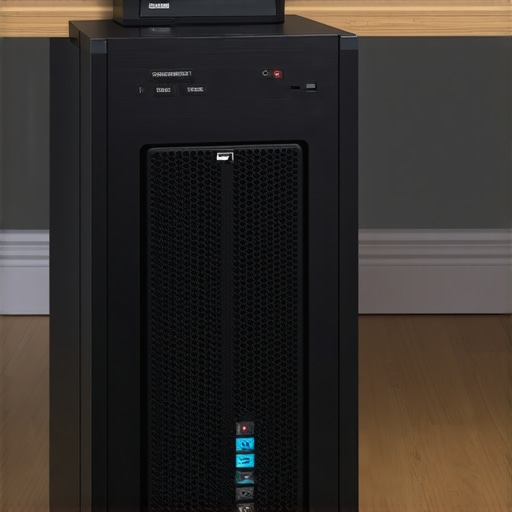
Here is a specific warning that almost no one talks about: using surge protectors on ungrounded circuits. Many older apartments, dorm rooms, or temporary home offices have three-prong outlets that are not actually connected to a physical ground wire. If your outlet lacks a true ground, a surge protector cannot redirect excess electricity away from your computer; instead, the excess energy has nowhere to go but directly into your laptop accessories. You are essentially paying for a placebo. Before you plug in your setup, you should check your wall outlets with a cheap circuit tester to ensure you have a functioning ground connection. Additionally, keep an eye out for warning signs that your power delivery is failing, such as learning how to tell if your laptop is being throttled by its charger due to poor power quality.
Should You Trust Smart Plugs to Protect Your Tech?
I get asked this question constantly by smart-home enthusiasts. The short answer is a resounding no. While smart plugs are fantastic for scheduling your lights, they do not offer robust surge suppression capabilities. In fact, adding cheap smart plugs into your power chain actually introduces another point of failure. When setting up highly mobile rigs like modern student laptops, keep your power chain as simple and direct as possible. If you are currently hunting down the best laptop deals to upgrade your daily setup, do not ruin your new investment by trying to make your power delivery overly complicated. Have you ever fallen into this trap and lost a piece of gear to a power fluctuation? Let me know in the comments below, because sharing these horror stories helps us all protect our tech better.
Taking control of your power delivery system is only half the battle. Once you have established a clean electrical foundation, the real challenge lies in the day-to-day physical maintenance of your workstation. Over years of managing high-end gear, I have realized that how we handle our physical connections determines exactly when our machines will fail. It is not just about avoiding sudden voltage spikes; it is about keeping the entire power loop clean, cool, and mechanically sound.
How do I maintain my power hardware over time?
To keep your workstation running safely for years, you need to establish a strict physical maintenance routine. First, never ignore the buildup of debris. I routinely check my ports and use compressed air to clean out any microscopic grit. If you let dust settle into your ports, it increases electrical resistance, which generates excess heat and slowly degrades the metal contacts. Second, avoid mechanical stress on your ports. When using heavy power bricks, ensure the cable has enough slack and never hangs unsupported from your desk, as this constant downward pull will eventually loosen the internal solder joints on your motherboard. If you are currently dealing with erratic power connections, it helps to know how to tell if your laptop is being throttled by its charger due to physical wear before you go out and buy a completely new machine.
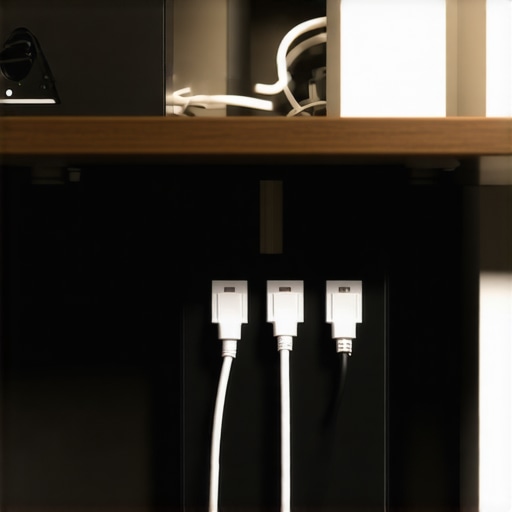
I also highly recommend using a dedicated, high-quality cable management system to keep your cords from tangling. When cables twist and bend at sharp angles under your desk, the copper strands inside begin to fray silently. According to technical bulletins from the National Fire Protection Association (NFPA), damaged cords and overloaded outlets are among the leading causes of electrical fires in residential workspaces. To protect your investment, I recommend reading about the best way to label your laptop cables for travel and organization so you can easily trace your connections and avoid dangerous bends.
Looking ahead, the future of power protection is shifting toward smart, solid-state circuit breakers and USB-C Power Delivery (PD) negotiation chips that communicate directly with your wall outlet to prevent overcurrent. However, until those advanced ecosystems become standard in every household, we have to rely on smart physical habits. I urge you to take ten minutes today to inspect your main power strip, check its age, and lift your power brick off the carpet. If you are looking to replace worn-out peripherals without breaking the bank, make sure to read my guide on how to hunt down unbeatable laptop deals so you can invest the savings into a premium, UL-certified surge protector.
Taking control of your power delivery system is only half the battle. Once you have established a clean electrical foundation, the real challenge lies in the day-to-day physical maintenance of your workstation. Over years of managing high-end gear, I have realized that how we handle our physical connections determines exactly when our machines will fail. It is not just about avoiding sudden voltage spikes; it is about keeping the entire power loop clean, cool, and mechanically sound.
How do I maintain my power hardware over time?
To keep your workstation running safely for years, you need to establish a strict physical maintenance routine. First, never ignore the buildup of debris. I routinely check my ports and use compressed air to clean out any microscopic grit. If you let dust settle into your ports, it increases electrical resistance, which generates excess heat and slowly degrades the metal contacts. Second, avoid mechanical stress on your ports. When using heavy power bricks, ensure the cable has enough slack and never hangs unsupported from your desk, as this constant downward pull will eventually loosen the internal solder joints on your motherboard. If you are currently dealing with erratic power connections, it helps to know how to tell if your laptop is being throttled by its charger due to physical wear before you go out and buy a completely new machine.
I also highly recommend using a dedicated, high-quality cable management system to keep your cords from tangling. When cables twist and bend at sharp angles under your desk, the copper strands inside begin to fray silently. According to technical bulletins from the National Fire Protection Association (NFPA), damaged cords and overloaded outlets are among the leading causes of electrical fires in residential workspaces. To protect your investment, I recommend reading about the best way to label your laptop cables for travel and organization so you can easily trace your connections and avoid dangerous bends.
The Hardest Lessons I Learned Protecting My High-End Devices
Through years of trial, error, and a few expensive puffs of smoke, I have picked up a handful of non-negotiable truths about keeping your devices alive. Here is the insider knowledge that will save your hardware:
- Power strips wear out silently: Just because the little green light is still on doesn’t mean your surge protector is still protecting. The internal metal oxide varistors degrade with every microscopic power fluctuation. If your protector is over three years old, swap it out.
- Never plug a laptop into a modified sine wave inverter: If you are working from an RV or using a cheap portable solar generator, cheap power inverters deliver “choppy” alternating current that forces your computer’s power brick to run incredibly hot, leading to premature failure.
- Your battery hates dirty power: When your charger has to struggle against constant, minor voltage drops from an ungrounded outlet, the charging circuit generates excess heat, directly accelerating the degradation of your internal lithium-ion battery.
- Metal tables can be a grounding hazard: If you use industrial metal desks and have a poorly insulated cheap charger, you can actually create micro-ground loops that interfere with your laptop’s trackpad sensitivity and internal circuitry.
My Essential Toolkit for Perfect Power Hygiene
You do not need a degree in electrical engineering to secure your workspace, but you do need the right gear. These are the exact items I keep in my studio to guarantee my machines get pristine, clean electricity:
First, I always keep a cheap three-prong outlet circuit tester in my travel bag. Before I plug my expensive business laptops into any hotel or coffee shop outlet, I quickly test the plug to ensure it is actually grounded. Second, I rely on heavy-duty hook-and-loop cable wraps rather than plastic zip ties; zip ties pinch cords too tightly, damaging the thin copper conductors inside. Finally, I highly recommend investing in a small, 1500VA line-interactive Uninterruptible Power Supply (UPS). It does not just provide backup battery power during a storm; it actively conditions the incoming electricity so your high-performance gaming laptops always receive a flat, stable voltage curve.
The Future of Your Setup Starts at the Wall
It is incredibly tempting to focus all of our attention and money on acquiring the fastest processors, the brightest screens, and the coolest laptop accessories. But those premium devices are only as good as the electricity feeding them. By investing in proper surge protection, verifying your household grounding, and building smart power habits, you are not just shielding your tech—you are guaranteeing its peak performance for years to come. Do not wait for a sudden lightning strike or an unexpected voltage spike to force you into a costly lesson. Take ten minutes today to inspect your power strip, lift those heavy power bricks off the carpet, and give your setup the solid, safe foundation it deserves.
Have you ever lost a machine, a hard drive, or a favorite accessory to a sudden electrical surge or a dead outlet? Let me know what happened in the comments below!