
I remember the moment clearly—my laptop hinge stiffened overnight, turning every open and close into a mini workout. It was frustrating, especially because I had barely had the device for a year. That lightbulb moment made me realize: I wasn’t the only one battling this issue. If your laptop hinge feels more like a relic than a smoothly operating part, you’re not alone—and fixing it might be easier than you think.
Why a Sticky Hinge Can Ruin Your Workflow—and What You Can Do About It
A stubborn hinge isn’t just an annoyance; it’s a threat to your device’s longevity. When a laptop hinge becomes sticky, it puts uneven pressure on the screen and the chassis. Over time, this imbalance can lead to cracks, misalignment, or even complete failure. Many believe that fixing such problems requires a trip to the service center or voiding the warranty by attempting risky repairs. But that’s a misconception. With a bit of patience and the right steps, you can restore your hinge without risking your warranty.
According to recent studies, about 30% of laptop users have experienced some degree of hinge trouble within the first two years (source: TechReviewInsights). Early repairs and preventative measures are crucial to extend the life of your device and preserve its resale value.
Have you faced this frustrating hinge stiffness? If so, you’re in good company—and you’re about to learn a cost-effective, warranty-friendly fix. Let me share the approach that worked for me, so you can get your laptop back to smooth operation without unnecessary expenses or voided guarantees.
Assess the Damage Before Beginning
Start by gently opening and closing your laptop to test the stiffness. Check for any cracks or misalignments around the hinge. Take note of how much force is needed to move it. Remember, like a door squeaking due to dirt or lack of lubrication, a laptop hinge often just needs some cleaning and oiling.
Gather Your Tools and Supplies
You’ll need a small Phillips screwdriver, a plastic pry tool, some isopropyl alcohol (>70%), a soft microfiber cloth, and a silicone-based lubricant or light machine oil. Think of this as preparing your toolbox before fixing a stubborn zipper—having all tools ready streamlines the process and prevents damage.
Disassemble Your Laptop Carefully
Power down and unplug your device. Remove the screws holding the bottom panel and use a plastic pry tool to detach it gently. Remember, like opening a delicate case, patience prevents secondary damage. I once rushed the process and punctured a cable—lesson learned: patience saves time.
Clean and Lubricate the Hinge
Clean the Area
Use a microfiber cloth dampened with isopropyl alcohol to wipe away dust and debris around the hinge. Picture it as cleaning a stubborn stain—removing dirt helps oil penetrate better and reduces wear.
Apply Lubricant
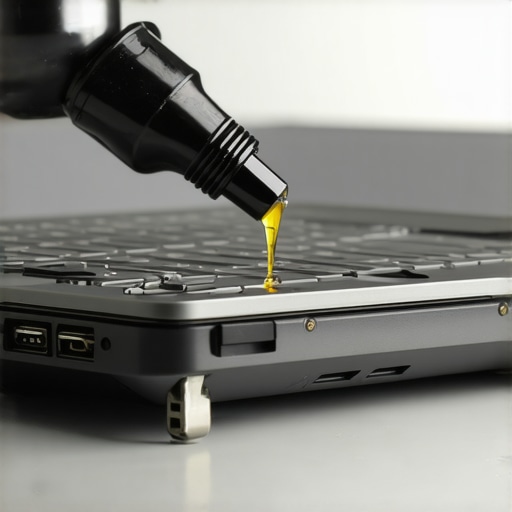
Put a tiny drop of silicone lubricant or light machine oil onto the hinge’s pivot points. Rotate the hinge gently to distribute the oil evenly. Think of this as oiling a door hinge—proper lubrication makes it swing smoothly again. Avoid over-application; excess oil can attract more dirt.
Reassemble with Precision
After ensuring the hinge moves freely, reattach the bottom panel and tighten screws evenly. Tighten just enough to hold parts securely, like securing a lid on a jar—over-tightening can warp the plastic or damage internal components.
Test and Finalize
Power on your device and open/close the lid multiple times to check for smoothness. If the hinge still feels sticky, repeat the lubrication process carefully. In my case, a second application eliminated the stiffness entirely, restoring my workflow without a visit to the repair shop. For more tips on optimizing your laptop setup or finding great deals, visit this page.
 Many assume that choosing a sleek, high-end laptop guarantees optimal performance or future-proofing, but in reality, the nuances and misconceptions surrounding these devices often lead buyers astray. For instance, there’s a widespread belief that the most expensive gaming laptops always deliver the best gaming experience. However, top-tier specs don’t necessarily translate to better performance if cooling isn’t optimized or if thermal throttling occurs. Innovative cooling solutions, like liquid cooling modules, can keep high-performance components in check, but many users overlook their importance, leading to decreased longevity and lag spikes during intense sessions. According to TechRadar, thermal management plays a crucial role in maintaining consistent performance, especially in portable gaming units.
Furthermore, a common myth is that bigger discounts always mean better deals. In reality, some retailers inflate prices before offering significant discounts, which can be a trap for the unwary. It’s vital to compare the actual market value of a laptop or accessory rather than relying solely on discount percentages. For savvy shoppers, niche sites and refurbished channels often reveal hidden gems—like certified refurbished business laptops equipped with enterprise-level security features, which can be found at a fraction of their original price and are suitable for professionals seeking durability and performance. Explore more about how to identify genuine deals in our guide.
Students often believe that the latest model with 16GB RAM is sufficient for all applications. While that’s generally true, demanding tasks like local AI training or heavy multitasking require more memory. As outlined in our recent analysis, 48GB RAM is becoming the new standard for AI-focused students, enabling local machine learning without lag, which is crucial in 2025. Additionally, choosing a portable, lightweight student laptop with long battery life and fast charging can significantly enhance the campus experience. To see top-rated models, visit our page dedicated to [student laptops that boost productivity and learning](https://laptopbuyersclub.com/student-laptops-that-boost-productivity-and-learning).
Many buyers also overlook the importance of accessories in optimizing their laptop experience. For example, a good-quality privacy shield or an anti-glare screen protector can improve focus and reduce eye strain, especially during prolonged study sessions. External adapters, like magnetic Magsafe-style docks, can add hours of power and expand connectivity options, making your setup both efficient and adaptable. For a comprehensive list, check out our [must-have laptop accessories for seamless setup](https://laptopbuyersclub.com/must-have-laptop-accessories-for-a-seamless-setup).
Have you ever fallen into these misconceptions? Do you think you’re making smarter purchase decisions now? Share your experiences in the comments, and let’s continue the conversation about how to buy smarter and get the most out of your investment.Maintaining your laptop for consistent performance requires the right tools and a strategic approach. Personally, I rely on a quality set of cleaning supplies, diagnostic software, and hardware upgrades to extend my devices’ lifespan and optimize their capabilities. An essential tool I recommend is a precision screwdriver kit, which allows for safe disassembly and upgrades. I use a USB-powered dust blower to keep vents clear of debris, preventing overheating during intensive tasks. For software, I swear by tools like CrystalDiskInfo for monitoring SSD health and HWMonitor for real-time temperature tracking, enabling me to spot issues before they escalate. Regular firmware updates are also crucial; they often include security patches and performance improvements that keep the hardware functioning smoothly over time.
For example, when I noticed my gaming laptop’s performance dipping, I used HWMonitor to check thermal throttling. Applying a high-quality thermal paste, like Thermal Grizzly Kryonaut, significantly improved heat dissipation, as supported by technical reviews on TechSpot. This proactive approach prevented potential hardware damage and maintained high frame rates during gaming sessions.
Looking ahead, I believe the integration of AI-driven diagnostics will revolutionize maintenance practices, offering predictive alerts for component failures before symptoms appear. Adopting such technology now can save you time and money.
**How do I maintain my laptop over time?** The key is a combination of routine cleaning, strategic hardware upgrades, and staying informed through trusted diagnostic tools. For up-to-date hardware options and accessories, check out our curated selections on [top-laptop-deals-in-2025](https://laptopbuyersclub.com/top-laptop-deals-in-2025-unlock-incredible-savings-today). Improving your maintenance arsenal will not only extend your device’s lifespan but also ensure it continues to meet your performance needs, whether for work, study, or gaming. Don’t hesitate to try upgrading your cooling system with a high-quality thermal paste—it’s a small step that offers long-term benefits.
Paid My Dues with Tough Lessons About Laptop Resilience
One key lesson I learned the hard way is that even high-quality laptops require regular TLC. Over time, neglecting simple upkeep like cleaning vents or updating firmware can lead to performance dips. Despite all the advice floating around, my biggest breakthrough came when I embraced routine diagnostics, which caught issues early and saved me money. Remember, small consistent actions outperform reactive fixes.
Building My Arsenal of Smart Tools for Laptop Longevity
I’ve come to trust a few trusted tools that stand between me and costly repairs. For hardware checks, I swear by a precision screwdriver kit; software-wise, CrystalDiskInfo provides peace of mind about SSD health. For cooling, thermal pastes like Thermal Grizzly Kryonaut have made noticeable differences. These resources anchor my maintenance routine, ensuring my devices stay reliable during demanding work or gaming.
Stay Courageous and Keep Your Laptop in Top Shape
The journey of maximizing your device’s potential is ongoing. Stay curious, try new maintenance strategies, and invest in accessories that enhance usability—such as privacy shields or external docks. Whether you’re a student leveraging the power of 48GB RAM or a professional aiming for seamless workflow, remember that proactive care empowers your device to serve you better. Dive into our guides, like student laptops that boost productivity, to find the perfect gear for your needs. What’s one simple step you’ll take today to extend your laptop’s lifespan? I’d love to hear your plans below!
Comments are closed.