
I remember the exact moment I realized I was wasting hundreds of dollars on second-rate computers just because I didn’t know where to look. Frustration grew as I sifted through overpriced retail stores, only to find outdated models or deals that seemed too good to be true. That lightbulb moment hit me when I stumbled upon a hidden world—government surplus sales—that offered pristine, high-end workstations for a fraction of their retail price.
Why Government Surplus Sales Are a Goldmine for Top-tier Workstations
Finding powerful, reliable computers at an affordable price sounds like a secret handshake reserved for tech insiders, but I promise—it’s accessible to everyone willing to put in a little effort. Government agencies, over time, replace their equipment en masse, and much of that gear is desperately underutilized. Instead of tossing these machines into the landfill or reselling them through shady channels, surplus sales platforms distribute them openly. The result? You can score a workstation with cutting-edge specs—think fast CPUs, high RAM capacity, and enterprise-grade GPUs—without the hefty price tag.
The challenge lies in knowing where, when, and how to access these deals. I learned this firsthand: my early attempts were riddled with mistakes, from bidding improperly to overpaying for damaged units. According to industry sources, government agencies are required to dispose of surplus equipment properly, making these sales a transparent and reliable avenue for tech enthusiasts. For example, the General Services Administration (GSA) auction site regularly features county and federal surplus electronics, including high-end workstations perfect for gaming, content creation, or intensive professional tasks.
Have you ever looked at the sticker price of a top-tier workstation and felt a wave of despair? Well, I’ve been there. That sense of helplessness, thinking “I’ll never afford that kind of power,” is more common than you might believe. But with a little know-how, you can turn this situation around.
This post is here to change that. We’ll walk through the practical steps I took to become a savvy buyer, so you can skip the costly mistakes and get straight to sourcing reliable, high-performance equipment at a fraction of the retail price. Ready to turn surplus sales into your personal tech treasure trove?
Let’s dive into the key strategies that made the difference for me—and can do the same for you.
Scan Multiple Platforms Regularly
During my first surplus purchase attempt, I focused solely on one website, which limited my options and led to missing out on prime deals. I set a weekly calendar reminder to check sites like the GSA auction, GovDeals, and locally operated government surplus stores. Use filters to target high-performance workstations by specifications like CPU speed, RAM size, and GPU type. Consistent monitoring increases your chances of catching a rare, fully functional unit at a steal.
Learn to Read Auction Listings Carefully
In a messy first auction, I overlooked key details—like damage reports or previous usage data—that cost me dearly. Develop a checklist to verify condition reports, serial numbers, and pictures. When you spot a promising machine, cross-reference its specs with trusted benchmarks from top business laptops for 2025 to ensure it meets your needs. Remember, a slight dent or a scratched case might be worth it if internal specs are pristine.
Set a Strict Budget and Stick to It
My impulsive bidding at my first surplus sale taught me the importance of discipline. Decide your maximum price beforehand based on market research; use tools like price comparison websites and industry guides. Don’t get caught up in bidding wars that inflate the final cost. Use a proxy bidding system if available, setting your limits early to prevent emotional overpaying. Staying firm on your budget ensures you don’t end up with equipment that strains your finances.
Test Equipment Before Finalizing Your Purchase
I once received a workstation with faulty RAM modules because I didn’t arrange a test before bidding. If possible, attend physical inspections or request detailed photos and videos. For online deals, ask for serial numbers and request the seller to run diagnostic software—like dead pixel checks—to verify operational health. Employ portable tools such as USB boots to run tests independently, ensuring the machine is truly capable of handling your workload.
Secure Your Purchase Using Reliable Payment Methods
After a messy transaction involving an unverified seller, I realized the importance of trusted payment channels. Always opt for platforms with buyer protection policies or escrow services, especially when dealing with high-value units. Avoid wiring money directly or using untraceable payment methods. Confirm seller credentials through reviews or references; genuine sellers often have a history of successful transactions. This step prevents scams and ensures your investment is protected until the machine arrives in working condition.
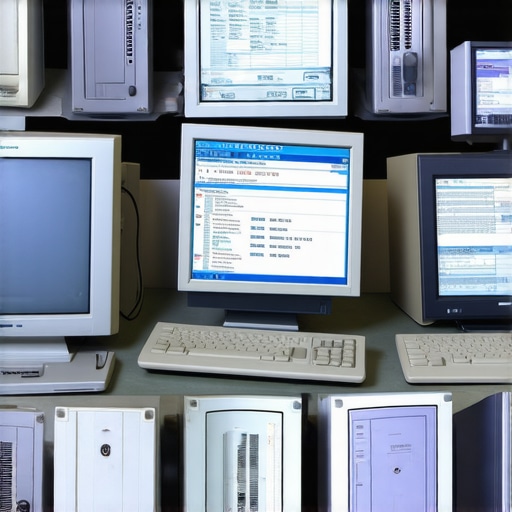 Many believe that all laptop accessories are interchangeable or that choosing the most expensive options guarantees superior performance. In reality, understanding the nuances between accessories like mice, keyboards, and docks can significantly improve your workflow and gaming experience. For example, a high-quality, modular USB-C dock can boost productivity more effectively than just upgrading your laptop. Moreover, many assume that student laptops should prioritize affordability over durability; however, some budget models compromise on build quality, leading to frequent repairs. When selecting a machine for serious work, investing in recognized [business laptops](https://laptopbuyersclub.com/business-laptops-for-professionals-essential-picks-2025) often yields greater longevity and reliability.
One prevalent myth revolves around gaming laptops, with many thinking that high-end specifications equate to the best gaming experience. But thermal management and build quality often matter more; a well-designed cooling system prevents throttling and extends hardware lifespan. Additionally, a common mistake is neglecting the importance of accessories like a good mouse or headset—these impact performance more than most realize. An expert study from PC Gamer highlights that better peripherals can often elevate your gaming capabilities more than incremental hardware upgrades.
For advanced users, recognizing that not every high-spec laptop is ideal for your workflow is vital—sometimes, customization options and serviceability matter more, especially for professional environments. Consult detailed reviews or expert recommendations, such as those found in our [top business laptops for 2025](https://laptopbuyersclub.com/top-business-laptops-for-productivity-in-2025-expert-recommendations), to avoid outdated or poorly designed models. Remember, rushing into deals or opting for the trendiest accessories without evaluating their actual benefits can be a costly mistake.
Have you ever fallen into this trap? Let me know in the comments! Becoming aware of these nuances helps you make smarter choices, ensuring your investment in tech genuinely supports your productivity and gaming experiences.
Maintaining your laptop over time is crucial to ensure it performs optimally and lasts longer. While it might seem tedious, using the right tools and routines can make a significant difference. I personally rely on specific software and hardware tools that have proven effective in keeping my machines in top shape.
Optimize Performance with Trusted Software
One tool I swear by is CrystalDiskInfo. It provides real-time health status of your SSD or HDD, alerting you to potential failures before they happen. Regularly monitoring your storage health helps prevent data loss and avoid sudden crashes. Additionally, using Malwarebytes ensures your system remains free from unwanted malware and bloatware that can slow down performance. Setting automated scans weekly keeps my laptop clean without me having to think about it.
Keep Your Hardware Cool and Clean
Overheating is a common issue, especially with long-term use. I recommend investing in a laptop cooling pad. It not only prolongs the lifespan of internal components but also maintains consistent performance during intensive tasks like gaming or video editing. Physical cleaning of vents and fans using compressed air is also vital. I do this monthly, which prevents dust buildup and ensures airflow remains unobstructed.
Update Firmware and Drivers Regularly
Manufacturers release firmware updates that fix bugs and improve hardware efficiency. I schedule quarterly checks with Device Manager on Windows or use manufacturer utility apps, like Dell SupportAssist, to keep my drivers current. This proactive approach prevents compatibility issues and ensures features like battery management and Wi-Fi stay optimal. Remember, outdated drivers can severely impair performance and security.
Long-Term Results and Future Trends
By integrating these practices, I’ve extended my laptops’ lifespan by years and maintained peak performance even on aging devices. Going forward, I foresee increased reliance on automated maintenance tools embedded directly into device ecosystems, simplifying routine checks. AI-driven diagnostics will likely become standard, predicting failures before they manifest and guiding users in real-time repairs.
How do I maintain my laptop over time?
My method combines regular software health checks, physical cleaning, firmware updates, and using quality accessories like reliable laptop accessories. These steps not only prevent breakdowns but also maximize performance. I strongly suggest trying out CrystalDiskInfo today — it’s a game-changer for monitoring disk health. Consistent maintenance is the secret to long-term laptop happiness. Don’t overlook this; it pays off in the form of fewer headaches and saved costs. For more detailed guides, explore our privacy policy and related content to keep your tech running smoothly for years to come.

Visualize your maintenance routine with this image: a person checking their laptop inside a clean workspace, equipped with essential tools like compressed air and a cooling pad. Alt: Laptop maintenance tools and setup. Title: Essential tools for keeping your laptop in top shape.
Lessons I Didn’t Expect to Learn From Surplus Hunting
One surprising insight was realizing how much patience pays off. Rushing into bids or ignoring detailed listings often led me to overpay or receive faulty units. Now, I understand that taking the time to analyze each listing thoroughly can save money and prevent headaches.
Another eye-opener was the importance of trusting reputable sources. Early on, I tried to navigate the complex world of surplus sales without guidance, which made me susceptible to scams and poor quality units. Connecting with trusted platforms like the GSA auction or GovDeals changed my entire approach—now, I buy with confidence.
Finally, I discovered that a little technical know-how goes a long way. Basic troubleshooting skills enabled me to verify the health of used laptops before purchase, ensuring I invested in machines that truly met my needs. This proactive approach transformed surplus buying from a gamble into a strategic advantage.
My Go-To Resources for Smarter Laptop Buys
- CrystalDiskInfo: I rely on this for real-time SSD and HDD health checks, catching issues early to avoid costly failures. It’s simple yet powerful for maintaining equipment longevity.
- Manufacturer Support Sites: Dell, Lenovo, HP, and others offer firmware and driver updates that keep my devices running smoothly. Regular updates prevent software conflicts and security risks.
- Industry Benchmark Reports: Websites like Laptop Buyers Club provide invaluable reviews and specs comparisons, helping me choose models that balance power and reliability effectively.
- Community Forums: Engaging with online communities gives real-world insights and troubleshooting tips, saving me from pitfalls and guiding smarter upgrades.
Empowering Yourself: Take That Leap Today
Armed with my experience and a clear plan, I’ve transformed surplus buying from an intimidating task into a rewarding journey. Whether you’re hunting for a high-performance workstation or an everyday-use laptop, remember that patience, resources, and a bit of technical curiosity can unlock incredible value. Your future self will thank you for taking action now—so go ahead, start exploring those surplus sales and discover what hidden gems await. How do you plan to apply these tips in your next laptop upgrade? Share your thoughts below and let’s grow together in this tech adventure.