
I sat there staring at my screen, the progress bar frozen at 12%. I’d just scored what I thought was the ultimate win for my game-changing gaming laptops for 2025 adventures: a high-end NVMe drive for less than the price of a decent pizza. But as the drive temperature spiked and my system blue-screened, the sinking realization hit me—I’d been had. This wasn’t just a bad purchase; it was a sophisticated lie in a plastic shell.
That Too-Good-To-Be-True Deal Might Kill Your Data
Buying storage on a marketplace is like playing minesweeper with your precious memories. I’ve been building rigs for years, yet I still fell for a convincing sticker and a spoofed firmware. If you’re hunting for unbeatable laptop deals or trying to upgrade your student laptops that boost productivity and learning, the lure of cheap storage is powerful. But here’s the cold truth: these fake drives aren’t just slow; they are data-shredders. They use a tiny, cheap flash chip and loop the data, meaning once it hits a certain capacity, it just overwrites your older files. I lost three years of travel photos because I wanted to save forty dollars. It’s a mistake I don’t want you to repeat. You need to know how to spot a fake SSD before you hand over your cash.
Is it even possible to get a genuine 2TB drive for under fifty bucks?
In short: no. While prices fluctuate, high-performance NVMe tech has a floor. When you see a Pro model selling for 70% off retail on a local marketplace, your alarm bells should be deafening. According to data from the Anti-Counterfeiting Group, counterfeit electronic components account for billions in lost revenue annually, with storage being a primary target because firmware is so easily spoofed. The scammers are getting better at mimicking the labels of must-have laptop accessories, making it nearly impossible to tell the difference just by looking at a grainy marketplace photo. Have you ever scrolled past a deal that felt like a total heist, only to wonder if you were actually the one about to be robbed? Today, I’m going to show you how to peel back the curtain and verify exactly what you’re buying before you lose your data.First, treat every marketplace listing like a crime scene. I remember meeting a guy in a coffee shop to buy a ‘Pro’ 1TB NVMe that looked perfect on the outside. The label had the right logos, but the font was slightly thinner than what I’d seen on game-changing gaming laptops for 2025 adventures. I pulled out a digital scale—a tool I now carry for every high-stakes trade—and the drive was 5 grams lighter than the manufacturer’s spec sheet. That tiny weight difference was the only warning that the inside was mostly empty space. These fakes often lack the proper thermal shielding and high-density chips found in genuine must-have laptop accessories. If it feels like a hollow plastic toy, it probably is.
Watch Out for the Weight of Deception
Before you even boot up your machine, look at the controller. If the drive is bare, look for the ‘brain’ of the unit. Genuine brands use crisp, high-quality laser printing. Scammers use cheap, blurry etching that looks like it was done in a basement. It’s the same level of scrutiny you’d use when you how to verify the battery health of a used laptop purchase; you are looking for physical inconsistencies. If the sticker is crooked or the mounting holes don’t line up perfectly with the slots in your how to find out if your laptop can be upgraded, walk away immediately. 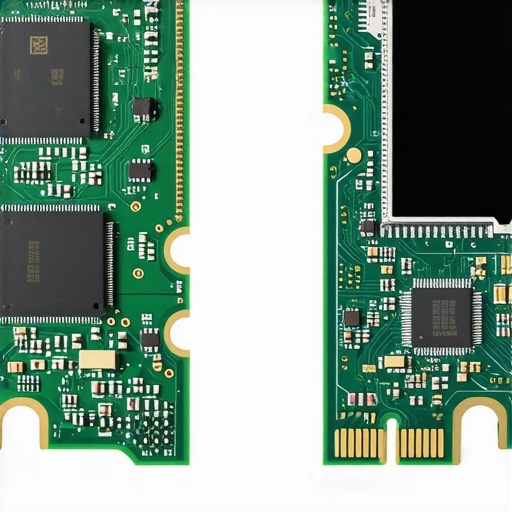
Run the Stress Test That Scammers Fear
Windows and macOS will lie to your face. When you plug a fake drive in, File Explorer might show ‘1TB Free,’ but that’s just a spoofed line of code in the firmware. Think of it like a library that only has one shelf, but the sign outside says ‘Million Book Archive.’ You start putting books in, and as soon as that single shelf is full, the librarian throws the oldest book out the back window to make room for the new one. This is exactly how to spot a dying ssd before your files vanish—the data isn’t being saved; it’s being overwritten in a loop.
Why Your OS Lies About Capacity
Scammers modify the drive’s controller to report any size they want. I once found a ‘2TB’ drive while hunting for unbeatable laptop deals that was actually a 32GB SD card glued inside a large NVMe shell. Your computer trusts the firmware, but you shouldn’t.
Use H2testw to Expose the Fake Chip
This is the non-negotiable step for any storage device. H2testw is a free utility that writes ‘junk’ data to every single sector of the drive and then reads it back to verify it’s still there. If your drive starts throwing errors after 64GB, you’ve found the true size of the chip. I recently used this to save a friend who was setting up student laptops that boost productivity and learning; the ‘deal’ drive he bought failed the test within ten minutes. If a seller won’t let you run a quick verification, they are hiding something.Most people think the brand on the sticker is their shield. It’s not. In my experience, even reputable brands have their names slapped onto generic boards in shady factories. When hunting for top laptop deals in 2025, you need to look past the logo. The real tragedy isn’t just the fake capacity; it’s the lack of a DRAM cache. Most ‘budget’ drives—the ones people buy as must-have laptop accessories—are DRAM-less. They use a portion of your system RAM (HMB) to manage the map of where data lives. On top business laptops for productivity in 2025, this results in micro-stutters that will drive you insane.
Stop Trusting the Seal of Authenticity
A common myth is that a ‘sealed’ box guarantees a genuine product. I’ve seen counterfeiters use heat-shrink machines that are better than the originals. The ‘oops’ factor here is assuming that if the serial number checks out on the website, you’re safe. Scammers simply copy a single valid serial number from a real drive and print it on ten thousand fakes. You might think you’ve found unbeatable laptop deals, but you’ve actually bought a clone. Instead of looking at the box, look at the PCB color and the solder quality. Genuine game-changing gaming laptops for serious players in 2025 use high-grade multi-layer boards that are usually a matte black or deep blue, never that cheap, translucent green often found in knock-offs. 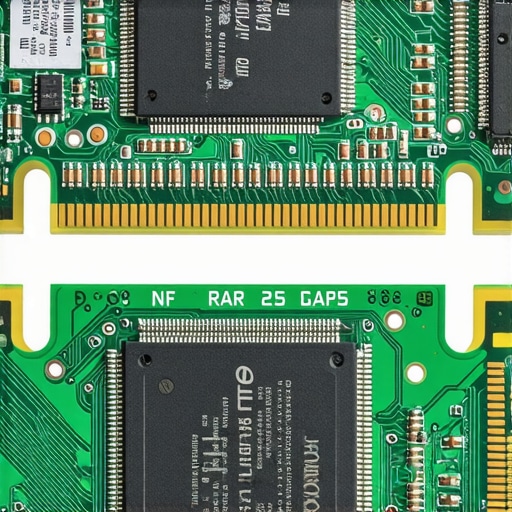
The Invisible Component That Decides Your SSDs Life
The controller is the brain, and it’s where the most sophisticated lies live. While many users focus on read/write speeds, the controller’s ability to handle wear leveling is what keeps your data safe. Advanced analysis from TechPowerUp suggests that mid-cycle component swapping is a rampant issue in the industry; a drive that got great reviews in January might have cheaper, inferior NAND chips by June. This is why I always recommend the best budget ssds for reviving older student laptops from brands that manufacture their own silicon.
Can You Really Trust SMART Data on a Used Drive?
Here is the advanced trap: hackers can reset the ‘Power-On Hours’ and ‘Total Bytes Written’ (TBW) in the firmware. You might buy a drive thinking it’s barely used when it was actually grinding away in a crypto-mining rig. This is exactly why you should how to check if a used gaming laptop was used for mining before committing. If the TBW seems too low for the age of the drive, or if the ‘unmanaged’ errors count is high despite zero hours of use, the firmware has been tampered with. Have you ever fallen into this trap or bought a component that turned out to be a ghost? Let me know in the comments below. Whether you are upgrading student laptops that balance power and portability perfectly or building a workstation, remember: if you can’t verify the hardware, you don’t own the data.
Owning the hardware is just the start; the real challenge is keeping that hardware from eating itself over the long haul. I don’t just buy a drive and forget it. Every system I build, from business laptops for professionals to high-tier rigs, gets a specific survival kit. My go-to is CrystalDiskInfo combined with HWInfo64. I keep these running in the tray because I need to know the exact moment my NAND flash temperature hits 70°C. Once you cross that threshold, you aren’t just slowing down; you are actively degrading the silicon. If you are serious about your machine, you need to monitor these metrics as closely as a pilot monitors their altitude.
How do I keep my storage fast for years?
The secret isn’t just software; it’s physical discipline. People treat SSDs like they’re indestructible because they have no moving parts, but heat is their silent killer. I make sure every drive has a decent heatsink, or at the very least, a high-quality thermal pad connecting it to the laptop’s chassis. If you’re wondering how to choose the right thermal paste for your machine, remember that the same logic applies to your SSD’s thermal interface. In my experience, even the best game-changing gaming laptops for serious players in 2025 can struggle with internal airflow, so I always keep the 10 tool every laptop owner should keep in their desk, like a precision driver set and spare thermal pads, within reach. According to the 2023 Backblaze Drive Stats report, SSDs generally show very low failure rates early in their life cycle, but once they hit the 4-year mark, the reliability curve begins to dip significantly. This is why I advocate for a warm storage strategy. I never keep my only copy of critical data on an internal NVMe. I always move older projects to external sources and use specific methods like why we prefer external hard drives for bulk photo storage to reduce the cumulative wear-and-tear on my primary drive’s limited write cycles.
Stop Letting Your Files Simmer in a Heat Trap
If you’re using student laptops that boost productivity and learning, you probably shove your machine into a backpack while it’s still sleeping. Don’t. That trapped heat is an SSD’s nightmare. I’ve seen drives warp slightly—enough to lose contact with pins—just from being baked in a bag during a commute. Learn how to keep your laptop cool in a hot car or a cramped bag, and you’ll double the life of your components. I also suggest periodically checking your drive’s health during the summer months to how to stop your gaming laptop from thermal throttling in summer. Maintaining optimal airflow is the difference between a five-year drive and a two-year paperweight.
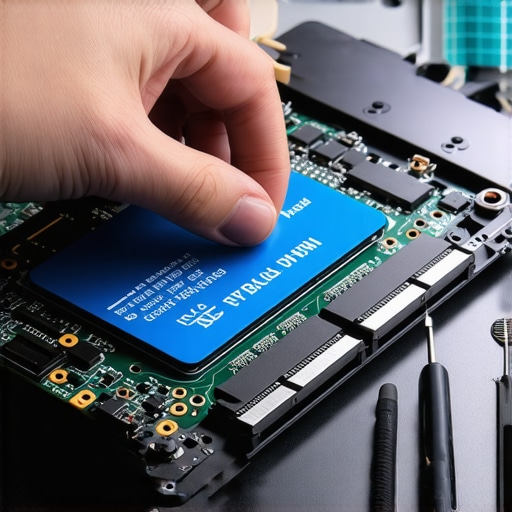
Looking ahead, I predict we are going to see Smart NAND that uses AI within the controller to predict cell failure before it happens, moving data to healthy blocks in real-time without the OS even knowing. It’s the next logical step in the technological arms race against hardware degradation. For now, you need to be the manual version of that AI. Take ten minutes today to download a disk health utility and check your Total Bytes Written. If you’re already at 80% of your drive’s rated lifespan, it’s time to start shopping for unbeatable laptop deals before your screen goes dark for good.
The Hardest Lessons I Learned After Buying ‘Bargain’ Storage
Storage isn’t just about speed; it’s about the integrity of every bit. I used to chase benchmarks, but now I chase manufacturer reliability. If the price feels like a mistake, the hardware is likely a lie. Genuine unbeatable laptop deals usually involve older stock, not 90% off current flagships. Also, always check the physical ‘texture’ of the PCB. Authentic hardware found in game-changing gaming laptops for 2025 adventures has a weight and finish that knock-offs simply cannot replicate.
My Personal Toolkit for Defeating Counterfeiters
I don’t trust my gut; I trust my software. Here are the tools I use every time I upgrade student laptops that boost productivity and learning:
- CrystalDiskInfo: This is my daily driver for monitoring drive health and temperature. It’s a vital part of must-have laptop accessories in software form.
- H2testw: The ultimate ‘truth serum’ for any storage device. If it passes this, the capacity is real.
- Official Manufacturer Apps: Tools like Samsung Magician are the only way to verify serial numbers against the factory database.
- Physical Scale: A simple digital scale helps me verify the weight of a drive against official spec sheets, a trick I learned while hunting top laptop deals in 2025.
#IMAGE_PLACEHOLDER_E#
Build a Setup That You Can Actually Trust
Don’t let the fear of a bad deal stop you from upgrading your machine or pursuing game-changing gaming laptops for serious players in 2025. Being informed is your best defense against scammers. Now that you know how to spot a fake SSD, you have the power to protect your work, your memories, and your sanity. Take that extra ten minutes to verify your hardware—it’s the best investment you’ll make this year. Whether you are trying to how to find out if your laptop can be upgraded or securing your future work, stay vigilant. Have you ever bought a component that performed much worse than the sticker promised? Tell me your story in the comments below!