
I remember the moment clearly. It was late afternoon, and I was hunched over my desk, desperately trying to finish a project. My neck was stiff, my back ached fiercely, and I felt that familiar twinge of fatigue creeping in. That’s when it hit me—sitting so badly all day was not only hurting my body but also killing my productivity. I realized I needed a simple change, something that could transform my workspace and my well-being. That lightbulb moment led me down a path to discover the best laptop stand for proper posture during those long, grueling 8-hour shifts.
Why Your Laptop Setup Could Be Sabotaging Your Health
If you’re spending hours on your laptop—whether working, studying, or gaming—you’ve probably experienced the whispers of discomfort, maybe even full-blown aches. But did you know that poor ergonomics can contribute to chronic issues like carpal tunnel syndrome, neck strain, or lower back pain? According to a study published in the Journal of Physical Therapy Science, sustained poor posture can lead to lasting musculoskeletal problems—even over just a few weeks of bad habits. And here’s the kicker: many of us unknowingly compound these issues by using our laptops at awkward angles or on unstable surfaces, making things worse.
Early in my journey, I made the mistake of stacking books or propping my laptop up on uneven surfaces, thinking it was enough. Spoiler alert: it wasn’t. I ignored the importance of proper height and angle, and my body paid the price. That’s why I want to share what I’ve learned about choosing the right laptop stand to make sure you don’t make the same mistake. We’ll explore the options that truly support your posture and keep you comfortable for hours on end. If you’re tired of neck pain and back aches, stick around—I’ve got some practical tips that could change how you work and relax at your desk.
Will a Laptop Stand Really Make a Difference for My Posture?
Now, I know what you might be thinking: “Do I really need a fancy stand? Isn’t a regular desk good enough?” Honestly, I used to think so too, until I realized how much an adjustable, well-designed stand could alleviate my pain. The key is in the details—height adjustability, stability, and proper angle. Plus, having your screen at eye level prevents the constant craning and neck strain that come with looking down at a laptop perched on your lap or desk.
And here’s a little secret I discovered early on: many inexpensive stands don’t actually stay stable or adjust to the perfect height. That’s why investing in a quality stand can make all the difference. Want to learn which features are worth your money? Or how to spot the best options for your specific needs? You’re in the right place. Let’s start by understanding what makes a laptop stand truly beneficial, so you can finally work in comfort without sacrificing your health.
Adjust Your Workspace Before Sitting Down
Begin by clearing your desk and selecting an ergonomic setup. Place your laptop on a flat surface to prevent wobbling. Use a level surface similar to how you wouldn’t place a fragile item on an uneven shelf. I once tried to work at a cluttered corner with cluttered books, which only added to my frustration and discomfort. Clear space so you have room to position everything correctly.
The Right Height Level
Raise your laptop to eye level to avoid neck strain. Use a laptop stand or stacking books as a temporary solution. Imagine stacking sturdy boxes to create a makeshift desk—my first attempt involved stacking textbooks, which worked until I knocked them over. Now, I opt for a dedicated adjustable stand that lets me set the perfect height with ease.
Choosing the Perfect Laptop Stand
Select a stand with adjustable height and angle features. For instance, a stand with a 360-degree tilt allows you to customize your setup for comfort. When I bought my first stand, I looked for one with a broad, rubberized base for stability, ensuring it wouldn’t slide or wobble during use. This small but vital step greatly improved my posture during long work sessions.
Position Your External Accessories Correctly
Connect an external keyboard and mouse to keep your hands at a comfortable height. Position your keyboard directly in front of you, with your elbows at a 90-degree angle—this prevents wrist strain. Think of your arms as two levers; keeping them grounded and close to your sides reduces fatigue. I personally use a compact mechanical keyboard for tactile feedback, which helps me work longer without discomfort.
Set Your Screen at a Comfortable Distance
Maintain a distance of about an arm’s length between you and the screen. Adjust the brightness and contrast for clarity. Remember, the goal is to see clearly without squinting or leaning forward. I discovered that sitting too close or too far causes eye strain and back pain. Using a monitor arm allows me to fine-tune the distance and angle easily, similar to how professionals position studio monitors for optimal sound.
Fine-Tune Your Posture
Once everything is in place, sit back and check your posture. Your back should be supported by your chair, feet flat on the floor, and shoulders relaxed. Use lumbar support cushions if necessary. I found that upgrading my chair to an ergonomic model significantly relieved lower back pain. Remember, small adjustments throughout the day help maintain comfort and prevent long-term issues.
### 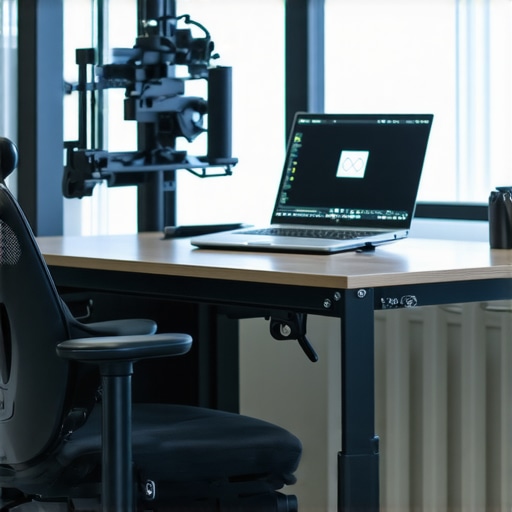
Image showing an ergonomic laptop setup with adjustable stand, external keyboard, mouse, and monitor arm.
Many students and gamers believe that specifying a high-end GPU or the latest processor alone guarantees a smooth experience, but overlooking nuanced factors can lead to disappointment. For instance, opting for the newest hardware without considering thermal management often results in overheating and throttling, which negates the hardware’s potential. An article in Harvard Business Review highlights how thermal issues can significantly diminish laptop performance over time, especially in compact models. This is a common myth—that top-tier specs always translate to better performance—the reality is that adequate cooling and build quality play critical roles. Furthermore, many assume that expensive gaming laptops automatically make excellent choices for creative work or business tasks, but these models often prioritize raw power over portability and battery life, which might hinder productivity or mobility. You can find a curated selection of gaming laptops designed for serious players in 2025 that balance performance with portability. Another mistake is believing that larger screens are always better for multitasking; in fact, ultra-wide displays can sometimes be more efficient for productivity, saving desk space and reducing neck strain. If you’re considering an upgrade, exploring student laptops optimized for learning and productivity can guide you to the right choice. For advanced users, understanding the impact of battery capacity and charging technologies can dramatically enhance real-world usability. Modern fast-charging and larger battery designs, backed by recent research, allow prolonged usage without constant tethering to a power source. This fine nuance—paired with appropriate accessories like power banks—can make a significant difference in daily convenience.
Invest in Quality Maintenance Tools
Maintaining your laptop isn’t just about occasional cleaning; it involves a consistent routine with the right tools. I personally rely on a high-quality, anti-static brush and a set of precision screwdrivers to open and clean my device without risking damage. These tools enable me to remove dust buildup from fans and vents, which is crucial for preventing overheating during intense study sessions or gaming marathons. Regularly cleaning your device can extend its lifespan significantly. For example, I use a USB-powered laptop cooler to keep temperatures down during demanding tasks, which not only improves performance but also reduces component wear over time.
Leverage Effective Software Utilities
Software-wise, I recommend tools like CrystalDiskInfo for monitoring SSD health and Malwarebytes for malware prevention. These programs provide real-time insights into your system’s status and help catch issues before they escalate. Personally, I schedule monthly disk health checks and run full system scans to maintain optimal performance. Additionally, using a lightweight system cleanup utility helps remove unnecessary files and temporary data, freeing up space and reducing system clutter that can slow your laptop down.
Establish a Routine for Updates and Backups
Keeping your operating system and drivers current is vital to security and stability. I set reminders to check for updates weekly, ensuring drivers for components like Wi-Fi cards and graphic processors are optimized. Equally important is backing up your data regularly; I use cloud services like cloud storage to safeguard coursework, project files, and personal data against hardware failure. This proactive approach prevents setbacks during critical periods such as exams or project deadlines.
Predicting the Future of Laptop Maintenance
As hardware and software continue to evolve, expect maintenance tools to become even smarter. Advances in AI diagnostics could soon allow systems to predict hardware failures before they happen, similar to how predictive analytics reshape other industries. This shift toward self-maintenance and proactive alerts will make managing your device more seamless, reducing downtime and repair costs over the long term. Keeping up with these innovations and integrating automated maintenance routines will be essential for students and professionals alike.
How do I keep my laptop reliable over time?
Implementing a combination of physical cleaning, software monitoring, routine updates, and backups creates a resilient maintenance strategy. For tailored advice or assistance with your setup, don’t hesitate to reach out via our contact page.
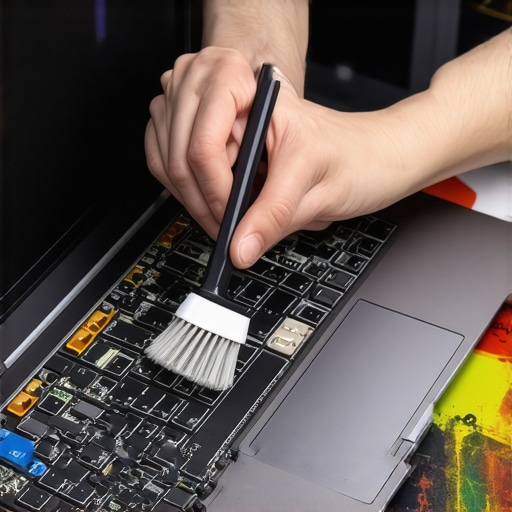
Close-up of a person cleaning their laptop internals with an anti-static brush, emphasizing regular maintenance.
The Hidden Truths About Ergonomic Success
- One of the most eye-opening lessons I encountered was realizing that quick fixes, like stacking books, only provided temporary relief. Investing in a quality adjustable stand transformed my posture and productivity for good.
- Collaborating with other students and professionals revealed that personal comfort directly correlates with consistent work habits. Ergonomics isn’t a luxury—it’s a necessity for sustained focus.
- Getting truly immersed in the details, such as monitor height and wrist positioning, allowed me to fine-tune my setup. These small tweaks compounded into significant improvements over time.
- Understanding that proper setup is a dynamic process helped me recognize the importance of regular adjustments rather than a ‘set it and forget it’ mentality.
Gear Up With My Go-To Tools
- ErgoStand Pro: An adjustable, stable laptop stand that provides effortless height customization, ensuring your screen stays at eye level.
- KeyMaster Mechanical Keyboard: A tactile, compact keyboard that reduces strain and enhances typing accuracy during long sessions.
- MonitorArm Flex: An ergonomic monitor arm that positions your display perfectly, reducing neck strain and allowing free movement.
- CleanTech Laptop Cleaner: An anti-static brush and microfiber cloth combo that helps maintain your setup’s cleanliness, preventing overheating caused by dust.
Your Next Exciting Chapter Begins Now
Remember, optimizing your laptop setup is more than just a trend—it’s a lifelong investment in your well-being and productivity. The knowledge you’ve gained here can transform your daily routine into a habit of excellence. So, don’t wait for discomfort to take over—take control and start making deliberate changes today. Your future self will thank you for choosing comfort, health, and efficiency every single time.
How have you customized your workspace to achieve better comfort? Share your tips or ask questions below—I’d love to hear your story!