
I vividly remember the day I realized my keyboard was slowly sabotaging my workday. My fingers ached, my accuracy suffered, and those long hours of typing felt like a punishment rather than a productivity booster. It was a lightbulb moment that changed everything—once I understood how critical a good keyboard is for anyone who types all day.
Why Did I Keep Struggling with My Keyboard?
For years, I used the same standard membrane keyboard, thinking it was sufficient. But as my workload increased and my typing sessions stretched into hours, I noticed persistent fatigue and frequent mistakes. I brushed it off, telling myself it was just nerves or a busy day. Until one evening, my wrists cramped painfully, and I couldn’t ignore the discomfort anymore. That’s when I discovered that the right typing gear could significantly improve my day-to-day comfort and efficiency.
Is the Hype Around Mechanical Keyboards Overblown?
Early on, I made the mistake of believing all keyboards were created equal. I thought spending a lot on a mechanical keyboard was unnecessary and that any keyboard would do just fine. Big mistake. The truth is, selecting the right mechanical keyboard isn’t just about aesthetics or brand loyalty; it’s about choosing a tool that supports your health and productivity for years to come. According to research from the Harvard School of Public Health, ergonomic design can reduce repetitive strain injuries, which are common among avid typists.
With that in mind, I’m here to guide you through finding the best mechanical keyboard tailored for your long typing sessions. We’ll explore features that matter, share personal insights, and help you avoid the pitfalls I once fell into. Ready to upgrade your typing experience? Let’s dive in and discover the ideal keyboard that can turn your daily grind from a pain to a pleasure.
Identify Your Typing Needs Quickly
Think of selecting a mechanical keyboard like choosing a reliable partner for a marathon; your comfort and performance depend on it. Reflect on your typical use cases—are you typing long documents, gaming, or working back-to-back meetings? For instance, during my late-night coding sessions, I realized that tactile feedback helped reduce mistakes and fatigue. Pinpointing your main activity will narrow down suitable switch types and features.
Master the Switch Selection for Comfort and Speed
Experiment with Different Switches
Switch types are the heart of your keyboard’s feel. Cherry MX Blue switches, for example, offer audible clicks and tactile feedback, ideal for a satisfying typing experience. I once borrowed a friend’s keyboard with linear switches, which felt incredibly smooth—perfect for gaming. Testing various switches helps you find your preference, whether you prefer a soft press or a click sound. Visiting a local store or renting demo models can save you from costly mistakes.
Match Switches with Your Environment
Imagine trying to focus in a café with loud clicking; a quieter switch might be better—like Cherry MX Silent or Gateron dampened switches. If you work in shared spaces, noise can be disruptive. During my search, I used a switch tester kit to compare options, leading me to a quiet linear switch that reduced noise and improved my focus during team calls.
Optimize Layout and Size for Productivity
Choose the Right Form Factor
From full-sized keyboards with numpads to compact tenkeyless or 60% designs, size impacts desk space and portability. When I transitioned from a full-size to a tenkeyless keyboard, I gained more room for my mouse, improving my ergonomics. If portability matters, consider a 60% layout that fits easily into a backpack. Balance your workspace needs with your typist style.
Consider Additional Features
Features like programmable keys, wrist rests, or customizable keycaps can enhance your experience. During a project, I added a wrist rest and remapped keys for shortcuts—saving me seconds on repetitive tasks. Think about what ergonomic or functional features will make your workflow smoother rather than just aesthetic upgrades.
Test and Fine-Tune Before Final Purchase
Many manufacturers offer demo units or return policies. Take advantage of this to try the keyboard extensively. I once ordered a keyboard online, tested it for a week, and realized the key height was slightly uncomfortable. Replacing it with a model with adjustable keycaps made a significant difference. Your goal should be a setup that minimizes strain and maximizes speed.
Invest Wisely in Quality and Durability
Quality construction ensures your keyboard lasts for years. Look for sturdy cases, quality keycaps, and reputable brand reviews. I invested in a model with a metal frame, which resisted wear and tear despite daily use. Although it was initially more expensive, durability pays off by avoiding frequent replacements. Remember, a good keyboard is an investment in your comfort and productivity.
Explore Accessories to Elevate Your Experience
Complement your keyboard with accessories like a wrist rest, high-quality cables, or sound-dampening mats—these can turn an average typing station into a powerhouse setup. For example, I added a sound-absorbing mat under my keyboard, which reduced noise and vibrations noticeably during intensive sessions. Small upgrades here can make a big difference over time.
By systematically assessing your needs, testing switches, choosing the right layout, trying before buying, and investing in durability, you will find a mechanical keyboard that truly enhances your work or gaming. Combining these steps empowers you to transform your typing into an ergonomic, efficient, and satisfying experience.
Many people overlook nuanced details when selecting laptop accessories or models, leading to costly mistakes. Contrary to popular belief, not all accessories are universally beneficial; some may even hinder your productivity or damage your device over time. For example, relying solely on generic laptop bags without considering padding or waterproof features can expose your device to unnecessary risks. When it comes to laptop accessories, many assume that all add-ons improve their experience, but selecting the wrong accessories—like poorly designed docking stations or incompatible chargers—can cause hardware issues or short battery life. \n\nIn the realm of business laptops, there’s a common myth that the most expensive models always deliver the best performance. However, this overlooks critical factors such as ergonomic designs and modular components that allow upgrades, which can be more beneficial in the long run. For students, choosing a laptop based solely on specs without assessing durability or repairability often leads to hardware failures within a year. Moreover, the misconception that high-end gaming laptops are suitable for daily work tasks ignores their power draw and weight, making them impractical for portability. Instead, exploring gaming laptops with balanced features can offer a versatile solution for both entertainment and productivity.\n\nAn advanced consideration involves understanding the true value of laptop deals. Many deals look attractive due to temporary discounts, but without evaluating warranty terms, after-sales support, or upgrade options, consumers risk making a false economy. Often overlooked is the importance of compatibility, such as ensuring your accessories work seamlessly with new port standards like Thunderbolt 4 or USB-C, which many manufacturers embrace rapidly. \n\nAdditionally, a trap many fall into is neglecting the importance of privacy and security features. For example, physical webcam shutters are often underestimated, yet they offer a simple, reliable way to protect sensitive information without risking software glitches.\n\nTo further complicate matters, it’s not uncommon to see buyers fixate on the latest trends like ultra-thin designs, ignoring aspects like thermal performance or battery longevity. This oversight can result in devices that look sleek but underperform in real-world scenarios. As an astute user, investing in a balanced combination of performance, durability, and upgradeabilty is paramount—don’t get seduced by superficial specs.\n\nIn summary, the key to avoiding these misconceptions is deep research and critical assessment. Hand-picking compatible accessories, understanding the real performance behind a “deal,” and not succumbing to surface-level trends are essential. Remember, a laptop is an investment that should serve your needs, not just your aesthetic preferences. Have you ever fallen into this trap? Let me know in the comments.
Tools I Recommend for Maintaining Laptop Performance
Keeping your laptop accessories and devices functioning optimally over the years requires more than just regular cleaning; it demands the right set of tools and consistent practices. I personally rely on a combination of hardware tools and software utilities that are proven to extend the lifespan of my devices and ensure smooth operation.
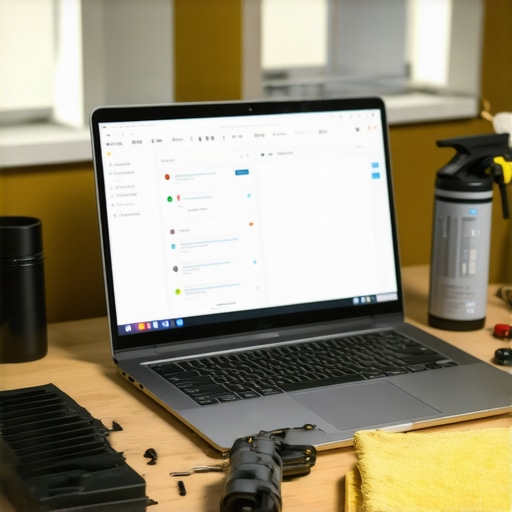
For hardware maintenance, a high-quality precision screwdriver set is crucial. I prefer someone like the iFixit toolkit, which covers all screws from tiny torx to Phillips, making it easier to do internal cleaning or upgrades without risking damage. Additionally, an antistatic wrist strap is essential to prevent static discharge when opening or tinkering with your hardware, protecting sensitive components from harm.
Cleaning tools should never be overlooked. Compressed air cans, like the Falcon Dust-Off, are my go-to for removing dust from vents, fans, and keyboards without risking moisture or damage. Microfiber cloths and isopropyl alcohol wipes are equally important for cleaning screens and external surfaces, keeping visuals sharp and preventing buildup that can impair performance.
On the software side, I optimize my laptop’s health using dedicated utilities. CrystalDiskInfo is a real gem for monitoring SSD/HDD health; it provides detailed SMART data that helps catch imminent drive failures before data loss occurs. Similarly, tools like BatteryInfoView give insightful data about your battery’s current capacity, allowing proactive replacements and avoiding sudden shutdowns.
How do I maintain my laptop’s optimal functioning over time?
Routine updates are the foundation—keep your operating system, drivers, and firmware current to patch vulnerabilities and improve efficiency. I schedule software audits every few months, removing bloatware and unnecessary startup programs, which boosts speed and reduces wear on hardware components.
Long-term results also depend on proper cooling. I use a quality laptop stand, like the Roost, to elevate airflow, and regularly clean dust from vents and fans using compressed air. Overheating accelerates hardware degradation, especially in gaming laptops, so proactive cooling extends their usability.
Considering the rapid pace of technological advancement, I predict that future maintenance will lean towards AI-powered diagnostic tools that predict failures before they happen, much like predictive analytics in enterprise systems. Keeping an eye on emerging tools will help you stay ahead of potential issues and maintain peak performance over years.
Flexibility is key—try integrating weekly cleaning routines with your regular system checks, and you’ll notice a significant prolongation in device lifespan. For example, periodically using software like diagnostic tools for detailed insights helps prevent surprises. Remember, a well-maintained laptop not only performs better but also preserves its resale value, should you decide to upgrade.
If you haven’t already, I highly recommend trying out a comprehensive maintenance routine that includes hardware tools and diagnostic software—you’ll be amazed at the difference it makes in your overall experience.
What I Didn’t Know About Upgrading Matters
One of the most eye-opening lessons I learned was that the biggest improvements often come from small, thoughtful upgrades, like replacing internal thermal paste or adding upgraded RAM modules. Rushing to buy the latest flagship model without optimizing or upgrading existing hardware can be a costly mistake. Taking time to evaluate and enhance what you already have can unlock hidden potential in your laptop, saving money while boosting performance.
Design Flaws Can Sneak Up on You
I discovered that some popular laptop models, despite their specs, suffer from poor thermal management or flimsy build quality that leads to long-term frustration. Reading genuine user reviews and seeking advice from trusted sources helped me avoid these pitfalls. Remember, the best laptop isn’t just about raw power but how well it’s built to withstand the test of time and daily use.
Embracing a Holistic Approach Is Key
Optimizing your workspace with accessories like a quality laptop stand or a quiet external mouse created a significant difference in my comfort. Combining hardware upgrades, ergonomic setups, and efficient software routines resulted in a seamless flow, transforming my productivity and enjoyment. Investing in your entire workspace, rather than just the device, is the secret I wish I had known earlier.
Curated Tools to Elevate Your Experience
My trusted toolkit includes a precision screwdriver set from iFixit, essential for internal upgrades. Compressed air cans like Falcon Dust-Off keep vents clean, preventing overheating. On the software front, utilities like CrystalDiskInfo and BatteryInfoView give me peace of mind by proactively monitoring hardware health. These tools have saved me countless hours and headaches by catching issues early and maintaining peak performance.
It’s Your Turn to Make a Change
Now that I’ve shared my journey, I encourage you to look beyond the surface when considering your laptop setup. Small adjustments, informed choices, and a proactive mindset can lead to remarkable improvements in your daily routine. Don’t settle for subpar performance—your best work begins with the tools you trust and the knowledge you apply.
Have you ever experienced a surprise upgrade that transformed your productivity? Share your story below and let’s learn from each other’s experiences!
Comments are closed.