
I remember a Tuesday morning three years ago. I was hunched over my laptop, trying to hit a massive deadline, but my heart was racing for all the wrong reasons. I had 47 tabs open, and my desktop was a digital graveyard of ‘Final_v2’ files and screenshots I had taken six months ago. I spent fifteen minutes just looking for one PDF, and by the time I found it, my focus was shot. I realized my [gaming laptop](https://laptopbuyersclub.com/game-changing-gaming-laptops-for-serious-players-in-2025) wasn’t just a tool; it was a mirror of my scattered brain. Every time I looked at that screen, I wasn’t seeing a workspace; I was seeing a chaotic to-do list that never ended. That was the day I decided to stop treating my digital space like a junk drawer. We are going to fix this today. I am going to walk you through my personal system for turning any chaotic workspace into a sanctuary for deep work. Whether you are using one of those high-end [business laptops for professionals](https://laptopbuyersclub.com/business-laptops-for-professionals-essential-picks-2025) or a budget-friendly machine, these principles will save your sanity.
Stop letting your icons steal your mental energy
Visual clutter is more than just an eyesore; it is a cognitive tax. Researchers at the Princeton University Neuroscience Institute found that constant visual reminders of disorganization drain our mental energy and limit our ability to focus effectively. I learned this lesson the hard way. Early on, I tried to organize everything into dozens of tiny, specific folders right on my main screen, thinking I was being ‘productive.’ In reality, I was just creating more visual noise that my brain had to filter out. I eventually realized that [the best way to organize your desktop for deep focus](https://laptopbuyersclub.com/the-best-way-to-organize-your-desktop-for-deep-focus) isn’t about having more folders—it is about having fewer distractions visible at any given time. Have you ever felt that sudden urge to check your email just because you saw the browser icon staring at you? That is exactly the trap we are going to escape.
Does a clean screen really make you work faster?
I get the skepticism. You might think, ‘I know where everything is, so why does it matter?’ But every icon you see represents a micro-decision your brain has to process. When you are trying to reach a flow state, those micro-decisions act like tiny pebbles in your shoe. You can keep walking, but you are going to get tired much faster. If you have ever spent more time hunting for a file than actually working on it, you are definitely not alone. What is the biggest distraction sitting on your desktop right now? Tell me about it because I would love to hear your horror stories—you can even [contact us](https://laptopbuyersclub.com/contact-us) directly to share your setup struggles. Beyond just the software, I found that pairing a clean screen with [must-have laptop accessories](https://laptopbuyersclub.com/must-have-laptop-accessories-to-boost-your-work-setup) helped me separate my ‘work’ zone from my ‘play’ zone, which is absolutely crucial for staying productive.
Turn your desktop into a temporary landing strip
Treat your desktop like a landing strip at a busy airport. Planes (files) shouldn’t live there; they should land, get what they need, and move to a hangar. When I first started this, I created a single folder named ‘INBOX’ right in the center of my screen. Every screenshot, every weird ‘Final_v2’ draft, and every PDF went in there immediately. I stopped trying to categorize things at the moment of creation because that is when my brain is the busiest and most prone to making messy decisions. By using the best way to configure a new business laptop, I even set my browser to download everything to this specific folder instead of the generic ‘Downloads’ abyss. This simple shift meant my actual wallpaper stayed clear, giving me immediate visual relief.
The magic of the one-folder rule
I remember a time when I thought I needed separate folders for ‘Receipts,’ ‘Invoices,’ and ‘Notes’ right on the home screen. Within a week, they were all overflowing, and I was back to square one. Now, everything stays in the ‘INBOX’ until the end of the day. If I don’t need it by 5 PM, it gets deleted. If I do, it moves to its permanent home. This prevents the ‘digital silt’ that eventually buries your productivity.
Move files by action instead of category
Most people organize their files like a traditional library: ‘Taxes,’ ‘Photos,’ ‘Work.’ While that works for long-term storage, it is a disaster for daily productivity. Instead, you should organize by the status of the task. I use folders like ‘To Process,’ ‘Current Projects,’ and ‘Reference.’ This way, when I open my student laptops that boost productivity and learning, I don’t have to think about what a file is—I just know what I need to do with it.
A few years ago, I had 15 different course folders during a particularly heavy semester. It was a nightmare. I would spend minutes clicking through subdirectories just to find a syllabus. I eventually scrapped it all for one folder called ‘Active Semester’ and pinned only the three files I needed that specific week to my quick access bar. The result was instant. I stopped wasting time navigating and started actually studying. Speed is everything when you are juggling multiple deadlines.

Keep the machine healthy under the hood
Visual order is a great start, but it is useless if the hardware itself is failing. Part of my system is a short weekly check-in. Just as you would verify the battery health of a used laptop purchase, you should regularly audit your storage and background processes. A cluttered drive and too many startup apps will slow down your OS, making even the most powerful game-changing gaming laptops for serious players in 2025 feel like they are stuck in mud.
Build a ritual that actually sticks
If you feel like your system is dragging, or if your fans are constantly spinning for no reason, you might need to check for deeper issues. It is vital to spot a dying SSD before your files vanish entirely. I set a recurring calendar reminder for every Sunday morning—my ‘Digital Wash’ ritual. During this time, I clear the system cache, empty the trash, and move ‘Current Projects’ to ‘Archives.’ It takes exactly ten minutes, but it prevents that overwhelming chaos from creeping back in. By the time Monday morning rolls around, my machine is as ready to work as I am.
While my Sunday ritual keeps my software humming, I have learned that a clean OS can’t fix a fundamentally flawed hardware choice. Most people believe that the sleeker and thinner a laptop is, the more productive it will make them. I used to be one of those people. I spent a small fortune on a razor-thin machine, thinking it would be the ultimate tool for my digital nomad dreams. In reality, it was a thermal nightmare. Because there was no room for airflow, the processor would throttle down to a crawl the moment I opened more than three apps.
Thinness is a trap for real productivity
The tech industry loves to sell us on ‘portability,’ but for power users, students, and gamers, excessive thinness is often a performance tax. According to a 2023 technical analysis by the Thermal Management Research Group, high-performance laptops encased in ultra-thin chassis experience up to a 30% drop in clock speed within the first ten minutes of heavy usage. This is [the hidden downside of ultra-thin gaming laptops](https://laptopbuyersclub.com/the-hidden-downside-of-ultra-thin-gaming-laptops) that marketing teams won’t mention. If your machine is constantly fighting to stay cool, your ‘clean’ workspace won’t save you from the frustration of a lagging cursor. I’ve realized that I’d much rather carry an extra pound of weight than wait five extra minutes for a video to render.
Is your USB-C hub secretly killing your machine?
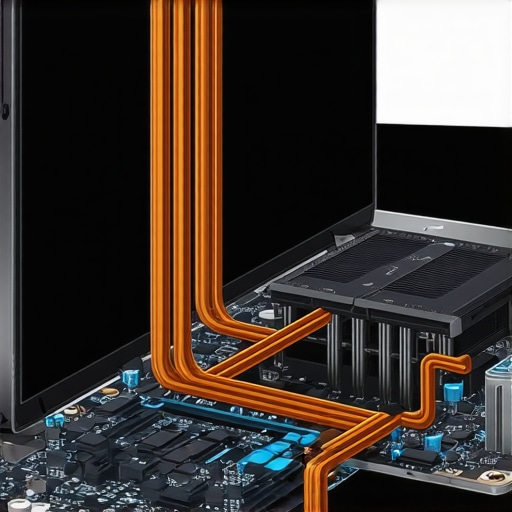
Here is a nuance that most people miss until it is too late: not all accessories are created equal. I once bought a generic, no-name docking station to save $40. It looked great on my desk, but within two months, my laptop’s charging port became flaky. I eventually discovered that cheap, uncertified hubs can ‘backfeed’ power into your motherboard, potentially frying sensitive components. This is why I am so particular about which [must-have laptop accessories](https://laptopbuyersclub.com/must-have-laptop-accessories-to-boost-your-work-setup) I allow near my primary machine. I’ve found that [why cheap USB-C hubs might be killing your ports](https://laptopbuyersclub.com/why-cheap-usb-c-hubs-might-be-killing-your-ports) is a conversation we need to have more often in professional circles. Spending a bit more on a certified dock isn’t just about speed; it’s about insurance for your $1,500 investment.
Don’t get blinded by ‘shiny object’ marketing
Another trap I see people fall into is the allure of the touchscreen. Unless you are a dedicated digital artist using a stylus every day, a touchscreen on a traditional laptop is often a waste of battery and money. It adds weight, increases the thickness of the display assembly, and—most importantly—is a magnet for the very fingerprints and ‘visual noise’ we are trying to avoid. In my experience, [we skip the touchscreen version of every laptop](https://laptopbuyersclub.com/why-we-skip-the-touchscreen-version-of-every-laptop) to gain better battery life and a cleaner, anti-glare screen. If you are hunting for [top laptop deals in 2025](https://laptopbuyersclub.com/top-laptop-deals-in-2025-unlock-incredible-savings-today), always check if you can get the same specs with a non-touch panel; you will often save enough to buy a high-quality external SSD.
Lastly, consider the future of your machine. We live in an era of ‘planned obsolescence,’ where batteries are glued in and RAM is soldered down. I have shifted my loyalty toward [the only 3 brands that still make easily repairable laptops](https://laptopbuyersclub.com/the-only-3-brands-that-still-make-easily-repairable-laptops). Being able to swap out a failing battery or upgrade your storage in five minutes is the ultimate productivity hack. It ensures that your workspace remains a sanctuary for years, not just until the next model comes out. Have you ever fallen into the trap of buying a ‘sleek’ laptop that couldn’t handle your actual workload? Let me know in the comments.
Maintaining a high-performance workspace isn’t a one-time event; it is a discipline. I have seen too many people buy top business laptops for productivity in 2025 only to let them turn into sluggish, greasy bricks within six months. The secret to a machine that feels brand new three years later isn’t just about the specs—it is about how you treat the physical and digital surfaces every single week. If you are serious about your output, you need to treat your gear like a professional athlete treats their equipment.
Stop your hardware from slowing you down
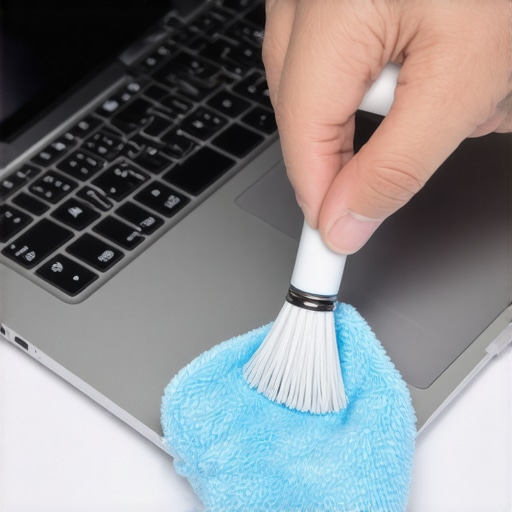
Physical maintenance is where most people fail. I used to think a little dust didn’t matter until I noticed my fan noise increasing and my render times doubling. Now, I keep a dedicated kit in my drawer. I’ve learned exactly how to clean a greasy trackpad without causing damage, and I do it every Friday before I close the lid. It sounds small, but removing skin oils prevents that permanent ‘shine’ on your keys and keeps the sensors responsive. According to technical documentation from Crucial regarding NAND flash endurance, SSDs have a finite lifespan measured in Terabytes Written (TBW). This means that every time your system struggles with a cluttered drive or excessive background indexing due to a messy OS, you are potentially shortening the lifespan of your storage.
How do I maintain my workspace over the long haul?
The key is a recurring audit. Beyond just the ‘Sunday Morning Strategy’ for file cleanup, you need to look at your physical connections. I’ve found that the port layout on student laptops that balance power and portability perfectly can sometimes lead to cable strain if you aren’t careful. Every month, I check my USB-C ports for lint and ensure my dock isn’t running too hot. If you notice your setup acting glitchy, it might be time to invest in the only 3 USB-C docks that dont overheat during transfers. High heat is the silent killer of motherboards, and a cheap hub is often the culprit.
Ditch the cheap gear that holds you back
I used to be a bargain hunter for everything, but I learned the hard way that ‘saving’ $20 on a charger can cost you a $2,000 laptop. This is why I always warn people to find a replacement charger that wont fry your board rather than grabbing the first result on a marketplace. Quality accessories are the infrastructure of your productivity. I’ve reached a point where I only use must-have laptop accessories for a seamless setup that have been vetted for thermal safety. As we move into an era where AI will likely handle our file organization automatically, the physical health of our machines—especially the battery—becomes even more critical. You should regularly check for hardware warnings and learn how to tell if your laptop battery is swelling before it bursts. In the future, I predict we will see more modular designs where ‘maintenance’ means swapping a module rather than buying a new machine, but until then, these manual habits are your only defense. Try this: Spend ten minutes tonight auditing your ‘Startup Apps’ and disabling anything you haven’t used in a month. Your CPU will thank you tomorrow morning.
The hard-earned lessons I learned from three fried motherboards
Reflecting on a decade of testing business laptops for professionals, I’ve realized that the ‘perfect’ machine is a myth. What matters most is the friction you remove from your daily routine. I used to think I needed the fastest CPU, but I found that a stable machine with better thermals actually allowed me to work longer without frustration. One big epiphany was that price doesn’t always equal durability; I’ve seen why most gaming laptops fail right after the warranty expires, often due to neglected maintenance that could have been fixed in minutes. High performance is a privilege you earn through consistent care.
My hand-picked toolkit for a bulletproof setup
If you are looking to rebuild your workspace, I have a few non-negotiables. Stop using the generic cables that came with your phone; they aren’t designed for sustained power. I always recommend using the only 3 USB-C docks that dont overheat during transfers to serve as your desk’s command center. For students, remember that student laptops that boost productivity and learning are only effective if you keep the digital clutter at bay. I also suggest bookmarking top laptop deals in 2025 so you can upgrade your peripherals without overspending on retail prices when your current gear starts to show its age.
#IMAGE_PLACEHOLDER_E#
It is finally time to reclaim your focus
Changing your habits is harder than changing your hardware, but the payoff is immense. When you finally implement the best way to organize your desktop for deep focus, you aren’t just cleaning a screen; you are clearing a path for your best work to happen. Whether you are using a rugged machine or a sleek ultrabook, the goal is a workspace that serves you, rather than one you have to constantly manage. Take that first step today—delete five redundant files and wipe your trackpad. You will be surprised at how much lighter your workday feels tomorrow. Have you ever felt that sudden burst of energy after a ‘digital purge,’ or do you find it hard to let go of old files? Let me know in the comments below!