
Ever tried to grip a gaming mouse that felt more like holding a paddle than a precise tool? I remember the frustration hitting me mid-game, my hand cramping up as I struggled to find that sweet spot of comfort and control. That uncomfortable squeeze, the constant readjustments—those were my lightbulb moments that made me realize, “Why does this mouse feel like it was designed for someone twice my size?” Sometimes, the gear we invest in should get out of our way, not become an obstacle to our best performance.
The Hidden Struggle of Small-Handed Gamers
For years, I brushed off the importance of finding a mouse that truly fits smaller hands. Sure, there are so many options out there—big, flashy, multi-button beasts engineered for the ‘average’ grip. But what about those of us with petite palms and fingers that don’t reach comfortably around those bulky shapes? I’ve made the mistake early on of chasing after high DPI specs and RGB lighting, thinking they’d fix my issues. Spoiler: they didn’t. My hand fatigue only worsened, and I lost pinpoint control when I needed it most.
According to research from the National Library of Medicine, ergonomic comfort directly influences not just gaming performance but also long-term health. Investing in the right size mouse isn’t just about comfort; it’s about avoiding repetitive strain injuries and maintaining peak focus during those critical play moments.
So, what’s the solution? Today, I’m going to guide you through how to choose a gaming mouse that caters to smaller hands and makes gaming sessions feel natural again. Ready to ditch the awkward grip and discover your new favorite gear? Let’s dive into how to select the perfect fit.
Is this mouse hype worth believing? My early mistake was dismissing size differences as insignificant.
For a long time, I bought into the marketing hype—bigger is better, right? Wrong. I overlooked the importance of ergonomics and ended up with hand pain that lasted for days. Trust me, I’ve been there. If you’ve faced similar discomfort or are worried about investing in a mouse that actually feels good, you’re not alone. Let’s turn that doubt into action with practical tips you can use right now.
Keep reading, and I’ll show you how to pinpoint the size and shape that aligns with your grip style—so gaming becomes a joy, not a pain. Want to see the top picks for small-handed gamers? Check out the latest gaming gear designed for precision and comfort, and get ready to level up your setup.
Measure Your Grip and Hand Size
Start by measuring the length and width of your hand. Use a ruler or a measuring tape to find the distance from your wrist to the tip of your middle finger and the span across your palm. For example, my hand was 17cm long with a palm width of 8cm, which immediately eliminated many standard-size mice that felt oversized. I remember a time I ignored this step and bought a popular gaming mouse, only to find it uncomfortably large, leading to fatigue after just 30 minutes of gaming.
Identify Your Grip Style
Determine if you use a palm, claw, or finger grip. A palm grip involves your entire hand resting on the mouse; claw involves arching your hand so your fingertips and the palm create a claw shape; finger grip keeps just the fingertips on the buttons. Knowing your grip informs your shape preference. I found out I used a claw grip, which meant I needed a mouse with a narrower, more contoured shape for precise finger movements, not a broad, flat design marketed for everyone.
Prioritize Ergonomics Over Features
While high DPI and RGB lighting look flashy, comfort should be the priority. Look for mice with a shape designed for smaller hands—these often have a lower profile and a more compact footprint. I learned this the hard way when I bought a mouse with 20+ buttons, thinking it was perfect. It was bulky and caused strain. Instead, focus on mice with a natural, comfortable form and consider adding accessories like wrist rests for extra support. For practical advice, see essential accessories to boost your setup.
Test Before You Buy
Visit stores or try out models in person whenever possible. If you’re online, look up reviews or video demonstrations showing how the mouse feels in smaller hands. I once ordered a mouse after reading reviews only to realize the curvature was wrong when I received it—returning it was a hassle. To mitigate this, consider buying from a retailer with a good return policy, allowing you to test the mouse at home risk-free.
Adjust Settings for Personal Comfort
Once you pick a suitable mouse, customize the DPI sensitivity, scroll speed, and button mappings. Lower DPI settings can give you more precise control, especially with smaller mice. I personally set my DPI to 800 for better accuracy in FPS games, which significantly improved my aim without needing to grip the mouse tightly. Use software provided by manufacturers to fine-tune these settings for your preferred grip and play style. For more ideas, check top gaming laptops and accessories for balanced performance.
Incorporate Proper Accessories
Enhance your gaming experience by adding a quality mouse pad that matches your grip style. A smooth surface allows for better control with small movements. Additionally, consider a wrist rest if you feel fatigue after extended sessions. I found that improving my setup with a wrist support reduced strain recurring from prolonged use of my compact mouse, enabling longer, more comfortable play sessions.
These precise, practical steps can dramatically improve your gaming control and overall comfort, turning an awkward experience into a seamless extension of your hand. Remember, the right fit isn’t just about performance—it’s about enjoying your games without pain or frustration.
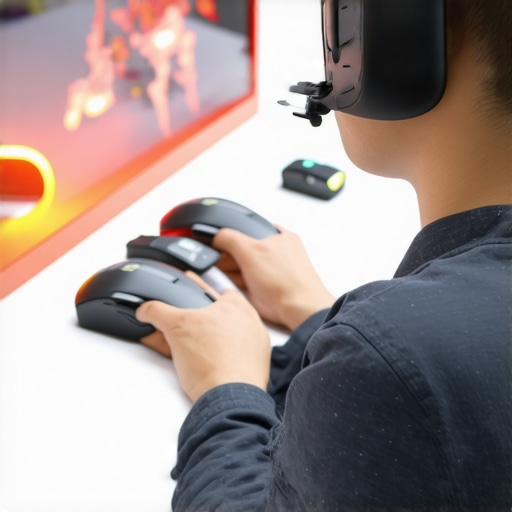 Many assume that selecting a laptop for students or gamers is just about choosing the latest high-spec model or chasing trendy features like RGB lighting. However, this oversimplification often leads to costly mistakes. For instance, a common myth is that more expensive or flashy laptops inherently deliver better performance for learning or gaming. In reality, many high-priced machines are overkill for the tasks at hand and may sacrifice portability and durability—key factors for students and gamers alike. Instead, focusing on core features such as battery life, build quality, and upgradeability can yield far better value. It’s also worth noting that many overlook the importance of a tailored keyboard and cooling solutions, which can significantly enhance long-term comfort and performance during extended use.
One often overlooked nuance is how the brand reputation can be misleading. For example, some mainstream brands push aggressive marketing by emphasizing aesthetics over essential internals, leading buyers astray. A well-regarded business laptop that prioritizes durability and upgradeability might be a smarter choice for students aiming for longevity. For gaming, models like gaming laptops for 2025 can offer the best balance of power and portability.
Another trap is fixating on raw specifications like GPU or CPU without considering real-world usability. For example, having a top-tier GPU is pointless if the laptop has poor thermals or a subpar display, which directly impacts your gaming or work quality. An advanced mistake is ignoring the importance of ergonomic accessories, such as a quality mouse pad or external keyboard, especially for prolonged gaming or study sessions. These can drastically improve comfort and reduce strain—something many overlook when shopping.
Understanding the nuances of what makes a laptop suitable for your needs saves money and frustration. It pays to do thorough research, read reviews, and consider long-term factors instead of just chasing benchmarks or marketing hype. For advice tailored to your specific needs, see our guide on student laptops that balance power and portability. Have you ever fallen into this trap? Let me know in the comments.
Prioritize Routine Maintenance to Extend Device Lifespan
To ensure your student, business, or gaming laptop remains reliable over time, scheduling regular maintenance is key. I personally set amonthly reminder to back up important files using Macrium Reflect, a robust cloning tool that I recommend because it creates full disk images, allowing quick recovery if something goes wrong. This proactive approach minimizes downtime and data loss, especially when dealing with critical projects or gaming tournaments.
Use Specialized Tools for Performance & Hardware Checks
Diagnostics software like HWiNFO offers real-time temperature monitoring, voltages, and fan speeds. I rely on it to track potential overheating issues before they cause throttling or hardware failure. Additionally, for cleaning out dust and debris from internal components, I use a compressed air can and a small Phillips screwdriver for opening the chassis safely. Regular physical checks prevent performance dips and extend hardware longevity.
Optimize Long-Term Software Strategy
Maintaining performance isn’t only hardware—the software environment matters as well. Keeping your drivers up to date with tools like Driver Booster ensures compatibility and fixes bugs that might cause crashes or slowdowns. I also routinely review startup programs to disable unnecessary background applications, freeing up RAM and processing power. Clearing temporary files with CCleaner every few months keeps clutter at bay. Implementing these habits helps maintain a snappy, responsive system for work, gaming, or learning.
Plan for Future Scalability: Upgrades & Accessories
Investing in laptops that support upgrades like RAM and SSDs is wise. I suggest prioritizing models that are easy to open and upgrade, such as those recommended in our business laptops for 2025. Moreover, enhancing cooling with aftermarket accessories or additional fans can boost performance during intense sessions. Remember, planning for scalability saves money and hassle over the device’s lifespan.
How do I maintain my laptops over time to ensure they stay reliable?
Establish a consistent maintenance routine that combines hardware checks, software updates, and physical cleaning. Use diagnostic tools like HWiNFO to monitor internal temperatures, and keep your system software updated to patch vulnerabilities and improve stability. Regularly clean your device’s vents and keyboard to prevent overheating and debris buildup. Consider upgrading components like RAM and SSD whenever feasible—these upgrades provide noticeable performance boosts. Setting a schedule for backups with tools like Macrium Reflect ensures your data remains safe even in emergencies. Incorporate these habits into your regular tech care, and you’ll maximize your laptop’s lifespan and performance.
Additionally, staying informed about emerging maintenance trends can make a significant difference. Experts are increasingly emphasizing the importance of BIOS updates for security and stability. For instance, a recent article highlights how toggling certain BIOS settings can extend your battery life significantly. I encourage you to explore such advanced tips and attempt one that fits your device—like updating your BIOS or enabling specialized power-saving modes—to see immediate benefits.
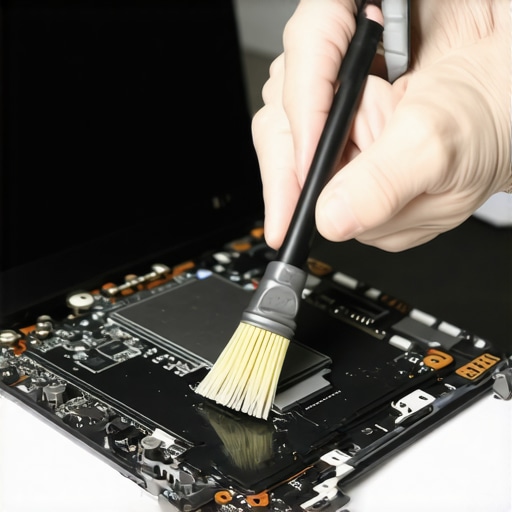
By integrating these targeted maintenance practices, you can ensure your laptops operate smoothly for years. Remember, consistent care isn’t just for prolonging hardware lifespan—it’s about maintaining peak performance when you need it most, whether for study, work, or gaming. Take the time to implement one of these tips today and experience the difference it makes in your device’s longevity.
,
The Hidden Truth About Compact Laptops and Why I Wish I Knew Sooner
One of the most eye-opening lessons I learned was that bigger isn’t always better—especially for small-handed gamers and students. I used to chase after the latest high-spec models, assuming they would automatically cater to my needs. But I quickly realized that ergonomics and thoughtful design matter far more than sheer power. Investing in a device that fits your physical traits and usage habits can transform your entire experience, saving you from discomfort or upgrade regret later on.
My Secret Weapons for a Better Laptop Experience
Over the years, I’ve curated a toolkit that makes managing and upgrading my laptops a breeze. From thermal management tools to simple hardware diagnostic software like HWiNFO, these resources help me stay ahead of potential issues. Understanding how to fine-tune my system with upgrades and adjustments has extended my device lifespan and boosted performance.
Embracing Small Changes That Made a Big Difference
Now, I make it a point to regularly back up my important work using tools like Macrium Reflect, which provides full disk images I can restore instantly. Additionally, managing software clutter with CCleaner and keeping drivers up-to-date through trusted sources helps ensure my laptops run smoothly during crucial moments. These routines might seem minor, but they have been game-changers in maintaining reliability and peace of mind.
Turn Knowledge Into Action and See the Difference
Sharing these insights is my way of empowering you to avoid the pitfalls I encountered. Whether you’re a small-handed gamer looking for the perfect mouse or a student seeking a reliable, ergonomic laptop, remember that the best gear is the one that fits YOU—not the market hype. Take the time to measure, test, and customize your setup. Your comfort, health, and performance deserve that attention.
Have you ever faced a challenge with your laptop or gaming setup that took you by surprise? Drop your story in the comments below—I’d love to hear how you handled it!