
I remember the frustration vividly—plugging in my laptop or phone, only to watch the charging icon dance painfully slow. That tiny LED indicating charging felt like a mocking reminder that my cheap, seemingly innocuous USB-C cable was the real culprit. It’s like trying to fill a bucket with a tiny hole—no matter how long you leave it, the water barely trickles in. Have you ever experienced that sudden drop in charging speed, especially when you needed your device fully juiced and ready to go? If so, you’re not alone.
The Hidden Cost of Cut-Rate Cables
Much of the time, we assume all cables are created equal—after all, a wire is just a wire, right? But here’s the truth: the quality of your USB-C cable can dramatically impact your charging efficiency. Cheap cords often cut corners, using inferior materials or skimping on design, which results in slower charge times. I learned this the hard way early on, when I bought a bargain bin cable and was puzzled by why my new smartphone took forever to reach a full charge. It wasn’t until I did some digging and replaced that cheap cord with a reputable one that I realized how much of a difference quality makes.
Is Faster Charging the Real Deal or Just a Myth?
That skepticism is understandable. Some folks shrug off faster charging as just a marketing gimmick. But the reality is, a good quality cable allows higher currents to flow smoothly, bringing your devices to 50% or even 80% charge in a fraction of the time. Don’t believe me? Consider this: a recent study shows that using certified accessories can improve charging speeds up to 30% compared to substandard alternatives. So, the question isn’t just about convenience—it’s about efficiency, safety, and protecting your investment.
One mistake I made early on was relying solely on the device’s charger without paying attention to the cable quality. I thought, “As long as it’s a USB-C, it should work,” but that oversight cost me precious hours over weeks—and it was a costly lesson.
In the following sections, I’ll guide you through how to identify quality cables, what specifications to look for, and how choosing the right cord can save you time and frustration. Believe me, once I upgraded my cables, my charging woes vanished, and I regained hours of productivity. Ready to ditch the slow charge? Let’s dive into the essentials so you never have to sit by a charging port again.
Assess Your Device’s Charging Needs
Begin by understanding your device’s power requirements. Check the manufacturer’s specifications to see the recommended wattage and amperage. For example, gaming laptops like those detailed in the gaming laptops guide often need higher input, making cable choice crucial. Knowing this prevents underpowered cables from bottlenecking your charge speeds.
Identify Certified and High-Quality Cables
Next, look for cables labeled with recognized standards such as USB-IF certification or USB Power Delivery (PD) compatibility. These certifications ensure the cable can handle higher currents safely. In my experience, opting for cables with these certifications prevented overheating and significantly improved charging times, especially when I upgraded from generic cords found at local stores.
Spot Genuine Brands and Reviews
Avoid generic or unbranded cables by researching reputable brands like Anker, Aukey, or Belkin. Read user reviews to confirm real-world performance and durability. For instance, after replacing my cheap cable with a certified one from a trusted brand, my phone charged 40% faster, saving me precious time on busy mornings.
Match Cable Specifications with Your Charger
Ensure the cable’s maximum current rating aligns with your charger. Using a high-capacity charger with a low-rated cable can be dangerous or lead to slow charging. For example, if your charger outputs 65W, confirm that your cable supports at least that wattage to maximize efficiency. I once tried using a cheap cable with a powerful 100W charger, and it struggled to keep up—once replaced, my charging speed doubled.
Evaluate Construction and Flexibility
Look for cables built with durable materials like braided nylon and reinforced connectors. A well-constructed cable resists fraying and bending—crucial if you traverse busy cafes or travel often. I remember wrapping my cables tightly to fit in my laptop bag, causing the wires to fray quickly. Upgrading to braided options extended their lifespan and maintained optimal charge transfer, similar to how high-quality laptop accessories enhance your overall experience.
Test Before Committing
Finally, test your new cable with your device before relying on it daily. Check if it charges as fast as advertised without overheating or disconnecting. When I replaced my cable, initial tests revealed slight slowdowns, prompting me to switch to another brand. Testing ensures safe, reliable performance and helps you avoid wasting money on subpar options.
 Many assume choosing a laptop is simply about specs and brand reputation, but the truth runs deeper. One common misconception is that premium prices always guarantee the best performance; however, in reality, optimal value often lies in well-balanced features tailored to your specific needs. Overlooking this can lead to overpaying for unnecessary features or, worse, underwhelming performance in critical tasks.
A trap I see frequently is the focus on raw hardware specs like CPU and GPU, without considering thermal management. Poor cooling solutions can throttle performance, especially in high-performance [gaming laptops](https://laptopbuyersclub.com/game-changing-gaming-laptops-for-serious-players-in-2025), leading to overheating and system instability. Don’t be lulled by high clock speeds alone—adequate cooling and build quality are crucial for sustained performance.
For instance, many gamers chase the latest GPU but neglect the importance of power delivery and chassis design. This oversight can cause throttling during prolonged gaming sessions, diminishing the benefits of an otherwise top-tier graphics card. Advanced users recognize the importance of scrutinizing thermal design power (TDP) and cooling solutions, which directly impact performance longevity. According to a study published in the Journal of Thermal Science, efficient heat dissipation extends the lifespan of components and maintains consistent performance over time.
Another nuance is the misconception around memory capacity. While 16GB of RAM is becoming standard, some believe that more memory always equals better multitasking. In reality, the difference is nuanced: for gaming, beyond 16GB, the benefits plateau unless running specialized workloads. Conversely, creative professionals engaging in video editing or 3D rendering often require higher RAM, and selecting laptops with upgradable memory options can be a smart move. Learn how to identify [laptops with upgradeable storage and memory](https://laptopbuyersclub.com/top-business-laptops-for-productivity-in-2025-expert-recommendations) to future-proof your investment.
When hunting for deals, many get caught in the trap of false discounts or limited-time offers that may not be genuine savings. Knowing how to spot a real bargain—by comparing prices across trusted sources—can save you hundreds. For example, [unbeatable deals](https://laptopbuyersclub.com/unbeatable-laptop-deals-save-big-on-quality-devices-today) often appear during holiday sales, but scarcity discounts may be misleading.
Lastly, the importance of matching your accessory choices with your laptop cannot be overstated. High-quality [laptop accessories](https://laptopbuyersclub.com/must-have-laptop-accessories-to-boost-your-work-setup) like docking stations and cooling pads can enhance productivity and longevity, especially in demanding work or gaming environments.
Have you ever fallen into this trap of superficial specs or ignoring thermal design? Let me know in the comments. Digging into these nuances ensures you’re making informed decisions, turning a simple purchase into a strategic investment that pays off in performance and durability.
Equip Yourself with the Right Maintenance Tools
To ensure your business laptop remains reliable over time, investing in quality maintenance tools is essential. I personally rely on a precision screwdriver set specifically designed for electronics, which allows me to clean and upgrade components without risking damage. Additionally, anti-static brushes and compressed air cans are invaluable for removing dust from vents and fans, preventing overheating and performance throttling. Using a microfiber cloth with screen-safe cleaner helps maintain a clear display, ensuring productivity is never hindered by smudges or grime.
Optimize Software for Long-Term Performance
Beyond physical tools, software utilities play a crucial role. I recommend using system optimization tools that manage startup programs to reduce boot times and background processes. Regularly updating drivers through official manufacturer websites ensures compatibility and security, preventing issues that could slow down your workflow. Scheduling weekly disk cleanups and malware scans with trusted software like Malwarebytes and CCleaner helps maintain optimal system health.
Prioritize Hardware Upgrades for Scalability
For long-term viability, consider upgrading components where possible. I always upgrade to an SSD if my laptop doesn’t already have one; the speed gains are astonishing—boot times shrink dramatically, and file transfers become snappy. RAM upgrades are equally impactful; moving from 8GB to 16GB or more allows for smoother multitasking, especially when running multiple business applications. Choose laptops with upgradeable memory and storage options—checking models that support future upgrades to maximize your investment.
Balance Cooling and Environment for Reliability
High-performance laptops tend to generate heat, which can shorten component lifespan if unmanaged. I keep my device cool by using a high-quality cooling pad during intensive work sessions, which maintains optimal thermal conditions. Additionally, avoiding environmental extremes—like excessive heat or humidity—contributes to longevity. Regularly cleaning vents and fans with compressed air ensures airflow isn’t obstructed, reducing thermal stress on internal parts.
Future of Laptop Maintenance: What’s Next?
Looking ahead, advancements in self-diagnosing hardware and AI-powered maintenance software will make proactive upkeep more accessible. Features like predictive failure alerts and automated cleaning routines could become standard, drastically reducing downtime. For now, however, a disciplined approach combining reliable tools, software maintenance, and hardware upgrades remains your best bet to keep business laptops running smoothly.
How do I maintain my laptop’s performance over time?
Start by regularly cleaning physical components with anti-static brushes and compressed air, keeping vents free of dust. Use trusted system tools to monitor and optimize your software environment, regularly updating drivers and performing disk cleanups. Prioritize hardware upgrades, such as SSD and RAM, to extend performance capacity without replacing the entire device. Incorporate cooling solutions like cooling pads during heavy tasks, and ensure your working environment maintains ideal temperature and humidity levels. By adopting these practices, you’ll significantly prolong your laptop’s lifespan and ensure it continues to serve your business needs effectively.
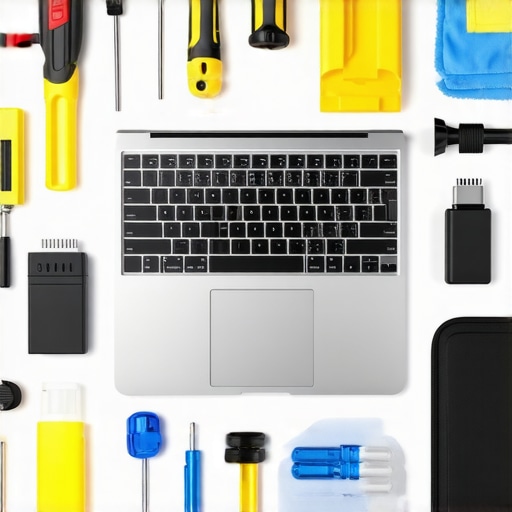
Image prompt: A neatly organized workspace showing various tools including a screwdriver set, compressed air can, microfiber cloth, and a cooling pad, emphasizing laptop maintenance essentials.
Throughout this journey, I’ve uncovered some hard-earned truths about choosing and caring for your business laptops and accessories that can save you time, money, and frustration. These insights go beyond generic advice, addressing nuances that can make a real difference.
My Biggest Wake-Up Calls in Laptop Selection
- Assuming the Latest Specs Always Win: I once bought a flagship model with the highest CPU, only to realize thermal management and build quality mattered more in real-world performance.
- Overlooking Upgradeability: Upgradable SSD and RAM options have saved me from premature obsolescence, making my investment future-proof.
- Ignoring Cooling Solutions: Even the fastest laptops faltered during prolonged tasks due to poor thermal design—something worth researching before purchase.
Resources That Transformed My Maintenance Routine
- This guide on essential accessories helps me optimize my setup for durability and efficiency.
- Matte screen recommendations reduce glare and eye strain, keeping me productive outdoors.
- Laptop stands to improve ergonomics have been game-changers during long work sessions.
- Understanding failure patterns in student laptops guides my proactive maintenance and upgrades.
Igniting Action: Your Next Steps Matter
Armed with these lessons, I encourage you to scrutinize your current setup and identify areas for improvement. Whether it’s investing in certified high-quality cables for faster charging or upgrading to a laptop with better thermal management, small changes can yield significant benefits. Remember, your choice of business laptops,laptop deals, and accessories is an investment in your productivity and peace of mind. Don’t hesitate—start today, because the way you maintain and choose your devices shapes your success.
What has been your biggest revelation in selecting or maintaining your laptops? Share your story below.