
I vividly recall a late-night coding session that went sideways—my hands aching, fingers cramping after hours of relentless typing on a standard membrane keyboard. The relentless clack of keys echoed loudly in my small apartment, distracting neighbors, and the discomfort made every additional hour feel like a marathon I wasn’t prepared for. That moment was a real eye-opener: I realized that my gear was not just a minor detail but a direct contributor to my productivity and well-being during those long stretches.
The Hidden Cost of Poor Keyboard Choices
It’s easy to overlook your keyboard when setting up for marathon coding sessions. Most of us settle for what’s affordable or just what comes with the laptop. But as I learned the hard way, the type of keyboard you use profoundly impacts your comfort, speed, and even your health over time. After switching to a mechanical keyboard, I noticed a significant improvement—not just in my typing comfort but also in my focus and stamina. This revelation prompted me to explore why high-quality keyboards are such a game-changer for programmers and students alike.
Does a Fancy Mechanical Keyboard Really Make a Difference?
Early on, I made the mistake of assuming that a cheap, membrane keyboard was good enough. I thought, “It’s just typing, after all.” But the truth is, the difference between membrane and mechanical switches is like night and day. Mechanical keyboards provide tactile feedback, reduce fatigue, and can even improve your typing accuracy. According to research published by the Linus Tech Tips, mechanical switches allow for faster, more precise input—crucial for long coding marathons or gaming sessions. My own experience matches this: I no longer dread those long hours in front of my screen.
If you’ve ever faced hand pain, fatigue, or distraction from noisy keys, keep reading. I’ll walk you through why upgrading your keyboard can be one of the best investments for your work or hobby sessions. And trust me, it’s worth every penny—your hands and mind will thank you.
Why Long Coding Sessions Demand Better Gear
Continuous keyboard use isn’t just about getting the job done. It’s also about preserving your health and maintaining efficiency. When I overlooked this, I paid the price in discomfort and lost productivity. But once I made the switch, my focus deepened, and even complex tasks felt easier. If you’re like me, striving to code longer and better, then your gear should support that ambition. Luckily, finding a reliable, comfortable keyboard isn’t as complicated as it might seem. Continue reading, and I’ll show you how to choose the right mechanical keyboard tailored to your needs, whether that’s for long coding sessions, gaming, or everyday work.
Prioritize Your Needs and Set a Budget
Start by evaluating the primary purpose of your laptop—whether it’s for student learning, gaming, or professional work. For example, if you’re a student, look into student laptops that balance power and portability. Set a realistic budget that aligns with your requirements; this prevents overspending and helps focus your search on suitable options.
Select Compatible and Quality Accessories
Invest in accessories that enhance functionality. For gaming laptops, a mechanical keyboard and ergonomic mouse can significantly improve your gaming precision and comfort. Business professionals benefit from portable docking stations and reliable external monitors—consider checking out vertical docks for clutter-free desks. Always ensure compatibility with your laptop model before purchase to avoid unnecessary returns and frustrations.
Leverage Effective Strategies for Laptop Deals
Hunting for the best deals requires timing and knowledge. Keep an eye on seasonal sales like Black Friday or back-to-school periods; these are prime opportunities to find discounts on popular models. Utilize reputable sites that aggregate offers; for instance, sites offering unbeatable laptop deals often feature significant discounts on top brands. Subscribe to newsletters to receive early alerts about flash sales and clearance events.
How to Identify Genuine Deals and Avoid Scams
The market is rife with counterfeit or misleading offers. Always verify seller credibility—prefer authorized retailers and verified platforms. Be cautious of prices so low they seem too good to be true; compare with official prices and read reviews. For online shopping, review seller policies on returns and warranties, and check the privacy policies to ensure your data remains protected. This vigilance helps ensure you get value without risking fraud.
Compare and Test Before Committing
If possible, test accessories or laptops in person—checking build quality, comfort, and features firsthand. Use trusted review sites or even visit local stores to see the products up close. When purchasing online, prioritize vendors with clear return policies and customer support—details often found in the contact section. This proactive approach minimizes post-purchase disappointment and guarantees your investment truly benefits your workflow or gaming experience.
Integrate and Optimize Your Setup
Once you’ve selected your accessories and snagged a deal, focus on optimizing your workspace. Arrange your accessories ergonomically, ensuring easy access and reducing strain. Consider using a laptop desk that adapts to your environment for better posture and productivity. Regularly update software and drivers to keep everything running smoothly, and maintain your gear for longevity.
By following these concrete steps—assessing your needs, choosing compatible accessories, strategically hunting for deals, verifying authenticity, and optimizing your workspace—you can elevate your laptop experience significantly, whether you’re coding late into the night or gaming until dawn.
Many students, gamers, and professionals fall into common traps when selecting their laptops or accessories, often based on myths that persist despite counter-evidence from experts. For instance, the widespread belief that the most expensive or flashy models are always the best choices is misleading. In reality, a high price tag doesn’t guarantee better performance or longevity; understanding the nuanced features and specifications can save you money and frustration.
Why Do Buying Myths Persist Among Tech Enthusiasts?
This persistence often stems from marketing hype and incomplete information. The tech industry tends to emphasize headline specs like CPU clock speed or GPU wattage, but real-world performance hinges on the synergy between components, build quality, and user needs. Studies published in the research on consumer electronics purchasing behaviors indicate that buyers are heavily influenced by branding and superficial specs, leading to poor long-term satisfaction.
Another common misconception involves the idea that more RAM always equates to better performance. While 16GB is generally sufficient for most tasks, some advanced workflows—like professional video editing or heavy multitasking—benefit significantly from 32GB or more. Overspending on excessive RAM for ordinary use can divert funds from other critical features like screen quality or battery life. Expert advice emphasizes balancing specs to match your specific needs rather than chasing specifications elites promote.
Be wary of the trap where users assume that gaming laptops are only suitable for gaming. In fact, many gaming-grade models pack powerful CPUs and GPUs that excel in professional tasks, such as 3D rendering or machine learning. A prime example is the latest gaming laptops, which are superb all-round performers for work and play alike. Recognizing this can help you get more value per dollar — especially if you upgrade your accessories, like a reliable external monitor or keyboard, for enhanced productivity.
Don’t forget the significance of build quality and longevity. Cheap plastics or poorly designed hinges might seem acceptable at a glance but can lead to costly repairs down the road. In my experience, investing in business-grade models with durable chassis and proven repairability features often results in long-term savings and fewer frustrations. Understanding these nuances can be a game-changer for those who need their notebooks to survive daily commutes and extended use.
Finally, shaping your purchasing strategy around accurate, reliable deals is essential. Many buyers fall prey to counterfeit or overly advertised discounts. Always verify seller credibility and check trusted deal sources to avoid scams. Remember, patience and research often yield better savings—don’t rush into impulsive buys based solely on shiny sale banners. Have you ever fallen into this trap? Let me know in the comments and share your experiences!
Keep Your Tech Running Smoothly Over Time
Once you’ve invested in quality equipment—be it a student laptop, gaming rig, or business device—proper maintenance becomes essential to ensure longevity. Regular cleaning, such as wiping the keyboard and screen with gentle, lint-free cloths, prevents dust buildup that can cause overheating or hardware issues. For more stubborn grime, a combination of compressed air and specialized cleaning solutions can be highly effective. Additionally, periodic software updates keep your system secure and optimize performance, which is crucial as software evolves and vulnerabilities emerge. Setting up automatic updates for your operating system and drivers ensures that you’re not neglecting critical improvements.
Tools I Recommend for Ongoing Care
Personally, I rely on a few tailored tools. First, a digital thermometer and fan control software help monitor and manage system temperatures—preventing overheating during intense gaming or multi-tasking. I also use a calibrated external SSD for backups; this simple step safeguards your data against hardware failure. My go-to cleaning tool is a soft-bristled brush combined with an anti-static cloth, which helps remove dust from vents and ports without risking static damage. For software health, I install reputable diagnostic apps like battery health testers and disk cleanup utilities. Consistent checks with these tools prevent issues before they become costly repairs.
Thinking Ahead: Trend Predictions for Maintenance
The future of device upkeep points towards smarter, AI-driven diagnostics integrated directly into laptops. Imagine a system that proactively predicts hardware failures or suggests optimal cleaning schedules based on usage patterns. As technology advances, expect more accessory companies to develop modular components that are easier to replace or upgrade—making maintenance more straightforward for users at all levels. Understanding this evolution helps you plan for investments that pay off in the long term and avoid premature replacements.
How do I maintain my device’s performance and longevity?
Implement routine cleaning with soft tools, keep software updated, and monitor hardware health using specific diagnostic utilities. Regular backups to external storage like SSDs and paying attention to thermal management can prevent many common issues. Don’t forget to inspect and replace aging parts—like batteries or cables—before they fail unexpectedly. A proactive approach ensures your device continues to serve you well, whether you’re coding into the night, gaming enthusiast, or managing business workflows. Try setting a monthly maintenance schedule including hardware checks and cleaning, and you’ll notice how much smoother your experience remains over years. For more advanced care tips tailored to your device type, explore options like battery health diagnostics and battery maintenance guides. Taking these small steps can dramatically extend your laptop’s lifespan and performance.”}]}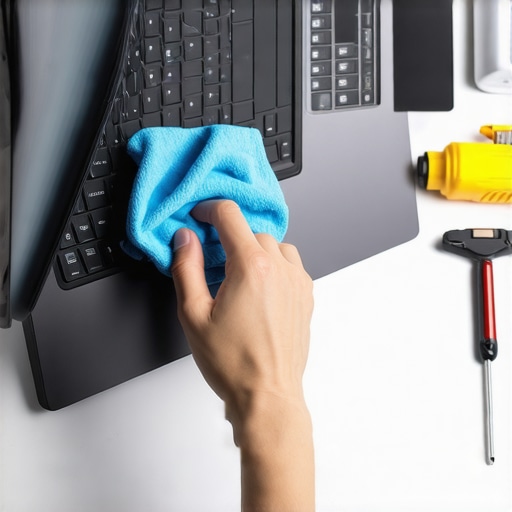
The Hardest Lesson I Learned About Student Laptops and Gaming Machines
One of the most significant realizations I had was that flashy features and high specs don’t always translate into real-world benefits. I spent months chasing the latest GPU or the highest refresh rate, only to find that I overlooked basic factors like battery life and build quality. The uncomfortable truth is, a laptop that looks good on paper can underperform in daily use if it isn’t tailored to your actual needs. Learning to focus on what truly matters—like thermal management and repairability—saved me time, money, and frustration.
My Secret Weapon for Spotting Killer Deals and Avoiding Fakes
Over the years, I’ve found that trusting reputable sources like trusted review sites and verified retailers is essential. I often bookmark deal aggregator sites that track seasonal sales and discounts. But I also learned that if a deal seems too good to be true, it probably is. Always verify seller credibility, check their privacy policies, and read reviews to avoid counterfeit products. This approach has protected me from costly scams and ensured I always get genuine hardware that lasts.
Embracing the Future of Laptop Maintenance and Longevity
What excites me most is how upcoming innovations will make keeping our laptops in top shape easier. AI-driven diagnostics and modular components promise repairs with minimal tools and downtime. Meanwhile, simple habits like regular cleaning, updating firmware, and monitoring temperatures can extend a machine’s lifespan dramatically. I’ve started incorporating these routines into my weekly schedule, and the results have been remarkable—my laptops perform better and last longer, whether I’m coding late into the night or juggling multiple projects. Staying proactive now means fewer worries down the road, empowering you to focus on what truly matters—your growth and passion for technology.