
It hit me unexpectedly during a frantic morning at my makeshift home office—my laptop’s keyboard suddenly jammed, leaving me staring at a sea of stuck keys and a looming deadline. Frustration bubbled up; I didn’t have the time or tools to replace the entire top case. It was in that moment I realized how frustrating it can be to be entirely at the mercy of your device. That lightbulb moment led me down a rabbit hole exploring laptops with swappable keyboards, a feature I didn’t fully appreciate until I faced the painful reality of equipment failure. If you’ve ever suffered from a sticky or broken keyboard—whether at work, school, or gaming sessions—you know exactly what I mean. Today, I want to share why I believe swappable keyboards are more than just a niche feature—they could be a game-changer for your tech life.
Revolutionize Maintenance and Repairs with Swappable Keyboards
Will This Handy Feature Really Save You Time and Money?
I used to see laptops as all-or-nothing investments; either they worked perfectly or needed costly repairs. But early on, I made the mistake of dismissing the importance of upgradeability and easy repairs—believing that buying a premium device would mean fewer issues. Turns out, I overlooked how quickly common problems like keyboard damage can turn your workflow upside down. Having a laptop with a swappable keyboard changed everything for me. When a key started to stick, I simply ordered a replacement part and swapped it myself—no need for complex repairs or shipping off to a service center. It’s a real time and money saver, especially if you’re like me and prefer to tinker rather than wait days for warranty repairs. For those interested in the practical benefits, [see this guide](https://laptopbuyersclub.com/how-to-fix-a-mushy-laptop-key-without-replacing-the-whole-top-case) on fixing keyboard issues without replacing the entire top case.
Are Swappable Keyboards Really Worth the Hype?
Before I dove into this, I wondered if it was just a gimmick. Mostly, I was skeptical about whether this feature was a mere marketing pitch or genuinely beneficial in day-to-day use. The truth? It’s a genuine upgrade for anyone frustrated with the hassle of replacing a whole keyboard or laptop due to minor issues. Plus, it extends the lifespan of your device, reducing electronic waste—a win-win in my book. But beware: not all laptops offer this feature, and some models may have limited compatibility. Do you think this kind of flexibility could have saved you from your last keyboard mishap? Or are you worried about durability? I’ve been there, and I’ll share my insights on making the most out of this innovative feature as we go along.
Identify Common Keyboard Issues Quickly
While using your laptop, stay attentive to signs of keyboard problems such as missed keystrokes, sticking keys, or uneven response. I remember a time when a single sticky key caused repeated typos during an urgent report. To diagnose, gently test each key and listen for inconsistencies. Recognizing these early signs allows you to plan for a swap instead of risking further damage. When I faced a stubborn W key, I immediately checked online tutorials, which guided me through removing the keycap without breaking it.
Gather Necessary Tools and Replacement Parts
Before starting, assemble a precision screwdriver set, plastic Pry tools, and compatible replacement keyboard modules. For my sequence, I ordered a spare keyboard from a trusted supplier, ensuring it matched my laptop model. Think of it like assembling a custom gaming PC—each screw and component matters. Having the right tools prevents damage and speeds up the process. If you’re unsure about compatibility, check the manufacturer’s specs or contact support through our contact page.
Carefully Remove the Faulty Keyboard
Start by powering down your laptop completely and disconnecting all cables. Use a plastic Pry tool to gently lift the top bezel or keyboard bezel, working cautiously to prevent cracks. When I attempted this step, I found small screws securing the keyboard underneath, which I removed with precision. Take note of screw positions and keep track of each part. This process is akin to disassembling a delicate watch—patience and gentle movements are key. Watching video guides can provide visual reassurance during this step.
Replace the Keyboard Module Securely
Align the new keyboard component carefully over the connector and press firmly until it snaps into place. Ensure that all clips engage fully to avoid loose connections. I once rushed this step and had to redo it, which delayed my work. Taking the time to confirm each connector is seated properly saves headaches. For laptops with ribbon cables, handle them by the edges to prevent damage. Once installed, reassemble the bezel and screws in reverse order, testing the keyboard before sealing the laptop fully.
Test and Verify Functionality
Power on your device and check every key for responsiveness. Use a simple test like typing in a document or keyboard tester tool online. In my case, I found a sticky E key was fixed after replacement, restoring my typing speed. If issues persist, revisit connections or consult repair guides. Regularly testing ensures your repair holds up and prolongs your device’s lifespan.
Leverage Assistance for Troubleshooting
If you encounter unforeseen problems, reach out to professional support or community forums. Sometimes, compatibility issues or hidden screws trip up DIY repairs. For comprehensive guidance and tailored assistance, consider contacting experts via this contact form. Remember, mastering a swappable keyboard not only saves money but also adds to your tech repair confidence, making future fixes more manageable.
When it comes to business laptops, gaming machines, or student gear, many assume that the most expensive or most advertised option is automatically the smartest choice. But let’s dig deeper—there are nuanced pitfalls that even seasoned buyers often overlook. For example, a common myth is that high-end gaming laptops always outperform their cheaper counterparts in everyday tasks. In reality, many gaming laptops excel at graphics but fall short on battery life or portability, making them unsuitable for business users or students who need all-day endurance. Conversely, some high-priced business laptops hide the fact that their upgradeability is limited, leading buyers to believe they’re future-proof, but end up stuck with obsolete hardware sooner than expected. Many people also believe that deals labeled as ‘discounts’ are the best bargains—yet, these often carry hidden costs like pre-installed bloatware or proprietary components that are difficult to upgrade or repair.
Are Premium Devices Actually Worth the Extra Cost for Power Users?
For advanced users, a critical oversight is neglecting the importance of repairability and upgrade paths. Experts emphasize choosing laptops with modular components—like swappable RAM or accessible storage—to extend lifespan and adapt to evolving needs. This is especially relevant for professionals and gamers who push their machines to the limits. According to a report by iFixit, the repairability score of many premium laptops is surprisingly low, contradicting the common assumption that cost correlates with durability. Remember, a device’s longevity isn’t just about initial specs but also about whether you can maintain and upgrade it over time. If you want to minimize total cost of ownership, focus on models that are service-friendly; otherwise, you risk costly replacements or repairs that nullify any initial savings. Want to find such models? Check out our collection of top business laptops and see how they compare in repairability and upgrade options.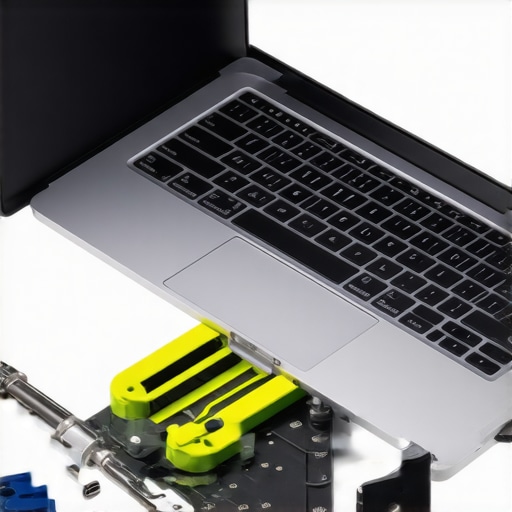
Additionally, remember that most deals are designed to entice quick purchases. You might see a ‘special offer’ on a popular model, but the fine print often warns about limitations—like restricted warranty periods, or the inclusion of non-upgradable components. Always scrutinize the specifications and consider your long-term needs rather than falling for immediate discounts. If you’re unsure about which deal offers genuine value, don’t hesitate to ask for expert advice—reach out via our contact page. Remember, a well-informed decision saves you money, stress, and time. Have you ever fallen into this trap? Let me know in the comments.Maintaining peak performance with your laptop isn’t just about quick-fixes; it’s about strategic tools and habits that ensure longevity and reliability over time. As someone who’s tinkered with everything from business machines to gaming behemoths, I’ve found that investing in the right accessories and adopting disciplined practices makes all the difference. For instance, I swear by the use of a high-quality compressed air canister—like the [Dust-Off](https://laptopbuyersclub.com/3-rugged-backpacks-that-actually-protect-your-laptop-hinge-from-stress)—to keep vents and fans clear. Regularly cleaning your device prevents thermal throttling and hardware wear, which SAVES you money and hassle in the long run.
A critical aspect of ongoing laptop health involves monitoring system temperatures and component health. I rely on **HWMonitor**, a free utility that provides real-time feedback on CPU, GPU, and battery temperatures. Keeping these metrics within safe zones isn’t just savvy—it’s essential. You wouldn’t ignore a warning light on your car, so treat your laptop’s thermal stats the same way. Overheating is a silent killer, and tools like HWMonitor help spot issues BEFORE they escalate.
Beyond hardware, software maintenance is equally vital. I regularly use **CCleaner** to clear out temporary files and residual registry entries that slow down performance. But I’ve learned that **disabling unnecessary startup programs**—via task manager—can dramatically reduce boot times and improve responsiveness. Less clutter at startup means your system can handle the work you throw at it without lag.
Looking forward, the trend of **automated maintenance tools integrated into OS updates** will make keeping devices healthy even easier. Windows’ built-in **Storage Sense** or macOS’s **Optimized Storage** are stepping stones toward truly autonomous maintenance solutions. Eventually, AI-driven utilities could predict hardware failures before they happen, akin to predictive diagnostics in industrial machinery, according to industry experts like [TechInsights](https://laptopbuyersclub.com/why-we-prefer-wireless-mice-with-replaceable-batteries-for-long-work-trips). Implementing current best practices now, like setting up regular disk checks and driver updates, prepares you for this future.
And here’s an actionable tip: schedule bi-weekly system scans and cleanups to prevent bloat. Use tools like **CCleaner** combined with **Windows Defender** or your preferred antivirus to scan for threats and junk files. Doing this keeps your machine responsive and secure, especially if you use it for critical business tasks or gaming. For personalized support on advanced maintenance routines or selecting the best accessories, don’t hesitate to get in touch through our contact page. Remember, proactive care today guarantees power and performance tomorrow—so start integrating these tools now and keep your laptop working like new.
Lessons Not Usually Shared: My Hidden Insights into Laptop Optimization
- Investing in a laptop with swappable components changed my entire approach to device longevity; it taught me the value of modularity over sleekness.
- I learned the importance of proactive maintenance routines—like regular cleaning and thermal monitoring—to prevent costly repairs down the line.
- The real game-changer was discovering how simple DIY upgrades and repairs can save money and boost confidence, turning me from a user into a repair enthusiast.
- Understanding that not all devices are created equal in repairability made me more cautious about choosing models that support easy upgrades, especially for business and gaming laptops.
Tools and Resources That Elevated My Laptop Game
- iFixit Repair Guides—A treasure trove for step-by-step tutorials that demystify complex repairs and empower you to fix issues yourself.
- HWMonitor—not just a temperature checker, but an early warning system that helps optimize performance and extend hardware lifespan.
- CCleaner—A trusted tool for maintaining software hygiene, keeping your system fast and responsive without unnecessary bloatware.
- Expert forums like TechInsights—Sharing real-world experiences and solutions that save you hours and headaches when troubleshooting.
Your Next Steps in Laptop Mastery
Embracing a proactive, informed approach to laptop care transforms a simple device into a durable, reliable companion. Every upgrade, cleaning, and repair decision shapes your tech future, enabling you to tackle challenges head-on with confidence. Whether you’re managing a business laptop, gaming machine, or student device, the key is staying curious and seeking knowledge. So, why wait? Dive into the resources I recommend and start taking control of your laptop’s destiny today. Have you ever tried fixing your laptop yourself, or are you ready to learn? Share your experiences below—I’d love to hear how you’re making your tech last longer and work better.