
I was sitting in a quiet library, trying to nudge the volume up just a tiny bit on a new student laptop I had recently purchased. It featured a sleek, glowing touch strip instead of real buttons. One slight slip of my finger, and suddenly my music was blaring at maximum volume, echoing off the marble walls while fifty people stared in judgment. I frantically tapped the ‘mute’ area, but the capacitive sensor didn’t register my panicked, sweaty thumb. That was the day I realized that ‘modern’ isn’t always ‘better.’ In my early days as a tech enthusiast, I made the mistake of chasing every shiny new feature, thinking it would make me faster. I actually spent extra money on a machine just for the aesthetic of a touch bar, only to realize I had traded reliability for a gimmick. Today, I am going to show you why staying away from those finicky touch strips will save your sanity and why finding unbeatable laptop deals should always involve checking for physical keys first. We will break down the tactile science that keeps you focused and helps you avoid those embarrassing technical fumbles.
Stop Chasing Sleekness at the Cost of Speed
The tech industry loves to tell us that buttons are relics of the past. They want everything smooth, flat, and glass-covered. But if you have ever tried to adjust your screen brightness in the middle of a gaming session, you know that looking down to find a virtual slider is a recipe for disaster. This is exactly why we still prefer physical function keys over touch bars when things get intense. Physical buttons provide what experts call haptic assurance. You know you pressed it because you felt it. Have you ever accidentally muted a conference call or closed a tab because of a sensitive touch strip? Drop a comment and tell me I am not alone in this struggle! Beyond just the feel, there is a hard science at play here. A study on human-computer interaction suggests that users can be up to 20% slower when interacting with touch-based controls compared to physical ones in high-stress environments, largely because touch strips lack the ‘pre-click’ muscle memory we rely on. When searching for student laptops that balance power and portability perfectly, I always tell my neighbors to look for a keyboard that actually pushes back.
Does a touch strip really make you more efficient?
Many people fear that going back to physical buttons means using a clunky, outdated machine. They worry that a laptop with real keys will look like a brick from 2005. I felt the same way until I tested these 3 student laptops with keyboards that actually feel good to type on. The truth is that tactile feedback is a feature, not a failure of design. When you can feel the edge of a key, your brain doesn’t have to waste energy visually confirming your every move. This is the same reason why mechanical switches are better for preventing typing errors; they provide a definitive ‘point of no return’ that a flat piece of glass never can. If you are doing serious work, you need tools that respond to you, not tools you have to babysit. Physical buttons are about trust, and in the world of high-performance computing, trust is everything.I once spent four hours on a cross-country flight fighting with a capacitive touch bar during heavy turbulence. Every bump caused my pinky to graze the ‘Siri’ button, interrupting my music and popping up unwanted menus while I was trying to hit ‘Escape.’ It was a stark reminder that touch interfaces are often designed for sterile, static environments, not the chaotic reality of travel or fast-paced work. To avoid this frustration, you need a strategy for vetting hardware before you click ‘buy.’
Spot the red flags in laptop product photos
When you are browsing top laptop deals in 2025, marketing teams will try to sell the touch bar as a ‘futuristic’ evolution. Look for phrases like ‘dynamic input’ or ‘context-aware control’—these are usually industry code for ‘we removed the physical buttons you actually use.’ To ensure you are getting a machine built for speed, zoom in on the top row of the keyboard in product shots. You want to see individual, raised rectangles with visible physical gaps. For serious professional work, business laptops for professionals are your safest bet because they almost always prioritize traditional, reliable layouts over aesthetic gimmicks.
Run the edge test on every keyboard you try
Before committing to a machine, use the ‘edge test’ to verify the switch quality. Press the very corner of the ‘Escape’ or ‘F’ keys. A high-quality switch will depress evenly without tilting. If the key feels ‘mushy’ or gets stuck when pressed off-center, the internal stabilizers are cheap, and the board won’t last a full semester of heavy note-taking. This is particularly important when evaluating student laptops that boost productivity and learning. You need a keyboard that survives a 5,000-word research paper without causing finger fatigue or missed strokes.
Upgrade your tactile experience without a new computer
If you are already stuck with a machine that features a touch-sensitive strip, do not panic. You can bridge the ergonomic gap by investing in must-have laptop accessories for a seamless setup. Carrying a dedicated peripheral might seem like extra weight, but the best compact mechanical keyboards for traveling freelancers are slim enough to fit in any laptop sleeve and provide a typing experience that a glass strip can never match.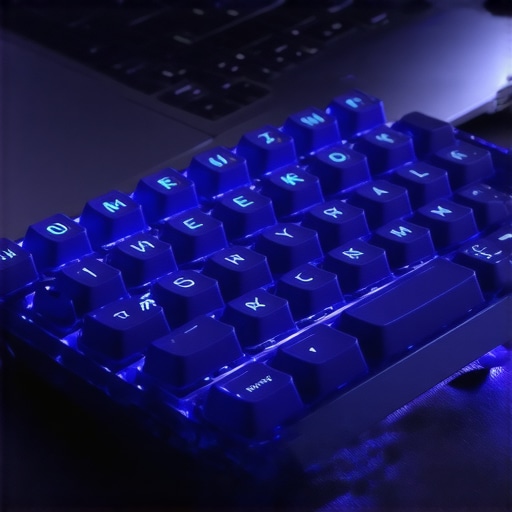 Think of it like adding a high-performance external drive to a machine with limited storage; you are supplementing the hardware’s inherent weaknesses with specialized tools. For those who spend their days in IDEs or spreadsheets, the best keyboard layouts for coding and high-speed typing always rely on physical F-keys for rapid debugging and navigation.
Why gamers should demand physical key clusters
In the heat of an online match, you cannot afford to look down to see if your finger is hovering over ‘Volume Up’ or ‘F11.’ When hunting for game-changing gaming laptops for 2025 adventures, look for keyboards where the function keys are physically grouped in blocks of four. This spacing acts as a physical map for your hands. This spatial awareness is exactly why mechanical switches are better for preventing typing errors; the physical distance between key groups provides a tactile landmark that software-based buttons can simply never replicate.Let’s dig deeper into a hard truth that most marketing materials try to hide: a higher price tag or a ‘faster’ processor name does not always translate to better real-world performance. Everyone says you should just buy the best specs your budget allows, but in my experience, chasing the top-tier Core i9 or Ryzen 9 in a thin chassis is actually a mistake. These ‘ultra-thin’ powerhouses often face severe thermal limits, meaning that $3,000 laptop might perform exactly the same as a $1,500 model after just ten minutes of work because the system has to slow itself down to keep from melting. This is exactly why you should avoid slim gaming laptops for heavy rendering if you actually want consistent speed.
Look past the shiny stickers on the palm rest
When you see those unbeatable deals at big-box stores, they are banking on you only looking at the RAM and the CPU name. They won’t tell you about the ‘Total Graphics Power’ (TGP) or the cooling solution. I have seen ‘gaming’ laptops where the GPU was so underpowered that it was beaten by a lower-tier card in a properly cooled machine. This ‘thermal tax’ is the most common trap for buyers. If you are a professional, looking at top business laptops for productivity in 2025 expert recommendations will reveal that these machines often use lower-clocked but more stable components designed for 24/7 reliability rather than short bursts of speed. 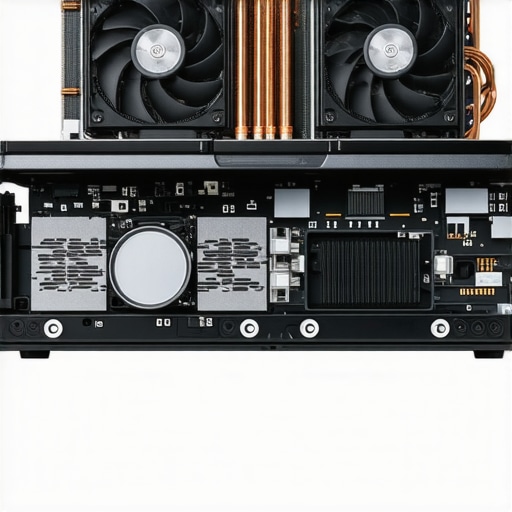
Can a thinner chassis actually kill your performance?
Yes, and it’s not just about speed. According to hardware reliability data from SquareTrade, nearly one-third of laptops fail within the first three years of ownership, with heat being the primary catalyst for internal component degradation. This is particularly true for consumer-grade machines. You might save $200 today, but you will pay for it when the motherboard fries in year two. This is one of the main reasons why most gaming laptops fail right after the warranty expires; they are pushed to their absolute thermal limits every single day.
The hidden tax of consumer-grade hardware
Most people assume a CPU is a CPU, regardless of the laptop it is in. However, why business laptops use different CPUs than consumer models comes down to instruction sets and long-term voltage stability. Business-grade silicon is binned differently, ensuring it can handle the stress of a professional environment. If you are struggling with heat right now, learning how to stop your gaming laptop from thermal throttling in summer is a vital skill, but the better move is to buy hardware that breathes correctly from the start. Don’t forget to look into must-have laptop accessories to boost your work setup, like a high-quality cooling stand, to extend the life of your investment. Have you ever fallen into this trap where your ‘fast’ laptop started crawling after ten minutes? Let me know in the comments!I have seen too many people spend thousands on high-end hardware only to treat the machine like a disposable tablet. If you want your investment to survive, you have to treat it like a high-performance vehicle that requires a regular service schedule. I personally swear by the iFixit Pro Tech Toolkit for every bit of maintenance I perform; it is the industry standard for a reason. Having the right driver for those tiny Torx screws is the difference between a successful upgrade and a stripped screw that ruins your chassis. If you are hunting for unbeatable laptop deals, you should also be looking at how easy those machines are to open up.
Stop the silent killer hiding in your cooling fans
Dust is the primary reason for hardware degradation. Every six months, I use a can of compressed air to blow out the heatsinks. However, you must hold the fan blades in place with a toothpick or a small plastic probe while doing this. If you let the fan spin freely from the high-pressure air, it can act as a generator and send a voltage spike back into the motherboard, potentially frying a circuit. This simple habit is the best way to ensure you are keeping your laptop from overheating on your lap during long sessions. For those who feel more adventurous, knowing how to replace your own laptop fan in under 20 minutes is a superpower that will save you $150 in labor costs at a repair shop. 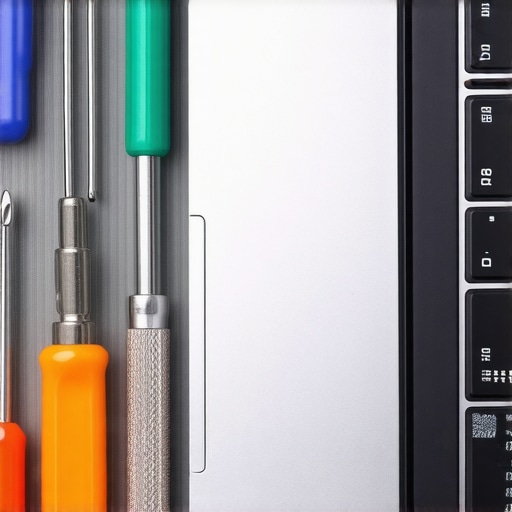
How do I keep my high-performance laptop from slowing down over the years?
The secret lies in the thermal interface material. Manufacturers often use cheap, mass-produced thermal paste that dries out and becomes brittle after 18 to 24 months. When this happens, heat can no longer transfer efficiently from the silicon to the copper pipes. I recommend repasting your CPU and GPU every two years with a high-performance compound like Thermal Grizzly Kryonaut. Learning how to choose the right thermal paste for your machine can drop your operating temperatures by 10 or 15 degrees Celsius instantly. This proactive maintenance is exactly why some users have machines that last a decade while others wonder why most gaming laptops fail right after the warranty expires.
Prepare for the era of the modular machine
Looking ahead, the trend of ‘soldered-everything’ is finally starting to crack. According to the iFixit Laptop Repairability Score rankings, we are seeing a shift where even major manufacturers are being pressured by ‘Right to Repair’ legislation to make components more accessible. In the near future, buying business laptops for professionals will likely involve choosing modular parts that you can swap out in minutes. To protect your current machine, make sure you invest in the best laptop bags that dont scream steal me to prevent physical shock and hinge damage. You should also regularly check how to find official repair guides for your exact model so you aren’t guessing when a part eventually needs a swap. If you want to see an immediate boost, I challenge you to open your laptop’s back cover today and just clear out the dust—you will be shocked at the performance gain from a cleaner airflow path.
Hard Truths from a Decade of Tech Regrets
After years of testing everything from high-end workstations to budget Chromebooks, I have realized that the most expensive feature is often the one you end up disabling. First, never trade a physical Escape key for a glowing screen; muscle memory is faster than any software shortcut. Second, a heavy laptop that stays cool is always faster than a thin laptop that chokes on its own heat. Third, the real unbeatable laptop deals are found in the machines that let you replace the battery and RAM yourself. I once ignored these rules and ended up with a expensive paperweight that couldn’t handle a simple video render without sounding like a jet engine.
My Personal Survival Kit for the Road
To keep my setup running smoothly, I never leave home without a few specific items. I always carry one of those GaN chargers for traveling because they are half the size of stock bricks and charge my phone and laptop simultaneously. At my desk, the $10 tool every laptop owner should keep is a simple anti-static brush and a set of plastic spudgers. If you spill coffee, knowing the best way to clean a sticky keyboard will save your hardware from a slow, corroded death. These aren’t just gadgets; they are the insurance policy for your productivity. #IMAGE_PLACE_HOLDER_E#
Building a Machine That Actually Lasts
Choosing your next device is about more than just matching specs on a spreadsheet. It is about finding a tool that respects your workflow and doesn’t get in the way with unproven innovations like touch-sensitive strips. Whether you are looking for must-have laptop accessories for a seamless setup or hunting for a new daily driver, prioritize the tactile and the repairable. When you treat your laptop as a long-term partner rather than a disposable accessory, you will find that it serves you faithfully for years. What was the one laptop feature you thought would be life-changing but ended up being a total headache? Let me know in the comments below!