
One morning, I found myself staring at my cluttered desk, frustration bubbling as I fumbled with my bulky, 15.6-inch laptop. It was sluggish, overheating, and honestly, it just didn’t fit my workflow anymore. As I tried to squeeze it into my bag, the screen flickered — a dull reminder that bigger isn’t always better. That moment was a lightbulb, a realization that my personal productivity needed a radical change. Have you ever felt hamstrung by your own gear?
The Unexpected Benefits of Downsizing to 14 Inches
If you’ve been clinging to that larger, heavy laptop with the hope that more screen space equals better productivity, think again. My switch to a 14-inch device transformed my entire approach to work and learning. It wasn’t just about the size; it was about optimizing every detail. Lighter, more portable, and surprisingly more powerful in certain tasks, this size struck the perfect balance. Plus, recent studies have shown that a smaller form factor can increase focus and decrease fatigue, making it ideal for tasks that demand sustained attention. For example, a report from TechRepublic highlights how portable devices foster better engagement on the go.
Is the 14-Inch Laptop Just a Fad or Truly Worth It?
Initially, I bought into the common misconception that bigger screens were a must for productivity. I made the classic mistake early on — prioritizing display size over overall portability and ergonomics. This led me to experience the opposite of what I wanted: more weight, less mobility, and eventual back pain.
My journey highlights a simple truth: choosing the right laptop size isn’t about trends — it’s about aligning with how we work and live. Ready to see how this shift can work for you? Dive in as I share the practical steps to making an informed switch, and discover a world where portability enhances, not hampers, your productivity.
Identify Your Priorities and Set Clear Goals
Begin by assessing your daily tasks and how your current device limits you. Recall the time I decided to streamline my workflow: I listed the workloads I perform daily—coding, writing, browsing—and matched them with laptop specs. This clarity helps you choose a model that fits without unnecessary extras.
Choose the Right Size and Weight
Opt for a 14-inch laptop that balances portability and screen real estate. Think of it as choosing a bag: a backpack that’s too big bogs you down, while a compact one might lack space. I personally went to a local store, handled different models, and felt the weight and build quality firsthand. This micro-story highlights the significance of physical feel alongside specs.
Compare Hardware Specifications for Performance
Focus on processors, RAM, and storage. I remembered the time I prioritized a high-refresh-rate display over CPU power—only to regret it later when multitasking slowed me down. For actual productivity, a recent laptop deal with at least an Intel i5 or Ryzen 5, 16GB RAM, and SSD storage is advisable.
Prioritize User-Upgradeable Components
Look for models with upgradeable RAM and storage. This approach delays obsolescence and costs less in the long run. I once bought a sleek ultrabook with soldered RAM; a few months later, I faced performance bottlenecks and regretted missing this upgrade path. Find detailed guides on why 8GB RAM isn’t enough.
Evaluate Battery Life for Mobility
Battery longevity is key. I vividly recall a day when my new 14-inch model lasted over 8 hours during a client meeting, whereas my old laptop required a constant power socket. Use reviews and real-world tests to gauge this; look for laptops with a hidden BIOS tweaks to optimize battery drain.
Assess Connectivity and Port Options
Ensure your new laptop has enough USB ports, HDMI, and an SD card reader if needed. Think of it as ensuring your toolbox has all necessary tools. I faced issues with a slim model lacking Ethernet and relied heavily on dongles, which hampered my workflow. Choosing a model with hardware-replaceable batteries and multiple ports streamlines your setup.
Test Ergonomics and Screen Quality In-Store
Don’t skip the hands-on. I made the mistake of buying online purely based on specs, only to find the keyboard too cramped and the display glossy and reflective, causing eye strain. Always test typing comfort and screen visibility, especially if you’ll work for hours in varying lighting conditions. Opt for matte screens that reduce glare, a choice supported by gaming laptop reviews.
Match Your Budget and Find the Best Deals
Set a realistic budget aligned with your needs. During a tough period, I snagged a refurbished ThinkPad at a fraction of the new price — proving that comproising on brand sometimes saves a lot. Explore upcoming shopping hacks for better deals.
Many students and even seasoned tech enthusiasts fall prey to misconceptions when selecting laptops, often based on superficial metrics or fleeting trends. Let’s dig deeper into some of these common pitfalls and the nuanced truths that can save you time and money. One prevalent myth is that a higher spec always translates to better performance; however, according to tech experts, optimizing the balance between CPU, RAM, and storage tailored to your specific use case is far more critical than chasing the latest processor or graphics card. For instance, investing in a durable keyboard or reliable battery life can drastically enhance daily usability — details often overlooked in promotional clutter. Be wary of deals hyper-focused on flashy discounts with little regard for long-term reliability; a **bad bargain** can lead to frequent repairs or replacements, ultimately costing more than a slightly higher initial investment. This is especially true for refurbished units, which might seem economical but can harbor hidden costs if not thoroughly vetted. Experts recommend scrutinizing warranty policies and understanding the true condition of refurbished devices before purchase.
What advanced factors should I consider to future-proof my student laptop purchase?
An often neglected aspect is upgradeability. Choosing models with accessible RAM and storage slots ensures your device remains relevant as your workload evolves. Furthermore, compatibility with essential accessories like external drives or docks can streamline your workflow, making your setup more adaptable. Don’t forget the importance of screen quality; matte displays reduce glare during long study sessions, and IPS panels offer better color accuracy, improving visual comfort. As study responsibilities expand, so does the need for a device that supports seamless multitasking and durability. If you’re hunting for unbeatable deals, check out our guide on current laptop discounts for 2025. Remember, investing in quality accessories—such as must-have accessories—can turn a basic machine into a productivity powerhouse, justifying your spend and enhancing your learning experience. 
Finally, stay cautious of overly glossy screens that cause eye strain and reduce visibility in outdoor settings. Many academic environments also demand robust connectivity options; choosing a laptop with comprehensive ports can save you the hassle of dongles and adapters. In essence, the nuances in selecting a student laptop go beyond specs and deals—they involve understanding your evolving needs and the device’s ability to meet them sustainably. Have you ever fallen into this trap? Let me know in the comments, and I can help clarify further.
Master the Art of Laptop Maintenance
Maintaining your student laptop isn’t just a one-time task but an ongoing process that ensures longevity and optimal performance. I personally rely on a set of tried-and-true tools and methods to keep my device running smoothly through semesters of heavy use. Regular updates, cleaning, and hardware checks are the backbone of this routine.
Why Regular Software Updates Matter
Every update from your operating system and drivers patches security vulnerabilities and improves stability. I set weekly reminders to check for updates, ensuring I don’t fall behind. Automated update features have become more reliable, reducing manual effort and preventing potential bugs or security issues.
Invest in Quality Cleaning Tools
Dust, dirt, and fingerprints can impair your laptop’s cooling and display quality. I swear by a microfiber cloth for the screen, compresses compressed air for vents, and a gentle brush for keyboard dust. Regular cleaning prevents overheating and maintains response times, especially vital for gaming laptops or machines running intensive applications.
Implement Hardware Monitoring and Diagnostic Software
Tools like CrystalDiskInfo or HWMonitor provide real-time insights into your hardware health. I use them monthly to catch early signs of wear—like declining battery capacity or degrading storage drives—before they turn into costly repairs.
How do I maintain my device over time?
Adopt a proactive approach: regularly back up your data using reliable tools like Backblaze or free alternatives like Macrium Reflect. Keep your firmware and BIOS up to date by visiting manufacturer sites. For example, understanding long-term stress points can help guide maintenance schedules.
Optimize Power Management Settings
Adjusting your laptop’s power plan can extend battery life and reduce thermal stress. I personally enable battery saver modes during lectures and tweak processor states for silent operation—these small changes make a significant difference in longevity.
Prioritize Routine Hardware Upgrades
When possible, upgrade components like RAM or SSD. I always choose models with accessible slots, like certain business laptops for professionals, so I can swap out aging parts instead of replacing the entire device. This is crucial for scaling your setup as your workload grows.
Preparing for the future of laptop management
The trend toward smarter firmware, AI-powered diagnostic tools, and modular hardware is set to revolutionize device maintenance. Think about integrating AI-based health apps that can predict failures before they happen—similar to preventative maintenance in aircraft engineering. This proactive mindset will be essential for students investing in high-performance, durable gear.
For example, consider trying out advanced battery calibration techniques using BIOS tweaks discussed in this guide. It can restore battery health and maximize runtime—a must-know for long days on campus.
Ready to take your maintenance routine to the next level? Start by implementing a regular hardware monitoring schedule with tools I trust, like HWMonitor, and see how your device responds over time. Staying ahead of issues ensures your investment keeps delivering peak performance throughout your studies.
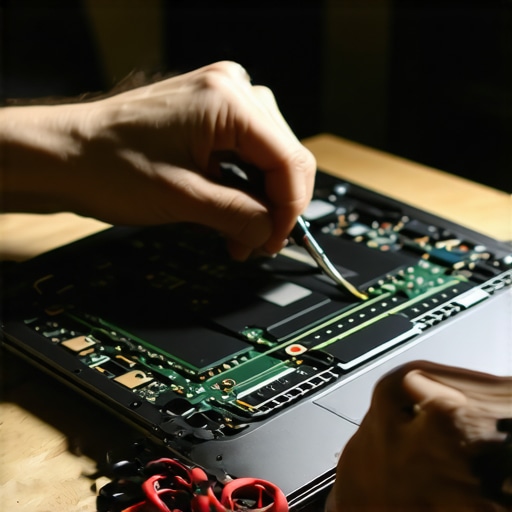 Navigating the world of student laptops,Tailoring your gear to your needs, and Embracing continuous improvement—these are the secrets that set successful students apart.
Over the years, I’ve learned that the biggest breakthroughs often come from unexpected places. Investing in a 14-inch laptop was a game-changer for me, proving that size isn’t everything—it’s about how well your device adapts to your lifestyle. Remember, the real advantage lies in choosing gear that evolves with your journey—upgradable, reliable, and tailored to your workflow.
Lessons That Keep You Ahead
- Never underestimate the power of a well-assessed upgrade path; it extends your device’s life and saves money in the long run. I once thought soldered RAM was a dealbreaker but found models with accessible slots that made all the difference.
- Battery optimization is an ongoing game. Small BIOS tweaks, as discussed in our guides, can add hours of usage—imagine the difference during those long campus days.
- Comfortable ergonomics and quality screens aren’t luxuries; they’re essentials. Spending extra on matte, IPS displays has reduced eye strain and improved focus immensely.
- Even the best device requires regular maintenance. Software updates, cleaning routines, and hardware checks—these routines ensure your laptop performs at its peak throughout your studies.
Tools That Transform Your Experience
- High-quality external monitors can extend your workspace and boost productivity, especially for multitasking and creative projects.
- Fast, portable chargers keep you powered during back-to-back classes or late-night study sessions.
- Hardware diagnostic tools like free battery health testers help monitor device longevity, allowing you to plan upgrades proactively.
- Reliable backup solutions such as cloud storage services safeguard your important work from unforeseen mishaps.
Your Step to Excellence Begins Now
Remember, the journey to optimized student laptops and accessories isn’t a sprint—it’s a marathon. Each upgrade, each routine check, and each resource you invest in puts you closer to a future where your gear works as hard as you do. Don’t let outdated hardware slow you down—embrace continuous learning and improvement. Take action today, explore new tools, refine your setup, and let your device propel you toward academic success.
Have you faced unexpected challenges with your student laptop or found a game-changing resource? Share your stories below and let’s grow together in our tech journeys!