
I remember spending hours reading countless reviews online about the latest budget gaming laptops, only to be disappointed when the device arrived and didn’t quite meet expectations. That sinking feeling when you realize the reviews are often overly optimistic or downright misleading is all too familiar. It hit me one day—I’d fallen for shiny headlines and glowing user comments that didn’t reflect real-world performance. That experience was a lightbulb moment, revealing that many reviews on cheap gaming portables can be less trustworthy than they seem.
The Hidden Truth Behind User Reviews
Here’s the thing: many user reviews are influenced by promotional deals, affiliate links, or just limited personal experience. When you’re shopping for an affordable gaming laptop, it’s tempting to rely on reviews to guide your decision. But often, those reviews gloss over critical flaws—like poor thermals, subpar build quality, or overheating issues—that become glaringly obvious after just a few gaming sessions. My early mistake was trusting a six-star rating on a budget laptop, only to learn the hard way that real-world use tells a different story. Discovering that some reviews are more marketing than facts made me realize I needed a better approach to evaluate these devices.
According to a study from Laptop Buyers Club, many user reviews tend to emphasize superficial features like aesthetics or brand names, ignoring essential performance metrics. This is especially true in the budget segment, where companies sometimes flood online communities with fake reviews to boost sales.
Is All That Glitters Truly Gold?
It’s natural to wonder whether ignoring user reviews altogether is a good idea. After all, reviews are one of the few ways to gauge a product quickly. But my journey has shown me that a cautious approach—cross-referencing multiple sources, focusing on detailed reviews, and paying attention to common user complaints—yields the most honest insights. If you’ve faced this dilemma, you’re not alone. Are you tired of wasting money on gaming portables that look promising but underperform in practice? If so, stick around. I’ll share practical tips to help you make smarter choices without falling prey to misleading reviews.
Verify the Hardware Specifications in Detail
Before pulling out your credit card, drill down into the laptop’s specifications—don’t just rely on flashy headlines. For example, cross-check the GPU model; a laptop claiming to have a “dedicated” graphics card might actually feature a lower-tier version. I once ogled a model boasting a “GeForce GTX 1650,” but upon closer inspection, it was an entry-level 1650 variant with half the VRAM. This affected my gaming experience significantly, especially in titles that are VRAM-intensive. Always review the processor, RAM, and storage to ensure they meet your gaming needs. When I did this for a recent purchase, I found models with identical branding but different specs—this nuance can make or break your experience.
Search for Independent and Detailed Reviews
Look beyond generic summaries. Focus on reviews that test real-world performance—gaming benchmarks, thermals, battery life under load, and noise levels. A quick tip: visit forums like Reddit or dedicated tech communities, where enthusiasts share candid experience. For instance, I found a YouTube reviewer who ran AAA games for hours, illustrating overheating issues that surface only after sustained use. Such detailed insights helped me sidestep models that look good on paper but falter under actual gaming scenarios.
Compare Multiple Trusted Sources
Don’t just settle for one review site. Cross-reference opinions from sources like top laptop deals in 2025 and user feedback on reputable retail platforms. I once noticed discrepancies between user reviews and professional benchmarks—highlighting the importance of seeing the big picture. For example, a gaming laptop scored high on aesthetics but was criticized repeatedly for thermal throttling. Comparing these insights equipped me with a balanced view, saving me from a potential heat disaster during intense gaming sessions.
Consult Product Teardowns and Repair Histories
Examine if the laptop is easily upgradeable or has known quality issues. Websites like how we found a high-end workstation often include teardown details. I applied this approach when choosing a gaming laptop—prioritizing models with accessible hardware, better cooling designs, and sturdy build quality. This step prevents buying a unit prone to overheating or difficult repairs, ensuring longevity and performance.
Test the Physical Aspects in Person When Possible
If shopping in-store, examine the build quality—keys, hinges, and vents. For online purchases, look for detailed images or videos from other buyers. I once ordered a laptop that appeared perfect online but felt cheap and creaky in person. Testing the keyboard resistance and hinge stiffness gave me early warnings, helping me avoid a disappointment. Although many online reviews are trustworthy, physical inspection cements your confidence before purchase.
Assess Software Bloat and Pre-installed Applications
Pre-installed software can impact performance and responsiveness. During initial setup, remove unwanted bloatware, which might slow down your gaming experience or drain resources unnoticed. I learned this lesson the hard way—after buying a “gaming” laptop that arrived cluttered with trial software, I experienced lag. Cleaning up these applications significantly improved performance, exemplifying the importance of this step in evaluating a laptop’s true potential.
Many assume that choosing a student or gaming laptop is just about grabbing the latest model with high specs. But in my experience, most buyers miss critical nuances that can make or break their experience. For instance, the myth that more RAM alone guarantees smooth multitasking is widespread. While RAM is essential, its real impact depends on other factors like storage speed and CPU compatibility. Overlooking these can lead to a bottleneck that hampers performance. According to a study from Laptop Buyers Club, many users focus only on specs that look good on paper, ignoring how components interact in real-world scenarios.
Why Do Some Gaming Laptops Overheat While Cheaper Alternatives Don’t?
This counterintuitive situation often puzzles buyers. Advanced users know that thermal design plays a pivotal role. An improperly ventilated case or lower-quality thermal paste can cause even high-end GPUs to throttle. Many novice buyers believe that a powerful GPU always ensures excellent gaming performance, but neglecting cooling solutions can lead to overheating and thermal throttling, which drastically reduces frame rates. Always scrutinize the cooling system, ventilation design, and build quality—it’s where most gaming laptops stumble. For insights, see our guide to gaming laptops for 2025.
What Advanced Tricks Improve Laptop Durability and Longevity?
Beyond the basic tips, there’s a hidden world of small modifications with big payoffs. Upgrading thermal paste, applying BIOS tweaks for power management, or replacing problematic components can extend your laptop’s lifespan. For example, replacing non-upgradable batteries with external power solutions is a trap many fall into, only realizing the limitations later. As experts emphasize, understanding the hardware’s maintenanceability and planning upgrades accordingly is crucial—more so in business laptops that are meant to last for years. For a detailed approach, visit this teardown and upgrade guide.
Maintaining your laptop’s performance over time requires a combination of the right tools and disciplined habits. Personally, I rely on a few specific pieces of equipment that have proven invaluable in keeping my devices running smoothly and efficiently. Investing in these tools not only prolongs your laptop’s lifespan but also ensures you get the most out of every dollar spent.
How do I keep my laptops working reliably through years of use?
First and foremost, I swear by a high-quality compressed air duster. Dust accumulation inside vents and fans causes overheating and thermal throttling, which significantly hampers performance. I use a well-known brand like Falcon Dust-Off, which provides a powerful, leak-free stream to clear out stubborn debris without the risk of moisture damage. Regular cleaning—about every three to six months—during routine maintenance helps prevent overheating, especially for gaming laptops, where thermal management is critical.
Next, I keep a precision screwdriver kit tailored for electronics. Many laptops have screw-only access panels, and I’ve found that having the right bits—like Phillips #00 and Torx T5—makes opening up and upgrading components straightforward. For example, replacing thermal paste on the CPU or GPU involves delicate work, and a set of quality screwdrivers minimizes the risk of stripping screws or damaging sensitive parts. Websites like our teardown guides emphasize how accessible hardware can extend your device’s lifespan significantly.
Furthermore, I rely on software tools for ongoing health checks. CrystalDiskInfo is excellent for monitoring SSD health, providing early warnings of potential drive failures. For battery health, I prefer BatteryInfoView, which offers a detailed overview of cycle counts and remaining capacity. Regularly checking these metrics enables preemptive replacements before hardware issues become critical.
In addition to hardware and monitoring tools, applying BIOS updates from the manufacturer’s official site can improve stability and security. Since manufacturers often release firmware that patches bugs or enhances thermal management, keeping the BIOS current ensures optimal performance. For instance, recent updates for some gaming laptops include fan curve adjustments that reduce noise without sacrificing cooling efficiency.
Looking ahead, the trend points toward smarter maintenance, with AI-powered diagnostic tools potentially predicting hardware failures before they happen. As that technology matures, being proactive with maintenance will become even more critical for preserving performance.
Quick tip: Start using a compressed air duster today to keep your laptop’s vents clean. It’s an easy step that can dramatically improve cooling and extend the lifespan of your device. Plus, pairing that with routine BIOS updates and health checks ensures your laptop stays reliable for years to come.
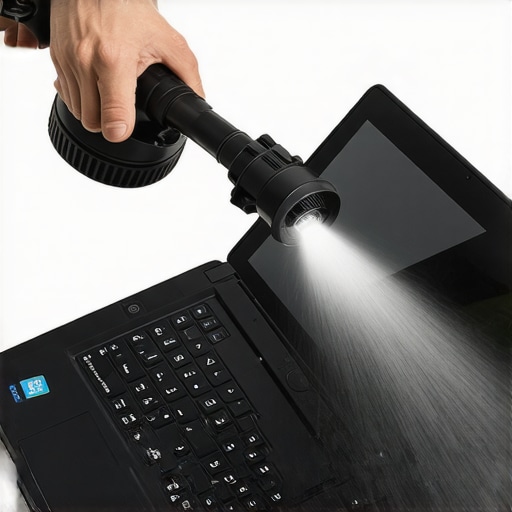
Remember, a well-maintained laptop isn’t just about longevity; it’s about ensuring consistent, peak performance when you need it most. Whether you’re a student using your device daily or a professional relying on business laptops, staying on top of maintenance with the right tools makes all the difference. For more detailed advice tailored to specific use cases, explore our picks for student laptops or business-ready machines.
Lessons Only Insiders Know About Budget Gaming Laptops
- One of the hardest lessons I learned was that flashy specifications often hide critical flaws like thermal throttling or poor build quality. Digging deeper into reviews and disassembling models revealed discrepancies that could ruin your gaming experience unexpectedly.
- Trusting the surface-level features can be dangerous; I realized that focusing on real-world benchmarks and thermal performance saves you from costly buyer’s remorse, especially in budget segments where compromises are common.
- My experience showed me the importance of hardware transparency—knowing if a laptop truly has the specs it claims, like the right GPU variant with sufficient VRAM, determines whether it can handle your favorite titles without frustration.
Tools That Changed How I Pick the Perfect Machine
- Crucial Teardown Guides: They provide insights into hardware accessibility and thermal design, helping me choose laptops that are easier to upgrade and maintain, extending their lifespan.
- Benchmarking Apps: Programs like 3DMark and UserBenchmark give real performance data, helping me compare models beyond marketing claims.
- Community Forums: Platforms like Reddit or Tech Forums reveal everyday user experiences and common issues, offering perspectives that professional reviews might overlook.
- Hardware Monitoring Tools: Software such as HWMonitor or CrystalDiskInfo ensures I keep tabs on thermals, temperatures, and drive health, preventing surprises during gaming marathons.
Forge Your Path: Take Action and Stay Ahead
High-quality gaming laptops and budget options alike require ongoing maintenance and informed choices. Remember, a little research and the right tools empower you to avoid pitfalls and enjoy optimal performance. Equip yourself with knowledge—your future gaming sessions will thank you. Want to stay updated on the latest deals and expert tips? Check out our curated deal list for 2025 and never miss out. How have you handled a disappointing gaming laptop purchase in the past? Share your story below!