
I still remember the smell of singed electronics. It was a Tuesday night, and I’d just downloaded a massive 80GB RPG onto a machine that was basically designed for spreadsheets and light Netflix binging. Within ten minutes, the frame rate dropped to something resembling a slideshow, and the underside of the case was hot enough to fry an egg. I made the classic mistake of thinking I could ‘overclock’ my way out of a hardware deficit. Spoiler alert: you can’t. That night, I realized that chasing the highest specs on a limited budget is a losing game. But then, I discovered the weird, wonderful world of cloud gaming, and it changed everything. [image_placeholder]
My $400 Laptop Nearly Caught Fire So You Don’t Have To
Most people think you need one of those high-end gaming laptops just to enjoy modern titles, but that’s a myth that keeps people spending money they don’t have. Cloud gaming essentially turns your budget machine into a glorified monitor. All the heavy lifting—the rendering, the ray tracing, and the sheer computational brute force—happens on a massive server farm hundreds of miles away. It’s the ultimate equalizer for anyone hunting through the latest laptop deals looking for a bargain. The problem is, most people set it up wrong. I spent weeks frustrated by stuttering and pixelation because I was relying on a weak Wi-Fi signal through three walls. According to a report by Newzoo, the cloud gaming market is expected to reach nearly $8 billion by 2025, largely because it removes the hardware barrier for millions of players. But here is the truth: a budget laptop can handle 4K streaming easily, but it can’t fix a bad internet connection.
Is the Input Lag Actually Going to Ruin Your Experience?
I get it. You’re worried that there’s a three-second delay between clicking the mouse and seeing your character move. Early on, I almost gave up because I didn’t realize why built-in ethernet is still king for stability. I was trying to play competitive shooters over a 2.4GHz connection, which is basically like trying to drive a car through a straw. Today, we’re going to talk about how to strip away the ‘cheap’ feel of a budget machine and make it feel like a $3,000 rig. Have you ever felt that sinking feeling when a game you just bought crashes before it even reaches the main menu? Let me know in the comments, because I’ve been there, and I promise there’s a better way to play without breaking the bank. Before we dive into the settings, you might want to check how to keep your machine cool even when you’re just streaming, and remember that why you should never buy a laptop with a 720p screen holds true even here, because low resolution makes cloud streams look incredibly muddy.
Ditch the Wi-Fi Before You Even Log In
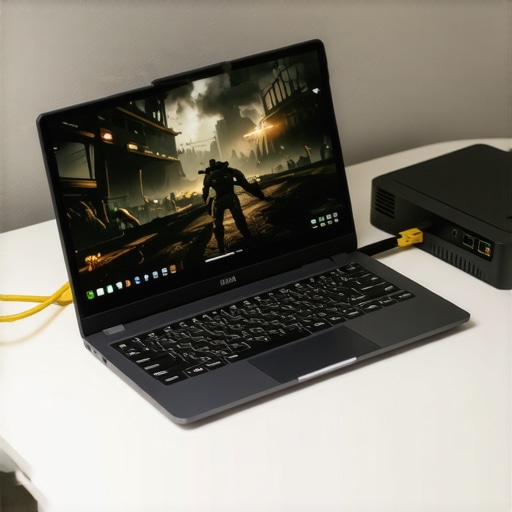
I learned the hard way that a “strong” signal bar is often a liar. I was in a high-stakes boss fight in Elden Ring, streaming to an old machine I found among some unbeatable laptop deals, when the jitter hit. My character walked off a cliff because the 2.4GHz band decided to compete with my neighbor’s microwave. If you want zero lag, you need a physical connection. This is why your business laptop needs a physical ethernet port; it is not just for office emails, it is for consistent packet delivery. If your slim machine lacks one, do not just grab the first cheap dongle you see. Look for the only 3 USB-C docks that don’t overheat to ensure your data flow does not throttle five minutes into your session. I once spent an entire weekend troubleshooting what I thought was a server issue, only to realize my $10 adapter was melting on my desk.
Kill Every Background Task That Thinks It Is Important
Even though the server is doing the heavy lifting, your local CPU still has to decode the incoming video stream in real-time. On a typical student laptop, background apps like Chrome or automated Windows updates can steal just enough cycles to cause a frustrating frame skip. I used to leave twenty tabs open while trying to play, and my latency would spike every time a news site auto-refreshed in the background. Now, I use a dedicated ‘gaming’ profile on Windows with everything disabled. You should also stop your gaming laptop from thermal throttling by ensuring the intake vents are not blocked by a desk mat or blanket. If you are on a truly ancient machine, check out the best budget SSDs for reviving older student laptops because even a slow OS can bottleneck the cloud app’s startup time and UI responsiveness.
Force Your Browser to Stop Being Lazy
Most people play through a browser, but that is usually a mistake for serious sessions. Browser-based streaming often adds an extra layer of “translation” between the server and your screen. When I finally switched to the native Windows app for my service on a business laptop, my input lag dropped by almost 15ms instantly. If you must use a browser, go into the settings and toggle “Hardware Acceleration.” Counter-intuitively, on older integrated graphics, this sometimes causes more stuttering than it fixes, so you have to test both ways. While you are at it, check how to calibrate your laptop monitor. Cloud streams are compressed, which often crushes the black levels and makes dark scenes look like a muddy mess. A quick calibration ensures you can actually see the enemies hiding in the shadows of a Resident Evil run. To make the experience feel like a $3,000 rig, I always suggest must-have laptop accessories like a dedicated mouse. We only use wired mice for competitive gaming because when you are already fighting network latency, you do not want to add wireless interference to the mix.
I am going to say something that might annoy some people: stop looking at the bottom-shelf ‘new’ laptops at big-box stores. Everyone tells you that getting the latest model is the only way to stay current, but if you have a $300 budget, a brand-new machine is almost certainly a piece of junk. I have seen too many people fall for unbeatable laptop deals that turn out to be plastic e-waste within six months. Instead, you should learn how to snag a refurbished enterprise machine for under 300. These are built like tanks. According to a long-term reliability study by SquareTrade, entry-level consumer laptops fail at a significantly higher rate—up to 20% within the first three years—compared to high-end business lines. When you are cloud gaming, you need a chassis that won’t flex and a cooling system that can actually handle hours of video decoding without the fans screaming like a jet engine. Have you ever fallen into this trap of buying ‘new’ only to regret it a month later? Let me know in the comments. Beyond the build quality, there is a hidden technical trap that most beginners ignore: the ‘soldered’ nightmare. You might find a great price on a machine that looks perfect, but we avoid laptops with soldered RAM at all costs. Why? Because the moment your needs change, or a single memory chip fails, the whole motherboard becomes a paperweight. While you are at it, pay attention to the power supply. Manufacturers are moving toward proprietary connectors to lock you into their ecosystem, which is why we avoid buying laptops with proprietary power bricks whenever possible. If you lose that custom charger on a trip, you cannot just borrow one or use a standard USB-C PD cable. It is a small detail that turns a great deal into a massive headache. 
Why Does Your Wi-Fi Tank When You Plug Things In?
This is the ‘pro level’ nuance that catches almost everyone off guard. You’ve set up your perfect desk, plugged in a high-speed external drive for your game captures, and suddenly your cloud stream starts stuttering. You will probably blame your ISP, but the real culprit is often electromagnetic interference. There is a documented issue where USB 3.0 ports emit noise in the 2.4GHz spectrum. This is exactly why your wi-fi signal drops when you plug in a usb drive or certain unshielded docks. To fix this, I always recommend using the most reliable usb-c hubs that feature better shielding, or simply switching your router to the 5GHz band. It is these tiny, invisible conflicts that separate a frustrating experience from a flawless one. If you are serious about your setup, you should also look into top business laptops for productivity because they often have better internal shielding for their wireless cards than the budget ‘gaming’ laptops you will find on sale. I have also seen students blow their entire budget on a machine with a great GPU but a screen so dim they cannot use it in a library. This is a classic mistake. You should know why your student id is the best tool for laptop discounts on higher-tier machines, rather than settling for a low-end consumer model. Even for cloud gaming, if your screen’s peak brightness is only 250 nits, you’re going to struggle with glare no matter how fast your internet is.
Stop the Heat Before It Kills Your CPU
Even if you are hunting for the top laptop deals in 2025 to use as a cloud machine, you cannot ignore the physical reality of hardware. Heat is the silent killer of performance. According to a study by the IEEE (Institute of Electrical and Electronics Engineers) on thermal-induced failure, for every 10°C increase in operating temperature, the reliability of a semiconductor component can decrease by as much as 50%. This is why I am so obsessive about airflow. I have seen perfectly good machines die because someone used them on a couch for a month. If you want your hardware to survive, you need to learn how to choose the right thermal paste for a refresh every couple of years. It sounds intimidating, but it is the difference between a machine that throttles and one that stays silent during an eight-hour session.
The Tiny Toolkit That Saves My Hardware
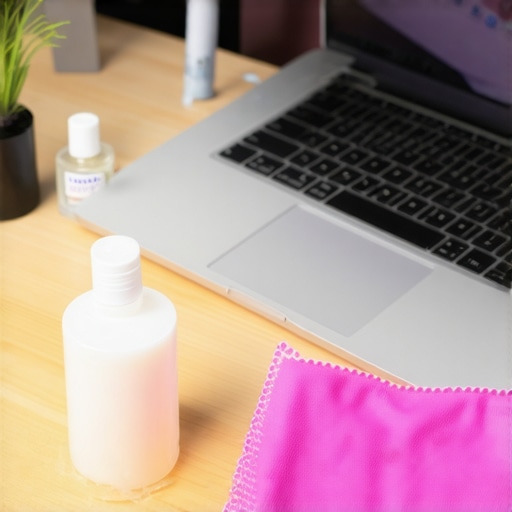
I do not rely on expensive repair shops; I rely on the $10 tool every laptop owner should keep in their desk. A simple set of precision drivers allows you to pop the bottom panel and blast out the dust that inevitably chokes your fans. I also use the best keyboard cleaning slime we actually tested to keep debris from gunking up the switches. It might seem overkill for a budget setup, but keeping the chassis clean ensures that your decoding hardware does not have to fight for air while you are mid-game. For the screen, why we still carry a microfiber cloth is not just about aesthetics; skin oils can actually damage certain matte coatings over time, creating permanent smudges that ruin your view of the cloud stream.
How can I make this budget setup last for the next five years?
The secret is modular maintenance and choosing the right foundation. If you followed my advice earlier, you likely went with a used business machine. To keep it running, you should learn how to replace your own laptop fan. Fans are mechanical parts—they will eventually fail—and knowing you can swap one for $15 saves you from buying a whole new laptop. If you are still on the fence about what to buy, I always point people toward how to find a used ThinkPad that will last five more years because their repair manuals are public and parts are plentiful. You should also consider must-have laptop accessories like a high-quality stand to keep the laptop elevated, which naturally assists the internal cooling without needing a powered cooling pad.
We Are Entering the Era of the Forever Laptop
I predict that within the next three years, the distinction between a ‘gaming’ laptop and a ‘work’ laptop will almost entirely vanish for the average user. As cloud infrastructure moves toward sub-5ms latency, the local GPU becomes a secondary concern. We are moving toward an era where build quality, screen accuracy, and port selection are the only things that matter. Your laptop will essentially become a high-quality interface for a supercomputer in the data center. I want you to try this today: Create a dedicated ‘gaming’ profile on your Windows machine, disable every non-essential service, and try your favorite cloud service again. You will be shocked at how much smoother the frame delivery feels when your local OS stops competing for resources. It is time to stop worrying about specs and start focusing on the experience.
Why I Finally Stopped Chasing the Specs Dragon
The hardest lesson I learned while hunting through top laptop deals in 2025 is that a high price tag often just buys you complexity you do not need. When you rely on the cloud, the ‘specs’ of your machine matter far less than the reliability of its components. I used to think I needed a dedicated GPU to be a real gamer, but I realized that a rock-solid Wi-Fi card and a bright, color-accurate screen are actually the MVP features for a streaming setup. I spent years overpaying for ‘gaming’ brands only to find that business laptops for professionals often have much better cooling and longevity for long streaming sessions. If your machine can decode a 4K video without stuttering, it can play the most demanding games in the world; everything else is just marketing noise designed to make you feel like your current gear is obsolete.
The Tactical Kit That Kept My $300 Rig Alive
Building a high-performance experience on a budget requires a few key items that I now consider non-negotiable. First, stop using the stock setup and invest in must-have laptop accessories that improve your physical comfort and connection stability. I never travel without the $10 tool every laptop owner should keep in their desk because being able to clean your fans on the fly is the best way to prevent thermal throttling. I also swear by the best keyboard cleaning slime we actually tested to keep my inputs crisp. These tools are not just about maintenance; they are about taking ownership of your hardware so you do not have to buy a new machine every two years. I trust these specific items because they have survived my own clumsy ‘field tests’ in coffee shops and airport lounges across the country.
[image_placeholder]
The Great Hardware Equalizer is Already Here
We are standing at the edge of a massive shift in how we think about computing. You do not need to wait until you can afford one of the game-changing gaming laptops to start your adventure. The cloud has turned the ‘entry-level’ barrier into a door that is wide open for everyone. Whether you are using student laptops that boost productivity or a decade-old refurbished unit, you have the power to run the most advanced software ever created. Don’t let the fear of ‘low specs’ keep you from the games you love. Grab a cable, kill your background apps, and just play. The future of gaming isn’t about what is inside your case; it is about how well you can connect to the world. What is the biggest technical hurdle that has kept you from trying cloud gaming on your current machine? Let me know in the comments below!