
I was three shots of espresso deep into a final paper when I realized my desk looked like a tech junkyard. My student laptop was buried under a mountain of tangled cords, a brick-sized power adapter, and a mouse that looked like it belonged in a cockpit. I reached for my coffee, snagged a stray USB cable, and watched in slow motion as a latte tsunami headed straight for my keyboard. That was the moment I realized: if it doesn’t fit in my pencil case, it doesn’t belong in my bag. I’ve spent years testing must-have laptop accessories, and I’ve learned the hard way that bigger is rarely better. Today, I’m sharing the five tiny essentials that saved my sanity and my desk space. Trust me, your shoulders—and your GPA—will thank you for this. [image_placeholder]
Why Minimalist Gear is the Ultimate Academic Flex
To be honest, I used to think ‘minimalism’ was just a fancy word for ‘forgetting your stuff.’ I was the guy who carried every single adapter ‘just in case,’ only to find that I couldn’t even find a place to put my notebook because of all the plastic clutter. My biggest mistake early on was buying a massive cooling pad that wouldn’t even fit in my backpack, when I should have been looking for the best ways to cool your laptop without a bulky pad. It was loud, it was heavy, and it did exactly the opposite of what a portable setup should do. Carrying around a heavy bag didn’t make me more prepared; it just gave me a chronic backache and made me dread going to the library. The secret to a high-performance study session isn’t how much gear you have, but how quickly you can get to work. According to a study by the University of California, Irvine, it takes an average of 23 minutes and 15 seconds to fully regain focus after an interruption. If you’re spending five of those minutes digging for a dongle or untangling a knot of wires that looks like a bird’s nest, you’re losing the battle against your deadlines. By switching to compact tools like GaN chargers, you free up physical and mental space. Have you ever felt like your own gear was getting in the way of your productivity?
Is shrinking your setup actually worth the hype?
I know what you’re thinking: surely a tiny gadget can’t be as powerful as the full-sized version. I had the same skepticism. I worried that small adapters would break or that a compact mouse would give me cramps. I had to learn that quality isn’t measured in inches. Modern tech has finally caught up to our needs. You don’t need a massive hub when one of the only 3 USB-C docks that don’t overheat can fit right next to your pens. We aren’t sacrificing quality here; we’re just cutting the fat. I used to carry around a dedicated screen cleaner bottle until I realized why we still carry a microfiber cloth in our bags—it does the job without the bulk and won’t leak all over your notes. Whether you’re hunting for unbeatable laptop deals or just trying to organize your current bag, these pencil-case-sized solutions are game-changers for anyone who works on the move. Let’s dive into the specifics of what you actually need to carry to stay productive without the bulk, starting with the one tool that replaces that heavy power brick.
Stop Lugging Around That Heavy Power Brick
Most people don’t realize that the power supply is often the heaviest thing in their bag besides the computer itself. If you are still using the factory-issued block, you are essentially carrying a literal brick for no reason. I learned this the hard way during a marathon study session in a crowded campus cafe. I had my heavy gaming laptop out, but the massive power brick was so wide it blocked the neighboring outlet, and the guy next to me gave me a look that could kill. That was the day I switched to GaN technology. By using GaN chargers, you can get 65W or even 100W of power out of something the size of a box of matches. It fits right next to your highlighters and works for your phone, your earbuds, and your student laptops that boost productivity without the extra bulk.
Find a Hub That Does Not Turn Into a Space Heater
When you shrink your kit, you usually lose ports. Most people solve this by buying the cheapest dongle they can find, which then proceeds to get hot enough to cook an egg. I once had a cheap hub fail right in the middle of a presentation because it simply overheated. If you want to avoid that, you need to look at the only 3 USB-C docks that don’t overheat during long transfers. Look for a slim, aluminum-housed hub with exactly the ports you need—HDMI, a couple of USB-As, and pass-through charging. It should be no thicker than a candy bar. 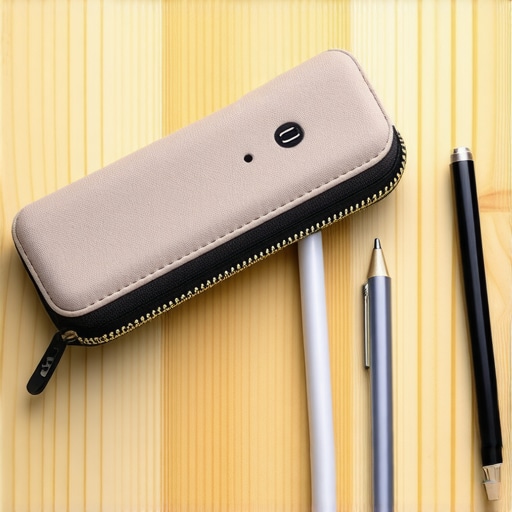
Shrink Your Peripheral Footprint Without Losing Comfort
You do not need a full-sized gaming mouse to be productive at the library. In fact, most standard mice are air-filled plastic shells that take up way too much volume. When I shifted to a more mobile setup, I looked for the most comfortable mice for people with small hands because they tend to be lower profile and much easier to slip into a side pocket.
Keep a Cloth Ready for Sudden Smudges
It sounds low-tech, but a clean screen is the easiest way to reduce eye strain. I used to carry a spray bottle of cleaner until it leaked and nearly ruined my notes. Now, I follow the logic of why we still carry a microfiber cloth instead. It takes up zero space—you can even keep it sandwiched between your keyboard and screen to protect the panel from key oils while the laptop is closed.
Protect Your Hardware From Common Failures
While you are focusing on making things smaller, don’t forget that portable gear takes more of a beating. I’ve seen countless classmates lose their entire semester of work because they didn’t realize how to spot a failing laptop hinge before it snapped. When you are constantly packing and unpacking a minimalist setup, you are putting more stress on those moving parts. Part of a smart, small setup is regular maintenance. Keep a small brush or even the best keyboard cleaning slime in your kit to ensure that crumbs and dust from the coffee shop don’t jam your switches. This is especially vital for business laptops for professionals where a single dead key can ruin a spreadsheet.Most people think the thinnest laptop is the best engineered, but if you actually peek under the hood, you’ll see why physics is a cruel mistress. I’ve seen so many people chase unbeatable laptop deals on ultra-slim machines, only to realize why you should avoid slim gaming laptops for heavy rendering or intense workloads. These chassis simply don’t have the internal volume to move air. When a machine gets too hot, it engages in ‘thermal throttling,’ which basically means your expensive processor intentionally slows down to a crawl so it doesn’t melt. You are essentially paying for a Ferrari engine that is restricted to 30 miles per hour. 
Physics Always Wins Against Thin Designs
If you are looking for game-changing gaming laptops for serious players in 2025, stop looking for the one that fits in an envelope. I fell into this trap myself, buying a razor-thin ‘pro’ laptop that sounded like a jet engine every time I opened a spreadsheet. It’s why why 14-inch screens are the gold standard for commuters; it’s the smallest you can go before you start losing the cooling efficiency of a larger frame. According to a reliability study by Rescuecom, business-grade hardware consistently outlasts consumer-grade ‘flashy’ tech by nearly two years on average, largely due to better thermal management and chassis rigidity.
Can a Business Machine Actually Outplay a Gaming Rig?
Surprisingly, yes—at least when it comes to longevity and consistent peak performance. Many business laptops for professionals use specialized components that prioritize stability over raw, uncooled speed. While a gaming laptop might have a higher ‘burst’ speed, it will often drop below the performance of a solid workstation once the heat soaks in after twenty minutes of work. This is the ‘Oops’ factor most buyers ignore: they look at the spec sheet for the first five minutes of use, not the fifth hour.
The Hidden Cost of the RGB Tax
We often get blinded by the lights. I’ve noticed that budget ‘gaming’ peripherals often use the ‘RGB tax’ to hide inferior build quality. For instance, why most gaming headsets fail after just one year usually comes down to cheap plastic joints hidden under pretty LEDs. Instead of more lights, I now prioritize utility, which is why we prefer physical volume dials on our laptop accessories. They are harder to break and easier to use blindly. Whether you are hunting for student laptops that boost productivity and learning or a high-end workstation, look past the glow. Have you ever fallen into this trap of buying for looks and regretting the heat? Let me know in the comments.I’ve seen too many people treat their machines like disposable appliances. They buy it, use it until it slows down, and then immediately hunt for top laptop deals in 2025 to replace it. My philosophy is different. I’ve kept my current workstation running for five years by being obsessed with ‘internal hygiene.’ Every few months, I break out the $10 tool every laptop owner should keep in their desk—a simple precision screwdriver set. Opening the bottom panel to blow out dust from the fans is the single most effective way to prevent the thermal throttling I mentioned earlier. If you aren’t comfortable with that, at least use the best keyboard cleaning slime to keep the gunk out of your switches. It’s not just about looks; it’s about airflow. 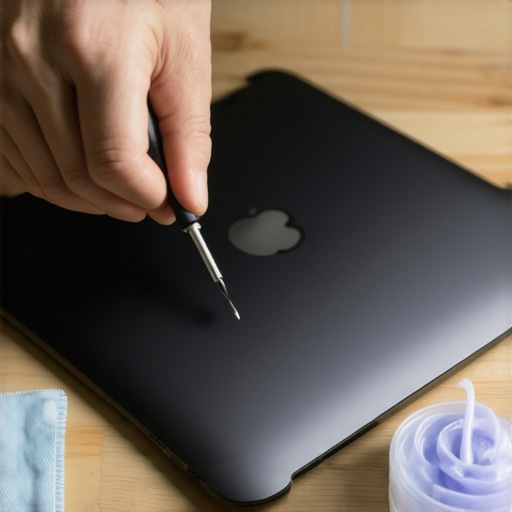
Why Enterprise Gear Beats Flashy Consumer Tech Every Time
If you’re currently shopping for student laptops that boost productivity and learning, here is a secret: look at the older siblings of the machines you’re considering. I often tell my friends to snag a refurbished enterprise machine instead of a brand-new budget plastic model. Business-grade hardware is designed to be serviced. Kyle Wiens, CEO of iFixit, famously stated that ‘repairability is the ultimate feature,’ noting that machines designed with screws instead of glue are the ones that actually survive a four-year degree. I predict that as sustainability becomes a bigger selling point, we will see a return to modular designs where user-replaceable batteries are the standard once again, not the exception.
How do I keep my laptop running like new for years?
Most users forget that software maintenance is just as critical as hardware. I personally perform a ‘clean slate’ wipe every year. Instead of buying a new machine when things feel sluggish, I look into the best budget SSDs for reviving older student laptops. Swapping out a dying drive for a fresh SSD and a clean OS install can make a 2021 machine feel like a 2025 powerhouse. Also, don’t ignore the display. I regularly calibrate my laptop monitor because over time, the color balance can shift. My challenge to you today: don’t just close your laptop and walk away. Take three minutes to verify the battery health using your system’s built-in diagnostic. If your capacity is below 80%, don’t start shopping for a new computer; just order a replacement battery and give your current rig a second life.
The Hardest Lessons Learned From My Failed Tech Minimalist Journey
Looking back at my trail of broken dongles and overheated chargers, the biggest lesson I learned is that ‘cheap’ often ends up being the most expensive choice. I used to hunt for the lowest price on accessories, only to have them fail when a deadline was looming. For instance, I completely ignored the most common errors when replacing a laptop battery and ended up with a bricked device because I bought a knock-off power cell. Now, I prioritize hardware that is built to last, especially when it comes to business laptops for professionals which are often more repairable and reliable under pressure.
Another ‘lightbulb moment’ was realizing that preventative care is infinitely easier than emergency repairs. I now check my laptop’s chassis every few months because I know how to tell if your laptop battery is swelling before it bursts. Catching these physical issues early saves you hundreds of dollars and the massive headache of losing your data right before finals. Minimalism isn’t just about carrying less; it’s about carrying gear that actually works.
The Tools I Wont Leave the House Without
If you want to streamline your life and protect your posture, you need a curated kit. I have tested dozens of configurations over the years, and while the flashier items get the most clicks, these are the items that never leave my backpack because they solve real problems:
- The Precision Screwdriver Set: It sounds like overkill, but the $10 tool every laptop owner should keep in their desk is what allows you to clear out dust and keep those fans spinning quietly.
- Vertical Docking: When I am actually at a desk, I use the best vertical docks to save space on small desks to keep the clutter down and allow for better thermal management.
- Smart Connectivity: Instead of a bag full of adapters, I focus on must-have laptop accessories to boost your work setup like a single, high-quality hub that manages my data and power without melting.
Build Your Perfect Portable Command Center
You do not have to overhaul your entire bag overnight. Start small by swapping that heavy brick charger for a compact GaN version, or finally grabbing a microfiber cloth to protect your expensive screen from finger oils. Whether you are currently hunting for top laptop deals in 2025 or just trying to make your current student laptops that balance power and portability perfectly last another year, the goal remains the same: let the technology support your goals, not become an obstacle. You deserve a setup that feels light, fast, and ready for a full day of productivity. What is the one bulky accessory you are absolutely dying to replace in your current setup? Let me know in the comments below!