
I remember it like it was yesterday: a gray Tuesday in October, a sudden torrential downpour, and me sprinting across the quad with my ‘reliable’ canvas rucksack. By the time I reached the library, my notebook was a soggy mess, and my heart stopped when I saw water dripping from the charging port of my laptop. It was a total disaster. I had spent months researching student laptops that boost productivity and learning, only to risk it all because I thought a backpack was just a sack with straps. That was my big mistake. I chose style over structural integrity, and I paid for it with a week of ‘rice-bag’ prayers and a very expensive repair bill. Since then, I have become obsessed with finding the perfect carry. I have tested everything from those sleek-but-useless fashion bags to tactical packs that make you look like you are going to war instead of English Comp. Most are junk. They have thin padding, cheap zippers that snag, or zero water resistance. Today, I am going to save you the heartache and the repair costs. We have narrowed the field down to just three specific backpacks because, frankly, they are the only ones that actually do their job. Have you ever felt that heart-stopping ‘thud’ when your bag slips off a chair and you just know the screen is cracked? If so, you are exactly who I wrote this for.
I Learned the Hard Way That Most Bags are Total Junk
I used to think that as long as it looked good and fit my books, it was fine. Wrong. Early in my college years, I bought this trendy, minimalist bag that had no false bottom. This meant that every time I set my bag down on a concrete floor, my laptop took a direct hit. I didn’t realize that student laptops that balance power and portability perfectly are still fragile pieces of engineering. According to a study by the American Occupational Therapy Association (https://www.aota.org), poorly designed backpacks contribute to more than just broken tech; they are a leading cause of musculoskeletal pain in young adults. This is why I stopped looking at ‘features’ and started looking at construction. I need something that can survive a coffee spill, a crowded bus, and the occasional drop. If you are worried about your gear being a target, you should also look into the best laptop bags that don’t scream steal me to keep your investment safe while you commute. For those on a tight budget, remember that your student ID is the best tool for laptop discounts, which might leave you enough extra cash to actually afford one of these top-tier bags.
Can Just Three Recommendations Actually Cover Everyone?
I know what you are thinking: ‘There are thousands of students out there, how can only three bags be enough?’ It is a fair question. The truth is, most students fall into one of three camps: the long-distance commuter, the campus hiker, or the minimalist powerhouse. We have selected one ‘best-in-class’ for each specific lifestyle. We aren’t here to give you a list of fifty options that just confuse you. We are here to give you the solution that works. Whether you are carrying a massive workstation or one of those 3 student laptops with keyboards that actually feel good to type on, these picks provide the padding, the organizational pockets, and the weatherproofing that actually matters in the real world. We are going to dive into why these specific designs outperform the competition and how to spot the ‘marketing fluff’ that most manufacturers use to hide cheap materials.
The False Bottom Test Saves Your Screen
You need to perform a simple ‘drop test’ with a stack of books before you ever trust a bag with your expensive gear. I once bought a mid-range pack and, out of curiosity, dropped it onto a tile floor with a heavy textbook inside. The sound was a sharp, structural crack. That is when I realized the laptop sleeve went all the way to the bottom of the bag, providing zero protection against a vertical drop. When you are shopping for student laptops that balance power and portability perfectly, you are buying a machine with tight tolerances. A hard hit on the bottom of the bag sends that kinetic energy straight through the chassis. Look for a ‘floating sleeve’ that stops at least an inch before the bag’s base. This creates a literal air buffer that acts as a crumple zone. If you ignore this, you’ll eventually find yourself researching why your laptop hinge is destined to fail because the frame was bent by a single hard set-down on a concrete library floor. 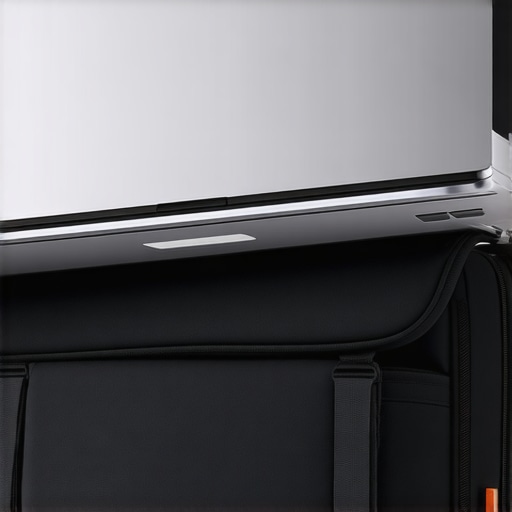
Stop Squashing Your Screen With Heavy Accessories
Internal organization is not just about finding your pens; it is about weight distribution and pressure points. I once made the mistake of throwing a bulky power brick and a set of heavy must-have laptop accessories to boost your work setup into the same compartment as my laptop. During a bumpy commute, the charger was pressed firmly against the center of the laptop lid. When I arrived at my internship and opened the screen, I saw a permanent ‘white spot’ on the LCD—a pressure mark caused by the hardware pushing against the back of the panel. Now, I always ensure the laptop is in a rigid, dedicated sleeve while my heavier items stay in front-facing pockets. If you are dealing with a larger machine, like when you figure out the best way to travel with a large gaming laptop, this separation is even more critical because the sheer weight of the device can cause it to crush smaller items (and itself) if the bag is overstuffed.
Zippers Are the Weakest Link in a Downpour
Most manufacturers claim their bags are ‘water-resistant,’ but that usually only applies to the fabric, not the entry points. On that infamous rainy Tuesday I mentioned earlier, the water didn’t soak through the nylon; it seeped through the standard coil zippers like a sieve. If you can see the ‘teeth’ of the zipper, it is not waterproof. Look for ‘YKK AquaGuard’ zippers or at least a fabric storm flap that covers the zipper track. I’ve learned to carry a small microfiber cloth—one of the 10 tools every laptop owner should keep in their desk—at the top of my bag just in case a few drops get through. It’s a cheap insurance policy for your electronics. Also, be wary of bags with excessive external ports or holes for headphones; these are just more ways for moisture to find your motherboard. It is better to use a solid bag and worry about why you should never buy a laptop with a 720p screen than to have a high-spec 4K display ruined by a leaky zipper.
Bulk Is a Liar When It Comes to Safety
Most people assume that a thicker bag automatically equals better protection. In my experience, that is a dangerous myth. Heavy, bulky padding often uses low-density open-cell foam that compresses completely upon impact, offering almost zero protection during a real-world drop. I have seen ‘armored’ bags that failed to protect a screen because the internal frame was too rigid, transferring the shock directly to the chassis rather than absorbing it. A study published in the Journal of Applied Ergonomics highlights that it is the deceleration rate, not the thickness of the material, that prevents structural damage to electronics. This is why I look for high-density closed-cell foams or even gel-based inserts. If you are hunting for unbeatable laptop deals save big on quality devices today, do not waste those savings on a bag that uses cheap pillow stuffing disguised as protection.
Why Do Business Laptops Survive Better in Cheap Bags?
It is not just about the bag; it is about the machine inside. There is a reason why business laptops for professionals essential picks 2025 often survive the same mistreatment that destroys a student model. These machines are often built with magnesium alloy or carbon fiber frames rather than the polycarbonate plastics found in budget devices. Furthermore, why business laptops use different CPUs than consumer models is often tied to thermal management; cooler-running internals are less likely to suffer from the micro-fractures caused by heat-cycling when they are stuffed into a tight, poorly ventilated backpack. #IMAGE_PLACE_HOLDER_C#
The Accessory Trap That Kills Motherboards Quietly
Here is the ‘oops’ factor most people ignore: your accessories can be just as dangerous as a physical drop. I have seen perfectly good machines bricked because a student used a generic, third-party power brick or a bargain-bin docking station. You might think you are being smart by saving $40, but why cheap USB-C hubs might be killing your ports is a technical reality involving back-feeding voltage and poor power delivery (PD) negotiation. When you are building out your must-have laptop accessories for a seamless setup, prioritize the electrical quality over the number of ports. I only trust the only 3 USB-C docks that don’t overheat during transfers because they have dedicated controllers to manage the power flow. One bad surge from a cheap accessory can bypass your bag’s physical protection and fry your motherboard from the inside out. Have you ever fallen into this trap of buying the ‘cheapest’ compatible accessory only to have it fail? Let me know in the comments.
Once you have dodged the accessory traps and found a bag that actually protects your gear, the real work begins: maintaining that performance. Most people treat their laptops like appliances—they use them until they break and then complain that they don’t make them like they used to. But even the best student laptops that balance power and portability perfectly require a little bit of manual labor to stay fast. I personally keep a strict ‘Sunday Scrub’ routine. It sounds overkill, but it is why my hardware looks brand new after three years of heavy campus use. I start with the basics, like why we still carry a microfiber cloth in our laptop bags to wipe down the screen before closing it. If you leave skin oils on the keys, they eventually transfer to the screen and can permanently eat away at the anti-reflective coating.
Stop Smearing Gunk into Your Keys
For the keyboard, I have given up on compressed air—it mostly just blows dust deeper into the chassis. Instead, I use the best keyboard cleaning slime we actually tested because it lifts the grit out of the switches without any risk of static discharge. This is the 10 tool every laptop owner should keep in their desk if they want to avoid sticky keys during a final exam. If you are serious about longevity, you also need to think about what is happening under the hood. Every six months, I crack open the bottom panel to clear out the fan intake. If you are nervous, you can learn how to replace your own laptop fan in under 20 minutes just by watching a few teardown videos. If you are feeling brave, knowing how to choose the right thermal paste for your machine can drop your temperatures by 10 degrees, which is the difference between a silent machine and one that sounds like a jet engine during a Zoom call.
How do I keep my gear running fast for years?
The secret is managing your battery’s ‘cycle life.’ Most students leave their chargers plugged in 24/7, which is a death sentence for lithium-ion cells. According to technical documentation from Battery University (batteryuniversity.com), maintaining a battery at 100% charge in a high-heat environment (like a running laptop) accelerates the degradation of the electrolyte. This is exactly the reason your laptop battery wont charge past eighty percent on some high-end models; it is a built-in safety feature to extend the hardware’s life. I always set my charge limit to 80% through the BIOS or manufacturer software. It keeps the voltage stress low and prevents you from having to learn how to tell if your laptop battery is swelling before it bursts—a terrifying experience that can warp your entire chassis. 
The Future of Laptop Longevity is Modular
Looking ahead, I see a massive shift toward ‘right to repair’ designs. We are already seeing companies move away from soldered components. In a few years, I predict that even the most affordable unbeatable laptop deals save big on quality devices today will feature user-replaceable parts as a standard selling point. We are moving away from the ‘disposable tech’ era and back toward machines that can be serviced in a dorm room. If you are currently hunting for a deal, look for models that allow for easy upgrades; for example, knowing how to find a used thinkpad that will last five more years is all about identifying which parts you can swap out yourself. If you are a gamer, keep an eye on game-changing gaming laptops for serious players in 2025, as they are leading the charge in better thermal designs that are easier to clean. My advanced tip for you today? Go check your battery cycle count right now—if you’re on Windows, run ‘powercfg /batteryreport’ in the command prompt. It is the single best way to see if your battery is still healthy or if you need to start shopping for a replacement before it fails during a lecture.
Hard Truths from the Library Trenches
After years of commuting and thousands of pages of notes, I have realized that the best defense isn’t a single product, but a change in mindset. First, never assume your bag is ‘safe’ just because it was expensive; cheap padding exists at every price point. Second, your power cables are just as fragile as your screen—if you are kinking them at 90-degree angles to fit in a tight pocket, you are begging for a short circuit. Third, a heavy bag is a slow bag. Every extra pound of ‘just in case’ items increases the risk of you dropping the whole kit. I have seen more business laptops for professionals essential picks 2025 survive long-haul flights than I have seen budget student laptops survive a walk across the quad, simply because professionals tend to over-protect their tools. Finally, if you haven’t backed up your data, no amount of padding will save your GPA when your drive fails. Always learn how to spot a dying SSD before your files vanish so you aren’t caught off guard by the hardware blues.
The Gear That Stays in My Pack
I don’t just recommend these things for the sake of it; I use them daily. For deep technical knowledge, I always point people toward Battery University for their incredible research on cell longevity. For real-world feedback on chassis durability, community forums are invaluable for seeing why most gaming laptops fail right after the warranty expires and how to avoid those specific models. If you are looking to save money without sacrificing quality, keep an eye on top laptop deals in 2025 unlock incredible savings today to find high-end builds at mid-range prices. I also highly suggest finding your specific machine’s documentation; I’ve spent hours learning how to find official repair guides for your exact model because knowing where the clips are prevents you from snapping the bezel when you go in for a cleaning.
The Longevity Revolution Starts with You
Tech is expensive, and as a student, it is often your biggest investment outside of tuition. Do not let a single rainy afternoon or a bad zipper be the reason you lose your work. By choosing the right carry and maintaining a cleaning routine, you are making sure those student laptops that boost productivity and learning actually last until graduation. It isn’t about being paranoid; it is about being prepared. You have the tools, the knowledge, and now the right bag to keep your digital life safe. Go forth and study with confidence, knowing your hardware can handle the journey. What is the weirdest thing you have ever carried in your laptop bag that definitely shouldn’t have been there? Let me know in the comments below.