
I thought I was being sophisticated when I bought my first laptop with a fabric-clad palm rest. It felt soft, premium, and distinct from the cold aluminum of my old machine. But about three months in, the reality of “premium fabric” hit me—literally. The area where I rested my wrists looked like a greasy petri dish. I actually felt embarrassed to open my laptop during meetings. If you’ve ever looked down at your expensive gear and wondered how it got so dingy so fast, believe me, I’ve been there. My neighborly advice? Put down the bottle of bleach and the steel wool. We are going to fix this the right way.
Stop Scrubbing Your Fabric Laptop Like It’s a Dirty Rug
The first mistake I made was thinking I could treat my laptop cover like a pair of muddy sneakers. I grabbed an old toothbrush and some dish soap and started scrubbing with a vengeance. Big mistake. Within minutes, the fabric started pilling, and the texture turned from “luxurious Alcantara” to “cheap felt.” I almost cried. It turns out that cleaning fabric on a laptop requires a surgical touch, not a demolition crew. Most of the grime isn’t just dirt; it’s a mix of skin oils, dust, and maybe a little bit of that morning latte. It’s a specialized mess. Before you dive in, you should know that many of these materials are treated with synthetic coatings to resist water. According to textile experts at organizations like the Association of Specialists in Cleaning and Restoration, using high-pH detergents or excessive heat can break down the bond of synthetic microfibers, leaving them prone to permanent staining. Today, I’m going to show you how to lift that grease without destroying the very thing you love about your device. We are going to treat this like a restoration project, not a chore. Have you ever tried to clean your laptop and ended up making it look ten times worse? [image_placeholder]
Will This Actually Ruin the Texture Forever?
I get the skepticism. You’re worried that adding any liquid to a fabric-covered electronic device is a recipe for a very expensive paperweight. But ignoring the buildup is actually worse. Over time, skin oils turn acidic and can “set” into the fibers, making them impossible to clean. Just like when we discuss the best ways to clean a greasy laptop keyboard, the secret isn’t more moisture; it’s the right type of friction and the correct cleaning agent. If you’ve invested in must-have laptop accessories for a seamless setup, you know that keeping things pristine is half the battle. We aren’t just washing a cover; we’re preserving an investment. I’ve even had people ask if they should just cover the mess with decals, similar to how one might safely remove stickers from a laptop shell to start fresh. But trust me, you want that original, soft feel back, and it is significantly easier than you think if you follow my step-by-step approach.
Stop the Damage Before It Starts
Most people reach for a spray bottle and start dousing their device. This is the fastest way to turn your Alcantara or micro-fiber finish into a soggy, delaminated mess. Water is a solvent, but on these high-end materials, it acts as a vehicle for dirt to travel deeper into the weave. Before you even touch the fabric, you need a high-quality microfiber cloth—not a paper towel that will shed lint—and a bowl of distilled water. Tap water contains minerals that can leave white, crusty rings on the fabric once it dries. If you have invested in must-have laptop accessories to boost your work setup, adding a proper cleaning kit to that list is non-negotiable. Think of this process like detailing a luxury car interior; you want to lift the soil, not push it into the floorboards.
Why Distilled Water is Non-Negotiable
I learned this lesson the hard way last summer while trying to clean a smudge off a premium student device. I used tap water and a rag, and by the next morning, the palm rest had a faint, chalky outline that looked worse than the original oil stain. Distilled water lacks the calcium and magnesium found in your sink water, which means it evaporates cleanly. For stubborn grease, you can add a single drop—literally one drop—of pH-neutral dish soap to a cup of water. This breaks down the skin oils without eating away at the synthetic binders that keep the fabric attached to the laptop chassis. Whether you are maintaining game-changing gaming laptops for serious players in 2025 or a standard office machine, the chemical balance matters more than the physical force you apply.
The Circle Motion That Lifts the Grime
Here is the core technique: dampen your cloth, wring it out until it is barely cool to the touch, and wrap it around your index finger. Do not scrub back and forth. Instead, use small, light circular motions over the stained area. This mimics the way a professional carpet cleaner lifts fibers to release trapped particles. I remember a specific incident where I spilled a bit of latte on a keyboard surround. I resisted the urge to wipe. I used this ‘damp-pat’ and ‘swirl’ method instead. It took three passes, waiting five minutes between each to let the moisture evaporate, but the stain vanished without a trace of pilling. If you find a crumb or a sticky spot near the keys during this process, it might be the right time to learn how to fix a sticky key without replacing the entire keyboard before the moisture settles in. 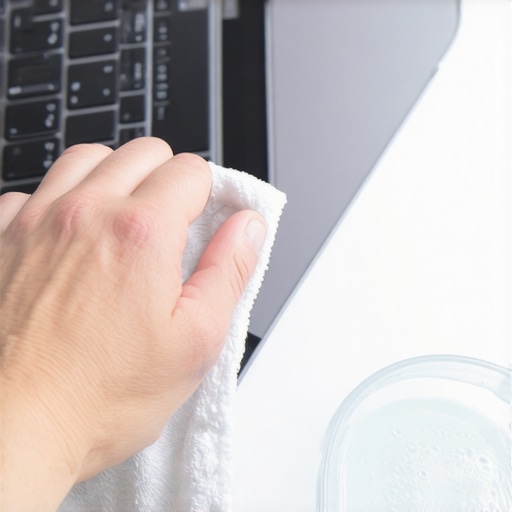
Walk Away and Let It Dry Naturally
The biggest mistake is using a hairdryer to speed things up. Intense heat can cause the adhesive under the fabric to bubble or the synthetic fibers to melt slightly, changing the texture forever. Once you’ve finished your circular cleaning, take a dry section of your microfiber cloth and gently pat the area to soak up residual moisture. Then, leave the laptop open in a well-ventilated room. This is also a good time to remember why you should never use your laptop on a soft blanket, as those same fibers that make your bed cozy are the enemies of a clean, ventilated laptop. Keeping the device on a hard surface during the drying phase ensures no new dust or lint gets trapped in the damp weave. If you find your current machine is too far gone or the fabric is physically tearing, it might be worth checking out unbeatable laptop deals save big on quality devices today for a fresh start with a more durable finish.While we are busy focusing on the surface-level grime, there is a deeper truth that most tech reviewers won’t tell you. Everyone thinks that buying a fabric-covered laptop is the ultimate sign of a luxury machine, but in my years of testing, I have found it is often a clever way to hide a lack of modularity. You see, when a laptop has a unibody metal or plastic frame, every seam and screw is visible. Fabric allows manufacturers to glue components together and hide the evidence under a pretty layer of Alcantara. This is the biggest ‘oops’ factor I see with student laptops that boost productivity and learning—they look great in the library, but they are often the hardest to service. If you aren’t careful, you are buying a disposable fashion statement rather than a long-term tool. According to a recent study by the Public Interest Research Group (PIRG) on electronics repairability, the use of industrial adhesives and non-removable covers has significantly contributed to the rise of ‘unfixable’ consumer electronics. 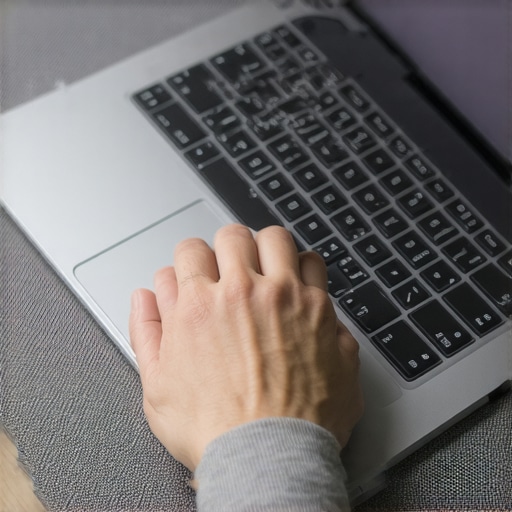
Is Your Laptop Actually Repairable Under That Fabric?
This is the advanced question you need to ask before you even pull out the cleaning supplies. Many of these fabric-clad machines suffer from ‘planned obsolescence’ because the very fabric you are cleaning is bonded to the palm rest assembly. If your keyboard fails, you can’t just swap it out; you have to replace the entire top deck, fabric and all. This is exactly why we avoid laptops with soldered storage at all costs. When you look at unbeatable laptop deals save big on quality devices today, you must check if that low price is because the machine is a ‘closed box.’ I’ve seen people spend hours cleaning a stain only for the motherboard to fail a week later on a device that can’t be opened without tearing the fabric.
Don’t Fall for the Surface-Level Trap
The hidden nuance here is that ‘premium’ materials are sometimes used to distract from mid-range internals. You might find business laptops for professionals essential picks 2025 that skip the fancy cloth in favor of magnesium alloys that actually dissipate heat better. When you use must-have laptop accessories for a seamless setup, like a high-end external mouse, you actually protect that fabric palm rest from the oils of your hands in the first place. This is the pro move: don’t just clean the mess, prevent it by changing how you interact with the machine. Have you ever fallen into the trap of buying a laptop just because it felt ‘nice’ in the store, only to regret it when the first stain appeared? Let me know in the comments below, because I’ve definitely been there.If you want to go pro and save that premium finish from the landfill, you need to stop using the same rag you used for your kitchen counters. I personally use a 400 GSM (grams per square meter) edgeless microfiber cloth. Why? Because the edges of cheaper, standard-grade cloths are often heat-cut and hardened, which can actually scratch or pill the fine microfibers of a high-end palm rest. I also swear by a small horsehair detailing brush—the kind typically used for luxury car interiors. It is soft enough not to tear the delicate weave but stiff enough to flick out skin flakes and dust that get embedded deep within the texture. According to the technical maintenance documentation from Alcantara S.p.A., the actual manufacturer of this material, regular dry-brushing is essential to maintain the ‘fluff’ and prevent the fibers from matting down under the weight and heat of your palms. If your device already feels flat and slick, the matting process has already begun.
How do I maintain a fabric laptop over time?
It is not just about the physical cleaning; it is about managing the thermal environment of your machine. Heat is a catalyst that accelerates the bonding of skin oils to synthetic fabrics. If your machine is constantly running hot, you are essentially baking your own sweat and oils into the fabric, making stains permanent. This is a primary reason I always monitor why your laptop is getting hot while the lid is closed to ensure it is not cooking itself inside a backpack. For those utilizing top business laptops for productivity in 2025 expert recommendations, consistent maintenance is the only way to protect your resale value. If you find the upkeep too taxing, there is a legitimate case to be made for why you should trade your laptop every two years to save money, specifically before the cosmetic wear becomes irreversible and kills the trade-in price. 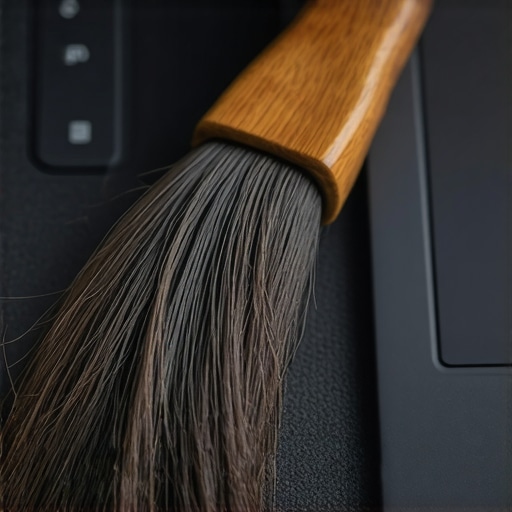 Looking ahead, I predict we are going to see a massive industry shift away from fabric-clad interiors. We are already seeing a move toward ‘bio-based’ vegan leathers and recycled ocean plastics that offer a similar tactile ‘warmth’ but can be wiped down with standard cleaners. The ‘Alcantara era’ was a beautiful experiment in premium aesthetics, but it is failing the long-term test of the messy, real-world desk. If you are a power user who eats at your desk, I strongly suggest sticking to magnesium alloys or high-grade plastics that allow for a 70% isopropyl alcohol wipe-down. Before you give up on your current machine, try the dry-brushing technique tonight with a soft brush—you will be shocked at how much life it brings back to the fibers. Just remember that a pretty exterior often masks internal limitations, which is why we never buy laptops with soldered ram for longevity. Do not let a soft palm rest distract you from a hard-to-upgrade motherboard. Make sure you have the must-have laptop accessories to boost your work setup, including a proper cleaning kit, to ensure your gear stays as sharp as your output.
The Brutal Truth About Living With Fabric Palms
After five years of testing every premium material under the sun, I’ve realized that fabric palm rests are like white sneakers—they look incredible on day one and require a religious maintenance schedule to stay that way. One of the biggest lessons I learned is that ‘setting’ happens faster than you think. If you let oils sit for a month, you aren’t just cleaning the surface; you are fighting a chemical bond. I’ve seen people give up and look for unbeatable laptop deals save big on quality devices today simply because they couldn’t stand the look of their own machine anymore.
Another hard-earned insight: friction is your enemy. Most people want to ‘scrub’ a stain away, but with microfibers, that just frays the material. You have to lift, not rub. If the fabric starts pilling, you’ve already lost the battle for resale value. This is a primary reason why you should trade your laptop every two years to save money before the cosmetic damage becomes a permanent eyesore that drops your trade-in price by hundreds of dollars.
My Personal Arsenal for Tech Detailing
You don’t need a professional cleaning service, but you do need tools that respect the delicacy of Alcantara and micro-suede. Here is what stays in my desk drawer at all times:
- 400 GSM Edgeless Microfiber: Cheap cloths have stitched edges that can snag fibers. This is one of those must-have laptop accessories to boost your work setup that pays for itself in the long run.
- Soft Horsehair Brush: I use this for dry-brushing once a week. It keeps the ‘nap’ of the fabric standing up, which prevents it from looking matted.
- Distilled Water & pH-Neutral Soap: This is the only ‘chemical’ I allow near the fabric. It is safer than anything you’ll find in a spray bottle at the grocery store.
- Metal Polishing Cloth: If you have a hybrid device, knowing the best way to remove scratches from a metal laptop lid complements your fabric care for a total machine refresh.
[image_placeholder]
Give Your Weary Workspace a Second Life
There is a specific kind of satisfaction that comes from restoring a tool you use every single day. When you finally lift that gray ‘shadow’ from your palm rest, the whole machine feels faster and more professional. Whether you are using student laptops that boost productivity and learning or high-end business rigs, the way your gear looks affects how you feel about your work. Don’t let a little bit of skin oil convince you that your laptop is ‘old.’ With the right circular motion and a bit of patience, you can make that fabric feel like it just came out of the box. Your machine is an investment—treat it with the same care you’d give a luxury car interior. Have you tried the circular motion technique yet, or did your fabric start pilling before you could save it? Let me know in the comments below!