
I remember the precise moment I realized my expensive ultrabook was a ticking time bomb. I was juggling a heavy spreadsheet, a few dozen browser tabs, and a video call when the cursor just… froze. I did what any of us would do—I looked up a teardown guide, grabbed my precision toolkit, and prepared to double the memory. But as soon as the backplate popped off, I saw it: the RAM wasn’t in a slot. It was soldered directly to the motherboard, fused like a permanent scar. My $1,200 investment was essentially a paperweight for my growing needs. It was a betrayal.
Stop Letting Manufacturers Put an Expiration Date on Your Tech
Buying a laptop today feels like a gamble where the house always wins. They sell you on thin and light, but they don’t tell you that those sleek dimensions often come at the cost of your machine’s future. When you choose a laptop with non-upgradable memory, you are essentially agreeing to throw the whole thing away once software updates outpace your hardware. It’s a major reason why I always tell my friends to look for SODIMM slots before they look at the color of the chassis. Even when looking at the top laptop deals in 2025, I check the internal specs first. If it’s sealed shut, I walk away. We’ve reached a point where 8gb of ram is no longer enough for modern browsing is an objective reality, and being stuck with it is a nightmare.
Is soldered RAM really that big of a deal for regular users?
You might think, I just check email and watch Netflix, but even the simplest tasks are getting heavier. According to a report by the Global E-waste Monitor, the world produces over 60 million metric tons of electronic waste annually, and un-repairable designs are a massive contributor to that pile. By choosing a machine you can actually service, you’re not just saving your wallet; you’re doing a solid for the planet. I made the mistake of prioritizing aesthetics once, and I paid for it in years of frustration. Now, I help people learn how to pick a student laptop that lasts all four years by focusing on what’s under the hood rather than the logo on the lid. Have you ever felt that sinking feeling when your once-fast laptop started crawling, only to find out you couldn’t fix it? It’s time we stop accepting these disposable designs as the standard. Let’s dive into how you can spot the good ones before you swipe your card.
Search for the Service Manual Before You Swipe
Think of a service manual as the secret blueprint the manufacturer doesn’t want you to see. Most people just look at the glossy marketing page, but the real truth lives in the ‘Hardware Maintenance Manual’ or ‘Service Guide.’ Before I even consider top laptop deals in 2025, I do a quick Google search for the model name followed by ‘service manual PDF.’ If the manual shows a single integrated board with no mention of slots, that’s a red flag. I once spent forty minutes digging through a Lenovo support forum just to confirm if a specific ‘slim’ model had a hidden slot under a metal shield. It did, and that extra time saved me from buying a machine that would have been obsolete in eighteen months. When you find a manual that clearly illustrates how to remove a back cover and swap parts, you’ve found a winner.
Look for the SODIMM Magic Word
In the world of tech specs, ‘on-board’ is a polite way of saying ‘you are stuck with this.’ If the spec sheet says ‘8GB LPDDR5 on-board,’ it usually means the chips are soldered to the board like barnacles on a ship. You want to see the term SODIMM. This indicates a physical slot where you can pop out the old stick and slide in a new one. Soldered RAM is like a car with tires welded to the rims; once the tread wears down, the whole vehicle is functionally useless. This is why 8gb of ram is no longer enough for modern browsing for anyone doing more than basic word processing. 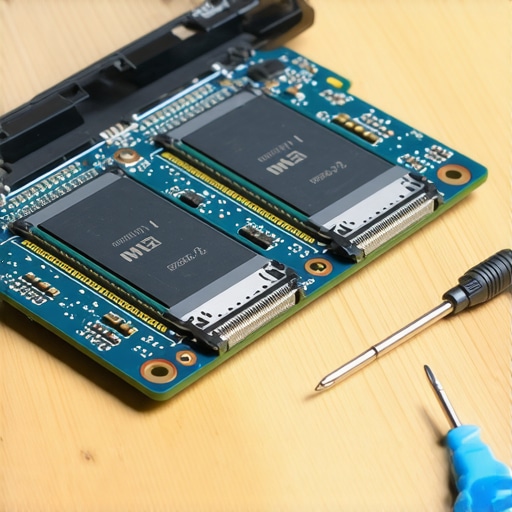
Avoid the Proprietary SSD Trap
It isn’t just the RAM you have to worry about. Some manufacturers have started using custom shapes for their storage drives. I remember helping a friend who found one of those hidden warehouse deals on premium laptop brands, only to realize the SSD used a connector found nowhere else on earth. We wanted to upgrade his 256GB drive to 1TB, but the only compatible replacement cost three times the market rate. Always verify that the laptop uses a standard M.2 NVMe slot. We generally avoid laptops with proprietary ssd slots because they turn a simple $80 upgrade into a $300 headache.
Check for Accessible Screws on the Bottom Chassis
Pick up the laptop and flip it over. Do you see screws, or is the bottom a seamless sheet of aluminum or plastic? If the screws are hidden under glued-down rubber feet, the manufacturer is actively trying to keep you out. I always keep the specific screwdriver kit you need to open 90 of modern laptops in my desk drawer just for this purpose. I once bought a ‘refurbished’ unit that felt sluggish, and because it had standard Philips screws, I was able to open it in two minutes. I discovered the previous owner had never cleaned the vents. Simply knowing how to replace a dead laptop fan without voiding the warranty or just clearing out dust can add years to a machine’s life, but you can’t do any of that if the chassis is glued shut like a vault.
Let’s dig deeper into the most common lie in the tech industry: the spec sheet. Most buyers assume that if they pay for the highest-tier processor, they are getting the fastest machine on the market. But in my experience, a mid-range i5 processor in a well-cooled chassis will outperform a top-tier i9 chip in a razor-thin frame nine times out of ten. This is because of thermal throttling—the automated process where your laptop slows itself down to prevent internal components from melting. This is exactly why gaming laptops still struggle with thermal throttling in small frames, and it is a nuance that marketing teams love to ignore. When you are browsing top business laptops for productivity in 2025 expert recommendations, you should look for reviews that mention ‘sustained performance’ rather than just ‘peak speed.’ High burst speeds are great for opening an app, but they mean nothing if your laptop crawls after twenty minutes of work.
The Performance Trap Most Buyers Fall For
The biggest ‘oops’ factor I see involves the wattage hidden behind the hardware. You might see two laptops both claiming to have the same dedicated graphics card, but one is half the speed of the other. Why? Because manufacturers can limit the power (TDP) sent to that chip to keep the laptop thin and quiet. If you don’t know how to force your laptop to use the dedicated gpu in every app, you might never even realize you’re only using a fraction of what you paid for. Expert testing from NotebookCheck reveals that thin-and-light models often lose up to 25% of their advertised performance within the first ten minutes of heavy use due to these power and heat limits. You are essentially paying a premium for power that the physical design of the laptop literally cannot handle. 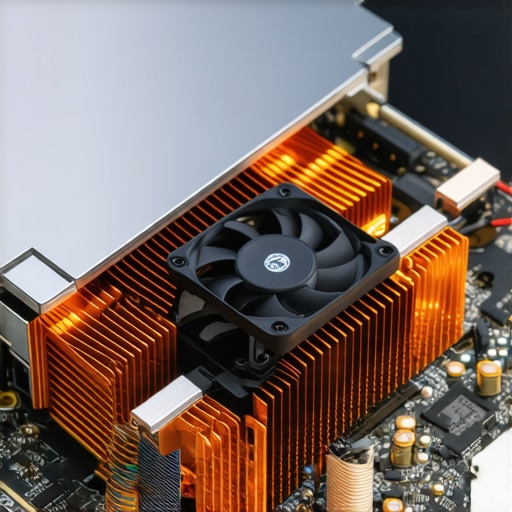
Should you pay extra for enterprise-grade SSDs?
Advanced users often ask if the ‘Enterprise’ or ‘Pro’ label on storage actually matters for a daily driver. While consumer SSDs are fine for gaming, enterprise-grade drives offer significantly higher Terabytes Written (TBW) ratings. This means they can handle massive amounts of data movement for years without wearing out. For most students and office workers, a standard drive is plenty, but if you’re a video editor, that ‘Pro’ badge is a literal insurance policy for your data. Regardless of which you choose, be wary of the heat; I’ve found that the real reason your laptop power brick is getting extremely hot often correlates with a system that is struggling to move data and manage power effectively. Additionally, there is a lot of misinformation about charging; understanding the truth about high wattage chargers and battery longevity can save you from killing your battery capacity in under a year. Have you ever fallen into the ‘high specs, low performance’ trap? Let me know in the comments. By shifting our focus from the sticker on the box to the actual thermal capacity of the machine, we can finally stop buying hardware that’s destined to disappoint.
I’ve spent thousands of hours testing hardware, and I can tell you that the difference between a five-year machine and a two-year paperweight is usually a $15 toolkit. If you want to take advantage of unbeatable laptop deals, you have to be willing to do the legwork that the average consumer skips. It starts with having the specific screwdriver kit you need to open 90 of modern laptops. I don’t just own one because I’m a tech enthusiast; I own one because modern hinges are designed with an expiration date. I’ve seen too many people lose their entire display assembly because they didn’t know how to fix a wobbly laptop hinge before it snaps. A simple quarter-turn of a screw every six months can save you a $300 repair bill and keep your chassis feeling like new. 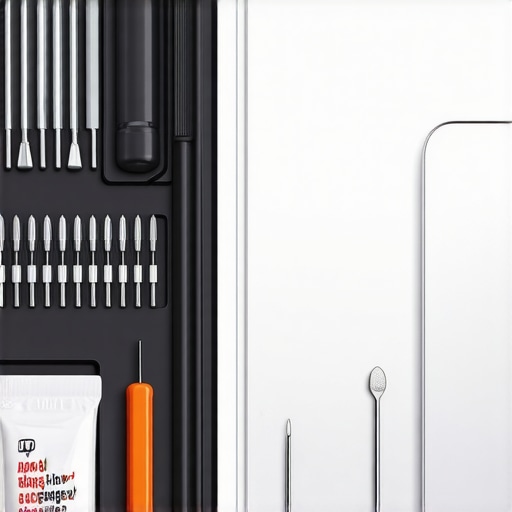
How do I maintain peak performance for years?
The secret isn’t some ‘PC optimizer’ app that’s actually glorified malware—it’s proactive thermal management. I make it a rule that every twelve months, I open my machine to blast out the inevitable buildup of lint and dust. Even if you aren’t comfortable with a full internal teardown, you should at least learn how to clean the dust out of your laptop without opening it using compressed air in short, controlled bursts to prevent fan bearing damage. For the brave, I highly recommend going a step further. We’ve found that the primary reason why we swapped the thermal paste on our brand new laptop is because manufacturers use ‘clay-like’ industrial paste that dries out in less than a year. According to testing by Igor Wallossek at Igor’s Lab, even premium laptops often suffer from uneven mounting pressure and low-quality thermal pads that lead to micro-throttling you won’t even see in your Task Manager. I use HWiNFO64 to monitor my ‘Core Thermal Throttling’ flag; if I see a ‘Yes’ during a basic workload, I know it’s time for a repaste.
The Future of Laptop Longevity is Modular
We are currently seeing a massive shift in the industry toward repairability. The success of modular designs is forcing traditional giants to rethink their sealed-box strategies. I predict that by 2027, ‘Repairability Scores’ will be as prominent as CPU clock speeds in the top business laptops for productivity in 2025 expert recommendations. Until then, you need to protect your investment with the right environment. This means getting must-have laptop accessories for a seamless setup that prioritize airflow, like a mesh stand rather than a suffocating plastic dock. If your current machine is already struggling, don’t give up on it yet. There are the only 3 ways to genuinely speed-up a slow laptop that don’t involve buying a new one, starting with a clean OS install to strip out manufacturer bloatware. I want you to try this one thing today: download a battery health tool and check your cycle count. If it’s high, learning how to fix your laptop battery if it only lasts one hour by calibrating the controller could give you an extra thirty minutes of life for free. Take control of your hardware, or the manufacturers will eventually take control of your wallet.
The Hardest Lessons I Learned Avoiding the E-Waste Trap
Over a decade of testing machines has taught me that the prettiest laptop on the shelf is often the one that breaks your heart first. I used to chase the thinnest designs, thinking portability was the peak of engineering, but I quickly realized that a chassis you can’t open is a prison for your data. One of the biggest ‘lightbulb moments’ for me was discovering the real difference between consumer and enterprise grade ssds; I stopped looking at just capacity and started looking at endurance ratings. I also learned the hard way that a laptop without a maintenance manual is essentially a rental from the manufacturer. My biggest regret was once ignoring a minor creak in a frame, only to have the entire screen fail later; now, I make it a point to show people how to fix a wobbly laptop hinge before it snaps to avoid that exact catastrophe.
Tools That Saved My Hardware from the Scrap Heap
Maintaining your machine doesn’t require a degree in electrical engineering, but it does require a few non-negotiables that I keep in my desk at all times. First, skip the kitchen steak knife and get the specific screwdriver kit you need to open 90 of modern laptops; it prevents stripped screws which are the number one cause of abandoned repairs. For software, I rely on HWiNFO64 to monitor internal temperatures, as it catches thermal throttling long before you feel the heat through the keyboard. I also highly recommend looking into must-have laptop accessories for a seamless setup that focus on ergonomics and cooling. If you are browsing top laptop deals in 2025, check the iFixit database for a repairability score before you hit ‘buy.’ These resources turn you from a passive consumer into an empowered owner who can actually replace a dead laptop fan without voiding the warranty.
Your Future Laptop Deserves Better Than a Two-Year Life
Choosing your next machine is about more than just matching a budget; it is a statement against the culture of planned obsolescence. When you prioritize modularity and access, you aren’t just buying a tool for today, you are securing a reliable partner for the next half-decade. Whether you are hunting for unbeatable laptop deals or looking for high-end top business laptops for productivity in 2025 expert recommendations, remember that the most sustainable laptop is the one you already own and can actually repair. Don’t let a sealed bottom plate dictate when you need to spend another thousand dollars. Have you ever had to retire a perfectly good laptop just because one small part was soldered to the board? Let me know your horror stories in the comments below.