
I used to think I was a master of multitasking. In reality, my laptop screen looked like a digital landfill. Icons cascaded down both sides of the display, overlapping with screenshots from three months ago and random PDF downloads. Every time I opened my computer to write, code, or even just pay a bill, my brain stalled out. I would stare at the chaotic mosaic of files, lose my train of thought, and instinctively open a browser tab to distract myself. It was a vicious cycle of digital clutter causing mental exhaustion, and it took a serious toll on my daily output.
Many of us spend hours hunting for the perfect business laptops for professionals to optimize our workflow, yet we completely ignore the actual workspace on our screens. Today, we are going to change that. I am going to show you how to transform your desktop from a source of low-grade anxiety into a minimalist haven designed specifically for deep focus. We will strip away the useless noise and build a layout that actively pushes you to get things done, rather than tempting you to procrastinate.
The Day My Screen Saved Me from Doing Actual Work
I remember the exact moment I hit my breaking point. I had a major deadline looming, and instead of writing, I spent forty-five minutes organizing my digital files into pointless subfolders just because the sight of my desktop was making me anxious. It was classic productive procrastination. I had high-end must-have laptop accessories, a fast machine, and a great desk setup, but my digital environment was a mess.
According to a fascinating study by the Princeton Neuroscience Institute, multiple visual stimuli present in your visual field at the same time compete for neural representation, literally restricting your brain’s processing capacity. When your screen is packed with clutter, you are actively draining your cognitive battery before you even start working. My biggest mistake early on was using my desktop as a universal dumping ground, thinking I would ‘deal with it later.’ Spoiler alert: I never did.
Is desktop customization actually worth the hype?
You might be skeptical. After all, does the position of a few icons or the color of your wallpaper really change how much work you get done? It absolutely does. When you set up your desktop specifically for focus, you eliminate micro-decisions. You don’t have to search for your active project files because they are the only things visible. If you are using student laptops for intense study sessions or setting up a rig for remote work, this digital hygiene is just as important as physical organization. Have you ever opened your laptop only to find yourself completely paralyzed by the sheer volume of chaotic files staring back at you? Let me know if you are currently drowning in desktop clutter too, because we are about to sweep it all away.
The Three-Step Desktop Cleanse That Actually Works
To fix my own cluttered screen, I had to stop treating my desktop like physical paper storage. It is not a filing cabinet; it is a temporary work surface. When I first started this clean-up process on my personal machine, my screen was so chaotic that simply searching for a spreadsheet took five minutes. Here is the exact system I used to turn my digital environment into an efficiency engine.
Ruthlessly sweep everything into a single archive folder
This is the digital equivalent of sweeping all the junk on your physical desk into a cardboard box. Create a single folder on your hard drive and name it something simple like ‘Archive’ or ‘Desktop Dumpster.’ Select every single file, icon, screenshot, and shortcut currently on your screen, and drag them into that folder. If you are using premium business laptops for professionals, this instant clearing also prevents your system from lagging when drawing previews of hundreds of loose files. This immediate visual relief gives your brain a chance to breathe without worrying about losing anything permanently.
Stop Windows from cluttering your view automatically
The next step is to block future clutter at the source. If you are running Windows, you have probably noticed that system search results often throw web articles and ads at you when you just want to find a local document. You need to streamline this access point immediately. Taking the time to disable web results in your Windows start menu is a massive productivity booster. It forces your system search to only look for local files, saving valuable seconds and preventing you from getting distracted by trending news stories when you are trying to find a client invoice.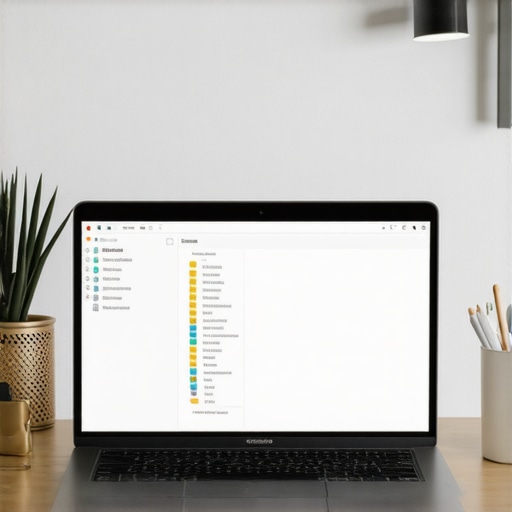
Keep only active projects on your screen
Your desktop should only host items you are actively working on today. Once a project is finished, file it away or delete it. When I was prepping a massive research paper on my student machine, I only kept three active PDFs on the desktop. To make reading those documents easier on a budget panel, I had to learn how to reduce eye strain on cheap student laptop screens by adjusting color temperatures and scaling. Having only those three files visible made it impossible to get distracted by older homework or gaming files. If you are hunting for budget-friendly laptop deals for school or work, remember that keeping your screen clean is just as important as buying hardware with a good display.
Hide all desktop icons entirely
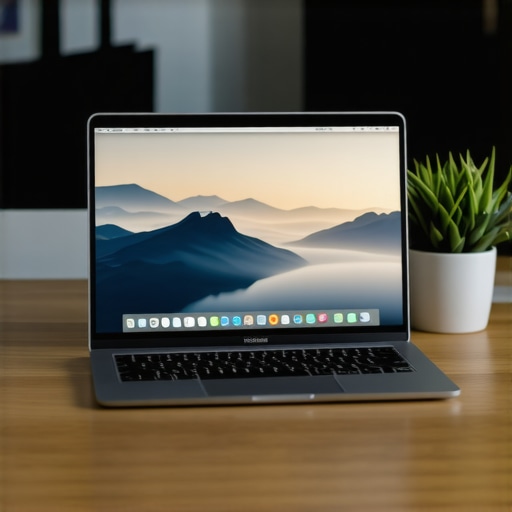
If you want to go full minimalist, you can completely hide all desktop icons. On Windows, simply right-click your desktop, hover over ‘View,’ and uncheck ‘Show desktop icons.’ On macOS, you can use a terminal command or a simple utility app to achieve the same look. This creates a completely blank canvas. When you open your laptop, you see nothing but your wallpaper. This forces you to use keyboard search shortcuts like Windows Key or Spotlight Search to launch apps and find files, which is actually a much faster way to navigate your computer anyway.
The Great Specs Myth: Why More Power Won’t Save Your Cluttered Brain
Most productivity gurus will tell you that if your machine is lagging, you simply need to browse the latest top laptop deals in 2025 and upgrade to a machine with double the RAM. In my experience, that is complete nonsense. I have watched professionals working on top-tier business laptops for professionals suffer from identical mental drag and micro-stuttering issues as students working on budget hardware. The truth is, buying faster silicon to solve a chaotic digital environment is like buying a faster sports car to sit in a gridlocked traffic jam.
We have been conditioned to believe that hardware solves workflow bottlenecks. However, a landmark study on cognitive load theory by researchers at UNSW Sydney demonstrates that our working memory has an extremely limited capacity when dealing with split-attention effects. When you have twenty active app windows competing for your attention, your brain is doing the heavy lifting, not your processor. If you do not optimize your workspace first, even game-changing gaming laptops for serious players in 2025 will feel sluggish because your cognitive focus is completely fragmented.
#IMAGE_PLACEHOLDER_C_PLACEHOLDER#
Are you falling for the cheap accessory trap?
Another massive trap is trying to solve digital clutter with physical clutter. I used to buy every productivity gadget on the market, hoping some combination of hubs and stands would magically make me more focused. The reality is that many budget peripherals cause more problems than they solve. For instance, when you buy cheap USB-C hubs to plug in multiple displays and hard drives, you often run into power delivery issues. I learned this the hard way after experiencing system crashes, only to discover why some laptop chargers get dangerously hot when forced to power poorly designed splitters. If you are upgrading your workstation, investing in a single high-quality dock is infinitely better than cluttering your physical desk with five cheap adapters.
The same logic applies to your display setup. Many users run out to buy massive external monitors, only to realize their laptop is working overtime just to push those extra pixels. If your machine is constantly loud, you might be suffering from thermal bottlenecks rather than a lack of processing power. Understanding how to tell if your laptop is being throttled by its charger or restricted by its environment is far more valuable than blindly upgrading your hardware. Before you spend money on flashy must-have laptop accessories, strip down your digital workspace to the bare essentials and see how much speed you reclaim for free.
Have you ever fallen into this trap of buying new hardware to solve a messy workflow? Let me know in the comments below.
How Do I Maintain My Clean Screen Over Time?
Getting your digital workspace into pristine condition is a massive victory, but keeping it that way requires a systemic habit. When I first decluttered my screen, it looked like a minimalist masterpiece for about four days before the old habits crept back. The secret to long-term success is automating your digital hygiene and scheduling a regular routine to sweep away the inevitable buildup of file debris.
To make this effortless, I established the ‘Friday Afternoon Sweep’ rule. Every Friday at 4:30 PM, right before I shut down my machine for the weekend, I force myself to spend exactly three minutes archiving or deleting every loose file that accumulated during the week. This ensures that when I open my computer on Monday morning, I am greeted by a clean, stress-free canvas instead of a digital landfill. If you are constantly looking for the best top laptop deals in 2025 to replace a machine you think is getting slow, try this weekly clean-up habit first. You might find your current computer has plenty of life left once it is freed from digital bloat.
The Software Toolkit That Protects My Focus
Beyond manual habits, I rely on a few carefully selected utilities to enforce my minimalist setup. For managing my files without cluttering my visual space, I use a lightweight file launcher called Launchy (or Alfred if you are on macOS). This allows me to keep my desktop completely bare because I can open any application or folder with a quick double-tap of the Alt key. I also rely on automated backup tools to ensure that archiving files doesn’t mean losing them forever. Utilizing the best way to back up your laptop data daily protects my active projects in the cloud while keeping my local drive clean and speedy.
Additionally, physical maintenance of your workstation is just as vital as software organization. I always recommend learning how to clean laptop screen smudges without leaving streaks to keep your physical view as sharp as your digital one. There is no point in having a beautifully organized desktop if you have to peer through a layer of dust and fingerprints to see it. If you are using powerful business laptops for professionals, a clean screen combined with a distraction-free layout will instantly elevate your daily output.
Where This Digital Workspace Trend Is Headed
Looking ahead, the future of digital workspaces is moving rapidly toward context-aware operating systems. Tech industry analyst Benedict Evans has frequently noted that our current desktop metaphor—which is based on physical office desks from the 1980s—is fundamentally outdated for modern cloud-based workflows. In the next few years, we will likely see AI-driven operating systems that dynamically hide or show files based on your calendar events, physical location, and active tasks, eliminating the need for manual organization entirely.
Until those smart systems arrive, the responsibility of keeping a clean workspace falls on us. I highly encourage you to try my favorite advanced tip today: right-click your desktop right now, go to ‘View,’ and uncheck ‘Show desktop icons.’ Live with a completely blank screen for the next forty-eight hours and see how much faster you actually get to work.
We often think that buying faster hardware is the only way to escape the mental lag of a slow workflow. But as we have explored, a chaotic digital environment can cripple even the most expensive setup. By taking control of your screen, archiving the noise, and resisting the urge to over-complicate your physical desk, you reclaim the mental clarity needed to actually get things done.
The Hardest Lessons I Learned About Premium Hardware and Cluttered Workflows
- Your processor is rarely the bottleneck: I spent years thinking I needed to constantly hunt for the latest top laptop deals in 2025 because my system felt sluggish. The reality was that my operating system was choked by hundreds of loose files and active background processes.
- More screens can mean more distractions: Adding a second monitor doesn’t automatically double your output. Without strict digital boundaries, it just gives you twice as much space to spread your clutter and lose your focus.
- Cheap adapters are a silent performance killer: I used to buy cheap USB hubs to hook up my devices, only to realize they were causing thermal throttling. Investing in a single premium dock is always better than cluttering your desk with low-grade accessories.
My Essential Minimalist Setup Toolkit
To keep my focus sharp and my digital environment running light, I rely on a tiny, highly vetted stack of resources. First, I use Alfred (on macOS) or Launchy (on Windows) as my exclusive file retrieval system, allowing me to keep my desktop completely clean of icons. For physical maintenance, learning how to clean laptop screen smudges without leaving streaks keeps my display immaculate. Finally, I secure my files with an automated backup system following the best way to back up your laptop data daily, ensuring that keeping my desktop empty never puts my active projects at risk.
Take Back Your Screen Right Now
You do not need to wait for a brand-new computer or a massive workspace upgrade to start working faster. The power to eliminate your daily digital friction is already right there in your operating system settings. By hiding your desktop icons, setting up a weekly archive routine, and using local search rather than web-bloated menus, you can transform your laptop into a distraction-free sanctuary. Start small today, clear the visual noise, and feel how much faster your brain can actually move when it is freed from the clutter of a messy screen.
Have you ever struggled to keep your desktop clean, or do you have a favorite trick for keeping digital clutter at bay? Let me know in the comments below!