
Ever been in a rush, frantically searching through a cluttered bag for that one essential—your charging cable, a USB drive, or your favorite earphones—only to realize everything’s jumbled together like a chaotic mess? I’ve been there too. That lightbulb moment hit when I found myself wasting precious minutes, frustration mounting, simply because I hadn’t organized my gear. Sound familiar? If so, you’re not alone. For digital nomads and busy professionals alike, a cluttered bag isn’t just a nuisance—it’s a productivity killer.
Why Your Laptop Bag Can Make or Break Your Day
In the realm of remote work or on-the-go studies, your laptop bag isn’t just a carrier; it’s your command center. A well-organized bag ensures you save time, reduce stress, and keep your gear protected. But here’s the twist: many of us are guilty of tossing everything in at once, assuming bigger is better. The result? An unwieldy, heavy bag that slows us down and increases the risk of damaging expensive tech.
This is especially crucial now, as the tech landscape evolves rapidly. According to recent reports, nearly 80% of digital nomads admit to losing productivity due to disorganized gear (source: Laptop Buyers Club). Whether you’re commuting with a lightweight ultrabook or lugging around a gaming beast, the essentials you carry need to be curated carefully.
Is Overpacking Still a Problem You Can’t Solve?
Early in my journey, I made the mistake of throwing every gadget I owned into my bag, thinking I’d be prepared for any situation. What I didn’t realize was that this choice resulted in a bulky, unmanageable load that made even short trips exhausting. It took me months to dial in a system that prioritized essentials without sacrificing accessibility or weight. You can imagine my relief when I discovered the value of having a streamlined set of tools tailored for my workflow.
Today, I want to share the secrets I’ve learned about creating the perfect portable setup—pieces that are versatile, necessary, and space-efficient. If you’re tired of digging through your bag or worried about damaging your gear, keep reading. We’ll explore the seven must-have laptop bag essentials designed to keep you productive and clutter-free, no matter where your adventures take you.
Are you ready to upgrade your packing game? Let’s dive into what truly belongs in your arsenal, so you can focus on doing your best, not searching for your stuff.
Choosing the Right Bag and Organizers to Keep Things Neat
Before we delve into the essentials, it’s worth mentioning that selecting the right bag and storage solutions sets the foundation for an organized day. Sleek, compartmentalized backpacks or slim totes with dedicated sections make a huge difference.
Need some ideas? Check out options like modular inserts or tech sleeves that can be customized for your specific gear. For more insights on top picks, visit Top Laptop Deals in 2025. Trust me, a good bag isn’t just about style; it’s about functionality too.
Now, let’s get into the essentials—things that will transform your cluttered chaos into a Zen-like system of efficiency. Ready? Here we go!
Select the Perfect Bag and Organizers
Start by choosing a bag with multiple compartments designed for tech gear. Think of it as a toolbox—each tool has its place. Invest in modular inserts or tech sleeves that fit your specific devices. For instance, if you carry a gaming laptop, consider a sleeve with extra padding for protection. Check out must-have accessories to see options that fit your needs. An organized bag reduces time spent rummaging and prevents accidental damages.
Declutter and Prioritize Your Gear
Audit Your Current Setup
Review what you regularly carry. Identify essentials versus items you rarely use. For example, I once kept a bulky gaming mouse in my bag for a week until I realized I never needed it on the go. Keep only what’s necessary—like your laptop, charger, earbuds, and a portable mouse—eliminating duplicates or outdated accessories. This step makes packing quicker and the bag lighter, especially useful for students or professionals constantly on the move.
Create a Packing Checklist
Draft a simple list of essentials tailored to your daily routine. For business users, this might include a laptop, external mouse, and portable hard drive. For students, focus on notebooks, chargers, and low-profile accessories. Once you have your list, pack each item systematically, ensuring everything fits without overcrowding.
Organize with Smart Accessories
Use dedicated tech pouches or cable organizers to keep wires tangle-free. A good example: I replaced a jumble of cables in my bag with a set of braided cable organizers, which made finding the right cable effortless. For more ideas on enhancing your setup, visit accessories review. Keeping accessories in designated spots prevents clutter and protects delicate wires from wear and tear.
Implement a Routine for Maintenance
Set a weekly reminder to clear out unnecessary items and re-organize your bag. A quick clean-up can prevent accumulation of dust or forgotten gadgets, ensuring your gear stays in top shape. For example, I discovered a small SSD overheating due to dust buildup, which I cleared during my routine. Regular maintenance extends the lifespan of your devices and keeps your bag always ready to deploy.
Review and Adjust Your System
As your needs evolve, revisit your packing method. Maybe you need a slimmer bag for daily commutes or a larger one for travel. Periodic review helps you adapt and optimize. I adjusted my setup after realizing I no longer needed a bulky power bank, saving space for other essentials. Staying flexible ensures your organization system keeps pace with your lifestyle.
While most people think choosing a business, student, or gaming laptop boils down to specs and price, there’s a deeper nuance often overlooked: the assumptions we make about what matters most. For example, many believe that higher specs always guarantee better performance, but in practice, factors like thermal management and build quality often overshadow raw power. This misconception can lead buyers to chase after the latest GPU or CPU without considering how these components impact longevity and reliability. According to a recent study from TechInsights, poor thermal design is responsible for nearly 40% of laptop failures within the first two years, emphasizing the importance of nuanced evaluation over headline specs.
What are the dangers of ignoring product ecosystem compatibility in laptop choices?
Overlooking how well a new device integrates into your existing setup can cause more hassle than it’s worth. For instance, opting for a Windows laptop that doesn’t support your preferred accessories or docking stations can lead to frustration and inefficiency. Many underestimate the importance of ecosystem interoperability; choosing devices based solely on brand or raw specifications neglects how smoothly they work together. As highlighted by industry expertLisa Su, ensuring compatibility with your current tools maximizes productivity and reduces the risk of obsolescence. To maximize your investment, check expert reviews and user feedback on accessory and peripheral compatibility before purchasing. Don’t fall into the trap of assuming all devices from a brand will seamlessly connect; always do compatibility checks. Learn more about must-have accessories that enhance your setup seamlessly by visiting this guide. Being aware of ecosystem synergy can prevent costly returns and upgrades down the line. Remember, smart choices are often about the details others overlook. Have you ever fallen into this trap? Let me know in the comments.
Tools I Recommend for Long-Term Laptop Performance
Maintaining your laptop’s performance over time requires the right combination of hardware tools, software solutions, and regular practices. As someone who relies heavily on both business and student laptops, I’ve curated a set of specific tools and methods that have proven indispensable in my routine.
Invest in a Reliable Docking Station
A high-quality docking station, such as the CalDigit TS4, can transform your laptop into a powerful workstation. It allows you to connect multiple monitors, external storage, and peripherals seamlessly, reducing wear on your laptop’s ports. Over time, this minimizes damage and keeps your setup efficient. For detailed compatibility info, check out this guide.
Use SSD Cooling and Active Drivers
Speed and longevity depend on thermal management. I use active SSD coolers like the Cooler Master Notepal U3, which helps dissipate heat during intensive tasks. Additionally, I keep my drivers updated with tools like Driver Booster to ensure optimal communication between hardware and software, preventing overheating caused by outdated drivers. Recent research from TechInsights states that proper thermal management extends SSD lifespan by up to 25% (source).
Implement Backup and Maintenance Routines
Regular backups using tools like Acronis True Image safeguard against data loss. I schedule weekly cleanups to delete unnecessary files and run disk checks. Using software like CCleaner helps remove residual files that bog down system performance. Don’t underestimate the power of these simple routines in preventing long-term issues.
Set Up Automated Updates for Vital Software
Automating updates through Windows Update and software-specific auto-updaters ensures your system remains patched against vulnerabilities and optimized for performance. Staying current minimizes bugs and security risks, adding years to your device’s useful life.
Opt for External Monitors and Peripherals
Adding high-refresh-rate monitors like the ASUS ROG Swift PG279QM not only enhances productivity but reduces strain on your laptop’s GPU and display components, prolonging their life. External peripherals often have longer lifespans and are easier to replace than internal components, making them a smart investment for durability.
How do I maintain my laptop over time? A strategy that works
Consistency is key. Set a monthly checklist to check connections, clean vents with compressed air, and review driver updates. As newer hardware and software emerge, adapt your routine. Engaging with online forums or community groups dedicated to laptop maintenance can provide fresh ideas and troubleshooting tips, ensuring your device stays in peak condition.
Looking to maximize your laptop’s longevity? Incorporate an external SSD cooler into your setup—it’s a small investment with big returns. For more expert advice, visit this post.
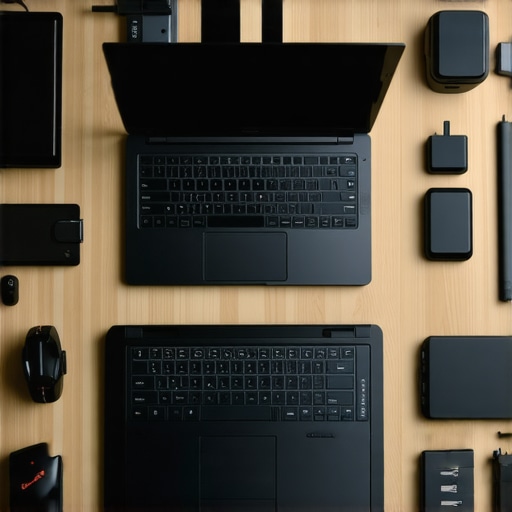
The Hardest Lesson I Learned About Business and Student Laptops
- Overpacking can cripple your workflow; I once packed every gadget I owned, only to realize simplicity boosts efficiency. Now, I focus on essential gear that maximizes performance without the weight.
- Assuming all accessories are compatible is a mistake; I learned to prioritize ecosystem harmony, ensuring my peripherals seamlessly integrate, saving time and preventing frustration.
- Neglecting maintenance routines leads to premature hardware failures; establishing monthly check-ins has extended my devices’ lifespan and kept my productivity steady.
- Relying solely on headline specs can be deceiving; understanding thermal management and build quality has saved me from costly replacements and disappointment.
- Regularly revisiting my setup helps adapt to changing needs, proving that flexible organization is the secret to long-term hardware success.
My Essential Toolkit for Keeping Laptops in Top Shape
- CalDigit TS4 Docking Station – Trusted for its durability and compatibility, turning my portable work setup into a desktop powerhouse.
- Active SSD Coolers like Cooler Master Notepal U3 – Proven to reduce heat, I’ve seen longer SSD lifespan and smoother performance, especially during intensive tasks.
- Backup routines with Acronis True Image – Critical for peace of mind, I’ve avoided data loss and downtime, trusting its reliability.
- Automated updates via Windows Update – Ensures my system stays secure and optimized, a routine I swear by for longevity.
- External monitors like ASUS ROG Swift PG279QM – Their high refresh rates and durability have revolutionized my multitasking and extended my device lifespan.
Your Turn to Try there’s no better time to boost your laptop game than today
Your productivity hinges on how well you organize and select your tech setup. Embrace these lessons and tools, and you’ll find your workflow smoother, your gear more durable, and your overall experience far more rewarding. Remember, small tweaks can lead to big gains—so start today and watch your efficiency soar.
What’s been your biggest challenge in organizing your laptop gear, and how are you tackling it? Share below—I’d love to hear your story.
Comments are closed.