
I stood there in the aisle of a giant electronics store three years ago, clutching my wallet like it was a life raft, staring at a laptop box that had been taped and re-taped more times than a high school football player’s ankles. It was a ‘satisfactory’ condition unit, and the price tag was barely a nudge below the brand-new model. My palms were sweaty. I knew I wanted it, but I also knew I was being fleeced. I almost bought it at that price. I almost let my nerves win and just swiped my card to avoid the social awkwardness of a confrontation. But then I remembered a simple truth: once that box is open, the retailer is desperate to get it off their books. I took a breath, found a manager, and saved another $150 just by opening my mouth. Today, I’m going to show you exactly how to do the same. [image_placeholder_1]
The Secret Leverage of the Open-Box Tag
Look, I’ve been there. I used to think the price on the sticker was the law of the land. Early in my tech-hunting days, I actually paid full retail for a display model because the salesperson told me it was ‘already a great value.’ I felt like an absolute idiot later when I realized I’d basically paid a premium for a machine that had been poked and prodded by a thousand greasy fingers. Since then, I’ve learned that whether you’re hunting for unbeatable laptop deals or trying to find student laptops that boost productivity, the open-box section is your playground—if you know the rules. The reality is that big-box retailers have a ‘burn rate’ for inventory. Every day an open-box unit sits on the shelf, it’s losing them money and taking up valuable space meant for new stock. When you walk up to that counter, you aren’t just a customer; you’re someone helping them solve a lingering inventory problem.
Is buying someone else’s return actually worth the headache?
I get the skepticism. You’re wondering if the previous owner spilled a latte on the motherboard or if the SSD is on its last legs. You might even worry about how to spot a dying SSD before you even leave the parking lot. It’s a valid fear. But here’s a dirty little secret: many returns happen because someone simply didn’t like the color or couldn’t figure out the operating system. According to data from the Reverse Logistics Association, nearly 10% of all consumer electronics are returned, often with absolutely nothing technically wrong with them. That is your window of opportunity to strike a deal.
How to Spot the Flaws the Manager Wants to Hide
Before you even think about talking numbers, you have to do your homework right there in the aisle. I once found a killer deal on one of those business laptops for professionals, but the manager wouldn’t budge on price until I pointed out a missing rubber foot on the bottom. It’s the little things that give you the upper hand. Check the ports for dust or scratches. Ask them to plug it in so you can verify the battery health using built-in software tools. If the battery is at 90% capacity, that’s your first ‘discount lever.’ If the screen has a single dead pixel or the box is missing must-have laptop accessories like the charging brick, that’s an automatic request for a further markdown. Have you ever felt too awkward to ask a store employee to open an open-box item for a full inspection, or do you dive right in? I want to know your biggest ‘in-store’ fear in the comments below. By the time we’re done today, you’ll know exactly what to say to turn a ‘good deal’ into an absolute steal.
The 10-Minute Stress Test Before You Pay
Walking into the store is half the battle, but the real work starts when you get your hands on the device. Think of an open-box laptop like a used car sitting on a lot; the salesperson wants it gone, and you need to prove it isn’t ‘mint’ enough for the price on the sticker. I once spotted one of those unbeatable laptop deals that looked too good to be true—a high-end workstation marked down 30%. Instead of celebrating, I spent ten minutes poking every corner. I found a tiny hairline crack near the charging port. By pointing out that I might eventually need to learn how to fix a laptop hinge that wont stay up or replace the chassis, I talked them down another $100. Always be the person who finds the flaw.
Look Closely for Physical Red Flags
Start with the chassis. Run your fingernail along the edges of the screen and the keyboard deck. You are looking for ‘witness marks’—tiny dents or scratches that suggest the previous owner dropped it. Check the screws on the bottom. If they look stripped, someone has been inside that machine, and you should walk away unless you are looking for a project. If you are hunting for student laptops that boost productivity, you cannot afford a machine that might flake out during finals week. Inspect the ports for lint or bent pins. A busted USB-C port is a deal-breaker unless they discount the unit enough for you to buy the most reliable usb-c hubs to bypass the problem. 
Scan the Hardware for Hidden Wear
Once the physical check is done, turn it on. If the store won’t let you boot it to the desktop, don’t buy it. Period. Bring a thumb drive with a few portable diagnostic tools. You want to verify the battery health of a used laptop purchase immediately. If the cycle count is high, that battery has been used as a floor demo for months, and it is losing its chemistry every hour. I remember finding one of those game-changing gaming laptops for 2025 adventures that looked brand new, but the battery report showed it had been plugged in and running at 100% heat for three months straight. That is a massive negotiation lever.
How to Negotiate Like You Own the Place
When you are ready to talk price, do not ask ‘Can you do better?’ That is a weak question that invites a ‘No.’ Instead, use the ‘Found Flaw’ technique. Approach the manager and say, ‘I love this unit, but it is missing the original box and must-have laptop accessories like the proprietary charger. To make this work for me, I’d need to see it at [Your Price].’ You are framing the discount as a way to solve the problems you just discovered.
Leverage the Missing Extras
Retailers often lose the manuals, the stylus, or the extra tips for the charger. Use this. If you are looking at top laptop deals in 2025, remember that every missing item in that box is a $20 to $50 deduction from the price. If the laptop is missing the power brick, tell them you have to go buy an OEM replacement, which costs $80. Even if you plan on using a spare you have at home, the store has to account for that missing value. If you’re really lucky, you might even find a way to snag a refurbished enterprise machine for under 300 just by being the person who notices the details everyone else missed.
The ‘Certified’ Label is Often Just a Sticker
Most buyers see a ‘Certified’ or ‘Manufacturer Refurbished’ tag and breathe a sigh of relief. They imagine a technician in a white coat spending hours stress-testing every circuit. In reality, retail processing is a high-volume game where speed is prioritized over precision. A study by Accenture found that a staggering 68% of returned consumer electronics are classified as ‘No Fault Found,’ leading many stores to do little more than a factory reset and a quick microfiber wipe before slapping a new price tag on the box. You think you are snagging one of the top laptop deals in 2025, but you might actually be inheriting a ‘ghost in the machine’—an intermittent Wi-Fi drop or a kernel panic—that only appears after three hours of heavy use. I’ve seen people buy ‘certified’ units only to realize later they need to figure out how to find out if your laptop can be upgraded just to bypass a faulty soldered component the ‘inspectors’ never noticed. 
Can you trust a machine that has been on 24/7 for six months?
This is the nuance most beginners miss: the massive difference between a ‘customer return’ and a ‘floor demo.’ A customer return might have been used for two days before the buyer realized it didn’t fit their backpack. A floor demo unit, however, has been running at 100% screen brightness, plugged into a high-voltage daisy chain, for months on end. This leads to ‘thermal fatigue,’ a condition where internal components have been baked in their own juice. For those looking at game-changing gaming laptops for serious players in 2025, this is a potential death sentence. The constant heat cycles degrade the thermal paste and stress the voltage regulator modules, which is a primary reason why most gaming laptops fail right after the warranty expires.
Avoid the hidden ‘accessory tax’ on open-box units
Here is a common ‘oops’ factor that can instantly wipe out your hard-earned savings: buying a high-end machine without its original power brick. Many modern business laptops for professionals require very specific wattage to maintain peak clock speeds and charge simultaneously. If you grab a generic replacement from a bargain bin, you aren’t just losing performance; you are risking a catastrophic power surge. I always tell my readers to learn how to find a replacement charger that wont fry your board before they even walk to the checkout counter. If you have to drop $80 on a genuine OEM charger, that ‘unbeatable’ discount is gone. Furthermore, pay close attention to the physical ports. If the previous owner was reckless with generic peripherals, the internal pins could be compromised. This is why cheap usb-c hubs might be killing your ports, and you do not want to be the one stuck with a non-functional charging port a month after the 15-day return window slams shut. Have you ever fallen into this ‘certified’ trap or bought a unit that seemed fine until you got it home? Let me know in the comments so we can keep the community sharp.Once you’ve successfully walked out of the store with your bargain, the ‘honeymoon phase’ usually lasts until the first time the fans start sounding like a jet engine. I’ve seen too many people grab unbeatable laptop deals only to let them die a slow, dusty death because they neglected the basics. Maintenance isn’t just for gearheads; it’s for anyone who doesn’t want to buy a new computer every 24 months. My first rule of thumb? Keep the air moving. You’d be surprised how many student laptops that boost productivity end up throttled because of a single cat hair in the heat sink. I personally carry a small air duster, but I’ve learned the hard way why you should never use a vacuum on your keyboard or internal components. The static discharge can fry a motherboard faster than you can say ‘warranty void.’ 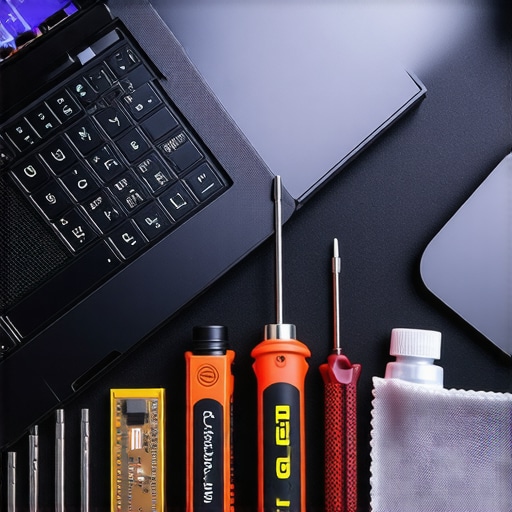
Stop Your Discount Machine From Cooking Itself
If you’re serious about longevity, you need a dedicated maintenance bag. I’m talking about the 10 tool every laptop owner should keep in their desk—a simple iFixit Jimmy, a P5 Pentalobe driver, and a tube of non-conductive compound. If your used machine is running hot, you need to learn how to choose the right thermal paste for your machine. Factory paste on open-box units is often dried out, especially if it was a floor demo. According to Intel’s technical documentation on Dynamic Tuning Technology, thermal headroom is the single biggest factor in maintaining peak ‘Turbo Boost’ frequencies. If your chips can’t breathe, you’re paying for performance you’ll never actually see.
How do I maintain my used laptop’s performance over time?
Consistency is the key. I make it a habit to check my fan curves every six months. If you find yourself wondering how to stop your gaming laptop from thermal throttling in summer, the answer usually lies in a deep clean and software optimization. Don’t just rely on the Windows battery slider; use tools like HWInfo64 to monitor individual core temperatures. If one core is 15 degrees hotter than the rest, your thermal paste application is uneven. For business laptops for professionals, I also recommend a physical wipe-down. This is why we still carry a microfiber cloth in our laptop bags—skin oils are surprisingly acidic and can permanently etch the coating on premium matte screens.
Where Hardware Protection is Heading
Looking ahead, I predict we’re going to see ‘smart chassis’ technology become standard in the next five years. We’re already seeing early versions of self-cleaning fans and AI-driven undervolting that adjusts based on ambient room temperature recorded by external sensors. Until then, you are the primary defense. You have to be proactive. If you’re ever in doubt about a specific internal screw or ribbon cable, take five minutes to find official repair guides for your exact model before you start prying. My challenge to you: download a hardware monitor today and check your idle temperatures. If they’re over 50°C while just staring at the desktop, it’s time to crack that case open and give your machine some room to breathe.
The Hardest Lesson I Learned About Chasing Unbeatable Laptop Deals
After years of scouring the clearance aisles, the biggest “aha” moment I had wasn’t about the hardware itself, but about the psychology of the store manager. I realized that an open-box tag is essentially an admission of defeat by the retailer; they want the item gone to make room for new stock. However, you must know how to tell if that refurbished deal is actually just used and abused. One of the myths that held me back for years was the idea that “certified” meant “perfect.” I’ve since learned that a quick physical inspection reveals more than any sticker ever will. Always check for screen bleeding in a dark corner of the store or listen for coil whine that might indicate a stressed power delivery system.
Another hard-earned truth? The best unbeatable laptop deals are found on Tuesday mornings, not weekends. Managers are less stressed and more likely to spend ten minutes negotiating a price with you when the store isn’t packed with families. If you are hunting for student laptops that boost productivity, look for the units that were clearly just “buyer’s remorse” returns rather than the battered display models that have been running 24/7.
My Essential Toolkit for Keeping Refurbished Machines Alive
I don’t just buy a laptop and hope for the best; I come prepared. To stay ahead of the game, I use the hidden price history tools every deal hunter needs to ensure I’m actually getting a discount and not just a manipulated MSRP. Once the machine is home, the real work begins. I always keep the 10 tool every laptop owner should keep in their desk within arm’s reach. This kit allows me to quickly check if I can add more RAM or swap a slow drive, especially after I learn how to find out if your laptop can be upgraded for my specific model. I also never travel without a dedicated cleaning kit, which is why we still carry a microfiber cloth in our laptop bags to prevent permanent screen damage from keys and dust.
The Future of Your Next Bargain Hunting Adventure
Buying open-box isn’t just about saving a few dollars; it’s about being a smarter consumer in a world of planned obsolescence. When you take the time to inspect, negotiate, and maintain your gear, you aren’t just getting top laptop deals in 2025—you are building a setup that reflects your technical savvy. Don’t be afraid to walk away if the deal doesn’t feel right. There will always be another return, another manager eager to clear space, and another chance to snag a high-end machine for a mid-range price. Have you ever successfully negotiated a lower price on an open-box item, or do you usually stick to the price on the sticker? Let me know your best negotiation tips in the comments below!