
I still remember the smell of stale coffee that wafted out of the cooling vents the moment I first pressed the power button on my first ‘refurbished’ find. It was supposed to be a sleek machine, or so the listing claimed. I’d spent weeks hunting for unbeatable laptop deals, thinking I’d outsmarted the system. Instead, I’d bought a machine that had clearly seen three years of hard labor in a cubicle and had never even been wiped down. It was ‘used’ with a fancy label slapped on the box, and I was out four hundred bucks. That moment changed how I look at every ‘discounted’ price tag.
The Day I Realized Refurbished Labels Are Often Just Marketing
That experience taught me a hard lesson: the word ‘refurbished’ is often treated like a fresh coat of paint on a crumbling wall. In the high-stakes world of gaming laptops and professional workstations, the difference between a factory-certified renewal and a quick wipe-down by a random seller is massive. Today, I want to help you cut through the noise so you don’t end up with a lemon. We are going to look at the physical tells, the software secrets, and the warranty traps that separate a genuine bargain from a used headache.
Is a cheap refurbished laptop actually worth the anxiety?
I get the skepticism. You see a price tag that is 40% off and your brain screams ‘deal,’ while your gut whispers ‘trap.’ According to the Federal Trade Commission, there is no strict federal standard for what constitutes the term ‘refurbished,’ which means the quality depends entirely on the seller’s own internal ethics and standards. You have to be your own detective. Early on, I didn’t even know how to verify the battery health properly, and I ended up with a machine that needed a permanent tether to a wall outlet. Have you ever felt that sinking feeling of opening a ‘new’ package only to find a scratch right across the screen?
Look for the Grime in the Hidden Places
A real refurbished unit, especially from a reputable manufacturer, should look nearly indistinguishable from new. If you are hunting for Amazon warehouse tech deals, you need to check the ‘crevices’ first. I am talking about the USB ports, the speaker grilles, and the tiny gaps around the trackpad. Deep-seated dust buildup in these spots is a dead giveaway that the unit has not been professionally opened or serviced. It is also vital to understand the truth about modern laptop warranties before you commit. A true refurb should come with a legitimate guarantee. If they are selling it ‘as-is’ with only a short return policy, it is likely just a used unit being passed off as something it is not.
Run a Battery Report Immediately
The battery is the first thing to lie to you. A seller might say it ‘holds a charge,’ but that is like saying a car ‘runs’ even if the fuel tank has a massive leak. I once picked up what I thought were top laptop deals in 2025, only to find the battery capacity was already at 60% of its original health. If you are on Windows, open the Command Prompt and type ‘powercfg /batteryreport.’ This generates a file that tells you the ‘Design Capacity’ versus the ‘Full Charge Capacity.’ If that gap is wider than 20%, you are not looking at a refurbished machine; you are looking at an exhausted one. You should always test a used laptop battery before you pay because replacing internal cells on modern ultrabooks is a nightmare of glue and proprietary screws. 
Give the Hinge the Three-Second Wiggle Test
Screen hinges are the unsung heroes of portability, and they are usually the first mechanical part to fail. Open the lid to a 90-degree angle and give the laptop a gentle shake. Does the screen wobble like a leaf in the wind, or does it stay put? I learned this the hard way with a student laptop that felt ‘smooth’ to open, but within a month, the plastic housing around the hinge snapped completely. You need to spot a failing laptop hinge before it puts enough pressure on the LCD to cause a permanent purple line across your display. If it feels loose or makes a grinding sound, the seller likely skipped the mechanical inspection entirely and just wiped the lid.
Push the Processor to See if the Fans Scream
A ‘clean’ exterior does not mean the thermal paste inside has not turned into dry crust. When I was testing game-changing gaming laptops from an online auction, one unit looked brand new but hit 95 degrees Celsius within two minutes of opening a few browser tabs. Run a free benchmark tool like Cinebench or even just a 4K video. If the fans sound like a jet engine immediately, the cooling system is choked with dust or the thermal interface has failed. While you can sometimes fix a noisy laptop fan with a single drop of oil, a truly refurbished unit should have been repasted and blown out by the technician before it ever reached your hands.
Crack the BIOS Lock Before the Return Window Closes
This is the ultimate ‘gotcha’ for enterprise hardware. I once spent a whole afternoon trying to figure out how to snag a refurbished enterprise machine for a bargain, only to realize the BIOS was password-protected by the previous corporation. If the BIOS is locked, you cannot change the boot order, you cannot enable virtualization, and you might not even be able to update the firmware properly. You must secure your laptop BIOS yourself, but you cannot do that if you are locked out from day one. Restart the machine, hammer the F2 or Delete key, and make sure you have full administrative access. If you do not, send it back immediately; it is likely a poorly processed corporate liquidation find that was never properly cleared.But even if the BIOS is wide open and the battery report looks healthy, you might still be walking into a hardware dead-end. Most people think a deal is just about the specs listed on the sticker, but the real cost of a machine is often hidden in its physical assembly.
Stop Chasing Pixels at the Expense of Your Eyes
Everyone tells you to hunt for the highest resolution possible. “Get the 4K model,” they say. In my experience, that is a massive mistake for the vast majority of users. On a 13 or 14-inch screen, 4K is often overkill that simply drains your battery 20% faster while making everything look microscopically small. Instead, why students should prioritize screen brightness over resolution becomes clear when you are trying to work in a sunlit cafe or a brightly lit library. A 1080p screen with 500 nits of peak brightness is infinitely more usable than a dim 4K panel that is basically a mirror. Experts at RTINGS have consistently shown that higher contrast ratios and matte finishes do more for long-term productivity than raw pixel count.
The Soldered RAM Nightmare No One Mentions
Here is the ultimate “oops” factor: buying a machine you can’t actually grow with. Many modern business laptops for professionals have started soldering the RAM directly to the motherboard to save space. If you buy 8GB today thinking it is enough, you are stuck with it until the day that laptop dies. This is why we avoid laptops with soldered ram at all costs for our main workstations. It turns a potential five-year investment into a two-year disposable gadget.
Why does my high-end screen still give me headaches?
It might not be the resolution; it might be Pulse Width Modulation (PWM) flickering. Many manufacturers use PWM to dim the backlight by turning it on and off rapidly. While it is invisible to most, it causes “phantom” headaches and eye fatigue for sensitive users. If you are prone to migraines, you need to check if your gaming laptops with OLED screens use high-frequency dimming or are certified flicker-free. 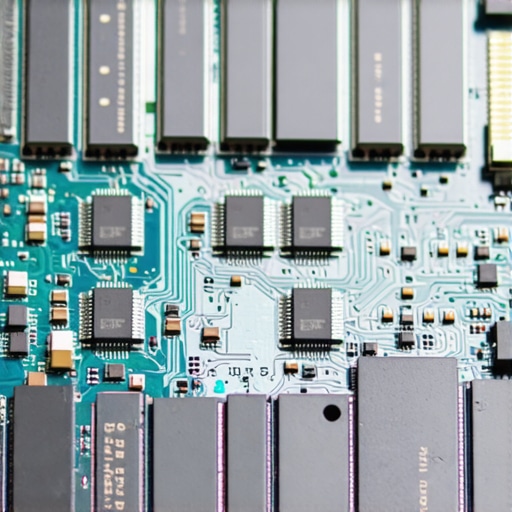
The Myth of the ‘Ultra-Thin’ Performance Machine
Many people think thin is always better, but why you should avoid slim gaming laptops for heavy rendering is a simple matter of physics. You cannot cheat heat. When you cram a high-end GPU into a chassis the thickness of a magazine, it will thermal throttle within minutes. You are essentially paying for power that the laptop’s fans are too small to ever let you use. If you are a creator, why your gaming laptop needs more than 16gb of ram now is a far more important factor than how thin it is.
Don’t Ignore the Hidden Mouse and Hub Tax
We often spend our entire budget on the machine and forget the must-have laptop accessories to boost your work setup. If you are buying a modern slim machine, you are likely entering “Dongle Hell.” I see people grab unbeatable laptop deals only to realize they need to spend another $100 on the most reliable USB-C hubs just to plug in a second monitor or a reliable mouse. Have you ever fallen into this trap? Let me know in the comments.
If you have ever felt your heart sink as your fans ramped up to a screaming pitch just by opening a spreadsheet, you know that buying the hardware is only half the battle. Maintenance is where most people fail. After years of testing business laptops for professionals, I’ve realized that the difference between a five-year workhorse and a two-year paperweight is usually about fifty bucks worth of tools and thirty minutes of software configuration. You can’t just set it and forget it. I treat my machines like high-performance cars; if you don’t change the oil and clear the intakes, they will eventually seize up on you.
Stop Using Canned Air and Buy an Electronic Duster
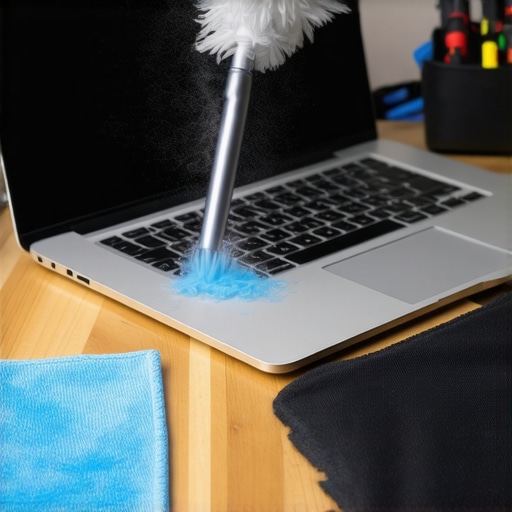
I stopped buying those expensive cans of compressed air years ago. They are freezing cold, they run out at the worst times, and they often leave a chemical residue. Instead, I invested in a dedicated high-velocity electronic duster. This is the $10 tool every laptop owner should keep in their desk, or at least its more powerful $40 cousin. Using a focused stream of dry air to blast out the heat sinks every three months is the easiest way to keep your laptop from overheating on your lap. When you see a grey cloud of dust erupt from your vents, you’ll realize why your performance was lagging.
HWInfo64 is the Diagnostic Dashboard You Actually Need
Forget the generic ‘System Information’ tool built into Windows. If you want to see what is actually happening under the hood, you need HWInfo64. It is free, and it shows you every single sensor in your machine, from the exact wattage your GPU is drawing to the specific temperature of your individual CPU cores. I use it to identify when it is time to choose the right thermal paste for your machine. If core #1 is 15 degrees hotter than core #4, your factory paste job is failing. This level of data is how I managed to keep my game-changing gaming laptops running at peak clock speeds even during the hottest summer months.
How can I maintain my laptop battery health over several years?
The biggest secret to battery longevity isn’t a software trick; it’s a habit. According to the battery experts at Battery University (a technical resource by Cadex Electronics), lithium-ion batteries are under the most stress when they are at 100% or 0%. I personally use my manufacturer’s software—like Lenovo Vantage or MyASUS—to set a ‘Battery Charge Threshold’ at 80%. This prevents the battery from sitting at a high voltage state for weeks on end while plugged into a desk setup. If you are constantly studying in the library, this one change can double the number of years before your battery starts to swell or lose capacity.
The Transition to Ultra-Portable GaN Charging
Looking forward, the future of laptop maintenance and travel is all about Gallium Nitride (GaN). We have finally reached a point where we can only use GaN chargers for traveling now, replacing those five-pound power bricks with something the size of a deck of cards. I predict that within two years, the ‘proprietary barrel plug’ will be a relic of the past, and every top business laptop for productivity will be powered by a universal 140W USB-C standard. This makes replacing a lost or broken charger significantly cheaper and easier. For an advanced tip: download HWInfo64 today and look for the ‘Thermal Throttling’ flag under your CPU sensors while running a heavy task—it’s the first step to truly understanding your machine’s limits.
The Expensive Lessons Only a Decade of Tech Fails Could Teach Me
Looking back, I realize that my biggest mistakes weren’t just picking the wrong specs, but ignoring how the machine was built to be lived with. I’ve learned that a bargain is only a bargain if it doesn’t require a constant mental tax. First, I stopped trusting ‘pristine’ descriptions and started looking for evidence of care—or neglect. If you ever decide to open your machine to swap parts, you must properly ground yourself before opening your laptop to avoid a static shock that could turn a simple upgrade into an expensive funeral. Second, I realized that for student laptops that boost productivity, a great keyboard is worth more than a fast processor. If you hate typing on it, you’ll never finish that essay. Finally, never ignore the heat; knowing how to stop your gaming laptop from thermal throttling is the difference between a smooth 60 FPS and a stuttering mess during a heatwave.
#IMAGE_PLACEHOLDER_E#
The Daily Gear That Keeps My Workstations Humming
I don’t just rely on software to keep things running. My desk setup is built around a few high-value items that have saved me hundreds in repair costs. I always recommend investing in must-have laptop accessories for a seamless setup, especially a high-quality electronic duster. While I mentioned the $10 tool every laptop owner should keep in their desk earlier, it’s worth repeating that small physical maintenance prevents massive hardware failures. I also trust resources like Battery University for the science behind lithium-ion care and the HWInfo64 community for keeping my sensors in check. These aren’t just gadgets; they are the insurance policy for my livelihood.
Take Charge of Your Digital Tools Today
Buying a laptop shouldn’t feel like a gamble where the house always wins. Whether you are hunting for top laptop deals in 2025 or trying to breathe life into a machine you’ve owned for years, remember that you have the power to be a savvy owner. Tech is a tool, not a master, and with a little bit of curiosity and the right maintenance habits, you can make any decent machine last far longer than the manufacturer ever intended. Don’t be afraid to poke around the settings or blow out the dust—it’s your hardware, after all.
Have you ever found a hidden ‘deal-breaker’ after you already bought a refurbished machine? Let me know in the comments below.