
I was standing in line at Heathrow, sweating through my shirt, and feeling the strap of my laptop bag dig so deep into my shoulder that I was convinced it would leave a permanent groove. It was hour twelve of a thirty-hour journey, and my high-performance machine felt like a literal tombstone. That was the moment I realized the spec sheet lied. It said portable, but my spine said lawsuit. If you’ve ever had to sprint for a connecting gate while a five-pound brick thumps against your ribs, you know exactly what I’m talking about. The struggle isn’t just about the weight on the scale; it’s about how that weight feels when you’re squeezed into seat 42B with a tray table that’s seen better decades.
Stop Lugging Around Dead Weight
For years, I bought into the myth that for a laptop to be useful on a plane, it needed every possible port and a massive, chunky battery. I ended up with a beast that practically required its own zip-code. These days, when I’m looking at business laptops for professionals, the conversation has shifted. It’s no longer just about raw power; it’s about the carry-ability index. I spent weeks weighing, measuring, and—most importantly—actually flying with these machines to see which ones wouldn’t make me regret my life choices by the time I hit the layover. I even started obsessing over the small stuff, like why we still carry a microfiber cloth in our bags, because compressed cabin air and fingerprints are a recipe for a blurry screen during a red-eye flight.
Can a featherweight laptop really handle a full day of work?
One of my biggest mistakes early on was choosing a laptop solely based on its dry weight without considering the power brick. I once found a gorgeous 2-pound ultrabook, only to realize the charger weighed another pound and used a proprietary plug that was a nightmare to pack. It was a total rookie move that left me tethered to wall outlets. According to data from the International Journal of Industrial Ergonomics, carrying even a small amount of unbalanced weight in a shoulder bag can significantly alter your gait and lead to chronic strain. This is why we are looking for the true travel weight—charger and all. We’ll also dive into why you should be wary of the risk of using public charging stations at airports and how the right lightweight machine keeps you independent from those sketchy kiosks. Have you ever had to leave a powerful laptop at home because it was just too heavy to justify the shoulder pain? Let me know, because I’ve been there, and I’m never going back.
Focus on the Total Travel Weight Package
To stop the cycle of shoulder pain, you need to calculate the ‘Gross Travel Weight.’ This isn’t the number on the box; it’s the laptop plus the power adapter plus any must-have accessories. I learned this the hard way during a layover in Dubai. I had a sleek ultrabook that looked great but required a massive 180W power brick just to stay alive. I ended up carrying nearly six pounds of tech for a ‘three-pound’ machine. Now, I strictly look for top business laptops for productivity in 2025 that support USB-C Power Delivery. This allows me to use a single, tiny GaN charger for my phone, tablet, and laptop. It’s why we avoid buying laptops with proprietary power bricks at all costs because those chunky cables are just dead weight in a carry-on.

Stop Fighting with Airport Dongles
If you’re constantly reaching into your bag for a converter, your setup isn’t portable—it’s a mess. When I’m on the move, why your business laptop needs a physical ethernet port becomes a matter of sanity, especially in hotels with ‘saturated’ Wi-Fi. If you must go thin, invest in the most reliable USB-C hubs for multi-monitor setups so you have one single point of failure rather than five different adapters rattling around your bag. I once lost a tiny HDMI-to-USB-C adapter under a seat on a train to Munich; I spent the rest of the trip unable to give my presentation. Lesson learned: built-in ports beat external solutions every single time.
Find the Sweet Spot Between Size and Sanity
There’s a reason why 14-inch screens are the gold standard for commuters. A 13-inch screen feels like you’re working through a keyhole, and a 16-inch machine won’t even open properly on a coach-class tray table. I remember trying to edit a spreadsheet on a flight to New York with a 15.6-inch laptop; every time the person in front of me reclined, my screen nearly snapped. A 14-inch chassis fits perfectly in that precarious space between the seat back and your stomach. It’s the perfect compromise for student laptops that balance power and portability perfectly without demanding a custom-sized backpack.
Kill the Reflection Before it Kills Your Eyes
If you plan on working near a window or in a brightly lit terminal, screen finish is your best friend or worst enemy. This is why we prefer matte screens over glossy for outdoor work and travel. Glossy screens look pretty in a dark room, but in a terminal, they’re just expensive mirrors showing you every overhead light and person walking behind you. You end up cranking the brightness to compensate, which drains your battery and leaves you hunting for a plug in a crowded gate area. A matte display keeps your work visible even under the harsh, soul-crushing fluorescent lights of an airport lounge.
Everyone tells you to buy the thinnest machine available to save your back, but here is the cold, hard truth: ultra-thin laptops often suffer from aggressive thermal throttling that can slash your performance by 30% within minutes of starting a heavy task. I have seen enthusiasts spend thousands on the sleekest ultrabooks only to find they can’t even handle a sustained Zoom call without the fans sounding like a jet engine. This is exactly why you should avoid slim gaming laptops for heavy rendering or intensive data processing; the physics of heat dissipation simply do not care about your aesthetic preferences. When there is no room for air to move, your expensive CPU slows down to a crawl to keep from melting. This is the ‘Thinness Trap’—you pay a premium for portability, but you lose the very power you bought the machine for in the first place.
The Hinge is Your Most Likely Point of Failure
While most people obsess over RAM and storage, they completely ignore the two small pieces of metal holding the whole thing together. According to a study published in the Journal of Failure Analysis and Prevention, mechanical fatigue in hinges is one of the leading causes of ‘catastrophic’ laptop death, often leading to cracked screens or severed display cables. It is why your laptop hinge is destined to fail and how to prevent it should be at the top of your research list. If you feel even a slight resistance or hear a faint ‘click’ when opening your lid, you are already on the clock. I have learned to look for reinforced, zinc-alloy hinges that are anchored into a metal chassis rather than cheap plastic. This is a nuance most reviewers miss because they only use the device for a week, whereas you need it to last three years of daily commuting.
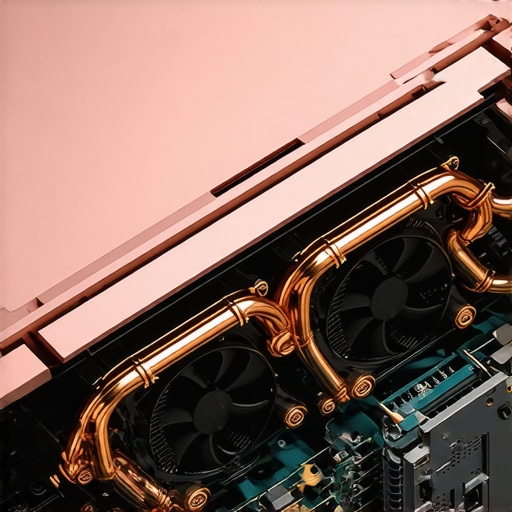
Why do business CPUs actually outperform consumer chips on the road?
It is a common myth that an i7 is an i7 regardless of the laptop it is in. However, why business laptops use different CPUs than consumer models often comes down to vPro technology and sustained power delivery. Business-grade silicon is binned for better efficiency and stability under load. If you are looking for business laptops for professionals, you aren’t just paying for the name; you are paying for a chip that won’t fluctuate its clock speed wildly every time the ambient temperature in the airport lounge rises. I have found that a ‘slower’ business-grade chip often finishes a task faster than a ‘fast’ consumer chip that has to keep slowing down to cool off. This level of reliability is non-negotiable when you are working on a deadline at 30,000 feet.
The Silent Killer of Mobile Productivity
Another mistake I see constantly is people hunting for top laptop deals in 2025 and snagging a machine with a bottom-tier SSD. A slow or dying drive will make even the most powerful processor feel like a calculator from 1995. You need to know how to spot a dying SSD before your files vanish, because when you are traveling, you don’t always have a stable connection to your cloud backups. I have also seen a rise in counterfeit hardware on secondary markets, so learning how to spot a fake SSD on popular online market places is essential for anyone trying to save a buck on upgrades. Do not let a $40 savings on a drive be the reason you lose a $4,000 contract during a trip. Have you ever had a laptop fail you right when you needed it most because of a technical ‘nuance’ like this? Let me know in the comments, because I suspect I’m not the only one who has learned these lessons the hard way.
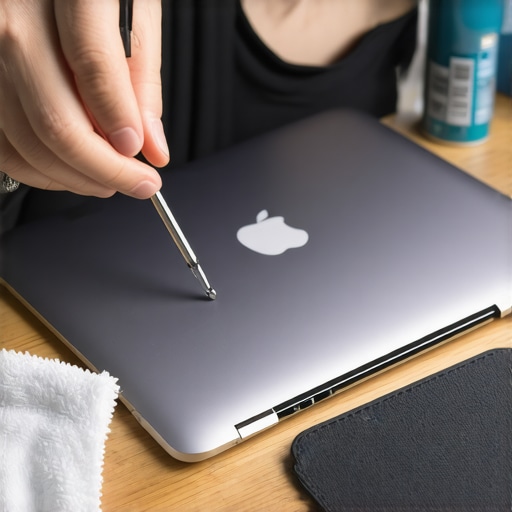
After years of rotating through machines, I’ve realized that a laptop’s lifespan isn’t determined by the price tag, but by what happens after the warranty expires. I keep a small toolkit in my desk specifically for this. The cornerstone is the $10 tool every laptop owner should keep in their desk: a basic precision screwdriver set. Once every six months, I crack open the back of my machine to clear out the lint that inevitably clogs the heat sinks. If you’ve noticed your fans spinning up while just browsing Chrome, you’re already suffering from thermal stress. According to a technical report from the IEEE Reliability Society, consistent operating temperatures just 10°C above the design spec can reduce the life expectancy of semiconductor components by nearly 50%. This is why I don’t just clean; I learn how to replace your own laptop fan in under 20 minutes. It sounds intimidating, but it is simpler than changing a tire and can save you a $400 repair bill.
How do I maintain my laptop’s speed and health over several years?
The secret isn’t a “cleanup” app; it’s physical and thermal management. I always ensure I am using high-quality materials when I do a deep clean, which is how to choose the right thermal paste for your machine becomes a critical skill. Factory-applied paste is often mediocre and dries out after two years. Re-pasting can drop your temps by 10 degrees instantly. Beyond the hardware, I manage my battery like a precious resource. I never leave it plugged in at 100% all day. Understanding the reason your laptop battery won’t charge past eighty percent is life-changing—limiting the charge ceiling drastically reduces chemical aging in lithium-ion cells.
Stop Buying Trash Accessories
I’ve seen more laptops killed by a $15 knock-off hub than by actual drops. I have become incredibly picky about my peripheral chain because why cheap USB-C hubs might be killing your ports is a very real danger involving power back-feeding and poor shielding. If you are scaling your setup, stick to the only 3 USB-C docks that don’t overheat during transfers. It might cost double, but your motherboard will thank you in the long run.
The Future of Portable Tech is Modular
Looking ahead, I predict we are going to see a massive shift toward “Right to Repair” friendly designs. We are already seeing pioneers like Framework, but even the big players are starting to realize that the era of soldered-everything is alienating high-end users. I expect that the truth about modern laptop warranties and repair rights will become a major selling point by 2026. Buyers are tired of being told a $2,000 machine is e-waste just because a single port failed. My challenge to you: tonight, download a hardware monitor, check your CPU temperatures, and if they are over 90°C under load, order a screwdriver set and some compressed air. Do not wait for the blue screen of death to start caring about your hardware.
Hard-Won Secrets from the Back of the Plane
After a decade of flying with tech, I have realized the ‘perfect’ machine isn’t the one with the highest clock speed; it is the one that survives a coffee spill in economy class. One lightbulb moment for me was realizing that a slightly thicker chassis with better airflow actually saves more time in the long run than a thin machine that stutters during a client presentation. I also stopped trusting marketing battery life numbers and started looking at the watt-hour rating—it is the only metric that doesn’t lie when you are 35,000 feet over the Atlantic.
Another realization? A laptop is only as mobile as its weakest link. For me, that used to be the charger. Switching to a high-wattage GaN charger was the single biggest upgrade to my quality of life. It turned my heavy travel kit into something that fits in a pocket. Finally, I learned that preventative maintenance isn’t for tech geeks; it is for anyone who hates unexpected two-thousand-dollar expenses. Clearing out a dusty fan takes ten minutes but adds years to the life of your motherboard.
#IMAGE_PLACEHOLDER_E#
The Carry-On Essentials I Swear By
Building a reliable setup requires more than just picking a laptop from a list. I rely on a few specific tools to keep my mobile office running smoothly. First, I never leave home without the 10-tool every laptop owner should keep in their desk, which I have actually started carrying in my tech pouch for emergency hinge tightening. To keep everything organized and safe, I only use the best laptop bags that dont scream steal me to avoid drawing unwanted attention in crowded transit hubs.
For connectivity, I have stopped rolling the dice with generic adapters. I stick to the most reliable USB-C hubs for multi-monitor setups because they offer the thermal stability needed for long work sessions. And since screen grime is inevitable, keeping one of those microfiber cloths handy is a small but vital habit that keeps my workspace feeling professional even on day three of a conference.
Reclaim Your Mobility and Your Spine
You do not have to accept shoulder pain and thermal throttling as part of your job description. The right setup should empower you, not tether you to a wall outlet or leave you massaging your neck at the end of every flight. By focusing on gross travel weight and choosing business laptops for professionals that prioritize sustained performance over flashy aesthetics, you are investing in your own productivity and physical health. It is time to stop being a pack mule for outdated tech and start traveling light. Have you ever had to ditch a laptop because the travel weight was just too much for your back to handle? Let me know in the comments—I would love to hear your horror stories or your favorite lightweight wins!