
There I was, 11:30 PM on a Tuesday, surrounded by three different precision screwdrivers and a can of compressed air. My fan was screaming, my laptop was throttling, and all I wanted to do was pop the back off to clear out the cat hair and dust. But as I leaned in under my desk lamp, I saw them. Those tiny, proprietary Pentalobe screws staring back at me like a “keep out” sign. It wasn’t a standard Philips or even a common Torx. It was a specialized barrier between me and the hardware I paid for. I’d spent good money on unbeatable laptop deals only to feel like a tenant in my own device.
The Night a Tiny Screw Ruined My Repair Plans
I’ll admit, I’ve made some expensive mistakes. Early in my journey as a hardware enthusiast, I tried to “force” a proprietary screw out with a tiny flathead. I stripped the head so badly that the laptop became a permanent brick of sealed aluminum. I learned the hard way that knowing how to find official repair guides for your exact model is the first thing you do before you even think about picking up a tool. That failure stung, but it opened my eyes to a frustrating reality in the tech world. Brands often claim these screws prevent “unauthorized” damage, but for most of us, it feels like a tactic to keep us away from the internals. If you can’t open the case, you can’t upgrade the RAM or swap the battery. This lack of access often pushes people to look for student laptops that balance power and portability perfectly sooner than they really need to. Today, I’m going to pull back the curtain on why these brands refuse to let go of their custom fasteners and show you how to navigate this maze without stripping your sanity.
Is Proprietary Hardware Actually Necessary for Modern Design?
Skeptics often argue that these weird fasteners are the only way to keep game-changing gaming laptops thin and light. The short answer? Not a chance. It is a calculated design choice, not a structural requirement. According to a report by the Public Interest Research Group (PIRG), manufacturers frequently use “repair barriers” like specialized screws to maintain a monopoly on service, which contributes significantly to the global e-waste crisis. Have you ever found yourself ready to perform a simple upgrade, only to be stopped cold by a screw head you’ve never seen in your life? It’s a gut-punch for any enthusiast. While some of us have switched to the only 3 brands that still make easily-repairable laptops, most of the industry is still doubling down on making things difficult.Before you even touch a screwdriver, you need to know exactly what is under the hood. You would not perform surgery without an X-ray, and you should not crack a chassis without knowing how to find out if your laptop can be upgraded. Once you have confirmed the RAM or storage is not soldered—another sneaky trick to force you into buying a new machine—it is time to suit up.
Ditch the Kitchen Knife and Buy Real Tools
Using the wrong bit is the fastest way to turn a five-minute fan cleaning into a six-week shipping odyssey for a replacement bottom case. Proprietary screws like the Pentalobe (found on MacBooks) or the Torx Plus (common in Surface devices) are designed to be shallow. If your bit does not fit perfectly, it will cam out and shave the metal right off. Investing in a high-quality kit of must-have laptop accessories to boost your work setup that includes a 64-bit driver set is non-negotiable. I remember trying to upgrade the SSD on a friend’s old ‘bargain’ find. I thought I could wing it with a standard precision set from a hardware store. Two minutes in, I realized the manufacturer used Tri-point screws. I stopped, ordered a proper kit, and waited two days. That patience saved me from a $1,200 mistake. 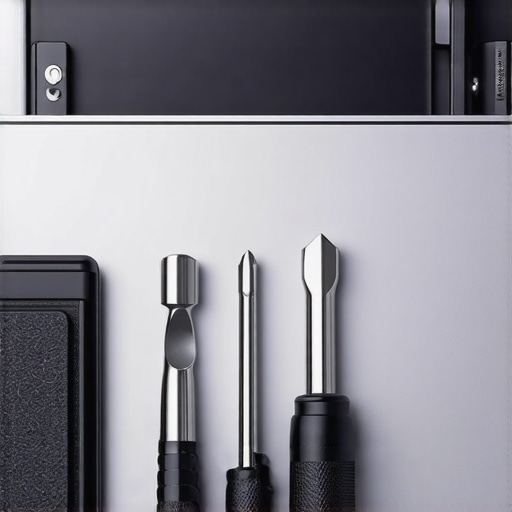
Identify Your Adversary Before Turning the Driver
You need to match the bit to the fastener with zero wiggle room. If you are working on game-changing gaming laptops, you will often find Torx T5 or T6 screws. These are six-pointed stars that look similar to Allen keys but have much sharper edges. If the screw head has five lobes, it is a Pentalobe; if it has three, it is a Tri-wing. Always apply downward pressure while turning. This ‘press and turn’ method ensures the bit stays seated in those shallow grooves that manufacturers love to use.
How to Pry Without Snapping Your Plastic Clips
Even after the screws are out, the battle is not over. Many brands use internal plastic clips or even adhesive to keep the case shut. This is where most people fail. They pull the metal, the plastic flexes, and *snap*—there goes the structural integrity of your machine. Use a suction cup to create a small gap, then insert a plastic ‘spudger’ or guitar pick. Never use metal prying tools on a plastic frame. If the resistance feels too high, check for hidden screws under the rubber feet. Manufacturers frequently hide one or two screws there to catch the unwary. This is especially common when you are trying to fix a laptop hinge before it snaps, as those areas require the most reinforcement.
Stop Buying Laptops That Treat You Like a Tenant
The ultimate way to beat proprietary hardware is to stop supporting the brands that use it. When you are scouting for top laptop deals in 2025, prioritize machines with standard Phillips head screws. We specifically why we avoid laptops with proprietary SSD slots because they lock you into their ecosystem. A machine that respects your right to repair is a machine that will last twice as long. This is why we argue that your next business laptop needs a user-replaceable battery. If you can’t get to the battery because of a weird screw, the entire laptop has an expiration date set by the manufacturer, not by you.Let’s dig deeper into the actual physics of why your hardware fails you, even when you think you’ve snagged a bargain. Most buyers believe that ‘more’—more cores, more RAM, more gigahertz—is always better. But there is a massive nuance they miss: thermal headroom. I see it every day with game-changing gaming laptops. A machine can have the fastest chip in the world, but if it is packed into a chassis the thickness of a pancake, it will throttle within minutes. You aren’t buying a 5.0GHz processor; you’re buying a 2.0GHz processor with a 30-second marketing boost.
Why Does Your High-End CPU Suffer From Hidden Performance Drops?
The answer lies in the ‘Thermal Design Power’ or TDP. According to a research paper by the Institute of Electrical and Electronics Engineers (IEEE), compact mobile devices often hit their thermal ceiling well before reaching their peak advertised clock speeds, leading to a performance degradation of up to 40% under sustained loads. This is one of the hidden costs of choosing an ultra-thin business laptop. You pay for the performance, but you never actually get to use it because the fans can’t push the heat out fast enough. 
The Dangerous Myth of the Manufacturer Refurbish
Another trap I’ve fallen into involves the word ‘refurbished.’ We all want unbeatable laptop deals, but the industry definition of refurbish is dangerously loose. I’ve seen ‘certified’ units arrive with 300 battery cycles and dust-clogged heat sinks. You need to know how to tell if that refurbished deal is actually just used before you hand over your credit card. Look past the shiny exterior; check the internal wear and learn how to spot a fake warranty on refurbished gear. If the seller won’t give you a battery health report, walk away.
Don’t Kill Your Motherboard With Cheap Hubs
Finally, let’s talk about the ‘Accessory Tax.’ To keep student laptops that balance power and portability perfectly so light, manufacturers strip away the ports. You then go out and buy a $15 USB-C hub from a random site. This is a massive mistake. High-power delivery (PD) requires precise voltage regulation. In my experience, why cheap USB-C hubs might be killing your ports isn’t just a clickbait theory—it’s a reality where a single power surge through a poorly shielded hub fries the entire logic board. Always stick to must-have laptop accessories to boost your work setup that have proven power-safety certifications. Have you ever fallen into this trap of buying based on specs alone, only to be disappointed by the actual performance? Let me know in the comments.If you are serious about keeping your machine alive, you need to stop using the junk that comes in the ‘free gift’ bags. I swear by my iFixit Pro Tech Toolkit because the bits are hardened steel, unlike the soft lead-feeling stuff you find in grocery store kits. When I am working on top business laptops for productivity in 2025, a stripped screw is a death sentence for a $2,000 asset. I have seen enthusiasts try to save $20 on tools only to spend $200 on a new palm rest because they couldn’t get a single fastener out. 
How do I maintain my laptop’s thermal performance over years of heavy use?
The secret isn’t just canned air; it is the physical interface between the chip and the cooler. According to technical documentation from Thermal Grizzly, traditional silicone-based thermal pastes can suffer from ‘pump-out’ effects over several years, where the heating and cooling cycles literally push the paste out from between the surfaces. This is exactly why we swapped the thermal paste on our brand new laptop during our last testing cycle. If you notice your fans ramping up while you are just browsing, it is time to go deep. For student laptops that boost productivity and learning, a simple repaste every two years can extend the life of the motherboard by keeping the power delivery components from cooking.
Why I Think the Era of Sealed Laptops Is Finally Ending
Looking ahead, I predict we are entering a ‘Modular Renaissance.’ With the success of the Framework project and new EU regulations demanding user-replaceable batteries, even the most stubborn brands are starting to reconsider their designs. We are going to see a shift back to the only 3 brands that still make easily-repairable laptops becoming the industry standard rather than the exception. In the near future, you won’t just be buying unbeatable laptop deals; you will be buying a chassis you can actually own and upgrade for a decade.
Don’t Let Software Rot Kill Your Hardware
Maintenance isn’t just about the physical screws. Most game-changing gaming laptops for 2025 adventures fail early because of ‘software rot’—background processes and driver conflicts that keep the CPU pegged at 10% for no reason, generating constant heat. I always perform a clean install of Windows and then meticulously apply the best way to configure a new business laptop to keep things lean and fast. My advanced tip for you? Go into your BIOS and look for a setting called ‘Battery Charge Threshold.’ If you keep your laptop plugged in 90% of the time, set it to stop charging at 60 or 80%. This one change will double the lifespan of your lithium cells by reducing chemical stress. Try it today and check your battery health report in six months; your wallet will thank me later.
The Hard Truths I Learned While Staring at Stripped Screws
After a decade of cracking open everything from budget netbooks to top-tier workstations, I’ve realized that the most expensive part of a laptop isn’t the CPU—it’s the frustration of being locked out. First, never assume unbeatable laptop deals are actually a bargain until you’ve checked the underside for proprietary fasteners. Second, the thinness of a device is often inversely proportional to its lifespan; the tighter the internal space, the harder it is to keep the components cool without specialized tools. Finally, always document your teardown meticulously. I use a magnetic mat to keep every tiny screw in its place because losing even one is the easiest way to end up with a how to fix a laptop hinge that wont stay up due to uneven internal pressure. These hard-won lessons transformed how I view technology, shifting me from a passive consumer to an active hardware owner. #IMAGE_PLACEHOLDER_E#
The Survival Kit for Every Hardware Owner
If you want to move beyond being a mere user and become a true owner, you need the right ecosystem of tools and information. I personally rely on three main pillars:
- The Precision Bit Set: Don’t settle for the $5 bin at the hardware store. High-quality hardened steel bits found in must-have laptop accessories to boost your work setup prevent the nightmare of stripped heads and ruined chassis.
- Repair Databases: Sites like iFixit and official manufacturer manuals are my Bible. I never touch a screwdriver until I’ve seen a teardown video of that specific model to identify hidden clips or adhesives.
- Trusted Reviews: When hunting for top business laptops for productivity in 2025, I look for reviewers who actually show the internals, showing me exactly what is soldered and what is swappable.
Your Machine Should Serve You and Your Future
The tech landscape is shifting, and for the first time in years, the consumer is gaining ground. By voting with your wallet and choosing the only 3 brands that still make easily-repairable laptops, you send a clear message to the industry. Whether you are looking for how to pick a student laptop that lasts all four years or high-performance game-changing gaming laptops, remember that you have the right to maintain what you own. Don’t be afraid to demand better hardware that respects your skills, your wallet, and your time. Have you ever felt completely blocked from fixing your own device by a weird screw or a sealed case? Let me know your biggest repair frustration in the comments below!