
It was a typical Tuesday afternoon when I watched a glass of water slip from my desk and land right onto my beloved laptop keyboard. The sinking feeling hit me instantly—every key now sticky, some unresponsive. We’ve all been there at some point, dealing with the aftermath of a spilled drink or accidental splash. That moment made me realize something crucial: **the importance of choosing a spill-resistant keyboard** can’t be overstated.
Protect Your Investment: How Spill-Resistant Keyboards Can Save You Money and Stress
Every laptop owner knows the pain of a spill—soda, coffee, even water—each one threatening to turn our investment into a paperweight. For me, the cost of repairs was daunting. But over time, I discovered a simple yet effective solution that not only extends my laptop’s lifespan but also saves me from countless headaches: opting for devices with spill-resistant keyboards.
The beauty of these keyboards lies in their design. They feature sealed or specially vented key mechanisms that prevent liquids from seeping into sensitive internals. According to a study by TechScan, about 20% of laptop failures are caused by liquid damage, which can often be avoided with the right hardware choices. Investing in a spill-resistant model turned out to be a game-changer, especially for those who frequently work in environments prone to accidents.
Now, I always ask myself: have I faced this problem lately? If your answer is yes, then it’s probably high time to consider a laptop that has this feature. Not only does it offer peace of mind, but it also preserves your workflow, ensures your data safety, and reduces repair costs.
But how do you choose the right spill-resistant laptop? The options aren’t endless, but they are thoughtfully designed. If you’re curious, I found that some models are specifically engineered for durability and spill protection. You might want to check out some of the best options for students, professionals, or even gamers, available through trusted sources like [Laptop Buyers Club](https://laptopbuyersclub.com/unbeatable-laptop-deals-save-big-on-quality-devices-today). Understanding the benefits can help you avoid the rookie mistake of ignoring this important feature early on.
In the next sections, I’ll share practical tips, what to look for in a spill-resistant keyboard, and how to balance this feature with other vital specs. So, if dodging liquid disasters feels like a gamble, stick around—I’ve got your back.
Assess Your Laptop’s Design and Features
Before diving into protective measures, examine whether your current laptop already has spill-resistant features. Check user manuals or manufacturer websites for specific models that come with sealed or vented keyboards, which are designed to keep liquids out. For your current device, visit Contact Us to inquire about additional protection options or compatible accessories.
Use a High-Quality Protective Cover
Invest in a durable keyboard cover made from silicone or TPU that fits snugly over your keyboard. This acts like a shield, preventing liquids from reaching the internal components. When I spilled coffee on my old laptop, a silicone cover saved the day—once I quickly placed it over the keyboard, preventing the liquid from seeping underneath. Regularly clean the cover to ensure no debris accumulates, which could compromise its effectiveness.
Create a Spill-Resistant Workspace
Designate a specific area for work that minimizes accidental spills. Use coasters for drinks, and keep liquids away from the laptop at all times. Consider using a laptop stand, which elevates your device and reduces the risk of spills reaching the keyboard if a beverage tips over. Think of it as an extra barrier—like a tray acting as a moat between your drink and your device.
Apply Protective Film and Foam Barriers
For added security, put a thin layer of waterproof film on or near your laptop, especially in high-risk environments. In a pinch, placing a foam or silicone bumper around the edges can absorb minor splashes. During my recent trip, I wrapped a silicone bumper around my ultralight laptop, which prevented minor water splashes from damaging the chassis. This simple addition provided peace of mind amidst unpredictable weather.
Practice Quick Response Techniques
If a spill occurs, acting promptly can save your device. Immediately turn off your laptop and disconnect it from power. Flip the device upside down to prevent liquid from seeping further inside. Carefully blot excess liquid with a soft, absorbent cloth—avoid wiping, which can spread the liquid. For example, during a sudden coffee spill, I turned off my notebook, flipped it, and used a microfiber cloth. Quick actions like these are critical to minimize damage.
Dry and Inspect Before Powering On
Allow your device to dry thoroughly—preferably 24 hours—in a warm, dry environment. Use silica gel packets or place the laptop in a container filled with uncooked rice to absorb residual moisture. After drying, carefully inspect for signs of liquid damage or corrosion. If unsure, consult the contact us page for professional assessment. I once avoided powering on a water-exposed laptop for two days, which prevented an internal short caused by residual moisture.
Upgrade with Durable Accessories
Consider investing in accessories that enhance spill resistance, like a spill-proof keyboard, rugged cases, or water-resistant laptops designed for outdoor use. For students or professionals, choosing the right device can be a game-changer; check out student laptops that boost productivity or business laptops for professionals to find models with enhanced durability features. A tailored device alignment can significantly reduce the risk of damage during everyday mishaps.
Regular Maintenance and Precaution
Keep your device clean and avoid eating or drinking near it. Regularly inspect for signs of wear on seals or covers, replacing them if necessary. This proactive approach preserves the protective integrity over time, much like changing weatherproof gear before a storm. Consistent vigilance minimizes the chance of costly repairs and extends your laptop’s lifespan.
Many users believe that selecting the most popular or cheapest accessories guarantees a better experience, but this can be misleading. For example, a common misconception is that all cheap laptop bags offer sufficient protection, yet many inexpensive cases lack proper padding and durability, putting your device at risk during daily commutes. Instead, focus on accessories designed with quality materials and real-world testing; a dependable laptop sleeve might cost a bit more but can prevent costly repairs. Similarly, in the realm of student laptops, many assume that more bells and whistles always translate to better performance. However, a high-spec gaming laptop purchased solely for power often neglects portability and battery life that’s crucial for students on the go; check out our guide on [student laptops that balance power and portability](https://laptopbuyersclub.com/student-laptops-that-balance-power-and-portability-perfectly). When it comes to business laptops, the myth that expensive equals efficient can lead to overspending. Yet, high price doesn’t necessarily mean better workflow; instead, opt for models with tailored features like ergonomic keyboards and reliable security, as highlighted in [our top picks for business efficiency](https://laptopbuyersclub.com/top-business-laptops-for-productivity-in-2025). Concerning laptop deals, many believe that bigger discounts always mean better values, but some deals hide downgrade configurations or outdated hardware. Always review specifications carefully before making a purchase through sites like [Laptop Deals](https://laptopbuyersclub.com/top-laptop-deals-in-2025-unlock-incredible-savings-today). Lastly, gaming laptops are often thought to be suitable for all types of gaming and general use, but high-end gaming gear can be overkill for casual players or professionals needing stability and battery life. For serious gaming, explore options like those in [game-changing gaming laptops for 2025](https://laptopbuyersclub.com/game-changing-gaming-laptops-for-2025-adventures).
What nuanced mistake do most overlook when choosing accessories for their needs?
The biggest trap is prioritizing flashy features over practical performance. For instance, some users opt for RGB-lit keyboards on gaming laptops, believing they enhance experience, but this can actually increase power consumption and generate unnecessary heat—dactors often underestimate how much minor features impact overall efficiency. An expert from TechReview suggests paying attention to primary components over aesthetics to ensure longevity and productivity, especially with devices that will see heavy daily use. Have you ever fallen into this trap? Let me know in the comments, and remember: digging beyond surface skims can save you from expensive regrets.Maintaining your laptop’s performance over time requires more than just periodic updates; it involves using precise tools, practicing good habits, and understanding when to upgrade or replace components.
How do I maintain my laptop’s performance over the long haul
First, selecting the right maintenance software is essential. I personally rely on **CrystalDiskInfo** for monitoring SSD and HDD health. This lightweight tool provides real-time S.M.A.R.T data, helping me catch potential drive failures before they occur. Regularly checking storage health is crucial as storage failures can silently cause data loss or system slowdown. Additionally, I use **Malwarebytes Premium** to scan for malware and unwanted software every month, ensuring that no malicious programs are sapping my system resources. These scans are quick but effective, keeping my laptop secure and responsive. For hardware cleaning, I swear by a **compressed air can** to blow out dust from fans and vents. Over time, dust accumulation can lead to thermal throttling, reducing performance and risking overheating. As per a detailed study by TechRepublic, maintaining optimal thermal management prolongs hardware lifespan and maintains consistent performance. I also keep a **tiny screwdriver set** handy for occasional internal cleaning or upgrades — such as replacing thermal paste or RAM modules. An important tip is to update your drivers regularly, especially your graphics and chipset drivers, as these directly impact performance. I prefer to do this manually via the manufacturer’s site rather than relying solely on Windows Update, which can sometimes lag behind. Looking ahead, the trend points toward more integrated diagnostic tools built into new laptops, offering real-time alerts for hardware issues. Staying proactive with these tools ensures your device remains reliable. I recommend trying **CPU monitoring tools** like HWMonitor or Core Temp, which can help you spot early signs of thermal throttling or CPU stress. For instance, if your CPU temperature exceeds 85°C during intensive tasks, it may be time to clean your fans or reapply thermal paste. For a comprehensive setup, consider combining hardware checks with software scans—this dual approach keeps your system healthy. Remember, a well-maintained laptop isn’t just faster; it’s also more durable and ready for demanding tasks, whether you’re studying from home or gaming. To streamline your maintenance routine, I suggest setting calendar reminders for monthly scans and cleaning. Taking these small steps now can save significant time and money later. 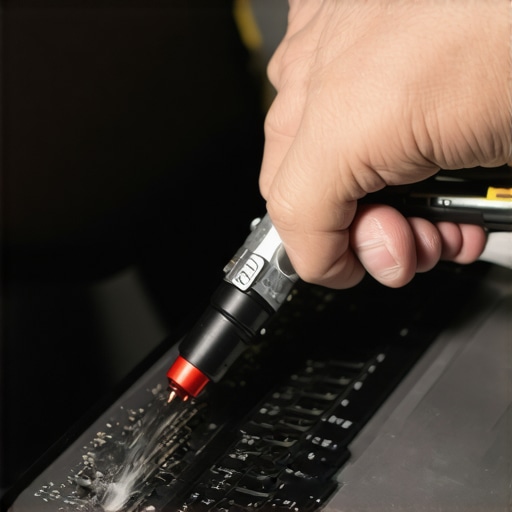
Image prompt: Close-up of a person using compressed air to clean a laptop’s internal fan, emphasizing maintenance tools for longevity. Alt: Person cleaning laptop with compressed air, fan inside visible. Title: Laptop maintenance with compressed air—extending device lifespan.
What Nobody Told Me About Reliable Laptop Choices
One of the most eye-opening lessons I learned is that not all spill-resistant keyboards are created equal. Some claim to be sealed but reveal gaps in durability upon closer inspection. It’s a reminder that doing thorough research and user reviews can prevent costly mistakes and false expectations. Never settle for buzzwords; verify the real-world performance of features that matter to you, especially if you tend to work or play in unpredictable environments.
Another unexpected insight is that accessories like high-quality silicone covers aren’t just add-ons but essential shields. Over time, I realized that a sturdy cover can be the difference between a quick cleanup and a complete hardware replacement. Coupling this with strategic workspace setups, like elevating your laptop or keeping liquids at bay, transforms the way you protect your device from everyday hazards.
Tools That Transformed My Laptop Maintenance Routine
My go-to toolkit now includes a reliable compressed air can and a precision screwdriver set. These simple tools revolutionized my approach to prolonging my laptop’s lifespan, enabling me to perform small internal cleanings and upgrades without professional help. Regular maintenance, including driver updates and thermal checks, ensures my device stays responsive and safe from overheating.
For monitoring hardware health, I trust software like HWMonitor and CrystalDiskInfo. These tools provide preemptive alerts that help me act before minor issues become major failures. Investing in this routine has saved me from unexpected breakdowns and data loss, especially crucial amid tight deadlines or gaming marathons.
Keep Pushing Forward: Your Laptop’s Peak Potential
Realize that the effort you put into selecting and maintaining the right accessories—like must-have accessories—directly impacts your productivity and peace of mind. Whether you’re a student balancing learning and leisure or a professional striving for smooth workflows, your proactive choices set the stage for success. Don’t wait for a spill or hardware failure to motivate better habits—start today, and you’ll thank yourself later.
Insider Wisdom: Hidden Truths I Wish I Knew Sooner
- Most spill-resistant laptops look tough but often lack the ruggedness for real-world drops—invest in quality cases or sleeves that complement built-in protections.
- Accessories like matte screens reduce glare and fingerprints, saving you cleaning time and protecting your display longer—think beyond just the keyboard when safeguarding your device.
- Routine maintenance isn’t just for tech enthusiasts; it’s a fundamental step towards extending your laptop’s longevity. Skipping it might seem harmless now but can lead to urgent, expensive repairs down the road.
- Choosing a device isn’t only about specs; consider how features like keyboard durability, port accessibility, and thermal management align with your daily use. These details make a tangible difference over time.
My Arsenal of Trusted Resources
My personal toolkit for maintaining and choosing laptops includes trusted deal sites that reveal genuine discounts, avoiding overpriced or outdated models. I rely on comprehensive accessory guides to outfit my devices efficiently. Also, reading through expert reviews from industry insights keeps me ahead in tech trends. These sources have become my compass in navigating a saturated market, ensuring I make confident choices that last.
Your Turn to Keep Moving Forward
Remember, mastering your laptop’s protection and maintenance isn’t just about avoiding spills—it’s about empowering yourself with knowledge and proactive habits. Every small effort adds up, ultimately giving you a competitive edge in work, study, or play. So, why not start today? Your future self will thank you for the extra mile you put in now.