
I still remember the pit in my stomach when I saw that sleek gaming rig go for $300 less just six days after my return window closed. I had spent weeks researching specs, thinking I’d found the ultimate bargain, only to realize I’d been played by a ‘limited time’ banner that was anything but limited. It’s a classic trap. Retailers rely on our urgency, but the secret is that the best unbeatable laptop deals aren’t found by luck—they are found by looking at the data they try to hide.
Stop Trusting the Sale Sticker and Start Tracking Trends
My biggest mistake early on was taking ‘List Price’ at face value. I used to think a 20% discount was a win, regardless of what the price was the month before. I didn’t realize that many stores ‘anchor’ their prices, raising them right before a big holiday just to slash them back down to ‘normal’ and call it a sale. Now, I never buy a piece of tech—be it student laptops that boost productivity or high-end business machines—without checking its history first.
Is using a price tracker actually worth the extra clutter in my browser?
It absolutely is. You might worry about privacy or your browser slowing down, but the trade-off is hundreds of dollars back in your pocket. These tools act like a time machine, showing you exactly what a laptop cost six months ago, three months ago, and even yesterday. According to data from the consumer advocacy platform Which?, as many as 98% of Black Friday deals are the same price or cheaper at other times of the year. If you aren’t watching the graph, you’re essentially gambling with your paycheck.
How a Simple Graph Can Save You Two Hundred Dollars
When you start using price history tools, the first thing you’ll notice is the ‘sawtooth’ pattern. Prices go up, stay high for a few days, then dip for a weekend. I once saved nearly $250 on a mid-range laptop just by waiting forty-eight hours for the ‘weekend dip’ I saw in the historical data. This is especially vital when you are hunting for top laptop deals in 2025, where the competition for stock is fierce. Before you pull the trigger, you also need to make sure you aren’t being fooled by the condition of the item. I’ve seen many ‘deals’ that were actually just used units masquerading as new. Learning how to tell if that refurbished deal is actually just used is a crucial step in the hunter’s toolkit. Have you ever felt that ‘buyer’s remorse’ after seeing a better price just days later? Tell me I’m not the only one who has fallen for a fake countdown timer.
Set Your Digital Tripwires for Automatic Savings
Setting up a price alert is like setting a fishing line with a bell; you don’t need to stare at the water, you just need to wait for the jingle. Most people check a site, see a price, and assume that’s the end of the story. I use browser extensions that allow me to set a target price. The pro tip here is to set your alert about 5% higher than your ‘dream’ price. Retailers often have ‘lightning’ sales that only last an hour or two. If you wait for the tracker to hit your exact bottom-dollar figure, the stock might be gone by the time you open the email. I remember hunting for a specific set of student laptops that balance power and portability perfectly last semester. I set an alert for $750, but it hit $775 first. I jumped on it, and I’m glad I did—the price shot back up to $900 within ninety minutes. 
The Base Model Hack That Retailers Hate
One of the most effective ways to secure unbeatable laptop deals is to stop looking for the ‘perfect’ configuration and start looking for the perfect chassis. Manufacturers make their biggest margins on RAM and storage upgrades. They might charge you an extra $200 to go from 8GB to 16GB of RAM, even though the physical stick of memory only costs them $30. When I’m looking at top business laptops for productivity in 2025, I always check the service manual first. If the memory isn’t soldered to the motherboard, I buy the cheapest base model and upgrade it myself. Knowing how to find out if your laptop can be upgraded is essentially a license to print your own discounts. I once saved $350 on a workstation by spending twenty minutes with a screwdriver and a $60 NVMe drive I bought on sale.
Look Beyond the Shiny Screen to the Ports and Power
Don’t let a vibrant OLED screen distract you from a terrible port selection or a proprietary charging brick. I’ve seen ‘doorbuster’ deals on gaming rigs that look incredible on paper but include a power supply so weak the laptop drains its battery while plugged in during heavy use. This is why you must check the specifics, especially since why your gaming laptop needs more than 16GB of ram now is becoming a standard requirement for modern titles. I once fell for a ‘clearance’ deal on a sleek Ultrabook, only to find out it had a proprietary charging port. When that cable frayed, I realized why we avoid buying laptops with proprietary power bricks; the replacement cost me a fortune and wiped out all the savings I made on the initial purchase.
Is that Refurbished Tag a Red Flag?
Many people shy away from anything that isn’t ‘New in Box,’ but that’s where the real meat of the market lies. However, you have to be cynical. Not every ‘renewed’ item is equal. You need to distinguish between a ‘Manufacturer Refurbished’ unit—which has been tested by the people who built it—and a ‘Seller Refurbished’ unit, which might just be a laptop someone wiped down with a microfiber cloth. Learning how to tell if that refurbished deal is actually just used is your best defense against getting a lemon. I always look for a minimum 90-day warranty; if a seller won’t stand behind their work for three months, they don’t trust the machine, and neither should you.Let’s dig deeper into the spec sheets that retailers love to overcomplicate. Most people assume that a laptop with an i7 processor is always faster than one with an i5. This is one of the biggest myths in the industry. In reality, a modern student-tier chip can often outperform an older professional-tier chip while using half the battery. This is why I tell people looking for student laptops that boost productivity and learning to check the specific generation number, not just the marketing name. Furthermore, the modern obsession with thin designs has created a massive performance bottleneck known as thermal throttling. You might pay for a top-tier graphics card, but if the chassis is too slim for the fans to breathe, your expensive machine will slow down to a crawl within ten minutes of heavy use. I learned this the hard way when I realized why you shouldnt use a gaming laptop for heavy rendering if it lacks the thermal headroom to sustain its clock speeds. 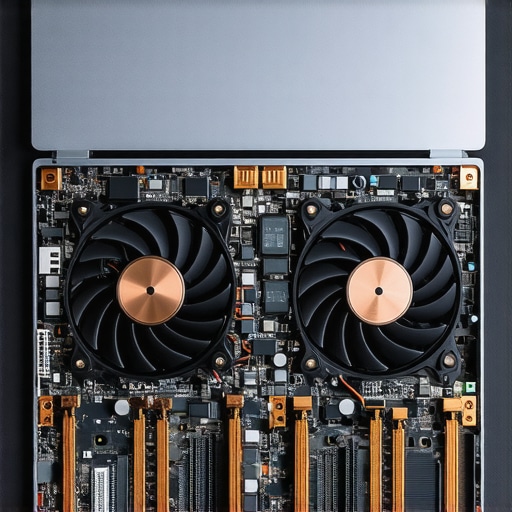
Does a higher graphics wattage actually matter more than the model number?
It actually matters more than almost any other specification for gamers and creators. Manufacturers often hide the Total Graphics Power (TGP) in the fine print. According to detailed performance benchmarks by the experts at NotebookCheck, a lower-tier GPU with a high wattage limit can often outperform a higher-tier variant that has been power-starved to keep the laptop thin and quiet. If you are hunting for top laptop deals in 2025, you must hunt for that TGP rating in the technical manuals. If it is not listed, you are likely buying a throttled machine. Also, keep in mind that why business laptops use different cpus than consumer models usually comes down to enterprise security features like vPro or TPM 2.0, which the average home user simply does not need to pay a premium for. The real ‘oops’ factor for many is buying a laptop with a stunning display but completely forgetting about port connectivity. I have seen professionals buy top business laptops for productivity in 2025 only to find they need an array of expensive dongles just to connect a standard monitor. Before you checkout, look at our list of must-have laptop accessories to boost your work setup to ensure your new device is actually functional from day one. Have you ever fallen into the trap of buying high specs only to have them throttled by heat? Let me know in the comments.Dealing with thermal throttling isn’t just a performance issue; it’s a longevity issue. If you’ve secured one of those unbeatable laptop deals, the last thing you want is for it to turn into a paperweight because of dust buildup. I keep a specific kit nearby to ensure my gear survives past the warranty. You don’t need a professional workshop, but the $10 tool every laptop owner should keep in their desk—a precision Pentalobe or Torx driver—is non-negotiable for modern hardware maintenance.
Why You Need to Open Your Case Twice a Year
Most people are terrified of opening their laptop, fearing they will void a warranty or break a delicate ribbon cable. However, according to the repair experts at iFixit, a laptop’s repairability score is the single best predictor of its real-world lifespan. If you never clean your fans, your cooling system becomes an insulated blanket of lint. I make it a habit to blow out the dust every six months. If the machine is older, I go a step further. Learning how to choose the right thermal paste for your machine and reapplying it can drop your temperatures by ten degrees instantly. This is especially vital for game-changing gaming laptops for serious players in 2025 that run at the edge of their thermal limits. If a fan starts rattling, don’t panic; how to replace your own laptop fan in under 20 minutes is a skill that saves you a $150 trip to the repair shop.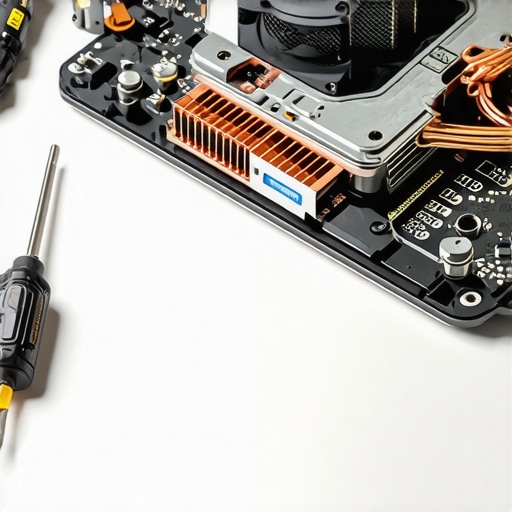
Stop Killing Your Battery with Kindness
I used to be obsessed with keeping my battery at 100% whenever I was near an outlet. Now I know that’s a slow death sentence for lithium-ion cells. Many top business laptops for productivity in 2025 now include ‘Conservation Mode’ in their software. This is why the reason your laptop battery wont charge past eighty percent is actually a feature you should embrace. By keeping the charge between 20% and 80%, you significantly reduce chemical stress on the battery. Beyond internal health, watch your physical habits. I’ve seen more screens die from a single thumb-press on the bezel than from actual software crashes. Understanding why your laptop hinge is destined to fail and how to prevent it usually comes down to one simple rule: always open the lid from the center, never the corners.
How do I keep my laptop feeling brand new for half a decade?
The secret is a mix of hardware hygiene and software discipline. Every quarter, I perform a ‘bloatware audit’ to ensure no background processes are eating my RAM. You can even find ways how to improve your laptops built-in microphone for free just by tweaking gain settings and noise suppression filters in your OS. If the OS feels sluggish, don’t buy a new machine; buy an SSD. Even student laptops that balance power and portability perfectly can feel like supercomputers again with a fresh install of Windows or Linux on a high-speed drive.
The Future of Computing is Modular
I predict that the ‘sealed box’ era of laptops is finally ending. We are seeing a massive push for ‘Right to Repair’ legislation that is forcing even the biggest brands to rethink their designs. In the next few years, I expect more manufacturers to adopt the modular approach seen in brands like Framework. We are moving toward a world where you don’t replace a laptop; you just swap the motherboard or the screen. Until that becomes the standard, you need to understand the truth about modern laptop warranties and repair rights so you aren’t bullied into paying for ‘authorized’ repairs that you could easily do yourself. My challenge to you today is this: go into your power settings right now and enable a battery charge limit. It is the easiest way to add years to your device’s life without spending a dime.
My Hard-Earned Rules for Avoiding Buyer’s Remorse
I spent years thinking the most expensive laptop would naturally last the longest. I was wrong. The secret to longevity isn’t the price; it is the repairability and the software hygiene you maintain. My first lightbulb moment was realizing that a mid-range machine with a clean operating system install often beats a flagship model clogged with manufacturer bloatware. Don’t let the flashy banners for unbeatable laptop deals distract you from the build quality. A plastic hinge will snap long before a processor becomes truly obsolete. Finally, remember that your student or work discount is your greatest weapon. I always tell my friends that why your student id is the best tool for laptop discounts isn’t just about the initial price, but the bundles and warranties included.
The Survival Kit for Modern Hardware
I don’t go anywhere without a small kit to keep my gear in top shape. First, the $10 tool every laptop owner should keep in their desk—a precision screwdriver—is non-negotiable for tightening loose hinges. I also trust the technical community at NotebookCheck for their unbiased wattage data because manufacturers love to hide power limits. For my home setup, I rely on must-have laptop accessories to boost your work setup to prevent neck strain and keep my ports clean. These aren’t just gadgets; they are investments. If you are buying second-hand, knowing how to verify the battery health of a used laptop purchase will save you from a $100 replacement bill just weeks after your purchase.
Take Control of Your Digital Future Today
You now have the roadmap to navigate the shark-infested waters of the tech market. Whether you are hunting for student machines or a high-end workstation, remember that you are the one in control. You don’t have to be at the mercy of ‘limited time’ countdowns or expensive proprietary chargers. By using the tools and strategies we have discussed, you are not just buying a tool; you are mastering it. Go forth and find those truly unbeatable laptop deals with the confidence of an expert. Have you ever successfully upgraded a component yourself, or did you find it too intimidating to open the case? Let me know your experience in the comments below!