
It happened on a rainy Tuesday. My $1,500 laptop, the one I had bragged about for its ultra-thin profile, simply refused to charge. I figured it was a five-minute fix. I have been around the block with hardware, so I grabbed my screwdriver set and prepared to swap the battery. But when I flipped it over, I did not see screws. I saw a seamless sheet of aluminum held together by industrial-grade adhesive and spite. I spent three hours with a hair dryer and a plastic pick just to get the cover off, only to find the battery was glued to the chassis. I felt like I did not even own the machine I had paid for. It was a wake-up call that changed how I look at business laptops forever. Today, I am helping you avoid that same heartbreak by highlighting the brands that still respect your right to tinker.
Stop Buying Laptops That Are Designed for the Landfill
We have been conditioned to think that thinner is always better, but that sleekness usually comes at a massive cost to your wallet and the planet. I learned the hard way that the truth about modern laptop warranties is often a maze designed to keep you from opening your own device. When your RAM is soldered and your storage is fused, your laptop has an expiration date set by the manufacturer, not by your needs. This is why I have become an advocate for modularity. I want to make sure you know how to find out if your laptop can be upgraded before you swipe your card. It is the difference between a tool that lasts a decade and a piece of e-waste that lasts three years.
Is the Dream of DIY Repair Actually Dead?
You might be skeptical. After all, isn’t everything disposable these days? It certainly feels that way. According to the U.S. PIRG Education Fund 2024 report, many popular brands still intentionally make their devices difficult to service to push people toward new purchases. I made a huge mistake early on by prioritizing a good deal over a repairable design, and I ended up paying double in the long run. But there is hope. A few rebellious brands are proving that you can have power, style, and a machine you can actually fix with a standard screwdriver.
Take Back Control of Your Hardware
It is time we stop settling for disposable tech. Whether you are hunting for unbeatable laptop deals or looking for a reliable machine for school, repairability should be at the top of your checklist. Imagine being able to find official repair guides and parts directly from the manufacturer instead of scouring sketchy forums. That is the reality with the brands we are discussing today. I want to know: have you ever been told a repair was impossible just because a single component was glued down? It is a frustrating spot to be in, but we are going to make sure it never happens to you again. Let us look at the three champions of repairability that are still worth your money.
Flip the Machine and Look for Screws
First thing is first: flip the machine over. If you see visible screws—ideally Philips or Torx—you are already ahead of the game. I once found a killer price on what looked like one of the best unbeatable laptop deals, but a quick look at the bottom revealed a complete lack of any entry point. It was a sealed coffin. Before you commit your hard-earned money, look for the only 4 brands we trust for rugged build quality because they actually intend for you to get inside the chassis. If the bottom panel is glued or requires a proprietary suction tool, walk away immediately. Life is too short to deal with tech that treats its owner like a stranger. 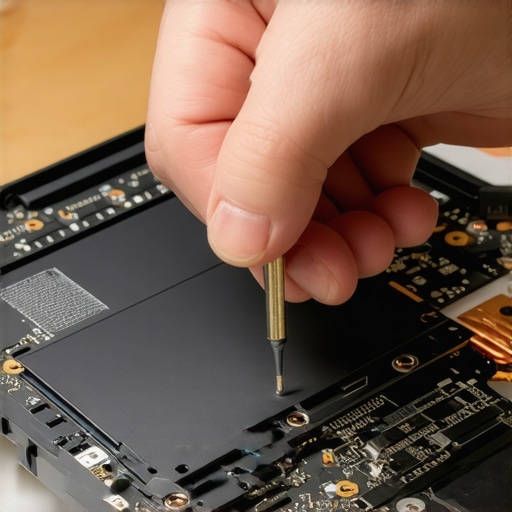
Focus on Swappable RAM and Batteries
Next, focus on the components that have the highest failure rates: the battery and the RAM. Modern business laptops for professionals are notorious for soldering RAM directly to the motherboard to save a fraction of a millimeter in thickness. If you cannot add more memory later, the machine is effectively frozen in time. I remember trying to revive an old workstation by installing the best budget ssds for reviving older student laptops. It took me fifteen minutes, and that small investment made the laptop feel faster than the brand-new model my neighbor just bought. It was a bit messy; I actually dropped a tiny screw into my shag rug and had to find it with a magnet, but the performance boost was undeniable and cost me next to nothing. You should also ensure why your next business laptop needs a user-replaceable battery is a priority, so you are not tethered to a wall outlet three years from now.
Download the Service Manual Before the Warranty Ends
Always ensure you can find official repair guides for your specific model before the manufacturer decides to stop hosting them. Brands like Framework or Dell usually provide a PDF that shows every single screw, cable, and ribbon connector. This documentation is your roadmap when you start noticing how to tell if your laptop battery is swelling. Being able to swap a battery yourself for the cost of the part alone saves you the massive labor fees that ‘authorized’ repair shops charge. If you are shopping for game-changing gaming laptops, pay extra attention to the cooling assembly. Gaming rigs accumulate dust faster than any other device, and if you cannot reach the fans to blow them out, your performance will eventually crater due to heat. Knowing how to lower your gaming laptop fan noise starts with physical maintenance, not just software tweaks. Use your student ID for laptop discounts to grab a machine that actually lets you own what you pay for.Let’s dig deeper into the Enterprise label. Most buyers believe they are paying a premium just for a silver logo or a fingerprint reader. In reality, the difference is often buried in the motherboard design. When you look at the 5 key differences between enterprise and home windows, you realize the hardware is built for a five-year lifecycle, not an eighteen-month one. I have seen countless buyers opt for a consumer-grade deal, only to realize later that the cooling system was never designed to run for ten hours straight. This brings us to a huge misconception: the thinness obsession. We are told that a 13-inch ultra-thin is the peak of engineering. But from my experience at the repair bench, thinness is often a thermal trap. When you squeeze a high-end CPU into a chassis thinner than a magazine, the laptop throttles its speed to keep from melting. This is the hidden downside of ultra-thin gaming laptops—you are paying for a high-performance engine but only getting the speed of a bicycle because the radiator is the size of a postage stamp. It is exactly why we prefer heavy laptops for serious video production; mass equals cooling, and cooling equals consistent performance. 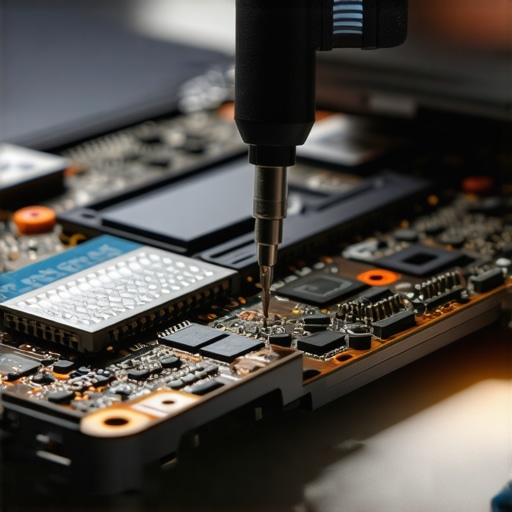
Can a cheap accessory actually destroy your expensive motherboard?
Yes, and it happens more than you would think. People will spend $2,000 on a machine and then use a $15 dongle from a clearance bin. I have witnessed first-hand why cheap usb-c hubs might be killing your ports through back-feeding voltage that the laptop was never designed to handle. It is an expensive mistake that no warranty will cover because it is considered user-induced damage. A study by the Journal of Engineering and Applied Science highlighted that non-certified power delivery components are the leading cause of premature port degradation in modern port-starved laptops. Another trap is the used market. If you are hunting for top laptop deals in 2025, you need to be a detective. I once bought a machine that turned out to be a retired crypto mining rig. You absolutely must know how to check if a used gaming laptop was used for mining before you hand over any cash, or you will end up with a GPU that has the lifespan of a mayfly. When searching for student laptops that balance power and portability perfectly, don’t just look at the weight. Look at the hinge construction and the port layout. Have you ever fallen into this trap where a ‘great deal’ turned out to be a repair nightmare? Let me know in the comments. We need to focus on must-have laptop accessories for a seamless setup that actually protect your investment rather than endangering it.Maintenance isn’t just about blowing air into the vents once a year; it is about having the right gear to ensure your internal components don’t cook themselves alive. I personally swear by a precision driver set and a non-conductive spudger to handle delicate internals without causing a short. If you are serious about longevity, you need to understand that factory-applied thermal paste is often the weakest link in the chain. I have seen temperature drops of 12 degrees just by swapping the stock gunk for a high-quality compound, which is the ultimate secret to how to stop your gaming laptop from thermal throttling in summer. If you leave your machine to bake, you are essentially shortening the lifespan of your motherboard every time you render a video or launch a heavy game. According to technical testing by Igor’s Lab, many standard thermal interfaces suffer from the ‘pump-out’ effect, where heat cycles physically push the paste away from the die, leading to massive performance loss in as little as eighteen months. 
How do I maintain my laptop’s performance for five years or more?
The answer lies in a mix of physical hygiene and consistent software monitoring. First, and I cannot stress this enough, why you should never use a vacuum on your keyboard is a lesson learned through fried circuits; the static discharge from a vacuum nozzle is a silent killer. Instead, use compressed air or the best keyboard cleaning slime we actually tested to lift debris without risking a catastrophic zap. If things get really messy, knowing the best way to clean a sticky keyboard without breaking the keys 2 can save you from a hundred-dollar replacement. On the monitoring side, I recommend running a full battery report every quarter. You should how to verify the battery health of a used laptop purchase even on your own machine to track wear levels over time. If you notice your capacity dropping below 80% of its original design, it is time to start looking for a replacement part before the cells begin to swell. I also strongly suggest investing in quality peripherals that protect your ports rather than taxing them. I only trust the only 3 usb-c docks that dont overheat during transfers because poor thermal management in a cheap dock can actually back-feed heat into your laptop’s chassis. Looking ahead, I predict that modular-first design will soon move from a niche hobbyist market to the mandatory standard for all business laptops for professionals as corporations push for better ESG scores. For an advanced performance boost right now, try this: open your command prompt and run ‘powercfg /energy’ to generate a diagnostic report that shows exactly which background drivers are preventing your CPU from entering its deepest sleep states. It is the most effective way to find hidden battery killers that software alone won’t show you.
Lessons Bought With Stripped Screws and Broken Plastic
I have learned that a true “good deal” isn’t measured by the checkout price, but by how many times you can save that machine from the landfill. I used to think a sealed, seamless chassis meant high-end “premium” engineering, but now I know it is often just a fancy way of saying “disposable.” One of the biggest shifts in my professional life was realizing that learning how to find the best deals on refurbished thinkpads is often a much smarter strategy for finding reliable business laptops than buying a brand-new, glued-shut ultrabook. Also, do not fear the interior of your machine; once you understand the most common errors when replacing a laptop battery, you realize that most hardware maintenance is just adult Lego with higher stakes. True ownership is about having the confidence to fix what you paid for.
My Personal Survival Kit for Hardware Longevity
You do not need a professional lab or an engineering degree to keep your tech running for a decade. I keep a very simple kit in my desk drawer: a precision driver set, a microfiber cloth, and the best keyboard cleaning slime we actually tested to handle the crumbs and dust that inevitably sneak in. I also recommend a proactive approach to software; knowing how to spot a dying ssd before your files vanish is worth more than any paid insurance plan. For your daily workspace, focus on must-have laptop accessories for a seamless setup that emphasize airflow and port protection. These small tools are the frontline defense against the heat and wear that kill most machines prematurely.
Take Back Your Right to Own Your Hardware
At the end of the day, your laptop is meant to be a tool that serves you, not a burden that you serve. Whether you are scouring the web for unbeatable laptop deals, comparing high-performance gaming laptops, or picking out student laptops that need to survive four years of campus life, choose the machine that respects your autonomy. When we collectively stop buying disposable tech, we force manufacturers to stop making it. It is a vote for durability, sustainability, and real ownership. Your wallet, your data, and the planet will thank you for being a repair-first buyer. Have you ever opened up your laptop only to realize you were in over your head? Tell me about your DIY successes or those “oh no” moments in the comments below!